Add MobilityArena as a preferred source on Google
Blocking someone on Snapchat is a useful feature to maintain your privacy and control who can interact with you on the platform. It allows you to prevent specific users from sending you snaps, messages, or viewing your stories. Blocking someone ensures they can no longer contact you or see your content.
Here’s how to block someone on Snapchat through a straightforward process that can be completed in just a few steps. Of course, there are various ways to do this easily and I’ll explain the steps in detail for each of the methods.
- How To Block Someone On Snapchat How To Block Someone On Snapchat Through Search How To Block Someone On Snapchat Through Stories How To Block Someone On Snapchat Through Profile How To Block Someone On Snapchat Through Map What Are the Alternatives to Blocking Someone on Snapchat?
How To Block Someone On Snapchat
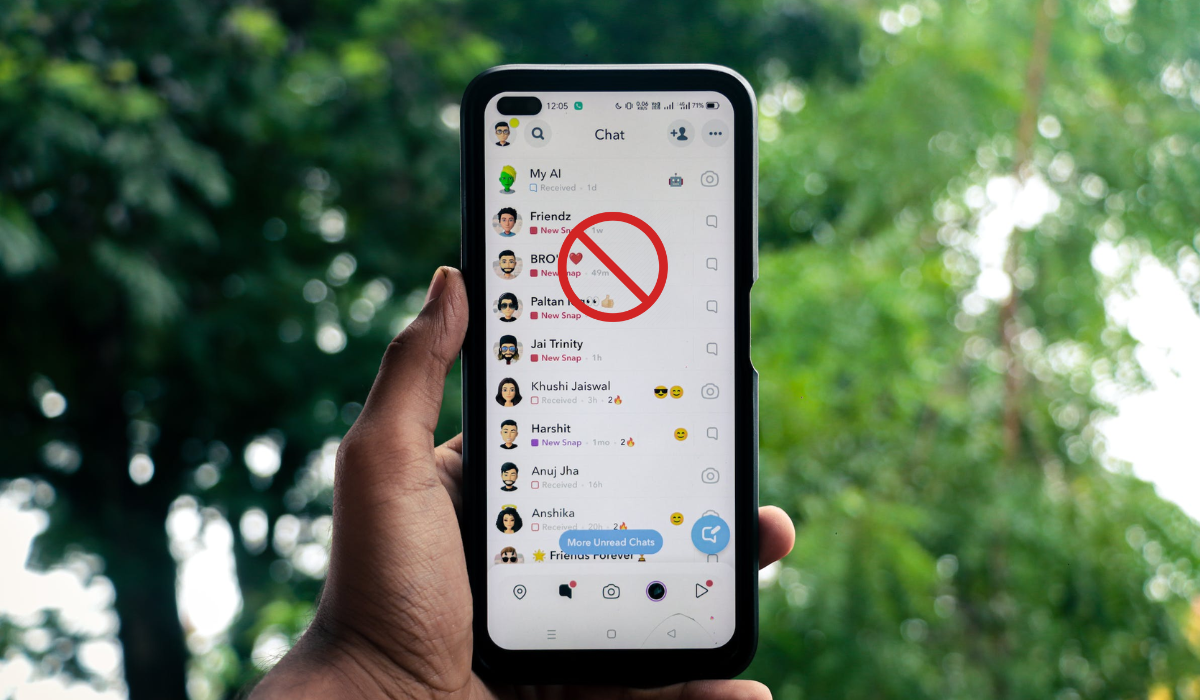
When it comes to blocking any particular Snapchat contact, it’s all about taking control of your online experience. Blocking allows you to put a stop to unwanted interactions and maintain your privacy. Whether it’s an annoying ex, a bothersome acquaintance, or someone you simply don’t want to connect with, using the blocking feature on Snapchat is a simple yet powerful way to curate your Snapchat connections however you want. Try any of the methods below to block a person on Snapchat.
How To Block Someone On SnapchatThrough Search
To block someone on Snapchat through Search, follow these steps:
- Open Snapchat and tap on the search bar at the top of the screen.
- Type in the username or display name of the person you want to block.
- Find the person’s profile from the search results and tap and hold on to their name.
- A menu will appear with different options. Select “ Manage Friendship “.
- Tap on “ Block ” to block the person.
- Snapchat will ask for confirmation. Tap on “ Block ” again to confirm the action.
At this point, you will have successfully blocked someone on Snapchat through the search feature. They will no longer be able to send you snaps, messages, or view your stories.
How To Block Someone On SnapchatThrough Stories
To block someone on Snapchat through Stories, follow these steps:
- Open Snapchat and tap on the Stories section at the bottom.
- Scroll through the recently posted stories and find the profile of the person you want to block.
- Press and hold on to their profile icon.
- Select “ Manage Friendship ” and then tap on “ Block .”
- Confirm the action by tapping “ Block ” again.
How To Block Someone On SnapchatThrough Profile
To block someone on Snapchat through their profile, follow these steps:
- Open Snapchat
- Go to the Chat screen and find a chat with the person you want to block.
- Tap on their profile icon at the top of the chat.
- Tap on the menu icon ( three dots ) and select “ Manage Friendship .”
- Finally, tap on “ Block .”
How To Block Someone On Snapchat Through Map
If you spot someone on Snapchat Maps that you don’t know or if you no longer want to see the location of a friend, here’s how you can block them directly from the Maps tab:
- Launch Snapchat and go to the Maps section at the bottom.
- Look for the Bitmoji of the profile you want to block.
- Tap on their profile picture in the menu.
- Once their profile opens, tap on the three-dot menu in the corner.
- Choose “ Manage Friendship ” from the options.
- Finally, select “ Block ” and confirm by tapping “ Block ” again on the popup.
They won’t be able to see your location or recent actions on the Map anymore.
What Are the Alternatives to Blocking Someone on Snapchat?
Blocking someone on Snapchat is a way to ultimately limit contact with them. However, there are alternatives if you don’t want to take such an extreme step. When you don’t want to cut off contact with someone fully, you can consider less restrictive options. These alternatives allow you to maintain some level of connection while setting boundaries that work for you.
Here are alternative ways to manage your Snapchat interactions without completely blocking someone.
Remove from friend list: By unfriending someone, they won’t be able to see your stories or snaps, reducing interaction.
Turn on Do Not Disturb: This feature helps limit distractions from continuous messages or snaps by muting notifications.
Change privacy controls: You can adjust who can contact you on Snapchat. Options include everyone, friends only, or friends and contacts.
To set your contact preferences on Snapchat, follow these steps:
- Open Snapchat and tap on your profile icon in the upper-left corner.
- Tap on the gear icon to access the settings.
- Scroll down to the “ Who Can ” section and tap “ Contact Me .”
- Choose “ My Friends ” to allow only your friends to contact you.
- To customize who can view your stories, go back to the settings and tap on “ View My Story .”
- Select “ My Friends ” to limit your story viewers to just your friends.
- If you want more control, tap on “ Custom ” to choose specific friends who can or can’t view your stories.
By adjusting these privacy settings, you can have more control over who can contact you and view your stories on Snapchat.
To sum up, blocking someone on Snapchat is a useful feature to maintain your privacy and control over your interactions. By following the steps outlined above, you can easily block someone on Snapchat and prevent them from contacting you or viewing your content. Remember, it’s essential to prioritize your comfort and well-being on social media platforms. Check out this category if you’d like more useful smartphone tips.
Author:Joan Agie
Add MobilityArena as a preferred source on Google
Software updates are essential to the life of a smartphone, adding new features, optimising existing features, and improving performance and security of the device. As long as your device is getting updates, it pretty much stays up-to-date for the most part. How many years of updates that each device gets depends on the brand.
For example, if you buy an iPhone, it will receive the iOS updates up to 5 years after its release. For a long time, this was by far the best deal you could get from any smartphone maker on the planet. Android phones were known for poor software support, with Google Pixel phones being the exception.
- How Many Years Of Updates Do Pixel Phones Get?
- How Many Years Of Updates Do Samsung Phones Get?
- How Many Years Of Updates Do Nokia Phones Get?
- How Many Years Of Updates Do OnePlus Phones Get?
- How Many Years Of Updates Do Xiaomi Phones Get?
- How Many Years Of Updates Do OPPO Phones Get?
- How Many Years Of Updates Do Motorola Phones Get?
- For How Many Years Does Fairphone Update Their Phones?
- How Many Years Of Updates Do Realme Phones Get?
- For How Many Years Does BLU Update Their Phones?
- For How Many Years Are Nothing Smartphones Updated?
- Other Brands
How Many Years Of Updates Do Pixel Phones Get?
In October 2023, Google committed to providing seven (7) years of major Android operating system updates, seven (7) years of security patches, and seven (7) years of regular Feature Drops for the Pixel 8 and Pixel 8 Pro. Seven years is fantastic. Imagine being able to use a smartphone for seven years after it is released into the market. Absolutely fantastic.
Before this announcement, Pixel phones had a record of three (3) years of major updates and security patches. Will this 7-year new support period extend to all upcoming Pixel smartphones? That remains to be seen. I think it will, though. That said, this 7-year policy is now the best deal you will get from any smartphone brand, pushing iPhone’s software update policy to 2nd place.
How Many Years Of Updates Do Samsung Phones Get?
Samsung Mobile’s software update policy is committed to providing four (4) years of major Android operating system updates, plus five (5) years of security patches.
With Google’s new announcement, Samsung moves from the 2nd place that it held previously to 3rd. Still, Samsung has been the fastest and most consistent Android phone maker in terms of software updates. Anyway, I expect Samsung to respond to Google’s recent move with an even better update period.
How Many Years Of Updates Do Nokia Phones Get?
Nokia smartphones, made by HMD Global, get two (2) years of major Android updates and three (3) years of security patches for all their Android smartphones.
How Many Years Of Updates Do OnePlus Phones Get?
OnePlus has committed to a software update policy that provides three (3) major operating system updates and four (4) years of security patches to their flagship devices.
The more budget Nord and Nord CE series get two (2) Android version upgrades and three (3) years of security patches.
Nord N series devices get only one major Android software upgrade and two (2) years of security patches.
How Many Years Of Updates Do Xiaomi Phones Get?
Xiaomi’s software update policy guarantees 2-3 years of major updates for its premium flagship and Redmi Note devices, while Redmi smartphones get 1-2 years of Android updates.
However, in October 2023, the company announced four (4) years of Android OS updates and five (5) years of security patches to the Xiaomi 13T and 13T Pro. Whether this extends to all upcoming premium flagships.
How Many Years Of Updates Do OPPO Phones Get?
OPPO keeps its smartphones updated with up to four (4) years of Android updates and up to five (5) years of security patches.
How Many Years Of Updates Do Motorola Phones Get?
Motorola is committed to providing two (2) years of major system updates and security patches. However, earlier this year, the company announced that the Motorola Edge 30 series will get up to three (3) years of updates. Whether this will be extended to all Motorola smartphones is not something we have been able to confirm yet.
For How Many Years Does Fairphone Update Their Phones?
Fairphone’s Android software update policy covers five (5) years of major updates and at least eight (8) years of security patches.
How Many Years Of Updates Do Realme Phones Get?
Realme has committed to pushing out software updates to its smartphones, apart from entry-level models, with at least two Android versions and three years of security patches.
For How Many Years Does BLU Update Their Phones?
Blu makes entry-level Android phones and has not committed to any software update policy. Blu phones hardly ever get any Android software updates.
For How Many Years Are Nothing Smartphones Updated?
Nothing has committed to providing three (3) years of Android updates and four (4) years of security patches to their phones.
Other Brands
Other Android phone brands like itel, TECNO, Infinix, Ulefone, AGM, Unihertz, Alcatel, Cubot, Coolpad, Doogee, and others, do not have a defined or publicly acknowledged software update.
Author:Mister Mobility
Digital Skills and Communication Coach | Mobile Phone Connoisseur since 2001 | Tech Blogging since 2004
