Add MobilityArena as a preferred source on Google
Have you ever found yourself in a situation where you needed to access websites that were otherwise blocked by your system administrators? Typically, such sites are blocked due to objectionable content, or virus-infected pages, so they may redirect you to other irrelevant sites, often without a valid reason.
Fortunately, there are several ways to unblock such websites. You could use a proxy service or a VPN , but proxies may also be blocked, and VPNs require more effort (and payment in some instances). So, how can you bypass blocked sites without using proxies or VPNs?

This article describes some methods you can employ to bypass blocked websites without the use of a proxy or VPN.
How Can I Bypass Blocked Sites Without Using Proxies or VPNs?
Although VPNs and proxies are popular methods for accessing blocked websites, they are not the only ones. There are numerous other methods for easily accessing blocked websites. You can bypass blocked sites without need for a proxy or VPN through the following techniques.
Using Short Links to Bypass Blocked Sites
This is a very popular method of bypassing blocked sites without proxies or VPNs; it works in the majority of cases. However, this also means that administrators are becoming more aware of the problem. Nonetheless, it should be your first port of call.
Shortened URLs became popular as a result of Twitter: when addresses counted against the character limit, using short links was a way to condense a tweet. It’s ridiculously simple.
Simply paste a URL into a service such as Bitly, TinyURL, or Firebase Dynamic Links , and you’ll get something like: https://tinyurl.com/25ey9ntv
Insert it into the address bar, and you should be redirected to your desired location, bypassing any blocks that may be present — fingers crossed.
Using an IP Address to Bypass Blocked Sites
This method for bypassing blocked sites without proxies or VPNs is similar to clicking on shortened links. IP addresses may not be blocked even if website URLs are.
A URL is a domain name, which is an IP address converted into words. So to locate the IP address of a website that is blocked, search for “Command Prompt” in the Windows search box. Then enter “tracert” and the desired domain name and press Enter. You’ll see the IP address, and you’ll br able to copy it into your browser’s search bar.
Since most browsers default to HTTPS , you’ll almost certainly see a warning that your connection is not secure . You can continue regardless if you are certain you want to.
Using a Translator to Bypass Blocked Sites
The translator, which is primarily used to translate text from one language to another, can also be used to bypass blocked sites without using proxies or VPN.
Open any translator service, such as Google Translate or Microsoft Translator , and copy the blocked site address you want to visit. It will translate the URL into the desired language and provide a link if one is available. However, this method may not be applicable in all circumstances.
Use Tethering to Bypass Blocked Sites
The idea is that you use the internet by tethering your smartphone, which requires a high-quality data plan. It’s not worth it if all you want to do is read something from a censored site. But if you need to watch YouTube and nothing else is working, this should also work to bypass a blocked site without using proxies or VPNs. Note though that it’ll probably be slow.
● Navigate to the Settings menu. The method will then differ slightly depending on your operating system.
● On iOS simply enable Personal Hotspot and take note of the password. You’ll be able to connect via Wi-Fi, USB, or Bluetooth. Follow the instructions in that section from there.
● To tether an Android device, go to Network & Internet , then Hotspot & Tethering
However, you should only use this in an emergency because exceeding your data usage limits can result in significant charges. Also, keep in mind that your organization’s IT department may have restricted access to new Wi-Fi networks.
In summary , the methods described above will help you bypass blocked sites without the use of a proxy or VPN. You can easily open blocked sites by using these effective and simple workarounds.
Author:Joan Agie
Add MobilityArena as a preferred source on Google
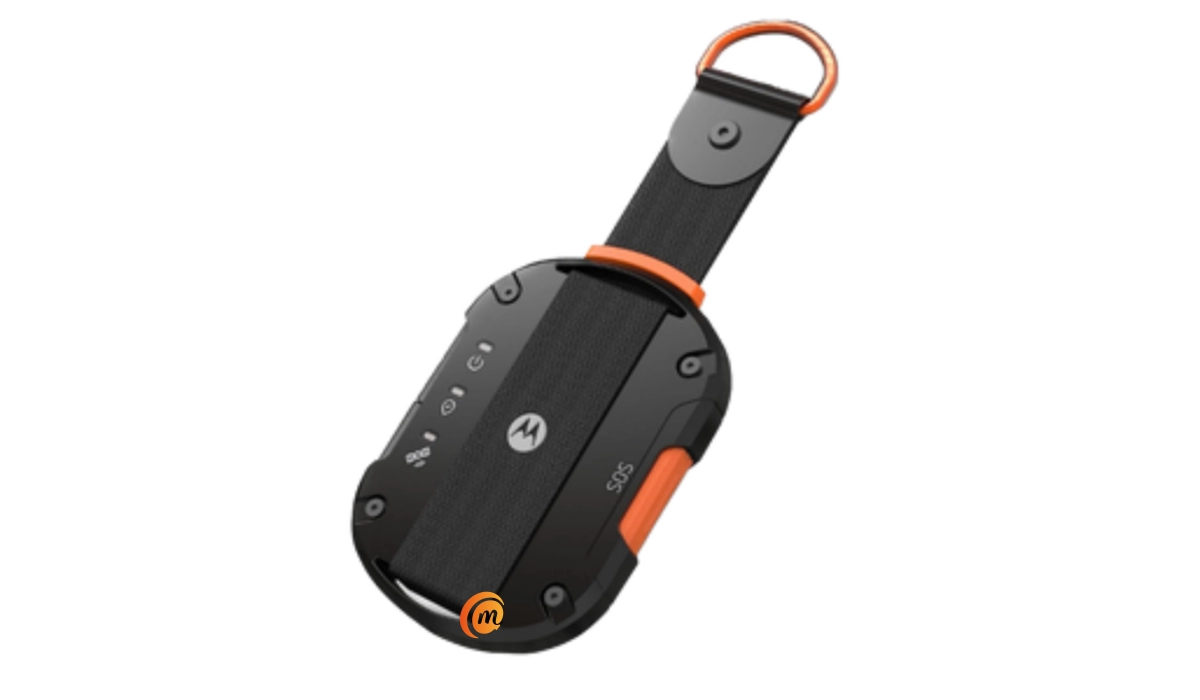
2-way satellite messaging is a new technology that allows a mobile phone user to stay reachable via SMS by using satellite connectivity when outside of wireless carrier’s network coverage area. The problem is that only a tiny handful of smartphones currently have the technology built in. This leaves everyone else stranded. But thanks to Motorola Defy Satellite Link, you can add 2-way satellite messaging to any iPhone or Android phone (Samsung Galaxy, Motorola, Nokia, OnePlus, etc).
Apple launched the iPhone 14 series with emergency satellite messaging built in, allowing users to send an SOS in an emergency. 2-way satellite messaging takes things to another level, allowing phone users to exchange text messages the normal way via a satellite link. It goes beyond an emergency system.
- Which phones have 2-way satellite messaging?
- What is Motorola Defy Satellite Link?
- How does Motorola Defy Satellite Link 2-way satellite messaging work?
- What does Motorola Defy Satellite Link cost?
- What does the 2-way satellite messaging cost?
Which phones have 2-way satellite messaging?
The first phone with 2-way satellite messaging built in is the Motorola Defy 2 , announced on the 24th of February 2023. The second is the CAT S75 , announced shortly after on the same day. Both are rugged smartphones.
As at the time of this article, these are the only cell phones with the technology built in. You can expect more phones with 2-way satellite messaging to be announced in the course of 2023 and beyond.
What is Motorola Defy Satellite Link?
Motorola Defy Satellite Link is a portable device (similar to a mifi or mobile hotspot) that connects to a communication satellite and shares the connection to your smartphone via Bluetooth, so you can send and receive SMS when you are outside of your wireless carrier’s coverage. Think of it as a satellite hotspot device. Cool; right?
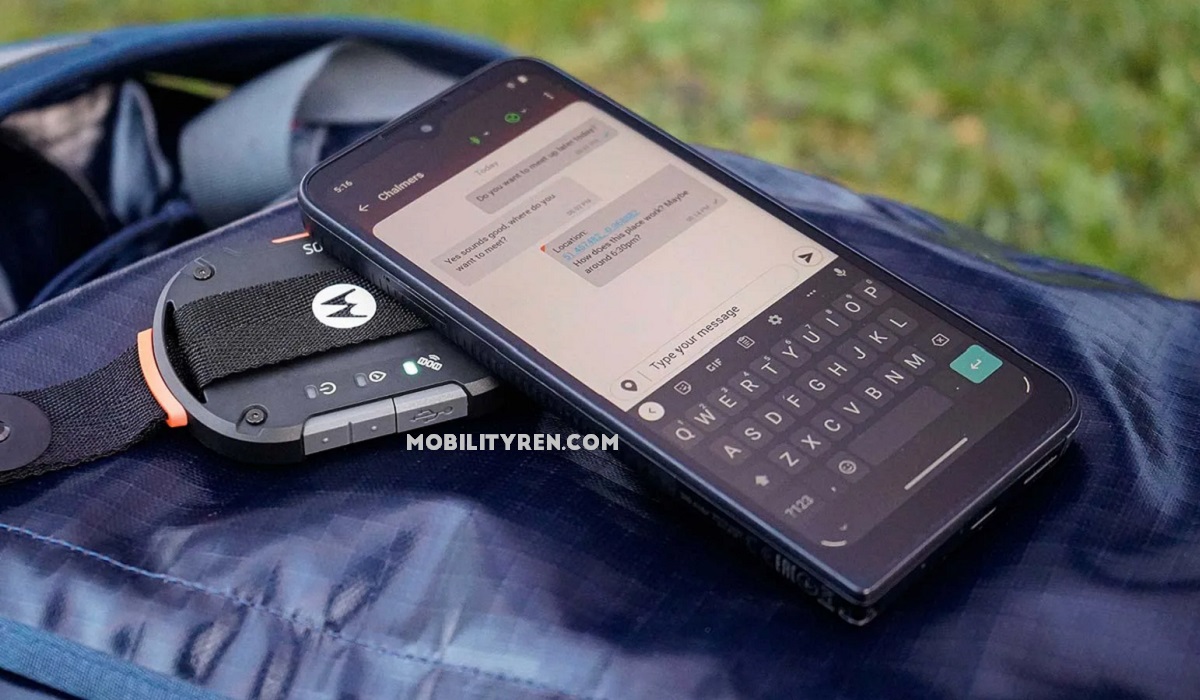
Motorola Defy Satellite Link adds 2-way satellite messaging to any smartphone.
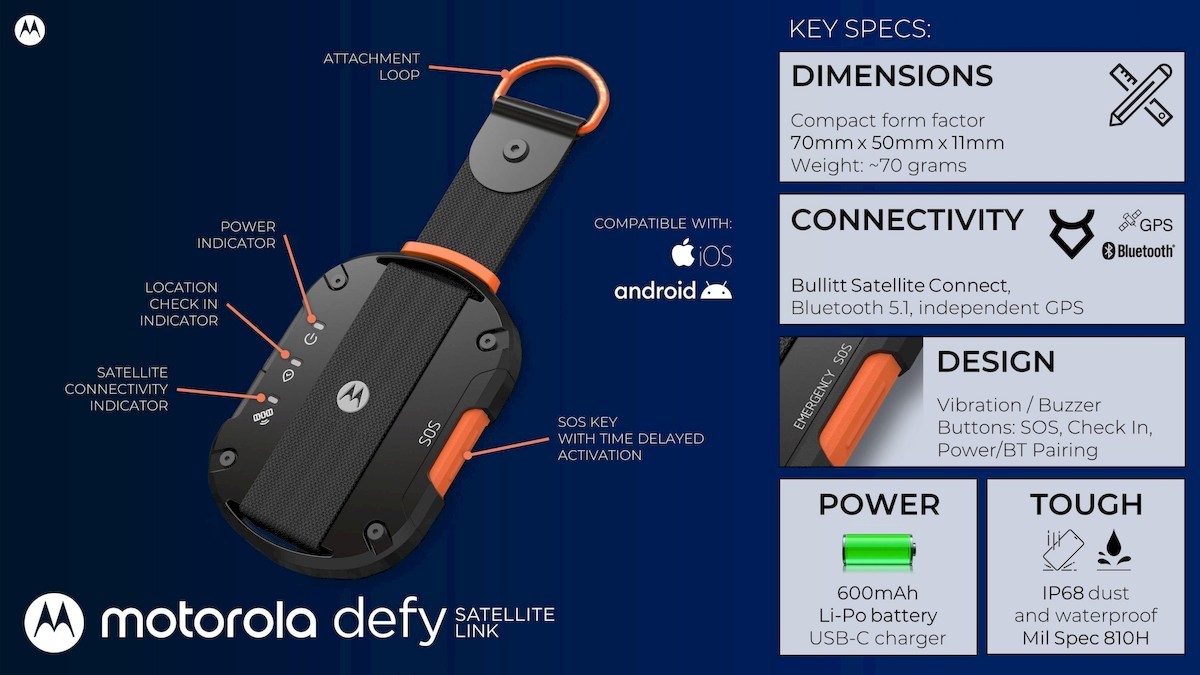
The product is compatible with both Android and iOS devices and connects via Bluetooth 5.1. In addition, it is rated IP68 for dust and water resistance, as well as drop resistance, and has passed Mil-Spec 810H testing.
Other features include a 600mAh battery which charges via USB-C, a physical SOS and a location ‘Check In’ button. It uses multiple satellite systems – GPS, Glonass, Galileo, and Beidou.
How does Motorola Defy Satellite Link 2-way satellite messaging work?
Text messages are sent via the Bullitt Satellite Messenger app. Your recipient can receive your messages on any phone, whether or not they have the Bullitt Satellite Messenger app. However, for them to be able to reply, they do need to download the app. The app is free and is available in the App Store and Google Play Store.
What does Motorola Defy Satellite Link cost?
The device alone costs only $99 in the United States of America (USA), £99 in the United Kingdom (UK), and €119 in the European Union (EU).
What does the 2-way satellite messaging cost?
The Essentials Messaging plan provides you with up to 30 two-way satellite messages a month. Buying the Motorola Defy Satellite Link device along with a one-year subscription to the plan costs $149 in the United States of America (USA), £149 in the United Kingdom (UK), and €169 in the European Union (EU). Other flexible and heavier usage plans also available.
The device is available from April 2023 when the service kicks off. If your line of work or vocation involves often being outside of cellular wireless service coverage, you should consider getting a Motorola Defy Satellite Link device and service. It sounds like a convenient way to get 2-way satellite messaging without having to buy a new smartphone.
Author:Mister Mobility
Digital Skills and Communication Coach | Mobile Phone Connoisseur since 2001 | Tech Blogging since 2004
