Add MobilityArena as a preferred source on Google
For many people, video calls are a big part of daily living, both for work and personal matters. As a result, new technologies arise frequently to liven up video conversation experiences.
For instance, with One UI, it’s possible to change the video call background on Samsung devices. The Samsung Galaxy phone actually lets you introduce different video call effects to any of your video chat apps.
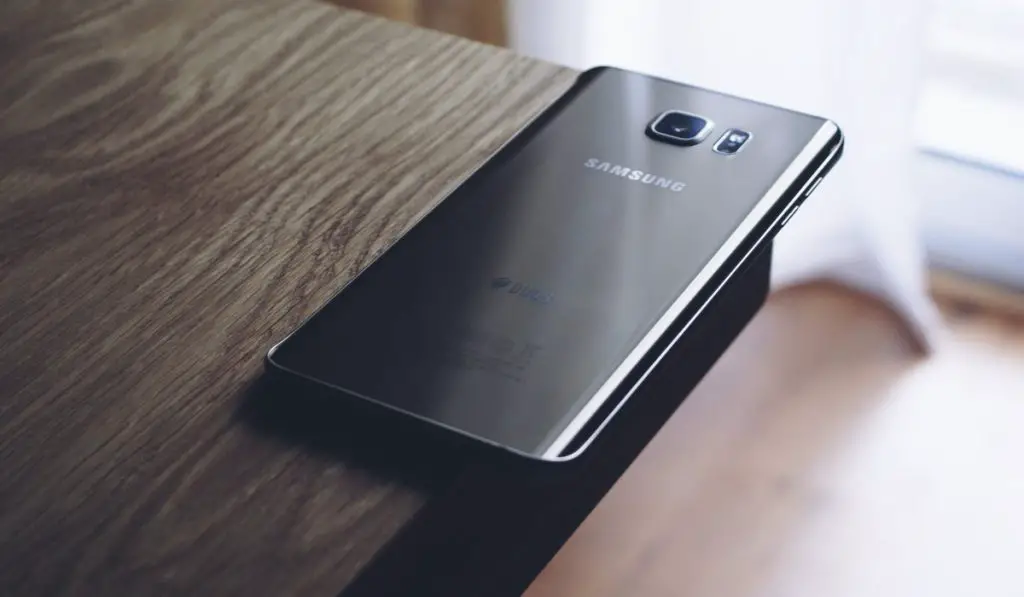
So if you’re interested in learning how to change the video call background on Samsung Galaxy devices, this guide is for you.
- How to Enable Video Call Effects on Samsung Galaxy Devices How Can I Change the Video Call Background on Samsung Devices? How to Change Mic Mode During Video Calls on Samsung Galaxy Devices How to Reset Video Call Effects
How to Enable Video Call Effects on Samsung Galaxy Devices
On a Samsung Galaxy phone, you must first enable the option from the Settings menu in order to use the video call effects.
We’ve described the process below:
- Activate the Settings app, then select Advanced features .
- To turn the feature on or off, use the switch next to the “Video call effects” option.
After enabling video call effects as described above, you can then proceed to the necessary steps to change the video call background on Samsung Galaxy devices.
These video call effects will typically function in your preferred video calling applications, such as WhatsApp, Facebook Messenger, Google Meet, and others, once you’ve enabled it.
How Can I Change the Video Call Background on Samsung Devices?
Once you’ve enabled video call effects, it becomes pretty easy to change the video call background on Samsung devices.
A floating video call effects icon should show on your screen if you’re in a video conversation with someone. It is from these options that you can change the video call background on Samsung Galaxy devices according to your preferences.
Tap the floating icon, then choose Background . There will be three choices available here: Blur , Color , and Image . When you choose Blur , the background will be blurry and the focus will be on you.
Your backdrop will change to a solid color if you choose Color . Select your favorite color from the Video call effects menu if you’d like more color choices; do this by tapping Settings .
If you want, it’s also possible to use an image when you change the video call background on Samsung Galaxy devices. To do that, choose an image from your phone’s gallery by tapping the Image option.
Additionally, you can swiftly swap between several backdrop photos that you have added. To add more pictures from your phone’s gallery, just select Settings and hit the plus icons.
Once added, you can use this to change the video call background image at any time.
How to Change Mic Mode During Video Calls on Samsung Galaxy Devices
The option to change the video call background on Samsung Galaxy devices is great, but there’s also more you could explore.
During video chats, you can also switch between various mic modes to lower background noise and enhance voice clarity. This is how to do it:
Click the floating video call effects icon on the video call screen, then choose Mic mode from the drop-down option that appears.
Three different mic modes are available: Standard , Voice focus , and All sound .
- Standard : This silences ambient sounds.
- Voice focus : This feature pays attention to sounds originating from the front camera’s direction.
- All sound : This feature sends every audio signal your microphone picks up.
How to Reset Video Call Effects
It’s tempting to get carried away and use too many effects on your video calls. Fortunately, you can always start over and reset the effects you’ve introduced to the video call. Tap the floating video call effects icon and choose Reset all to accomplish this.
Note that this action won’t remove the images you added to change the video call background on Samsung Galaxy devices. You can follow the steps below if you’d prefer to remove the images:
- Open the Settings app, then select Video call effects under Advanced features .
- Select Delete background image from the kebab menu (three-dot menu symbol) in the top right corner.
- To get rid of a backdrop image, tap the minus sign.
In summary , if you follow the instructions we’ve provided correctly, you’ll find that it’s pretty easy to change the video call background on Samsung Galaxy devices. So, feel free to explore this option to make your video conversations more interesting.
Author:Joan Agie
Add MobilityArena as a preferred source on Google
The smartphone industry has been growing rapidly over the years, with millions of devices being produced and sold worldwide, and there is a growing interest in cell phones that are made in the USA.
We already know that there are not a lot of cell phones manufactured any more in the United States. The manufacturing of most gadgets on sale in the USA happen in China, India, Vietnam, and a few other locations, mostly in the Far East. As the year rolls to an end, it is time to look at which cell phones were made in the USA in 2023.
Are there any iPhones made in the USA in 2023?
The iPhone is the dominant smartphone in the United States. Were any manufactured in the USA this year? No; none were. All of Apple’s current iPhone models are manufactured in China and India. None are made in the USA.
What of Samsung? Are there any Samsung Galaxy phones that were made in the USA in 2023?
Samsung is a Korean brand, and the world’s largest Android brand, as well as the second largest cell phone brand in the USA. Were any Samsung phones manufactured in the United States this year? Again, the answer to that is, no. There are none.
What of Motorola? Are there any made in America Motorola phones in 2023?
Another well-known phone brand in the USA is Motorola. Motorola used to be an American mobile brand but is now owned by Lenovo, a Chinese technology company. Sorry, but no Motorola phones are made in the USA any more, and that has not changed this year.
2023 USA-Made Cell Phones
With Apple iPhone, Samsung Galaxy, and Motorola Moto phones out of the way, you are probably wondering if there are any cell phones made in the USA at all this year. There is only one known at this time. The Librem 5 USA. If you frown against the tracking that goes on via modern smartphones (both Android and iOS), and you want a phone that protects your privacy to some extent, the Librem 5 USA is a privacy smartphone that offers data protection.
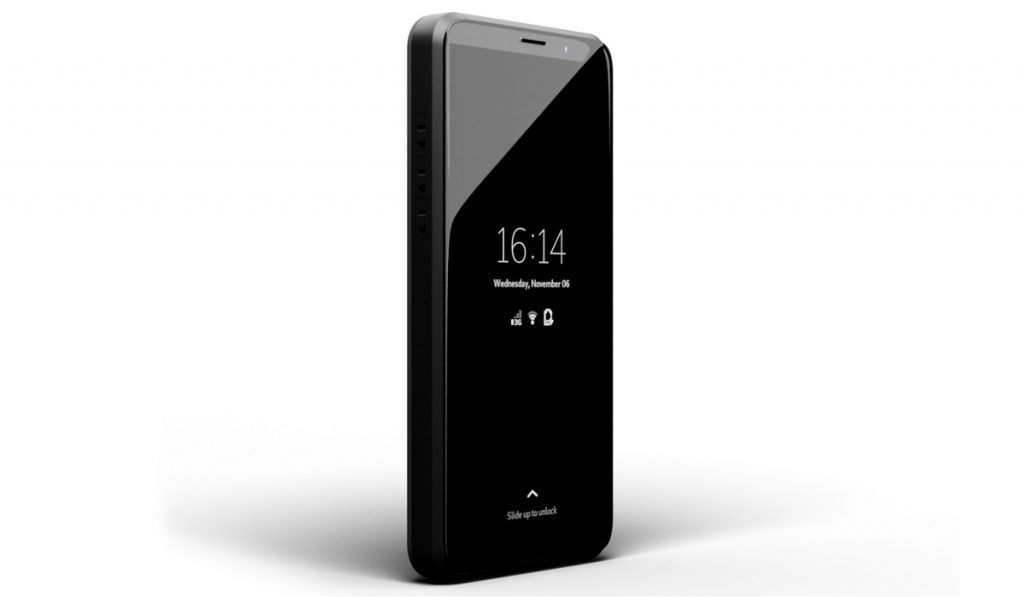
Librem 5 USA is a USA-made cell phone.
Librem says that all components of the phone are produced in the United States, and all coupling is done on US soil as well. This is the only cell phone that is manufactured in the USA in 2023. If you want an America-made phone, this is it.
July 2023 Update : We have another phone join the list of phones made in the United States in 2023. The Liberty Phone is an upgraded version of the Librem 5. The improvements include more RAM, more built-in storage, and faster charging.
Author:MobileChic
That motivated, gadget-loving geeky chic who tries to stay on top of things. Unapologetic iFan.
