Add MobilityArena as a preferred source on Google
If you use an Apple iPad, I’m sure you’re already familiar with the loads of opportunities in terms of its features and usability. Whether work or play, Apple iPads offer tons of useful functionality. An even better way to use your Apple iPad is to pair it with an Apple Pencil, especially if you lean towards the artistic side.
In this guide, I’ll show you how to connect Apple Pencil to iPad if you own both devices. If you’ve not already purchased an Apple Pencil but plan to do so soon, you’ll also find out which options are best suited to your iPad. So, keep reading this guide to find out all you need to know to successfully connect Apple Pencil to iPad.
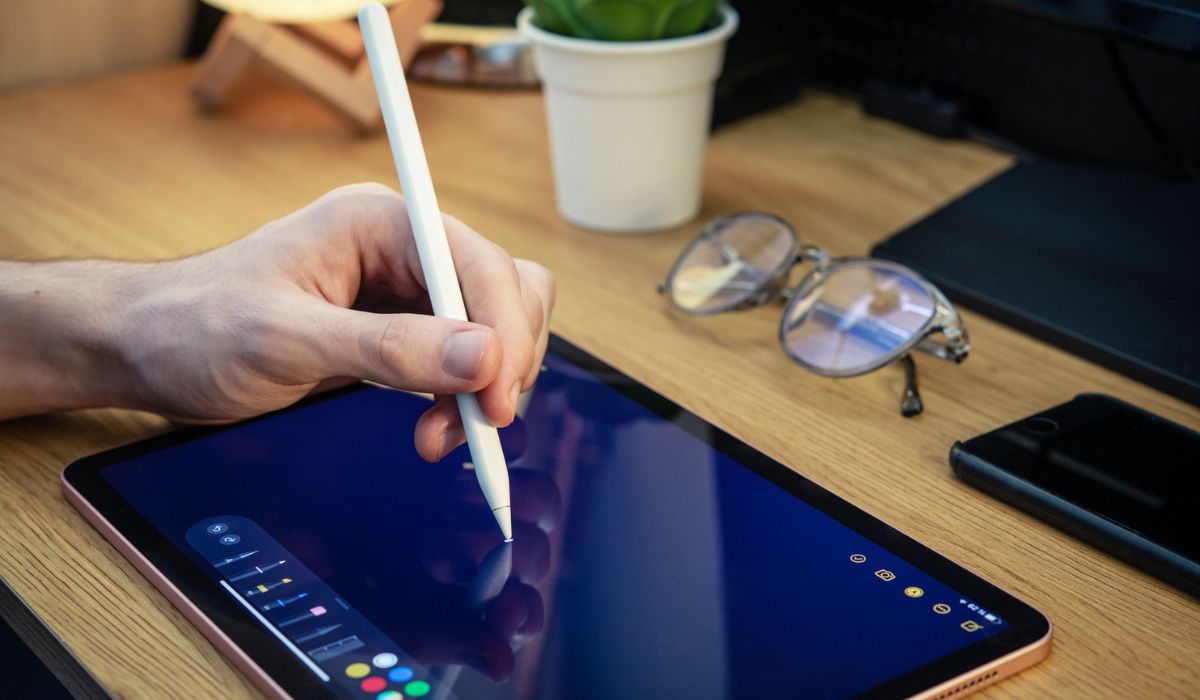
- Which Apple Pencil is Compatible With Your iPad? 1st Generation Apple Pencil 2nd Generation Apple Pencil
- How to Connect Apple Pencil to iPad Apple Pencil 1st Generation Apple Pencil 2nd Generation Charge your Apple Apple Pencil Check your Bluetooth Connection Plug Through the Correct Outlet
Which Apple Pencil is Compatible With Your iPad?
You’re in luck if you came across this article before purchasing your Apple Pencil. I say this because you might need to purchase either the first or second generation Apple Pencil, depending on the model of your iPad.
Check out the list below to find out the most compatible Apple Pencil model for your iPad. This way, you’ll have little to no issues when you want to connect Apple Pencil to iPad.
1st Generation Apple Pencil
Below are the iPad models that are compatible with 1st generation Apple Pencils:
- iPad 6th to 8th generation
- iPad mini (5th generation)
- iPad Air (3rd generation)
- iPad Pro 12.9-inch (1st or 2nd generation)
- iPad Pro 10.5-inch
- iPad Pro 9.7-inch
So if you own any of these models, you’ll easily be able to connect Apple Pencil to iPad if you buy or already own a 1st generation Apple Pencil.
2nd Generation Apple Pencil
For 2nd generation iPencils, you’ll be able to easily connect Apple Pencil to iPad if you own any of these devices:
- iPad Air (4th generation)
- iPad Pro 12.9-inch (3rd generation) and later
- iPad Pro 11-inch (1st generation) and later
Keeping this in mind, move on to the instructions in the next section to connect Apple Pencil to iPad.
How to Connect Apple Pencil to iPad
Now that you know which iPencil works for which iPad model, below are the instructions you’ll need to connect Apple Pencil to iPad depending on the models you own for both devices.
Apple Pencil1st Generation
If you own a 1st generation iPencil, here’s what you need to connect Apple Pencil to iPad. Note that the 1st generation Apple Pencil depends on a lightning connector, so follow the instructions below:
- Remove the back cap from your Apple Pencil to reveal the lightning output.
- Connect the Apple Pencil to your iPad’s lightning connector. Don’t forget that it’s the same one you use to charge your iPad.
- A pop-up box indicating a Bluetooth pairing request will appear. Tap Pair once, and you’re done!
As long as you don’t reboot your iPad, place it in Airplane mode, or link it to another iPad, the Apple Pencil will stay plugged in. To reconnect both devices if any of that happens, just repeat the steps to connect Apple Pencil to iPad.
Apple Pencil2nd Generation
If you’re using the more recent and feature-rich 2nd generation iPencil, you’ll find it even easier to connect Apple Pencil to iPad.
- Take the Apple Pencil and fasten it to the iPad’s side. It will stick because of the magnetic connector on the board.
- You’ll see an Apple Pencil overlay and a prompt to attach it to your iPad. You only need to press Connect to finish!
- As you can see, it’s easy to connect Apple Pencil to iPad if your iPencil is 2nd generation. If it disconnects, don’t forget to repeat the above instructions to reconnect them.
If you encounter any problems when you try to connect Apple Pencil to iPad, below are some useful troubleshooting tips:
Charge your Apple Apple Pencil
If you forget to charge your Apple Pencil, you may experience issues when you try to connect it to your iPad. So, before starting the connection process, make sure the iPencil is at least 50% charged. You’ll be better able to connect Apple Pencil to iPad when you charge both devices properly.
Check your Bluetooth Connection
You’ll need constant Bluetooth connection for the Apple Pencil to work as it should and connect to your iPad. As such, make sure Bluetooth is enabled on your iPad before attempting to connect Apple Pencil to iPad.
By navigating to Settings > Bluetooth and switching it on, you can enable Bluetooth on your iPad. Repeat the steps to connect Apple Pencil to iPad after doing this.
Plug Through the Correct Outlet
Despite how easy it is to connect Apple Pencil to iPad, you may still face some issues sometimes. All in all, don’t try to force the Apple Pencil into the iPad if it won’t connect because a side is broken or it won’t go in all the way.
If you’ve done all you can but keep experiencing resistance when you try to connect Apple Pencil to iPad, take both devices to an Apple Store and ask the employees for assistance.
Summarily , it’s great when you can get the best of your Apple devices. Follow the instructions in this guide to easily connect Apple Pencil to iPad if the need ever arises. If you need other dedicated guides for iPad purchase or troubleshooting, check out this page .
Author:Joan Agie
Add MobilityArena as a preferred source on Google
OnePlus Nord N30 5G is now official in North America with a pocket-friendly price tag. This budget Android smartphone features a 6.72-inch 120Hz LCD screen with Gorilla Glass protection, a 108-megapixel main camera with 3x lossless zoom, a 5000mAh battery, and 50W SuperVOOC fast charging.
Welcome to our complete guide to the OnePlus Nord N30 5G, the most affordable 2023 OnePlus smartphone. On this page, we cover everything you need to know about this mobile device, including its specifications, price, release date, and more.
OnePlus Nord N30 5G: brief information
- OS: Android 13
- Release Date: 2023
- Network Type: 2G/3G/4G/5G
- Display: 6.72-inch, 1080 x 2400 pixels resolution
- Processor: Snapdragon 695
- Selfie Camera: 16 MP
- Rear camera: 108 MP
- RAM: 8 GB
- ROM: 256 GB
- Battery: 5000 mAh
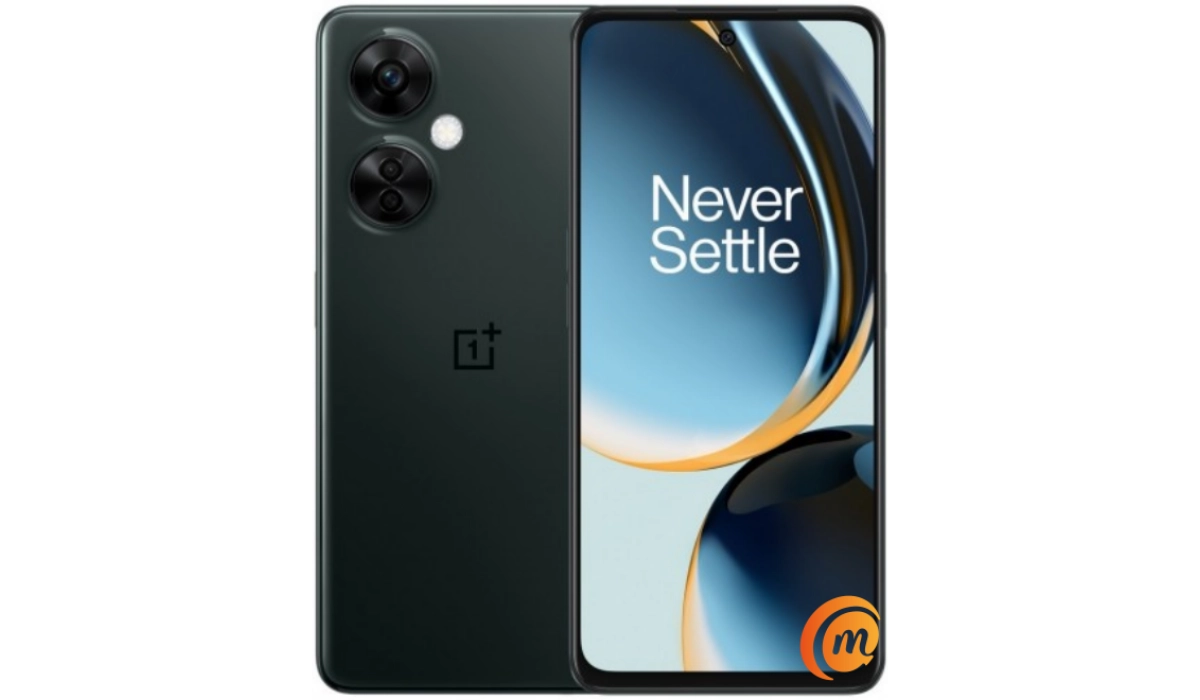
OnePlus Nord 30 is available in the U.S. in Chromatic Gray colour.
- Detailed specifications
- Prices in the USA, UK, and EU
- Where to buy OnePlus Nord N30 5G Does OnePlus Nord N30 5G have Google Play Store? Will OnePlus Nord N30 5G work in the USA?
- Is OnePlus Nord N30 5G waterproof?
- Is OnePlus Nord N30 5G dual SIM?
Detailed specifications
Mobile Wireless Network and Software
- 2G mobile network bands : GSM, GPRS, EDGE 850 / 900 / 1800 / 1900 MHz.
- 3G mobile network bands : UMTS, WCDMA, HSDPA 850 / 900 / 2100 MHz
- 4G mobile network bands : LTE.
- 5G mobile network bands : NSA/SA
- SIM Type : Nano-SIM, Dual SIM
- Software / OS : OxygenOS 13.1 based on Android 13 (will receive the Android 14 update)
Design, Form Factor, Appearance
- Dimensions : 165.5 x 76 x 8.3 mm
- Weight : 195g
- Display : 6.72 inches, 1080 x 2400 pixels, 120 Hz refresh rate, 20:9 aspect ratio, IPS LCD screen, Corning Gorilla Glass.
- Colours : Chromatic Gray.
- Physical Build : Plastic frame; plastic back panel.
Internal Hardware Specs
- CPU/ Processor : 64-bit, 2.2 GHz Octa-core
- Chipset : Qualcomm Snapdragon 695
- GPU/ Graphics Processing Unit : Adreno 619.
- RAM : 8 GB
- Extended/Virtual RAM : 8 GB
- Internal Storage : 128 GB / 256 GB UFS 2.2
- External Storage : microSD, up to 1 TB (shared slot)
Photography, Video Recording
- Main Camera : 108 MP Samsung S5KHM6SX03 sensor, 3x lossless zoom + 2MP macro lens + 2 MP depth sensor, autofocus, LED flash, 1080p@30fps video recording
- Front Camera : 16 MP, fixed focus, Face Recognition, 1080p@30fps video capture
Audio, Video Playback
- Music Support : PCM, AAC / AAC + / eAAC + / MP3 / AMR – NB / WB / APE
- Audio : 3.5 mm audio jack
- Loudspeaker : Stereo speakers
- Video Support : H.264/MP4/MPEG4 player
- FM Radio : Mo.
Phone Sensors
- Digital Compass : Yes.
- Accelerometer : Yes.
- Proximity Sensor : Yes.
- Ambient Light Sensor : Yes.
- Barometer : Yes.
- Pedometer : No.
- Heart Rate Monitor : No.
- Gyroscope (G-Sensor) : Yes.
- Fingerprint Scanner : Yes; side+mounted in Power key.
- Face Unlock : Yes.
- Iris Scanner : No.
- Motion Sensing / Gesture Control : No.
- Voice Control : No.
- Intelligent Digital Assistant : Yes; Google Assistant.
- Infra-red Blaster : No.
Connectivity Options
- Bluetooth Version : 5.1, aptX / aptX HD / LDAC / AAC / SBC
- Bluetooth Profiles : A2DP
- WiFi : Wi-Fi 802.11 a/b/g/n/ac, hotspot
- GPS : Yes, A-GPS, GLONASS, BDS, Galileo, QZSS
- USB : microUSB v2.0. Type-C. USB-OTG.
- NFC : Yes.
Miscellaneous Specs and Features
- Battery Type and Capacity : Non-Removable Lithium-Polymer 5000 mAh
- Battery Charging : 50W SuperVOOC fast charging
- Wireless Charging : No.
- Reverse Charging : No.
- Model Version/Number : CPH2467, CPH2465.
Launch/Release Dates and Information
- Announced : April 4, 2023
- Release Date : June 6, 2023
Pricesin the USA, UK, and EU
- USA : $299.99
- Canada : $380
- United Kingdom (UK) : £330
- European Union (EU) : €280
The above prices may change with time from country to country, as market forces and economic policies influence product price movements.
Where to buy OnePlus Nord N30 5G
You can purchase one from the official OnePlus United States website.
Does OnePlus Nord N30 5G have Google Play Store?
It supports Google Services and software applications, including Play Store and Maps, Gmail, YouTube, and others.
Will OnePlus Nord N30 5G work in the USA?
In the United States, it is sold as OnePlus Nord 30 and is supported on US GSM carriers like AT&T and T-Mobile and other networks riding on their networks. It does not support CDMA networks. Do make inquiries from your carrier to know what bands/frequencies are supported on their service.
Is OnePlus Nord N30 5G waterproof?
The Nord N30 5G is not waterproof.
Is OnePlus Nord N30 5G dual SIM?
The Nord N30 5G is a dual Nano-SIM smartphone. One of the SIM slots is a hybrid slot, though, meaning you can either put a SIM card or a microSD card in it.
MobilityArena Buyer’s Guide Verdict
Not available.
Our Buyer’s Guide Verdict is a recommendation based on the specifications of the device and a general guide to help you understand how much value a device offers for its price. It is not an endorsement of the device. Ask questions and use your judgement when buying any device; MobilityArena takes no responsibility for your buying decisions .
