Add MobilityArena as a preferred source on Google
- Is it possible to upgrade my phone to 4G?
- How to upgrade or convert a 3G phone to 4G
- Just Replace Your 3G Phone With A 4G Phone
- How To Choose A 4G Phone
- How to Upgrade from 3G to 4G Network
Is it possible to upgrade my phone to 4G?
It is technically possible to upgrade your phone to 4G, but the process is beyond your skills and will be expensive. You are better off replacing your 3G phone with a new 4G phone. If you are interested in the details though, read on. How do I upgrade my phone to 4G?
As already said, technically, it is possible to convert a 3G phone to 4G. But you would have to be a highly skilled electronics engineer to pull it off. Let me explain.
How to upgrade or convert a 3G phone to 4G
To convert a 3G phone to 4G, you would need to change a number of key components in the device. These components include: the modem and the processor. You would need to replace the 3G modem in your phone with a 4G modem. Also, if the built-in processor does not support 4G, you would need to replace that with a 4G-compatible unit too.
Chances are that the phone’s software already support 4G, but you might also have to modify one or two things in that too. So, you pretty much have to dismantle your 3G phone and have these above modifications made in order to convert it to 4G.
Unfortunately, these parts that you need to replace are not sold in your local market, and the expertise required to make those changes are not exactly available in the average phone repair shop. Are you catching my drift? So, what do you do?

Can you convert a 3G phone to 4G?
Just Replace Your 3G Phone With A 4G Phone
If you currently own a 3G phone and want a 4G phone, just purchase a 4G phone. Then sell or gift out your old 3G phone. While it is technically possible to convert your 3G phone to 4G, it is largely impracticable. If you are looking for how to upgrade your phone to 4G, the answer is to buy a 4G phone.
How To Choose A 4G Phone
Before choosing a 4G phone, be sure to confirm that it supports the LTE frequency band of the 4G mobile operator that you want to use it on.
There are dozens of 4G frequency bands in use around the world by various cellular carriers. If you buy a 4G phone that does not support the 4G frequency that your operator/carrier uses, your phone will not be able to connect to that 4G network. And that would be a waste.
Now you understand that though it is possible to upgrade a 3G phone to 4G, it is mostly impractical and will cost an arm and a leg. It is just best to replace your 3G phone with a 4G smartphone.
How to Upgrade from 3G to 4G Network
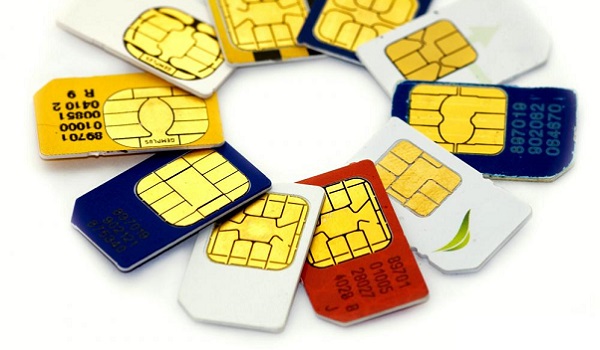
Now that you have a 4G phone, how do you upgrade from 3G to 4G network to enjoy the faster Internet speeds? If you are still using a 3G SIM card, you need to go do a SIM swap at your carrier and have that replaced with a 4G SIM card. If you do not upgrade your 3G SIM card, you will be unable to connect to the 4G network, though you have a 4G phone.
Author:Mister Mobility
Digital Skills and Communication Coach | Mobile Phone Connoisseur since 2001 | Tech Blogging since 2004
Add MobilityArena as a preferred source on Google
Is entering your PIN in reverse at an ATM a valid emergency measure? Have you ever received that WhatsApp pass-on that offers a number of useful tips about things you never knew your mobile phone could do? I have, and I got it again just yesterday. One of the tips in there is the one about ATM PIN reversal, aka Reverse PIN Panic Code. Here is what the tip says:
ATM PIN Reversal
If you should ever be forced by a robber to withdraw money from an ATM machine, you can notify the police by entering your PIN # in reverse. For example, if your PIN number is 1234, then you would put in 4321. The ATM system recognizes that your PIN number is backwards from the ATM card you placed in the machine. The machine will still give you the money you requested but, unknown to the robber, the police will be immediately dispatched to the location. All ATM’s carry this emergency sequencer by law. This information was recently broadcast by Crime Stoppers. It is, however, seldom used as people just don’t know about it.
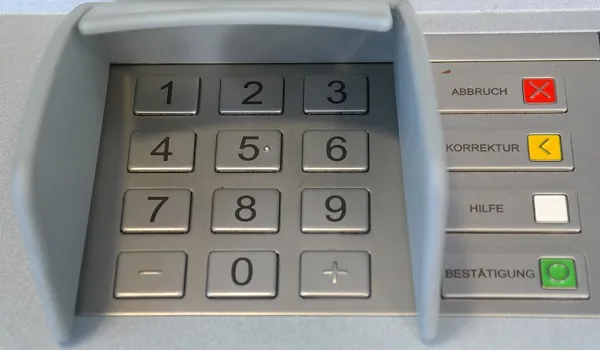
At a cursory glance, it sounds like a great idea. Unfortunately, it is not true. No bank has implemented such a security measure, even though it was recommended to US banks years ago. As a matter of fact, the software to make this work, ATM SafetyPIN software, was even patented by Illinois lawyer Joseph Zingher. However, as said, it was never implemented.
The ATM PIN Reversal Hoax
Since then, this hoax of typing your ATM PIN in reverse when in a forced situation has been passed round and round. The truth is that if you type your ATM PIN in reverse, you will get an error from the ATM and no cash will be dispensed to you.
Also, no police or security agency will be notified. Of course, delay tactics can be helpful in such an emergency situation, so typing in a wrong PIN under that situation may not entirely be a bad idea. But doing so can go this way or that. Typing in a wrong PIN, which is what your PIN in reverse is, might earn you a few slaps and kicks from your abductors.
In Summary
- Typing in your ATM PIN in reverse will get you a “wrong PIN” error
- Typing your ATM PIN in reverse will not alert the police
This so-called tip, like many others floating around the Web and being passed along through WhatsApp and other digital channels, is an urban legend. It is not seldom used because people don’t know about it; it is seldom used because it is not true and just does not work. It is a hoax.
As someone else has mentioned, there are too many issues and exceptions to allow this work. For example, if your PIN is a palindrome (reads the same forwards and backwards), e.g., 4224, how do you reverse that? What if your PIN is made up of the same digits (e. g 7777). What is the reverse of that? A certain string of digits would have to be exempted from the PIN system for this “security” measure to work.
Stay alert and stay safe at the ATM, guys. Also stay calm and focused. Be good to everyone. If ever this reverse PIN panic code system is implemented on ATMs, your favourite digital superhero, Mister Mobility, will be here to update you. For now, typing your PIN in reverse is as good as singing, “Twinkle, twinkle, little stars. To infinity and beyond! * zooms off into the horizon *
- Don’t miss our reviews .
- Join our WhatsApp Group , to be notified of the most important articles and deals,
- Follow us on Instagram , Facebook , Twitter , and YouTube .
Author:Mister Mobility
Digital Skills and Communication Coach | Mobile Phone Connoisseur since 2001 | Tech Blogging since 2004
