Add MobilityArena as a preferred source on Google
5G is so much faster than 4G that it makes sense that you want to experience 5G speeds. Everything is better with 5G. Technically, it is possible to upgrade a 3G phone to 4G. But you would have to be a highly skilled electronics engineer to pull it off. Let me explain.
- Is it possible to convert a 4G phone to 5G? Can my 4G mobile phone be converted or upgraded to 5G?
- How to convert a 4G phone to 5G with a compatible case
- Replace Your 4G Phone With A 5G Phone
- How To Choose A 5G Phone
Is it possible to convert a 4G phone to 5G?
Can my 4G mobile phone be converted or upgraded to 5G?
Yes; it can be, though it isn’t so straightforward. There are currently two ways you can get it done. Let’s have a look.
The first way to upgrade or convert a 4G phone to 5G is highly technical: it requires you to change a number of key components in the device. These components include: the modem and the processor. You would need to replace the 4G modem in your phone with a 5G modem. Also, if the built-in processor does not support 5G, you would need to replace that with a 5G-compatible unit too.
Chances are that the phone’s software already supports 4G, but you might also have to modify one or two things in that too. So, you pretty much have to dismantle your 4G phone and have these above modifications made in order to convert it to 5G. And to do that, you’d have to be a highly skilled electronics engineer or technician.
Unfortunately, these parts that you need to replace are not sold in your local market, and the expertise required to make those changes are not exactly available in the average phone repair shop. Where available, the total cost of such a conversion will make nonsense of things.
Are you catching my drift? While it is theoretically possible to upgrade a 4G phone to 5G, it is not very pragmatic.
How to convert a 4G phone to 5G with a compatible case
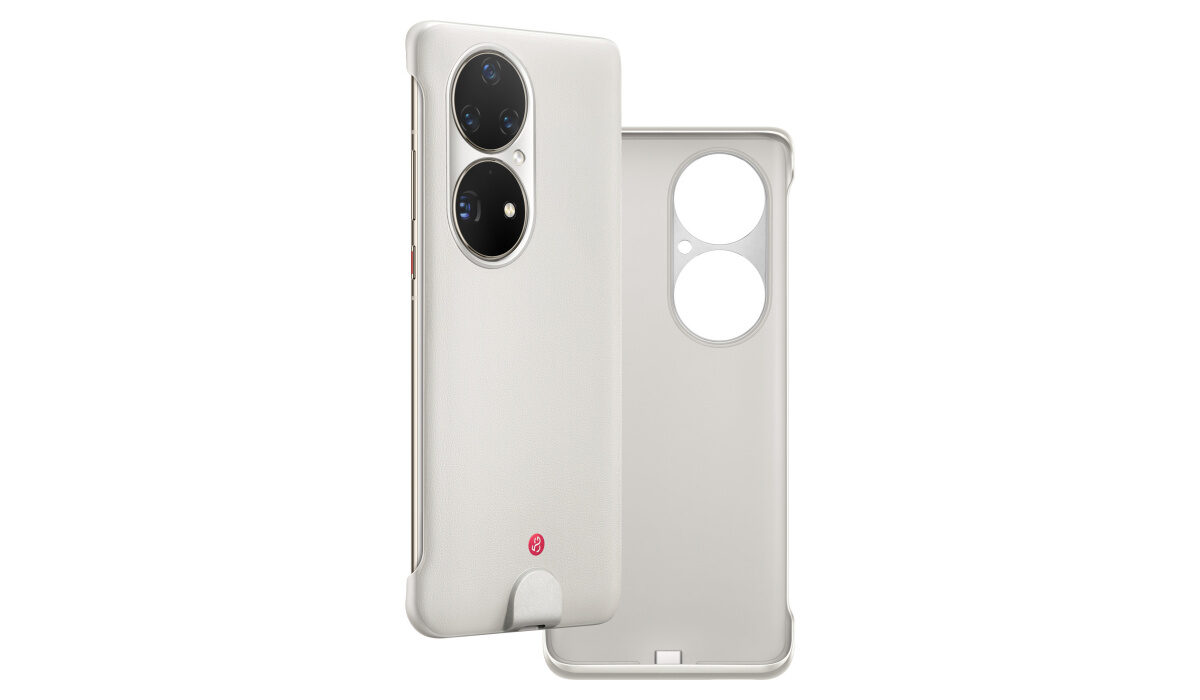
This case adds 5G to the Huawei P50 Pro, a 4G smartphone
The second way to convert a 4G phone to 5G is to use a special case. Yes; it turns out that is a thing. Using a 5G case on your 4G phone is the second way to add 5G to it. Huawei did it. Because of the US government ban, Huawei cannot make 5G phones, so all their new smartphones, including their premium flagships, do not have 5G. They are strictly 4G phones. But guess what Huawei did in the case of the P50 Pro: they got a 3rd party to manufacture a 5G case. That’s a case with inbuilt e-SIM and 5G connectivity.
Snap the case on the Huawei P50 Pro, and you have added 5G to a 4G phone. It is a brilliant idea, and I think that more manufacturers will consider it as an option. So, if your phone’s manufacturer embraces the concept, you will be able to add 5G to your 4G smartphone just by buying a compatible case. Absolutely brilliant.
But if you do not have the technical skills and funds to add the components (and most people don’t), and there is no compatible 5G case for your smartphone, there is no other way to upgrade your 4G phone to 5G. At least, not yet. What do you do, then?
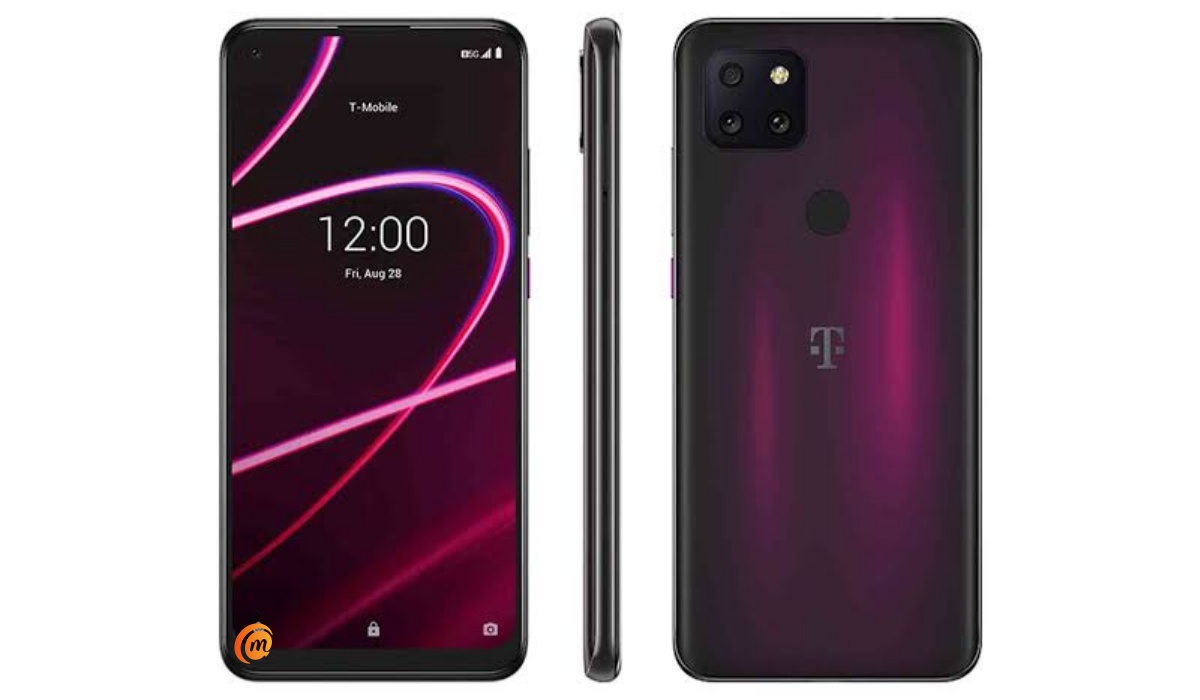
Replace Your 4G Phone With A 5G Phone
If you currently own a 4G smartphone and want 5G Internet connectivity, the easy and simple way to go about it is to purchase a 5G phone to replace your existing device. Then sell or gift out your old 4G smartphone.
While it is technically possible to upgrade a 4G phone to 5G, it is largely impracticable. The process is beyond what you can do, and it would be too costly.
How To Choose A 5G Phone
Before choosing a 5G phone, be sure to confirm that it supports the LTE frequency band of the 5G mobile wireless operator that you want to use it on.
There are dozens of 5G frequency bands in use around the world by various cellular carriers. If you buy a 5G phone that does not support the 5G frequency that your operator/carrier uses, your phone will not be able to connect to that 5G network. And that would be a waste.
In addition, if you travel internationally, you should also consider what network frequency bands are supported in the countries you travel to, or intend to travel to.
If you plan to use a local SIM for 5G Internet access in those countries, you will need a phone that supports available networks there. As a rule, the more bands a smartphone supports, the better.
Now you understand that though it is possible to upgrade or convert a 4G mobile phone to 5G, it is mostly impractical and will cost an arm and a leg. It is just best to replace your 4G phone with a 5G smartphone.
Related Article : Types of 5G networks .
Author:InfoDesk
Add MobilityArena as a preferred source on Google
| BLU G51s specifications in brief |
|---|
| OS: Android 11Release Date: February 2022Network Type: 2G/3G/4GDisplay: 6.4-inch, 1560 x 720 pixels resolutionProcessor: Unisoc SC9863Selfie Camera: 8 MPRear camera: 5 MPRAM: 2 GBROM: 32 GB Battery: 5000 mAhRelated: |
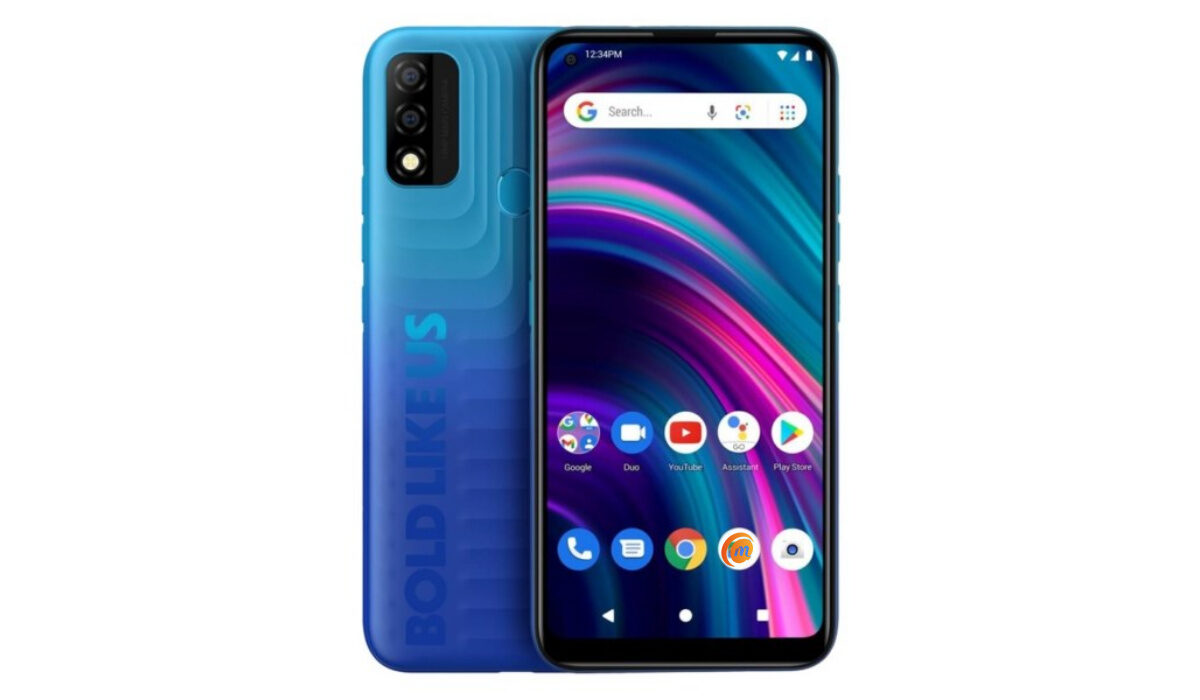
BLU G51s specifications & features
Mobile Wireless Network and Software
- 2G mobile network bands : GSM, GPRS, EDGE 850 / 900 / 1800 / 1900 MHz.
- 3G mobile network bands : UMTS, WCDMA, HSDPA 850 / 900 / 1700(AWS) / 1900 / 2100 MHz
- 4G mobile network bands : LTE 1, 2, 3, 4, 5, 7, 12, 17, 28.
- 5G mobile network bands : No
- SIM Type : Nano-SIM, Dual SIM
- Software / OS : Android 11 (Go Edition)
Design, Form Factor, Appearance
- Dimensions : 162.4 x 77.5 x 9.0 mm
- Weight : 185g
- Display : 6.4 inches, 1560 x 720 pixels, 60 Hz refresh rate, 19.5:9 aspect ratio, 2.5D curved, IPS LCD screen
- Colours : Bronze. Olive Green. Red. Gradient Blue.
- Physical Build : Plastic
Internal Hardware Specs
- Processor Type : 64-bit, 1.6 GHz Octa-core
- Processor Name : Unisoc SC9863 (28nm)
- Graphics Processor : IMG PowerVR GE8322
- RAM : 2 GB
- Internal Storage : 32 GB
- External Storage : microSD, up to 64 GB (hybrid slot)
Photography, Video Recording
- Main Camera : 13 MP main sensor + 0.3 MP depth sensor lens, autofocus, LED flash, 1080p@30fps video recording
- Front Camera : 8 MP, fixed focus, Face Recognition, 1080p@30fps video capture
Audio, Video Playback
- Music Support : PCM, AAC / AAC + / eAAC + / MP3 / AMR – NB / WB / APE
- Audio : 3.5 mm audio jack
- Loudspeaker : Mono speaker
- Video Support : H.264/MP4/MPEG4 player
- FM Radio : Yes.
Phone Sensors
- Digital Compass : No.
- Accelerometer: Yes.
- Proximity Sensor: No.
- Ambient Light Sensor: Yes.
- Barometer: No.
- Pedometer: No.
- Heart Rate Monitor: No.
- Gyroscope (G-Sensor): No.
- Fingerprint Scanner : Yes; rear-mounted.
- Face Unlock : Yes.
- Iris Scanner : No.
- Motion Sensing / Gesture Control : No.
- Voice Control : No.
- Intelligent Digital Assistant : Yes; Google Assistant.
- Infra-red Sensor : No.
Connectivity Options
- Bluetooth Version : 4.2
- Bluetooth Profiles : A2DP
- WiFi : Wi-Fi 802.11 b/g/n, hotspot
- GPS : Yes, A-GPS, GLONASS
- USB : microUSB v2.0. Type-C.
- NFC : No.
Miscellaneous Specs and Features
- Battery Type and Capacity : Non-Removable Lithium-Polymer 4000 mAh
- Battery Charging : 10W charging
- Wireless Charging : No.
- Reverse Charging : No.
- Model Version/Number :
Launch/Release Dates and Information
- Announced : February 1, 2022
- Release Date : February 2022
BLU G51s Prices by Country
- USA : $120
- European Union :
- Nigeria : ₦
- Egypt : Egyptian Pound
- UAE : AED
- India : Indian Rupee
- Iraq : Iraqi Dinar
- Kenya : Ksh.
- Ghana :
The above prices may change with time from country to country, as market forces and economic policies influence product price movements.
Does BLU G51s have Google Play Store?
It supports Google Services and software applications, including Play Store and Maps, Gmail, YouTube, and others.
Will BLU G51s work in the USA?
This is a GSM phone and is supported on US GSM carriers like AT&T and T-Mobile, Cricket Wireless, Metro by T-Mobile, and other networks riding on their networks. It does not support CDMA networks. Do make enquiries from your carrier to know what bands/frequencies are supported on their service.
MobilityArena Buyer’s Guide Verdict
Not available.
Our Buyer’s Guide Verdict is a recommendation based on the specs of the device and a general guide to help you understand how much value a device offers for its price. It is not an endorsement of the device. Ask questions and use your judgement when buying any device; MobilityArena takes no responsibility for your buying decisions .
X Phone Review Rating
Not available.
- Don’t miss our reviews .
- Join our WhatsApp Group , to be notified of the most important articles and deals,
- Follow us on Instagram , Facebook , Twitter , and YouTube .
