Add MobilityArena as a preferred source on Google
Every car owner on the planet has had to deal with the dreadful experience of having their car heat up from the sun at some point. In the summer, under intense heat conditions, the car interior tends to heat up incredibly hard, and it pretty much transforms into an oven.
The sun can be a double edged sword that way. While it can be the giver of life and tend to crops, it can also make you feel like you are slowly dying. Sure, you can buy some cheap sunglasses to keep the sun from melting your eyes away, but what do you do about it heating the interior of your car after it’s been in the sun for a long time?
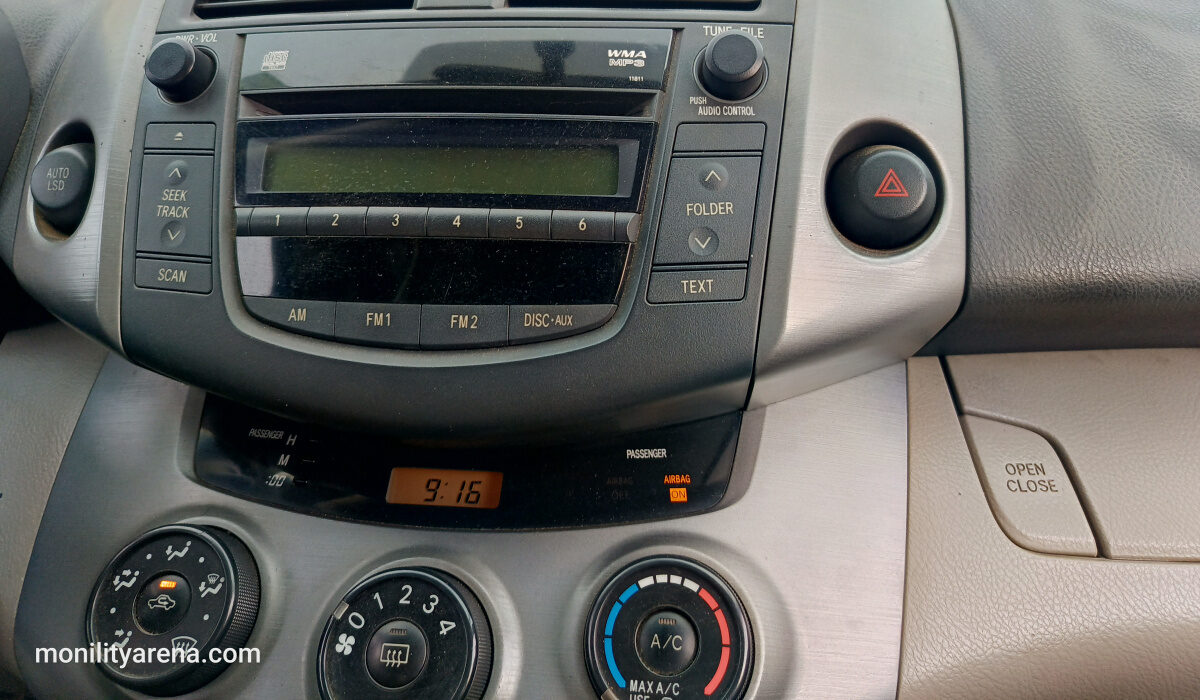
This article revolves around the best methods to cool off the car interior super fast. Try these solutions so that you may go about your business without feeling like you’re trapped in an oven on wheels.
Use the AC trick
When you are in such a situation where you feel like you’re going to melt any second, you can pull off a neat trick with your car’s AC system so that you may get rid of the hot air immediately. For this trick to work, you need to set your AC to Fresh Air instead of Recirculate. This will make it so the car is bringing in fresh, cool air into the vehicle.
The next step is to roll down all your windows to the max and start driving. As you start driving, you will immediately start to feel how the hot air is pushed outside and new cold air is taking its place. It is an effective little trick and it allows you to fix the hot air problem in a matter of moments.
Slamming the doors
Another way in which you can rush out all the hot air is by slamming your doors. Keep your windows rolled up this time, but open all your doors on both sides. Once that’s taken care of, simply go on either side of the car and slam all the doors of the car on that side at once. This will forcefully push out all the hot air immediately and will allow you to breathe inside your car once again.
You should be good to go after one slam, but you can do it twice to make sure you got all the hot air out. Remember to be firm and decisive about slamming the doors. If slamming the doors is something that makes you cringe usually, this one might be harder for you but keep in mind that you’re doing it for a good cause.
Prevention is the best medicine
The best way to make sure that your car is nice and cool the next time you use it, you should consider making sure that you’re not allowing it to get ridiculously hot in the first place. You can do that by not leaving your car in an exposed area in direct view of the sun .
Aside from making sure you park in a shaded place, you can and should also buy sunscreens for your car. They are these pieces of material that go over your windows and prevent the sun from beaming directly on your windows and thus heating up the air inside the car. You can get one for each window so every time you park you can use them to cover up the vehicle. Make sure you get all the windows and you will feel an immense difference in terms of interior temperatures.
Author:Content Partner
Add MobilityArena as a preferred source on Google
A few years ago, a story broke out on the Internet, where a certain presenter was demonstrating how students in Illinois, USA could get juvenile offenses expunged from their records. The presenter used his/her phone. During the demonstration, someone happened to notice a link to popular adult site in the presenter’s browser history. Well, you can imagine how embarrassing that turned out to be for the presenter.
The moral of that story is this: if you have anything you would not want anyone to see in your browser history, it is best to delete it before giving anyone your phone or showing it to anyone in any context. Here are some tips on clearing your browser history and keeping it clean.
CLEAR BROWSER HISTORY ON GOOGLE CHROME FOR ANDROID
This is actually quite easy. Here’s how to clear your browsing history on Chrome for Android:
- Tap on the menu button from anywhere within the app.
- Press the History button/ to clear an individual item, search for the item, then press X beside it. to clear everything at once, tap on Clear Browsing Data. You can also find this button at the bottom of Settings > Privacy.
- Here, you can delete browser history, cache, cookies, site data, saved passwords and any other autofill data you have set up. When you press the Clear button, just wait for the process to complete.
USE INCOGNITO MODE
If you cannot be bothered to clear your browser history, you can save yourself the stress by using Incognito mode on Chrome for your dirty work. Incognito Mode will not store any history, cookies and cache for as long as you use the feature. However, this does not stop people from looking at your network activity, so if you suspect that your network activity could be monitored.
USE OTHER BROWSERS
Of course, you could simply use another browser with more privacy features. Here are a few other options with privacy modes:
- Firefox: Has individual private tabs
- Opera Mobile: Browser-wide privacy mode
- Dolphin; Browser-wide privacy mode
- Dolphin Zero: Always in privacy mode no matter what you do
- Maxthon: Browser-wide privacy mode
OTHER TIPS FOR KEEPING YOUR DATA PRIVATE
If somehow none of this is enough, there are other tips you can use to keep your data away from other eyes:
- Put a lock on your phone: This is a fail-safe that you cannot afford to miss out on, especially if you have things you would rather keep to yourself.
- Use an app locker before giving your phone to anyone. Most snoopers tend to borrow your phoneunder the guise of making a phone call or text, but somehow they turn up deep in your browser history. An app locker would make sure they cannot get at your most sensitive apps without your permission. Of course, there are lots of good options in the Google Play Store.
- How about not looking at adult material at all? That’s also a good idea.
Conclusion
browsing the internet has become an integral part of our daily lives. We use our web browsers to access various websites, social media platforms, and online services. However, as we surf the web, our browsers collect a vast amount of data about our browsing habits, including our search history, cookies, and cache files.
While this information can be useful for improving our browsing experience, it can also compromise our online security and privacy. In this context, clearing our browser history becomes an essential step to protect ourselves from online threats and maintain our digital privacy. This article will explore why it is crucial to clear your browser history and how it can help improve your online security and privacy.
