Add MobilityArena as a preferred source on Google
Deleting your Facebook, Instagram, or WhatsApp account is not as easy as tapping a delete button, like some other apps. There is a process to follow if you want to delete your account on these apps and this article is here to help you with that. Let’s start with the deleting of your account on the Instagram app.
How to delete your Instagram account

You can delete your Instagram account on the website. Go to the Instagram website and log in to the account you want deleted. Once you’ve logged in, tap on settings and scroll until you see ‘help’ and tap on it. On the help page, there are three choices, tap on ‘help centre’. Once you are on the ‘help centre’ page, click on the search bar below ‘hi, how can we help you’ and type in ‘delete your account’. You will be taken to a page giving you three options, the options you should focus on should be either to disable your account temporarily or delete your account.
If you want to delete your account permanently, pick the ‘delete your account’ option. Instagram has a few words written to make sure you understand and want to delete your account. The picture below is what you will see when you pick the ‘delete your account’ option. Once you see that, just follow the three steps laid out and in a few minutes your Instagram account will be deleted.
2022 update : Instagram has now made it possible to delete your account right in the iOS mobile app, without needing to visit the website. Here is how iPhone and iPad users can delete your Instagram account in the mobile app:
- Open the Instagram app on your iPhone or iPad.
- Tap on the profile tab in the bottom-right corner of the screen.
- Tap on the menu button (three horizontal lines) in the top-right corner.
- Go to Settings > Account > Delete account .
- Tap on the “Delete account” button and confirm that you want to delete the account by tapping on the “Continue deleting account” button.
Once you complete the process, Instagram will mark your account for deletion in 30 days. If you change your mind, you can stop the deletion process within that 30-day period.
How to delete your Facebook account
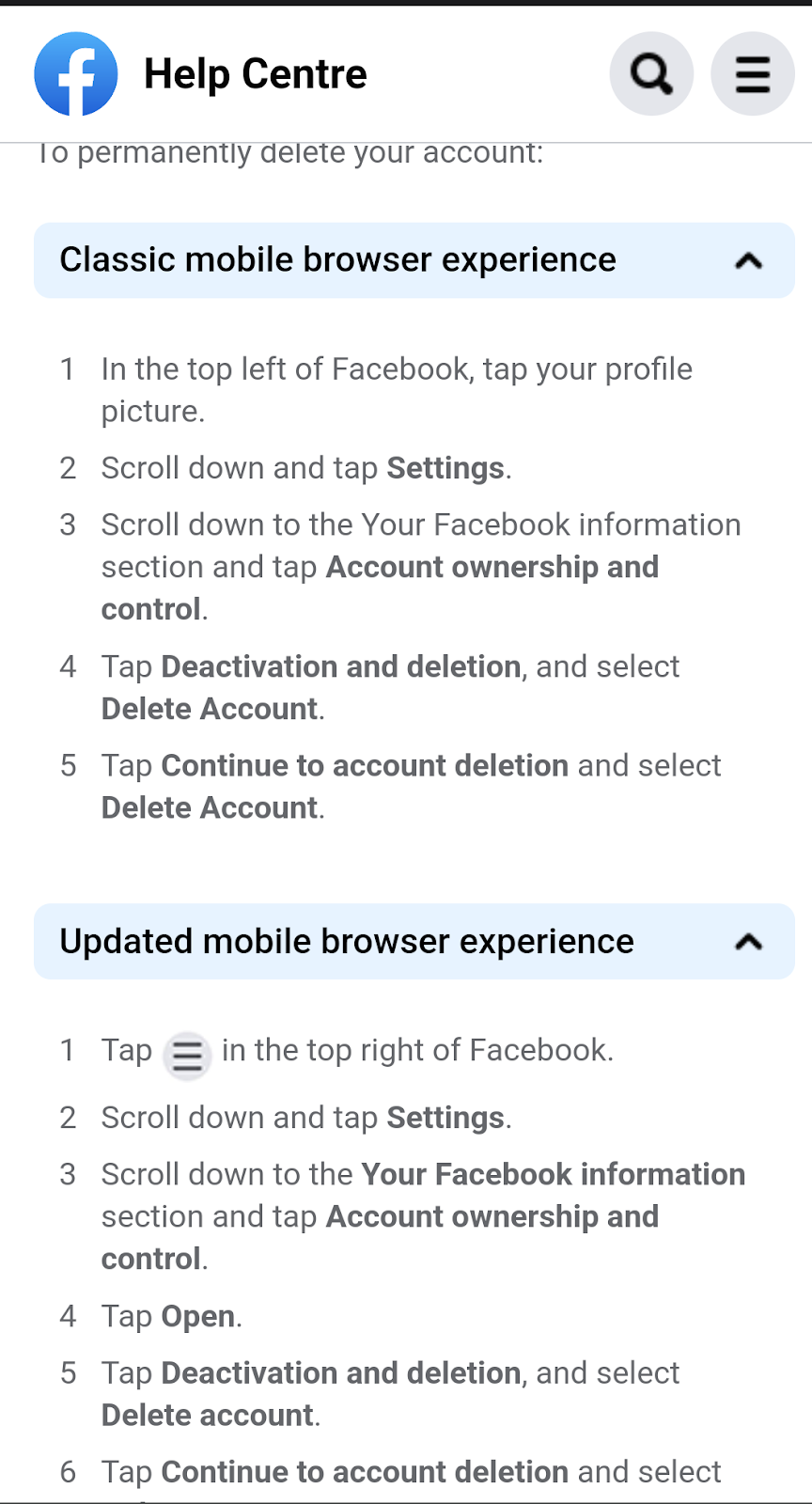
Follow the steps below if you want to permanently delete your Facebook account. Once you are on your Facebook account, tap your profile picture at the top left of the page. Scroll down until you see ‘settings’ and tap on it.
When you get to the setting page, scroll down to your Facebook information centre and tap account ownership and control. On that page, tap ‘deactivation and deletion’ and select ‘delete account’. Tap ‘continue to account deletion’ and select ‘delete account’. Your account should be no more after following these steps.
How to delete your WhatsApp account
Open the WhatsApp app on your device and tap on the more options icon ‘three vertical dots at the top right’. Select ‘settings’ and tap on ‘accounts’. Tap on ‘delete my account’ and fill your country and phone number into the field where it is required and tap DELETE MY ACCOUNT.
A dropdown menu will appear, and you will be asked to select a reason as to why you are deleting your account. Tap on ‘delete my account’ and your account will be deleted.
- Don’t miss our reviews .
- Join our WhatsApp Group , to be notified of the most important articles and deals,
- Follow us on Instagram , Facebook , Twitter , and YouTube .
Author:Dun
Dun enjoys reading and writing, and is always on her smartphone. She currently uses a Google Pixel 3.
Add MobilityArena as a preferred source on Google
Today, I will be reviewing the Bellroy phone case 3 card wallet. Bellroy is a popular accessory brand founded in 2009. It makes wallets, bags, backpacks, laptop sleeves, AirPods cases and phone cases. But today, we are going to be focusing more on their phone cases.
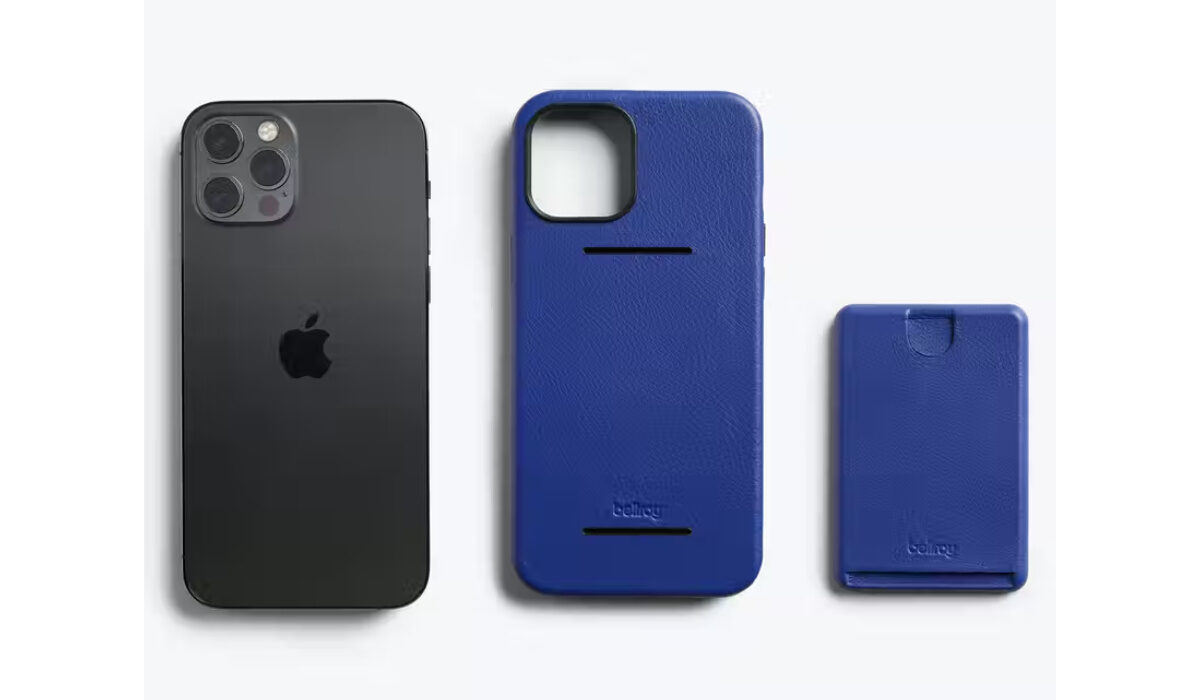
Bellroy phone cases are made from leather and polymer. The leather of the case is ‘environmentally certified’ and has a microfiber interior lining. There is also a 3- year warranty on the phone cases. The phone case has a slim detachable wallet which fits up to 3 cards. The prices range from $25- $150 for a phone case.
Bellroy phone case reviews.
I have read a lot of reviews from different sites and this article is a summary of what I found. Since I didn’t see any reviews on the Bellroy official site, the first 3rd party website I visited was Trustpilot.
Bellroy phone case reviews on Trustpilot
59% of the reviews on this site were good and the rest, not so good. Some reviews commended the brand’s product quality, it’s fast shipping services and good customer support. Here’s one below:
I am always pleased with the quality of Bellroy items. Immaculate stitching and the kind of leather that can seem to last forever. The fact that Bellroy constantly creates inventive and sustainably conscious products gives faith and assurance to customers who care about the environment.
There were also reviews expressing their dissatisfaction over the poor quality and the prices of the phone cases. There were a few complaints on shipping and customer service. ( Source )
Although, the majority of the reviews were good, there were a lot of complaints about the quality of the material used for the phone cases and how the cases were overpriced for the quality they were getting. A lot of people loved the design of their cases but weren’t really satisfied with the quality. Here’s one below:
Hi. I hate to Do Bad Reviews. But I really want to warn everyone from Buying this Case that is a Piece of Garbage. Dollar Store cases are more Genuine than This Case. The Leather feel. Feels like thinner than a Sheet of Paper. The corners of the case where the wallet door is it’s Lifting. Overall. The hard plastic material is Crap and I don’t even want to put my iPhone in it. Just so everyone know. It’s better cases here and for not more than $30. This Case company. It’s an ABSOLUTE RIP OFF! Be aware! ( Source )
LAST WORDS
After reading all the reviews, I would say you could find cheaper and greater quality phone cases somewhere else. But like I’ve said before, no company is perfect and if you want to take the risk of buying a phone case from Bellroy, go ahead.
Author:Dun
Dun enjoys reading and writing, and is always on her smartphone. She currently uses a Google Pixel 3.
