Add MobilityArena as a preferred source on Google
If you need to clone an Android phone, that is, to duplicate your current settings or data on another Android smartphone, there are at least two ways you can go about it. It depends on what exactly you want to duplicate. However you go about it, you will end up with both phones having the same data you chose to copy/duplicate.
You might want to duplicate only your contacts, call logs, and phone settings. Or perhaps you want to include your photos, videos, and other files as well. Your objective determines what method you use. Let’s have a look at each of the available methods you can use to clone an Android phone.

- How to clone an Android phone using Google
- How to duplicate or clone an Android phone using a clone app
How to clone an Android phone using Google
Google offers a phone backup and restore feature for Android phones. This feature backs up your app settings, Wi-Fi passwords, SMS, call records, photos, videos, contacts, and calendar entries. It is a convenient way to duplicate your Android phone. Turn on backup on your old phone and restore it on the new phone.
To use the feature, you have to be signed in to your Google account on your old Android phone and on the new phone as well. On the new phone, choose to restore an existing backup, then select the latest backup, pick the data you want to move to the new device, and tap Restore to copy the files to the new Android phone.
Note that this method requires an Internet connection – Wi-Fi or mobile data – active on both phones you are transferring files between. If you have large files running into several gigabytes, you should make sure that you have enough mobile data to cover the transfer of files, or have access to unlimited Internet .
How to duplicate or clone an Android phone using a clone app
Some smartphone manufacturers have a clone app pre-installed in their phones. OnePlus has one called Phone Clone. Xiaomi’s is called CLONEit. TECNO has one also named Phone Clone. If the new phone you want to copy data over to is from one of these manufacturers or another with a pre-installed app, you can use it to duplicate your existing or old phone. Note that you need to install the clone app on the other phone too.
All of them work by creating an ad-hoc Wi-Fi hotspot and transferring files over them. This does not use your mobile Internet and so costs you nothing. Launch the app on your new phone to get started, and follow the instructions till all data and files are copied. The advantage of this method is that it copies other files besides photos and videos. For example, office documents and the like.
If your phone does not come with a pre-installed clone app, you can use a third party app for it. Search Google Play Store for SHAREit, CLONEit, DrFone, among others, install it and launch it to use just like you would any of the pre-installed ones. The processes are all similar. This will create an ad-hoc Wi-Fi connection too and use it to transfer data. And yes, you need to insta the clone app on both phones.
Once done, you will have two Android phones with exactly the same data/settings, depending on what you specifically chosen to copy. The option to choose is available, should you not want to copy everything over.
Author:Mister Mobility
Digital Skills and Communication Coach | Mobile Phone Connoisseur since 2001 | Tech Blogging since 2004
Add MobilityArena as a preferred source on Google
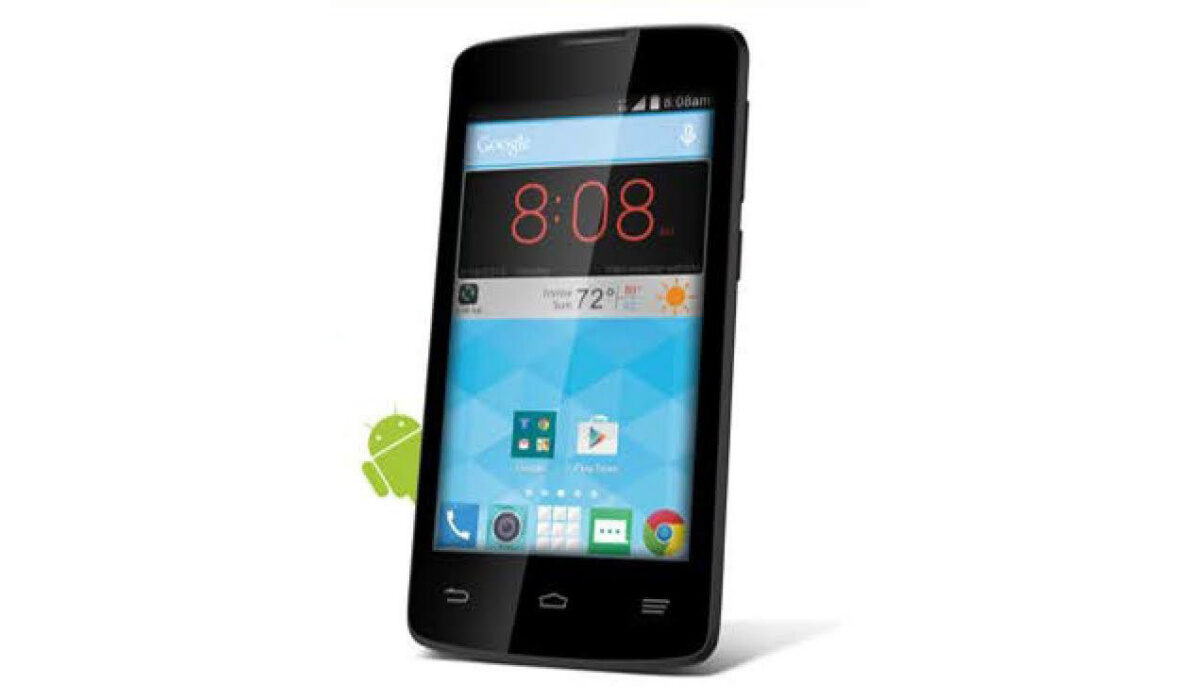
Assurance Wireless is known as a federal lifeline cell service provider and they offer eligible customers free data and phones. Assurance Wireless users do not receive a bill, are not required to sign a contract, and do not pay activation fees or recurring fees. Assurance Wireless is one of the largest providers of free mobile phones in the United States.
- Are Assurance Wireless phones locked or unlocked?
- Assurance Wireless phone reviews on Trustpilot website
- Assurance Wireless reviews on Sitejabber website
- Last Words
- What is the website address of Assurance Wireless?
Are Assurance Wireless phones locked or unlocked?
Assurance Wireless phone reviews on Trustpilot website
I found a lot of reviews on the Trustpilot site and almost 90% of the reviews were bad reviews. Let’s start with the good reviews, there weren’t a lot of good reviews but some customers wrote about how happy they were with the privileges and features given to customers by the company. A few customers spoke about the company’s customer service and seemed satisfied with the politeness and professionalism of customer service agents. Some customers mentioned the company’s great cell coverage service. Here’s one of the reviews:
•I am very happy with my phone and very thankful. Yeah it might not be my old S9 plus but I can call, text, watch YouTube, listen to Pandora, unlimited talk, text, data and 10gb of hot spot. Only downside is the battery doesn’t last the longest but I think I can live with that. Customer service was great with helping me get my phone up and running also. One more thing, I live in the middle of nowhere and have good service.
Now onto the bad reviews, some customers complained that their data kept disappearing and they tried to solve the issue but customer service didn’t do anything about their complaints. A lot of customers claimed the company lied about giving eligible customers fre phones. Some claimed they have been waiting for 3-6 months for said free phone but it never came even though they were assured they would receive a free phone. The customers who received the free phone complained that some of the phones were faulty. Some customers also complained that their own phones were not compatible with Assurance wireless service, you have to get a phone from the company to be able to use their services. Here’s one:
•If I could give assurance wireless negative Stars I would but unfortunately you have to give one assurance wireless is by far the worst place to get any kind of customer service . They do not care what they have to say for a good review they will lie and tell you that they are sending a phone and it will be on the way and all you have to do is leave a review and it will give you the phone quicker this has happened to me three times I have spent the last two three weeks trying to work on getting my services back after trying to stay with this company for 3 years this is how I’m repaid. Almost in tears at how frustrated I was I turned to here to write a review and to tell others what I’ve gone through that way they will not have to go threw it themselves. Unfortunately more will not be done they will continue on scamming customers who are in desperate need they should be shut down and it’s a shame that companies like this scammers like this exist. (Source)
Assurance Wireless reviews on Sitejabber website
I found some reviews on Assurance wireless phone services and on this site there were hardly any good reviews in site. The very few I found were happy with their free phones and the fast delivery of the phones. Here’s a few reviews:
•It was so fast and easy The application is so short and the staff are so very helpful Before you know it you have a phone! It was an all around pleasurable experience.
•I was very pleased with the quality of the phone brand new phone. Assurance wireless is way better then Q link wireless. I am very pleased with my phone keep up the good work assurance wireless.
Now onto the bad reviews, there were a lot of complaints about the late deliveries of phones or no delivery at all. There were also some complaints about being given misleading information and unfulfilled promises from the company and their employees. There were some mentions about the phones being faulty or not working. Some customers wrote about how some of the company’s staff don’t speak English and were not able to communicate properly and solve their issues. There also complaints about dropped calls, network issues, low quality services and the company’s phones not allowing customers to use the wifi calling feature. Here’s a few reviews:
•Just going to list the issues. 1. Takes like 5 tries before it connects to a network to use your phone. 2. Drops calls regularly. 3. incompatible with most cell phones, you have to use their crappy devices. Sends messages that crash your phone if sim is used in an unlocked cell phone that isn’t theirs. 4. Missed calls. 5. Missed text messages. 6 only gives you 350 minutes a moth that roll over and neither does your data. Just the worst lifeline company and service you can get. If I could give no stars I would.
•I have been waiting for my phone for TWO MONTHS. Their “alleged” customer service agents can’t do much other than read a script and have little problem solving authority and, of course, there never is a supervisor available. I have been given 3 or 4 promises of “expedited delivery” and have been told my problem would be “escalated”. But, of course, nobody ever calls, writes or texts AND my phone has not arrived and they can’t provide a tracking number for the shipment. TWO MONTHS, 8 calls. Useless.
(Source)
Last Words
After reading through a lot of the reviews, its obvious that Assurance Wireless has a lot of work and improvements to make because the feedback from their customers are not flattering at all.
What is the website address of Assurance Wireless?
Assurance Wireless’ official website is at assurancewireless.com .
Author:Dun
Dun enjoys reading and writing, and is always on her smartphone. She currently uses a Google Pixel 3.
