Add MobilityArena as a preferred source on Google
If you’re experiencing issues with your iPhone, such as a frozen screen or persistent software problems, a factory reset may be the solution you need. A factory reset will erase all of your data and settings, basically returning your iPhone to its original state. However, it’s important to note that a factory reset should be a last resort, as it will delete all of your data.
In this article, I’ll show you how to factory reset an iPhone, step-by-step. By the end of this guide, you’ll have all the information you need to do a factory reset on your iPhone if it ever becomes necessary.

How Can I Factory Reset an iPhone?
A factory reset is not a process to carry out without prior thought or planning. It may affect your device and data negatively so enough care should be taken before and during the process. Usually, you can’t avoid performing a factory reset when certain circumstances arise, such as when you wish to buy or sell a used iPhone, forget your iPhone’s passcode, your iPhone is disabled, or your iPhone has software problems.
Most people, however, could decide to perform a hard reset on an iPhone instead as this could also work to fix some of these issues. If you’d like to know how to hard reset an iPhone, follow these steps:
- To hard reset an iPhone with a Home button, press and hold the Home button and the Sleep/Wake button simultaneously until the Apple logo appears on the screen.
- To hard reset an iPhone without a Home button, quickly press and release the Volume Up button, quickly press and release the Volume Down button, then press and hold the Side button until the Apple logo appears on the screen.
This process should help restart your iPhone if it’s unresponsive or frozen. Keep in mind that a hard reset won’t erase any of your data or settings, so it’s a safer way than a factory reset to troubleshoot common issues. But if by all means, you must perform a factory reset, the instructions below will guide you to do it correctly.
How to Factory Reset an iPhone via Settings
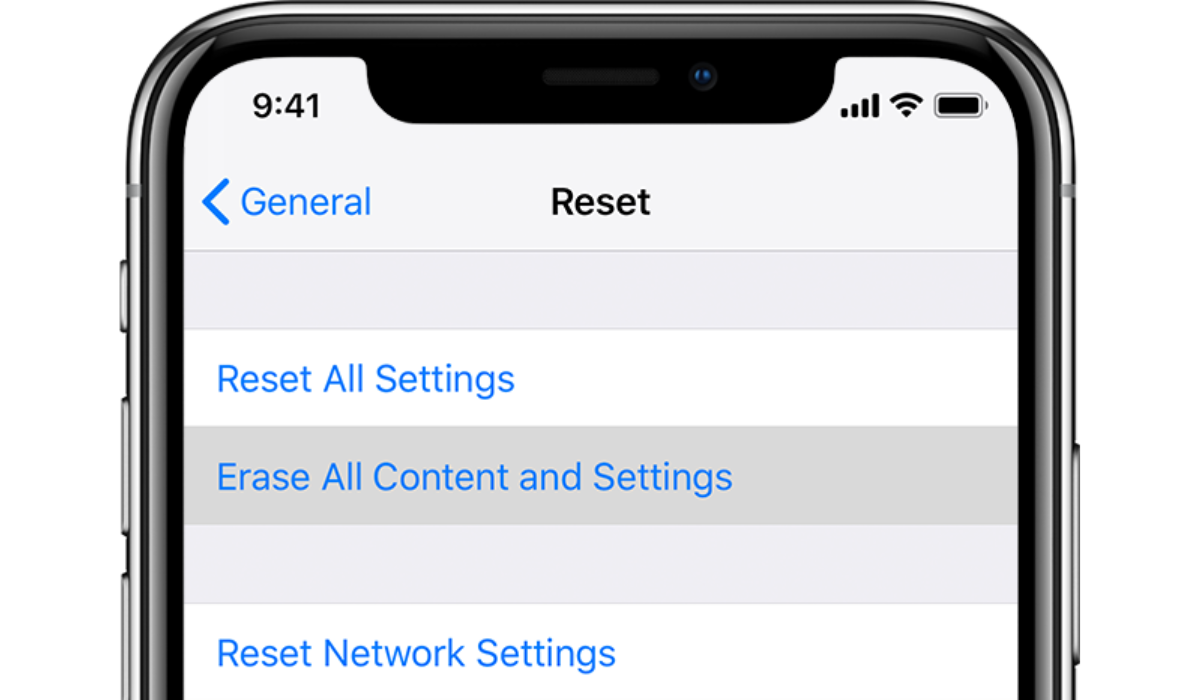
The easiest way to reset your iPhone is to use the Settings app after creating a reliable backup. Note that this method will require you to know your passcode so if you don’t, check out the other options below.
Follow these instructions to factory reset an iPhone via Settings :
- On your iPhone, launch the Settings app.
- Select General .
- Scroll to the bottom and press the Reset button.
- Click Erase All Content and Settings .
- When prompted, enter your passcode.
- To confirm, tap Erase iPhone .
- Allow the device to restart.
- On the startup screen, navigate to Apps & Data .
- Select Restore from iCloud Backup .
- Select a backup
- Wait until the restore is completed.
How to Factory Reset an iPhone Without Password via iTunes
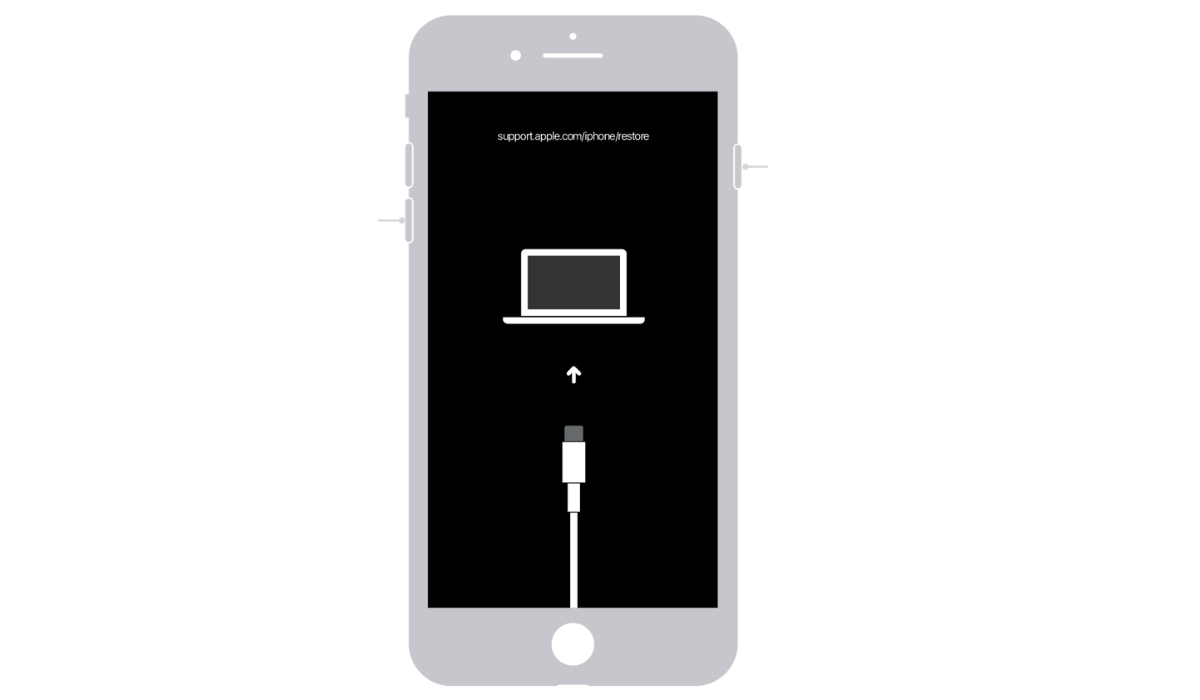
Apple advises using iTunes to reset iOS devices. However, you must have already synchronized your iPhone with iTunes. You can also back up your iPhone beforehand.
If you want to factory reset an iPhone but don’t know the password, iTunes also makes this possible. Here’s how:
- Connect your iPhone to your computer via a USB cable, then launch iTunes .
- You must totally power off your device before entering recovery mode. To turn it off, hold down the Power button and slide it across the screen. If the device isn’t responding, hold down the Power and Home buttons for a few seconds to switch it off.
- Hold the Home button down until the “ Connect to iTunes ” screen appears, with a connector pointing to an iTunes icon. You may now let go of the button.
- You’ll also get a notification stating that iTunes has detected an iPhone in recovery mode and needs to restore it. Now, in iTunes, hit the Restore button and follow the onscreen instructions to complete the process.
How to Factory Reset an iPhone without Apple ID Password via iTunes
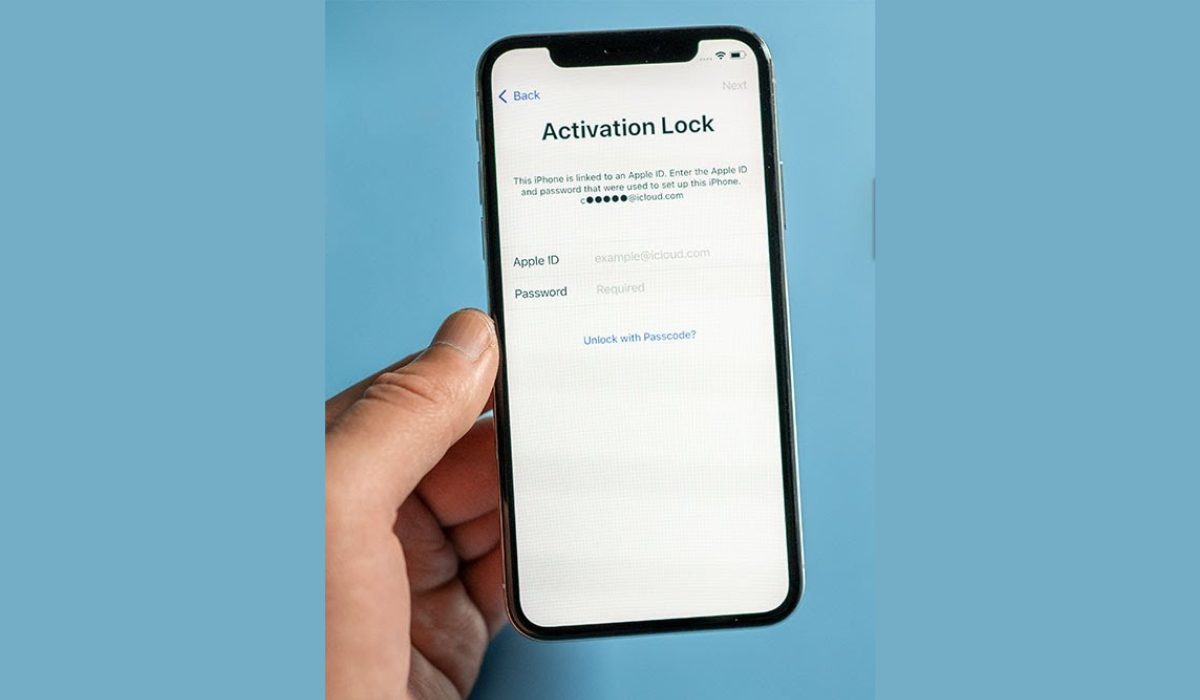
You’ll need to take a few extra steps if you want to factory reset an iPhone but don’t know the Apple ID password. When the Find My iPhone feature is off, you can factory reset your iPhone without an Apple ID by entering Recovery Mode . From there, you can completely reset your iPhone without entering your Apple ID and the iCloud activation lock will not appear.
Here’s how to factory reset an iPhone without an Apple ID password. First, turn off Find My iPhone — navigate to Settings > iCloud > Find My iPhone and toggle it off.
- Follow the instructions for your specific model to enter your iPhone into Recovery Mode . For example, on an iPhone 8 or later, hold down the Side and Volume buttons until the Connect to iTunes screen appears.
- Open iTunes and connect your iPhone to your computer.
- iTunes should detect that your iPhone is in Recovery Mode and prompt you to restore it.
- To finish the process, click Restore and follow the onscreen instructions to restore your iPhone, which will erase all of your settings without your Apple ID Password and information once completed. Your iPhone will restart and just set up.
To conclude , factory resetting an iPhone is a straightforward process that can be done through the Settings app or iTunes. It’s important to remember that a factory reset will erase all of your data and settings. As such, be sure to back up your important files before proceeding. If you’d also like to learn how to hard reset an iPad or Apple AirPods in a similar manner, make sure to check out the linked guides.
Author:Joan Agie
Add MobilityArena as a preferred source on Google
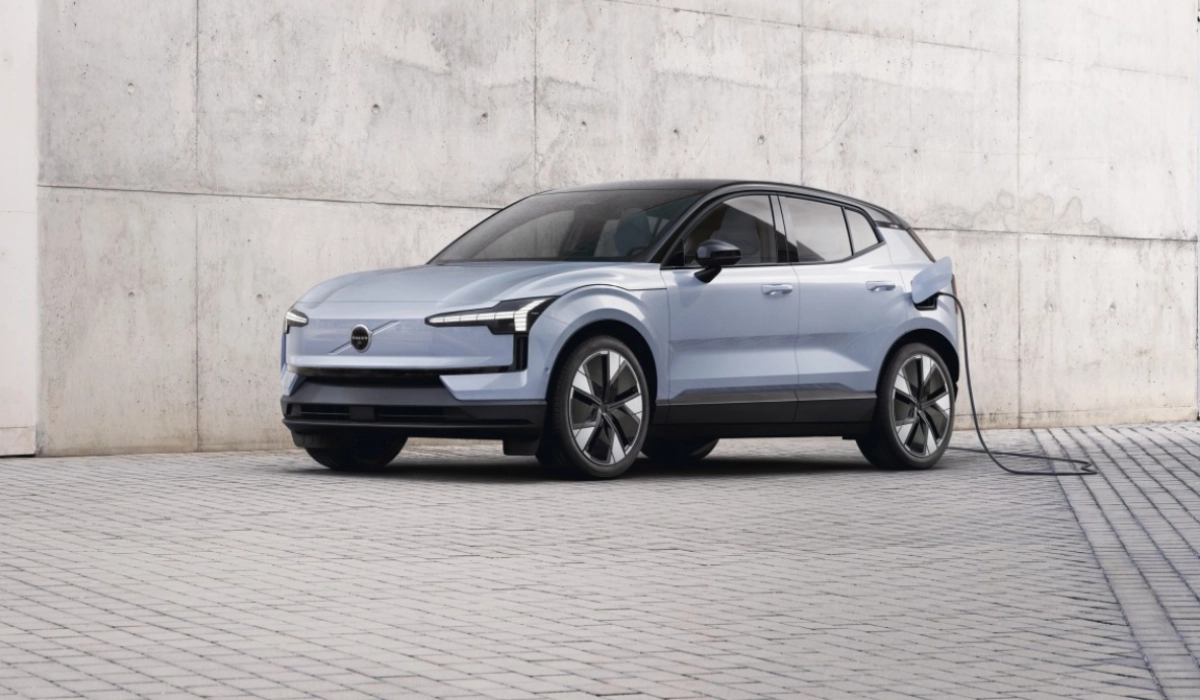
Volvo EX30 electric is the smallest SUV ever by the Swedish carmaker, and it also has the smallest carbon footprint of any Volvo till date. Small as it is, it comes with a range of performance features that make it a sweet deal.
The EX30 supports Google and Apple CarPlay. It comes in multiple trims, with options of three powertrains (LFP single motor, extended range single motor, and twin-motor), allowing for buyers to come up with multiple combinations to satisfy their needs and taste. Below is an itemised look at the available powertrains.
- Three Powertrains
- How quickly can you charge Volvo EX30?
- Acceleration
- Trims: Specs, and features Volvo EX30 Core Volvo EX30 Plus Volvo EX30 Ultra
- Price and Availability
Three Powertrains
The Standard powertrain uses a 51 kWh battery pack and single motor, and has a range of 141 miles (334 km) on a single charge. It supports up to 134 kW fast charging.
The Extended Range powertrain has a 69 kWh NMC battery pack and a stronger single motor. It delivers a driving range of 198 miles (480 km) on a single charge. It supports up to 153 kW fast charging.
As the name indicates, the Twin-Motor Performance powertrain use a two electric motors. Like the Extended Range powertrain, it supports up to 153 kW fast charging.
How quickly can you charge Volvo EX30?
Volvo says that you will be able to charge any of the the EX30 options from 10% to 80% battery capacity in 26.5 minutes.
Acceleration
As for acceleration, the Single Motor Extended Range will go from 0 to 60 miles per hoir in 5.1 seconds, while the Twin Motor Performance powertrain will go from 0 to 60 miles per hour in 3.4 seconds flat.
Trims: Specs, and features
The EX30 comes in the following trims: Core, Plus, and Ultra, as described in detail below.
Volvo EX30 Core
The Core trim comes with adaptive cruise control and a number of other basic features. You can opt for the Standard powertrain or the Extended Range powertrain.
Volvo EX30 Plus
The Plus trim comes with a Harman Kardon audio system. You can choose to go with the standard powertrain, the Extended Range powertrain, or the Twin Motor Performance powertrain.
Volvo EX30 Ultra
The Ultra trim version adds a panoramic glass roof and Volvo’s smart Park Pilot Assist ADAS. Park Pilot Assist enables the EX30 to steer, accelerate, and brake to take care of most of the parking itself, including finding good parking spots and executing parallel parking.
The EX30 Ultra is only available with either the Extended Range powertrain or the Twin-Motor Performance Range powertrain.
Price and Availability
- Core trim starts at $34,950 in the United States (€36,770 in Europe)
- Plus trim starts at about $37,000 in the United States and €39,735 in the European Union.
- Ultra trim starts at about $45,000 in the U.S., and €48,749 in Europe for the Extended Range version and about $49,000 (USA) and €52,000 (EU) for the Twin-Motor version.
By way of comparison, Tesla’s Model 3 costs over €40,000, and that is the cheapest model from the American EV company. The most affordable EV models from European brands like Audi, BMW, and Mercedes Benz, cost over €56,000, making the Volvo EX30 an attractive offer for anyone looking for an affordable compact electric SUV.
The Volvo EX30 is available for pre-order in the United States, so it isn’t shipping yet there. Buyers in Europe and some other markets are luckier and can place their order right away.
The EX30 is produced in China at a plant operated by Geely, the controlling shareholder in Volvo.
Author:Mister Mobility
Digital Skills and Communication Coach | Mobile Phone Connoisseur since 2001 | Tech Blogging since 2004
