Add MobilityArena as a preferred source on Google
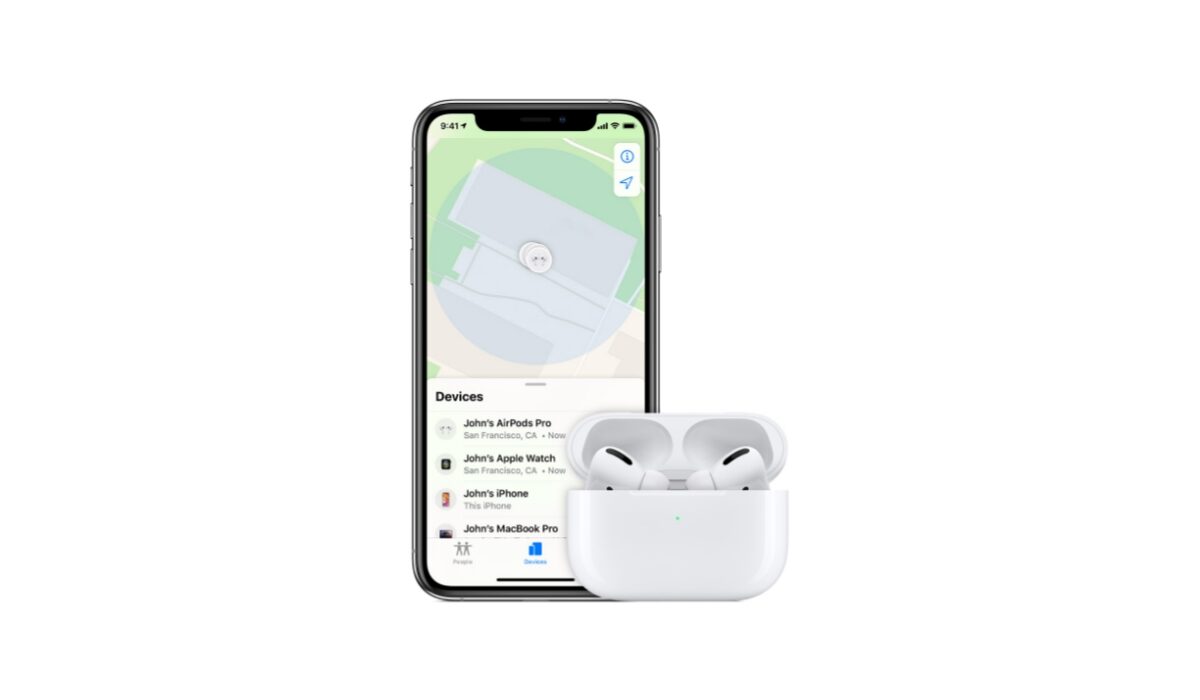
AirPods are expensive to purchase, and losing them can be very painful considering the price. Personally, I can admit that I have carelessly dropped my TWS earphones (not AirPods) and spent a good amount of time searching the whole place for it only to find it lying under the throw pillows.
That is how frustrating it can be to find these wireless earphones, if you are an AirPods user you might share in my pain. Looking for misplaced AirPods is no easy task due to their size, well as long as you have your iPhone with you, it is easier to find your lost AirPods. How?
One very beautiful thing about Apple products is that they all operate under the same ecosystem, hence they can be easily interconnected with one another. AirPods are not left out here, these devices are part of that large ecosystem. Due to the fact stated above, Apple has been able to build some nifty features into the AirPods that make them quite easy to find in case you misplace them.
In this article, we will show you how you can find your lost AirPods by taking a few easy steps on your iPhone.
How To Find Your Lost AirPods Using Your iPhone
Apple has been adding a lot of new features to its products to make them more user-friendly, but one feature we will be looking at here is the “Find” feature. The Find feature is used not only to tell the location of an AirPods but any other Apple product.
Apple released the “Find” feature for all Apple products, this includes AirPods of any generation. So, how can you use this feature to enable you to find your lost AirPods? The following steps will guide you on how you can find your misplaced AirPods using this feature.
- Open the “Find my iPhone” app on your phone, if you do not have it then consider clicking on this link .
- The app has a list of all Apple products you own or have linked to this service. Now find your AirPods in the device list.
- You will see a map of where all your Apple devices are located, your AirPods should be among them.
- Tap on the AirPods icon on the map.
- Select the direction option and physically track your AirPods using the map and tell when you are getting closer to them.
- If they are still hidden from you, then select the play sound option. Your AirPods will begin to make sounds to help you better locate them.
By following these steps, you will be able to find your lost AirPods. Note that the steps will work only if your AirPods are connected to your device, so try to leave your AirPods connected to your device whenever they are out of the case, this will make it easier for you to find them in case they go missing.
It is very advisable that you leave your Bluetooth on at any given time, this is to enable your AirPods to automatically connect to your iPhone the moment they are pulled out of the case. By doing this, it will be easier for you to use the “Find” feature to get your AirPods whenever they go missing.
Now that we have seen how to use Find My feature to pinpoint the exact location of your AirPods, let us now see how to set up the Find My feature. Go to your iPhones settings, type in your name (this only works if you have an Apple ID) then go to iCloud. Now scroll down to Find My and click on it, then in the settings that show up click on Find My iPhone and toggle it on. Ensure to also turn on all other settings available, the moment you are done with this all Apple products you have connected with your iPhone will be registered.
What if you lost the AirPods at a different location? In such an instance, the “Find my iPhone” app will show you the last location where the AirPods were connected to your iPhone, and you can take it up from there.
Author:KittysTech
Tech analyst, Collins Eshiet, writes about technology. Follow me on Twitter @KittysTech.
Add MobilityArena as a preferred source on Google
If you have been around for at least two decades, you must have some nostalgia about a catalogue of fantastic phones with extraordinary character that excited you. Some of these phones had rotating cameras, slide out keyboard, clamshell keyboard, stylus supported phones, and more.
However, as the world embraced touchscreens, the opportunities for interesting form factors and excitement dwindled. We largely ended with 99.9% of modern smartphones as slabs.
However, that just might be changing. If you want something different from the norm, if you want a smartphone that breaks the mild and offers excitement and functionality on a different level, here are two fantastic phones that will get you going.
Samsung Galaxy Z Fold3 5G
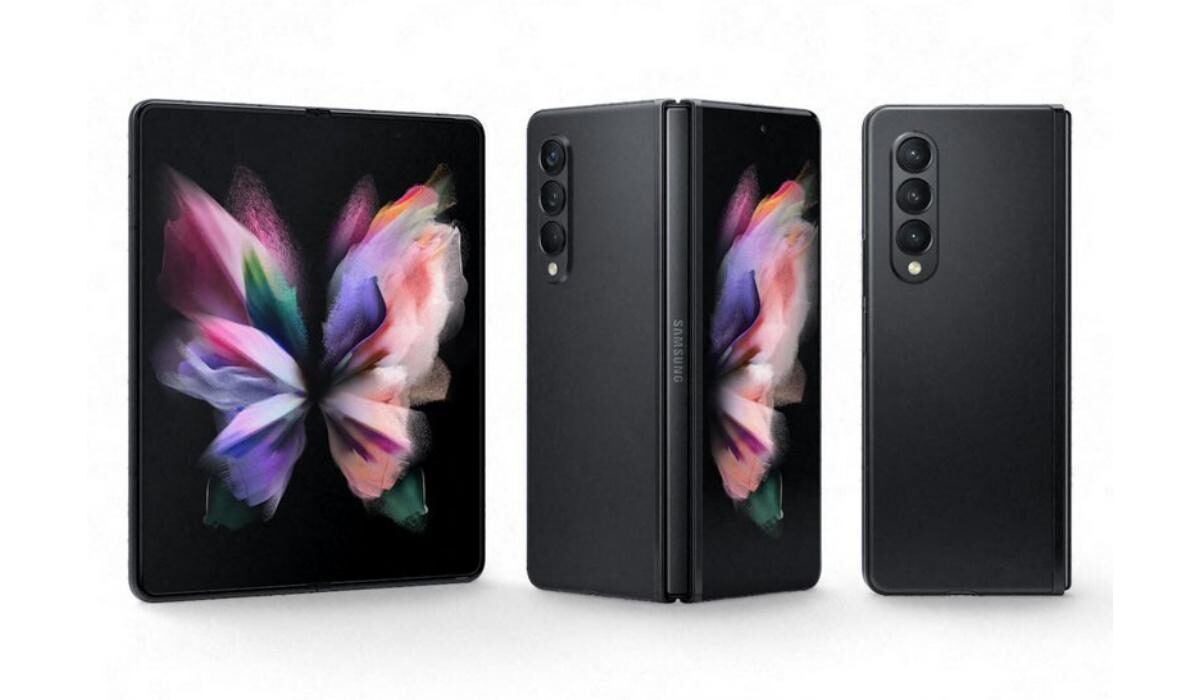
The Galaxy Z Fold3 5G is the latest in Samsung’s new lineup of foldable devices. As far as I can tell, the Fold range is the logical path for road warriors who used to love Nokia’s Communicator series.
Samsung Galaxy Fold3 5G offers you a large screen for creative and professionals who need to work on the move. But it is also great for individuals who love to consume content everywhere they go.
Whether you want to watch videos, read, or swipe through Instagram pages, the Fold3 5G is perfect. In its folded state, it offers a 6.2-inch display for regular use. When unfolded open, what you get is a 7.6-inch Fluid AMOLED display in tablet territory.
If you have missed stylus support on smartphones, you will be happy to hear that the Fold3 5G has stylus support. And with a powerful Snapdragon 888 chipset and up to 12 GB of RAM, this is as powerful as it gets today.
There have been many Samsung Galaxy Fold phone reviews since the first Fold device released in September 2019, and if what they say is anything to go by, the Fold3 5G has improved greatly since then.
How much is the Fold3 5G? You will need to cough out US$1,500 to own one.
Samsung Galaxy Z Flip3 5G
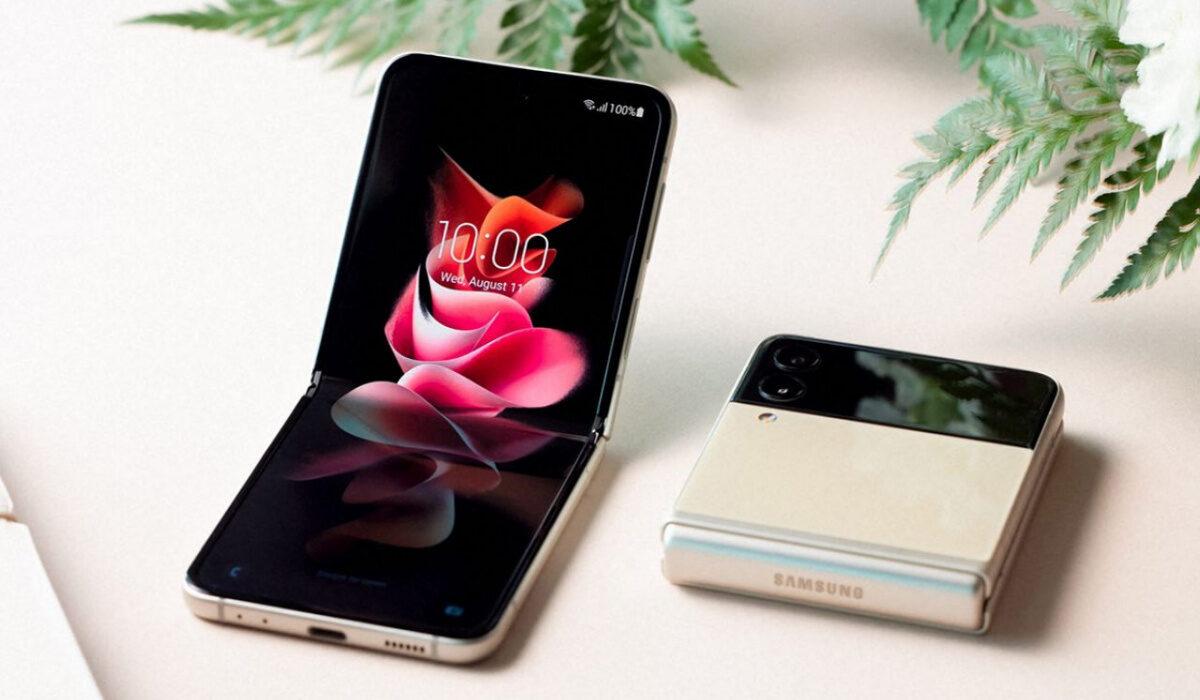
Like the Fold3, the Galaxy Flip3 5G is a foldable phone. However, it flips (pun intended) the concept in the other direction: instead of offering a big device that gets even bigger, the Flip3 5G is a cute, compact device that folds open to give you a regular-sized smartphone.
Folded up in its clamshell mode, the Galaxy Flip3 5G had a 1.9 inches external screen. You flip it open to reveal a 6.7-inch AMOLED panel.
The Galaxy Z Flip3 may be smaller, but like it’s foldable sibling, it uses the top-range Snapdragon 888 chipset, though RAM is limited to 8 GB. You won’t be having any problems with performance.
Other Fantastic Phones To Consider
Samsung has built a strong footing in the foldable phone space, and has the largest market share of foldable phones. As far as I can tell, these are the best foldable phones on the market today.
However, if you want to look at what other foldable phones are available in the market, this section lists a few.
Huawei Mate Xs is an exciting take on foldable technology. However, it’s big weakness is the absence of Google Mobile services (GMS), because of the US trade ban. It is also not available in the USA and many other regions of the world.
Lastly, if you prefer to spend less on a foldable device, you can consider one of the earlier iterations of Samsung’s Galaxy Z Fold and Galaxy Z Flip portfolios. They are not as powerful or as up-to-date as our listed fantastic phones, but they still pack enough excitement to keep you on the cutting edge.
- Don’t miss our reviews .
- Join our WhatsApp Group , to be notified of the most important articles and deals,
- Follow us on Instagram , Facebook , Twitter , and YouTube .
Author:Mister Mobility
Digital Skills and Communication Coach | Mobile Phone Connoisseur since 2001 | Tech Blogging since 2004
