Add MobilityArena as a preferred source on Google
Not many situations can be as frustrating as sound not working while browsing the internet. This is a problem that many people encounter, so chances are you’ve experienced it yourself at some point. Fortunately, most of the time it’s not a serious issue, and you’ll be able to fix it in a few simple steps.
In this guide, we’ve described several ways to fix Chrome sound not working on Windows. So, if you run into this issue frequently, you’ll find this guide helpful.
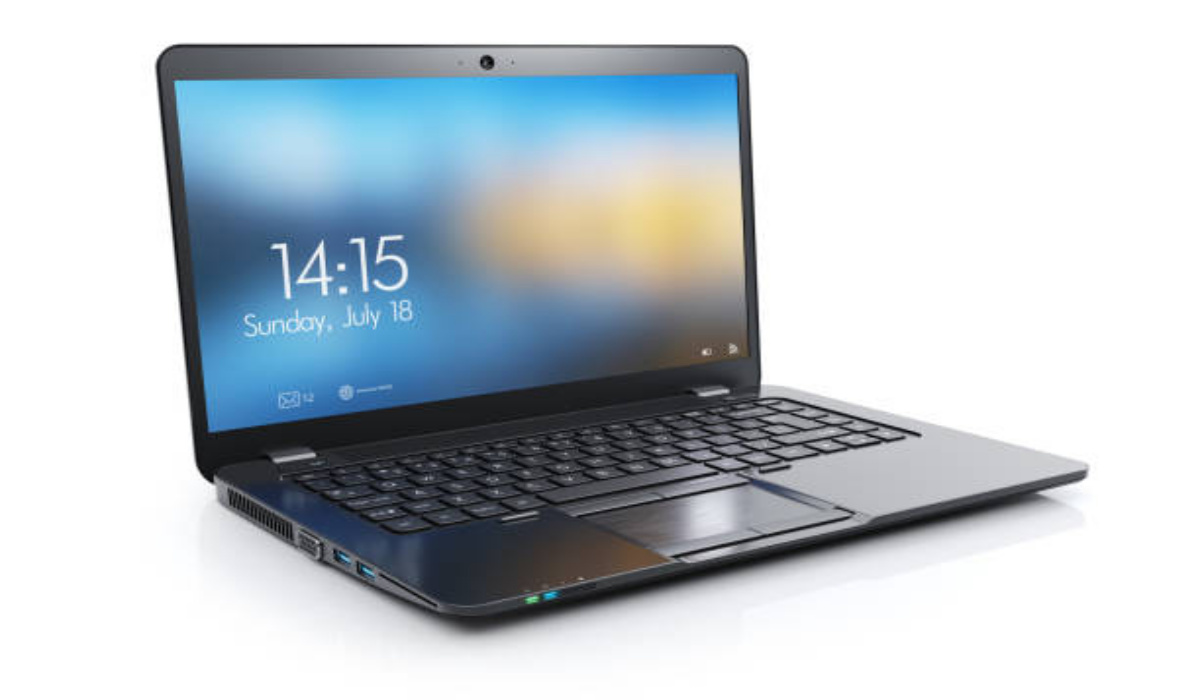
How Can I Fix Chrome Sound Not Working on Windows?
There are many reasons why Chrome’s sound might not work, including outdated sound drivers, problems with extensions, broken audio hardware, muted websites, browser sound settings that are disabled, browser sounds muted in Windows volume mixer, and a buildup of cache and cookies.
If you’re trying to fix Chrome sounds not working on Windows, below are some fixes you should try.
Check your Audio Hardware
If you can’t hear sounds while browsing Chrome on Windows, the issue might not be with your browser, but with your audio gear. So, one way to fix Chrome sounds not working on Windows is to verify that your audio hardware is operating properly.
First check to verify if your audio hardware functions on a different device, such as your smartphone. You’ll know that it’s a browser-specific issue if the audio functions on your device and in other browsers but not Chrome. You can apply the other fixes in that case, but first:
● Restart Chrome
● Restart your computer to rule out the possibility of a temporary glitch
Check If Sounds Work on Other Websites
Another thing to try is to play sound on websites other than the one where it currently doesn’t work. You can then unmute that page or tab to fix Chrome sound not working on Windows after you confirm that the issue is with just one particular website. Here’s how to go about it:
● Open the webpage where the sound doesn’t work in another tab.
● Do a right-click on the tab.
● From the list, select Unmute Site
If this doesn’t work and the issue persists across Chrome, proceed to the next method to fix Chrome sound not working on Windows.
Check the Sound Settings on Chrome
Another thing to consider is that you may have removed the setting that allows websites to play sound if the problem is present across all Chrome installations. You can take the following actions to confirm and fix Chrome sound not working on Windows:
● Tap the three vertical dots in the top-right corner of the Chrome browser.
● Access Settings .
● Go to the left sidebar’s Privacy and security section.
● Click Site Settings in the right-hand corner of the screen
● Select Additional content settings after you scroll down.
● Navigate to Sound settings .
● Choose the “ Sites can play sound ” option in place of the “ Don’t allow sites to play sound ” option.
Additionally, it’s possible to silence a few websites in Chrome by adding them to the list of websites that are not allowed to play sound in the option for customized behaviors. This means you should check to see if you have blocked any websites, thus making them unable to play sound.
If you’ve not excluded any websites and no sound settings are turned off, then the next fix to try is to make sure Chrome’s volume mixer isn’t set to zero for the sound.
Examine the Sound Settings in the Volume Mixer
It’s possible to silence your system, speakers, or the sound coming from specific browsers using a volume mixer. To make sure Chrome isn’t silenced in Volume Mixer and thus fix Chrome sound not working on Windows, follow these steps:
● Turn on the sound and play a media file in Chrome.
● Click the right mouse button once you have located the speaker icon.
● Toggle the Open Volume Mixer option.
● Unmute Chrome if it is already muted, then increase the volume to 100.
You should attempt a few more system-level remedies to fix Chrome sound not working on WIndows. Try using the sound troubleshooter or updating the sound driver if your inspection shows that the volume wasn’t disabled in the Volume Mixer.
Use the Sound Troubleshooter
Built-in troubleshooters in Microsoft Windows are capable of automatically diagnosing and resolving the majority of system problems. Sound-related problems can also be fixed in a similar way. As such, you should run it to make sure your Chrome browser isn’t being muted by a short-term system issue.
Follow these steps to launch the Sound troubleshooter in order to fix Chrome sound not working on Windows:
● To access the Settings app, press Win + I.
● Navigate to System Settings
● Click Sound in the left sidebar
● The troubleshoot button is located in the right-hand pane, click on it.
When you do this, the Get Help box will show up and ask whether you’d want to let the computer perform a brief scan. Select Yes to authorize the scan, if there’s a beep, it confirms that the issue is not a system-related one.
Update Sound Drivers
Lastly, it may also be beneficial to update sound drivers to fix Chrome sound not working on Windows.
In summary , ensure to follow the instructions in this guide carefully. These options we’ve recommended to fix Chrome sound not working on Windows work, especially if you target the exact cause of the problem.
- Don’t miss our mobile phone reviews .
- Join our WhatsApp Group , to be notified of the most important articles and deals,
- Follow us on Instagram , Facebook , Twitter , and YouTube .
Author:Joan Agie
Add MobilityArena as a preferred source on Google
Samsung Galaxy A23 5G is a budget 5G phone offering mid to decent performance, depending on the memory configuration you go for. It is available in five (5) different variants – 4/64GB, 4/128GB, 4/64GB, 6/128GB, and 8/128GB. Powering the phone is a Qualcomm Snapdragon 695 chipset. The screen has Gorilla Glass protection as well. Have a look below at the rest of the specs and its prices in the United States of America (USA), UK, UAE, and others.
- Key Features of Samsung Galaxy A23 5G
- Full Specifications
- Launch/Release Dates and Information
- Price in the U.S.
- Price in the UK
- Price in the UAE
Key Features of Samsung Galaxy A23 5G
- OS: Android 12
- Release Date: 2022
- Network Type: 2G/3G/4G/5G
- Display: 6.6-inch, 1080 x 2400 pixels resolution
- Processor: Snapdragon 695
- Selfie Camera: 8 MP
- Rear camera: 50 MP quad lenses
- RAM: 8 GB
- ROM: 128 GB
- Battery: 5000 mAh
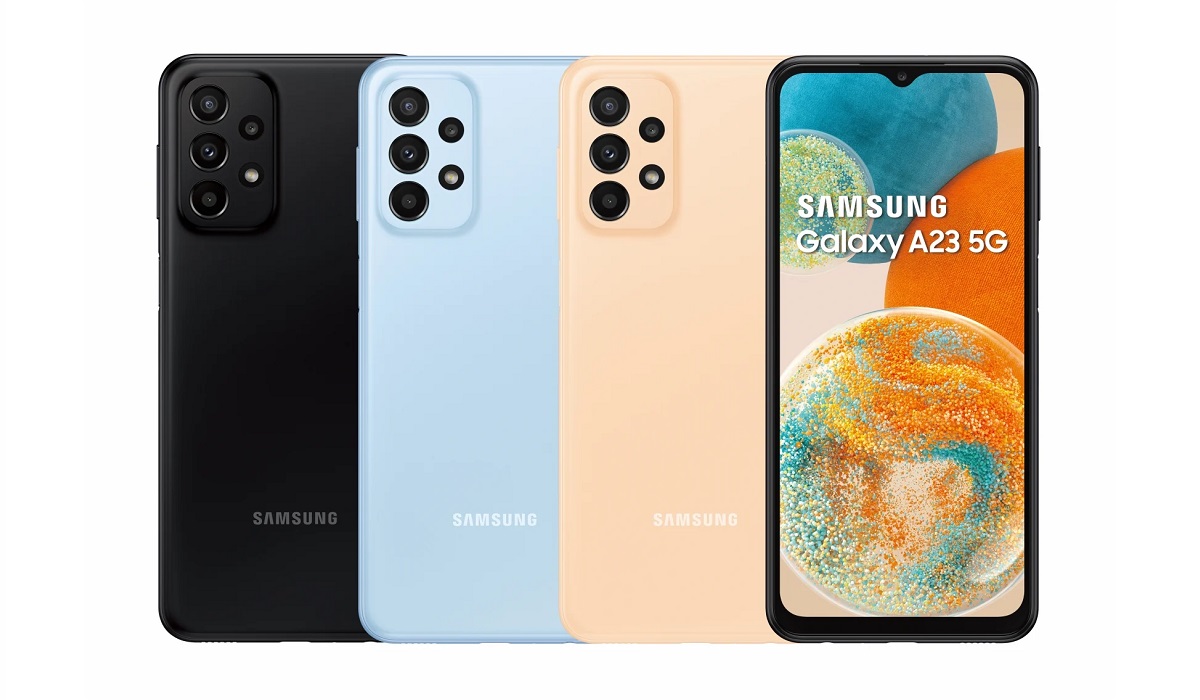
Samsung Galaxy A23 5G is available, locked and unlocked, in the USA.
Full Specifications
Mobile Wireless Network and Software
- 2G mobile network bands : GSM, GPRS, EDGE 850 / 900 / 1700(AWS) / 1900 / 2100
- 3G mobile network bands : UMTS, WCDMA, HSDPA 850 / 900 / 1700(AWS) / 1900 / 2100
- 4G mobile network bands : LTE 1, 2, 3, 4, 5, 7, 12, 14, 20, 29, 30, 38, 39, 40, 41, 48, 66
- 5G mobile network bands : SA/NSA/Sub6/mmWave 2, 5, 30, 66, 77
- SIM Type : Nano-SIM, Single and Dual SIM options
- Software / OS : OneUI 4.1 based on Android 12
- Supported App Store : Google Play Store. Samsung Galaxy Store.
Design, Form Factor, Appearance
- Dimensions : 165.4 x 76.9 x 8.4 mm
- Weight : 197g
- Display : 6.6 inches, 1080 x 2400 pixels, 120Hz refresh rate, 20:9 aspect ratio, PLS LCD screen, Corning Gorilla Glass 5
- Colours : Black. White. Peach. Blue
- Physical Build : Plastic frame, plastic rear panel.
Internal Hardware Specs
- CPU/ Processor : 64-bit, 2.2 GHz Octa-core
- Chipset : Qualcomm Snapdragon 695 (6nm)
- GPU/ Graphics Processing Unit : Adreno 619
- RAM : 4GB. 6GB. 8GB.
- Extended/Virtual RAM :
- Internal Storage : 64GB. 128GB
- External Storage : microSD, up to 1TB (dedicated slot)
Photography, Video Recording
- Main Camera : 50 MP wide angle lens + 5 MP ultrawide lens + 2 MP macro lens + 2 MP depth sensor, autofocus, LED flash, 1080p@30fps video recording
- Front Camera : 8 MP, fixed focus, Face Recognition, 1080p@30fps video capture
Audio, Video Playback
- Music Support : PCM, AAC / AAC + / eAAC + / MP3 / AMR – NB / WB / APE
- Audio : 3.5 mm audio jack
- Loudspeaker : Mono speaker
- Video Support : H.264/MP4/MPEG4 player
- FM Radio : No.
Phone Sensors
- Digital Compass : Yes.
- Accelerometer : Yes.
- Proximity Sensor : Yes.
- Ambient Light Sensor : Yes.
- Barometer : Yes.
- Pedometer : No.
- Heart Rate Monitor : No.
- Gyroscope (G-Sensor) : Yes.
- Fingerprint Scanner : Yes; side-mounted.
- Face Unlock : Yes.
- Iris Scanner : No.
- Motion Sensing / Gesture Control : No.
- Voice Control : No.
- Intelligent Digital Assistant : Yes; Google Assistant. Bixby.
- Infra-red Blaster : No.
Connectivity Options
- Bluetooth Version : 5.1
- Bluetooth Profiles : A2DP
- WiFi : Wi-Fi 802.11 a/b/g/n/ac, hotspot
- GPS : Yes, A-GPS, GLONASS, BDS, Galileo
- USB : microUSB v2.0. Type-C. USB-OTG.
- NFC : Yes.
Miscellaneous Specs and Features
- Battery Type and Capacity : Non-Removable Lithium-Polymer 5000 mAh
- Battery Charging : 25W fast charging
- Wireless Charging : No.
- Reverse Charging : No.
- Model Version/Number :
Launch/Release Dates and Information
- Announced : August 2022
- Release Date : September 2022
Pricein the U.S.
The Samsung Galaxy A23 5G is available in the United States from USD $299.99 unlocked for the 4/64 GB variant. The option to trade-in is available, dropping the price to $264.99. You can also pick one on a monthly instalment of $8.33 monthly for 36 months. Supported carriers include T-Mobile, AT&T, US cellular, and Verizon, among others.
Other Samsung Galaxy A23 5G variants available include: 4/128GB, 6/64GB, 6/128GB, and 8/128GB, with the respective prices going up. As at press time, the only available memory configuration on the Samsung USA website is 4/64GB and in Black only. That may change over time.
Price in the UK
The Samsung Galaxy A23 5G is available in the United Kingdom from £249.99 unlocked for the 4/64 GB variant. You can also pick one on a 3-month plan of £83 monthly for 3 months, as well as on contract from two British network operators, O2 and Vodafone.
Other Samsung Galaxy A23 5G variants available include: 4/128GB, 6/64GB, 6/128GB, and 8/128GB, with the respective prices going up. As at press time, the only available memory configuration on the Samsung UK website is 4/64GB and in Awesome Black only. That may change over time.
Price in the UAE
The Samsung Galaxy A23 5G is available in Dubai and the rest of the UAE from AED 1,350 for the 4/64 GB variant. Other variants include: 4/128 GB, 6/64 GB, 6/128 GB, and 8/128 GB, with increasing prices.
MobilityArena Buyer’s Guide Verdict
If you want 5G connectivity on a budget, Samsung Galaxy A23 5G is a good choice. The base 4/64GB variant is quite pocket-friendly. For better performance, pick a higher variant, though and pay a little more.
Our Buyer’s Guide Verdict is a recommendation based on the specifications of the device and a general guide to help you understand how much value a device offers for its price. It is not an endorsement of the device. Ask questions and use your judgement when buying any device; MobilityArena takes no responsibility for your buying decisions .
Samsung Galaxy A23 5G Phone Review Rating
3.5 / 5.0
