Add MobilityArena as a preferred source on Google
Does your phone screen keep freezing up while you are doing something important on it? I have experienced it on one of my phones. Not to worry, I have a few tips you can use when your Android phone’s screen is unresponsive.
An unresponsive touchscreen can be caused by a software glitch, including a bug in the operating system, or malware. But it can also be caused by a hardware problem, for example an improperly applied screen protector or a display failure. Let’s look at some actions you can take to troubleshoot and resolve the situation.

- Steps to resolve an unresponsive touchscreen
- If nothing works
Steps to resolve an unresponsive touchscreen
- Reboot.
The first thing you should try if your screen freezes is reboot the phone. All you have to do is hold down the power button and the volume down button at the same time for a while until the screen turns black. After a minute or more, restart your Android device. In many cases, the touch screen will return to normal.
- Screen protector.
Yes, screen protectors protect your phone from cracks, dust e.t.c, but they can also cause touch screen issues. Try removing your screen protector if your phone’s screen freezes up frequently. This doesn’t mean your screen protector is the cause of your screen problem. Removing the screen protector could increase the screen’s response rate.
- SIM card or Memory card issues.
Issues with SIM card or memory card could cause your phone to freeze up. Try turning off your phone, ejecting the memory or sim card and then turning your device back on. This could solve the problem.
- EVA Facial Mouse.
If all the tips above haven’t solved your touch screen problem, then this app will let you use your phone without touching it. It uses a virtual cursor and facial recognition technology. It has a feature where you move your device in any direction and your phone screen moves in that direction too.
- Install an Anti-virus app.
If your phone screen is unresponsive you might have caught a virus or installed a malicious app and this could lead to an unresponsive screen touch. You need to kill or remove the virus to fix your phone. You should also install Anti-virus app to prevent virus from infesting your phone.
Where all else fails, take your smartphone to the nearest authorised service centre to you for the unresponsive touchscreen to be checked and fixed.
If nothing works
If none of the steps you have taken above to fix the unresponsive touchscreen works, it is likely that you are dealing with a display fault – a hardware issue that needs to be attended to by a qualified technician. If the Android phone in question is still under warranty, you might be able to get it fixed at no charge to you. Of not, it is time for you to shell out some cash to get the unresponsive screen fixed.
Author:Dun
Dun enjoys reading and writing, and is always on her smartphone. She currently uses a Google Pixel 3.
Add MobilityArena as a preferred source on Google
Perhaps your iPhone is acting up and you are worried that it might be a virus. Perhaps you have wondered if an iPhone can get infected with a virus. Yes; it can. Viruses on iPhones are very rare but not impossible. Keep reading if you suspect your iPhone has a virus.
Fortunately for iPhone users, viruses on iphone are quite rare, like I said earlier. iPhones are generally secure but can get vulnerable to viruses when they are ‘jailbroken’. What is that?
Jailbreaking is simply unlocking an iphone in an illegitimate way. It bypasses the security restrictions that normally limit the operation of software on the device. This allows you to redesign how the system looks and install or delete apps from places other than the app store.
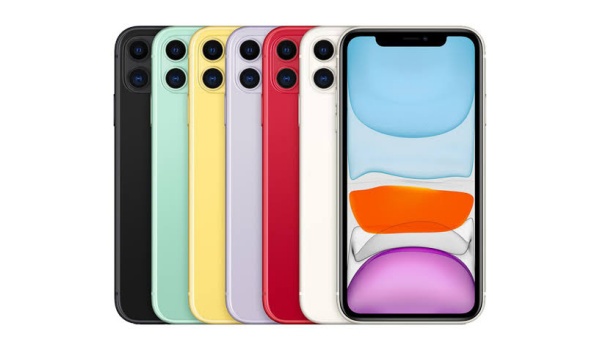
Can iPhones get viruses? Yes; they can.
Jailbreaking does have a few perks but it leaves the phone vulnerable to malicious programmes and viruses. Apple’s operating system is designed so that each app runs separately making it difficult for viruses to spread. Also, all apps on iPhones can not be downloaded on sites. They are strictly downloadable from the app store, which makes it very difficult for any malware infected apps to end up available for download.
Do you think there is a virus on your iPhone?
1.Uninstall apps you do not recognize as they may be a sign of malware.
2.If your apps are repeatedly crashing for no reason it means your phone may be infected with malware.
- If your iPhone overheats more than usual, this may be a sign of malware activity.
4.If all is well with your iPhone, you should not be seeing pop-ups when your browser is closed. Pop-ups that appear when your browser is closed are a sign of malware.
How to protect your iPhone from viruses
1.You can protect your phone with Kaspersky Security Cloud for iOS. Vital security enhancements are provided. It gives notifications about relevant security incidents and a tool that checks for weak system settings.
2.Strictly downloading apps from the app store will keep your phone safe.Apple has a thorough vetting process which makes contacting viruses highly unlikely.
3.Mark all spam emails as junk and avoid opening them and clicking unverified links that it may contain.
Deleting unfamiliar apps, clearing data and restoring factory settings after backing up filed may help remove the virus from your device but if all fails, it would be best to take it to a professional or simply get a new phone.
- Don’t miss our reviews .
- Join our WhatsApp Group , to be notified of the most important articles and deals,
- Follow us on Instagram , Facebook , Twitter , and YouTube .
Author:Dun
Dun enjoys reading and writing, and is always on her smartphone. She currently uses a Google Pixel 3.
