Add MobilityArena as a preferred source on Google
Technology has come a long way, with smartphones now fully touchscreen with no buttons. As beautiful as this may be, it presents a unique problem when your device’s display stops responding. This is why we have brought you a number of fixes for your Android device when its display malfunctions.
With the advent of touchscreen devices, phones with keypads have been slowly phased out, with most phone users preferring devices that have touchscreen displays due to its ease of operability and its versatility.
However, Android smartphones have periods where the display stops responding, rendering the device ultimately useless. This glitch may be due to a hardware issue or may be the result of a software problem. Whatever the case, we will be running through a number of quick fixes for your Android device when next the display stops responding.
- Try forcing a phone reboot: Normally, you’d need a working display to restart your android device, but in this scenario, you’ll need to try another approach. If your smartphone has a removable battery, try opening the back and taking out the battery, then power up the phone normally and the screen should return to its normal operations.
However, if you have a device with an inbuilt battery, you can force a restart by holding down the power and volume down buttons simultaneously for a couple of seconds. Your device’s display should go black, then try switching it on a couple of minutes later. This should restore your phone’s display to normal operations.
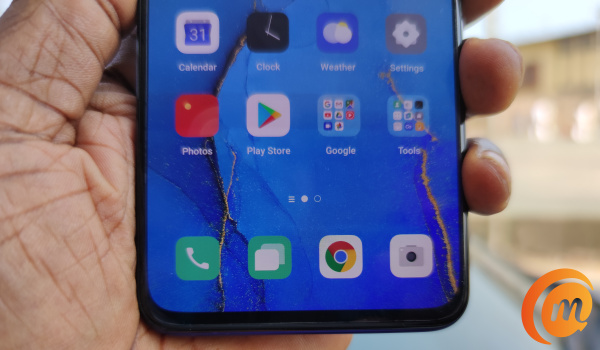
Take out the SD card and SIM card: Sometimes, a device’s display will not respond when the SD card or SIM card is faulty. If you are ever caught in this type of situation, try forcing your device off, then take out both cards and then turn the device on. If it works properly, then one of the cards (SD card or SIM card) is faulty, if it does not respond, we will try another method.
Try the factory reset option: Your Android display’s woes may be due to a new software update that’s faulty or some malicious app you may have mistakenly downloaded on your device. You can get rid of this and restore your device to its original settings (inadvertently solving the display issues) with a factory reset. However, it is advisable to back up important data before you begin this process. After this, you can follow these simple steps to reset your Android device:
- Navigate to Settings .
- Select Backup and Reset .
- Select Factory data reset
- Select Reset phone
- Insert your device’s password (if you have one).
- Select Erase everything .
- Remove your display’s protector: Most Android owners today have screen protectors to ensure that the display does not get scratches or dents from its everyday use. However, there are times where the screen protector may be preventing the device’s display from functioning properly. In this scenario, try removing the screen protector and see if the response rate improves. If it does, then the cause of the problem was from a wrong/ill-fitting screen protector.
These solutions above are best for Android devices whose displays stopped responding due to software glitches. If your smartphone display stops responding after some form of physical damage (say a liquid spilled on it or it dropped over a far distance), then you may need to consult a technician and have him take a good look at your Android’s display before it degenerates.
Author:Alfa Baye
Staff Writer
Add MobilityArena as a preferred source on Google
As smartphones have become more fragile, thanks to an unrepentant love for glass bodies by manufacturers, cases have become more important, critical even. We brin you a list of Samsung Galaxy S20 FE cases you can buy in 2021 to protect your beloved budget flagship.
The Galaxy S20 FE was released in September 2020 and quickly became one of the most loved budget smartphones around. It isn’t difficult to see why: it offers most of the value of the Galaxy S20 series at a much more pocket-friendly price. What is not to love about that?
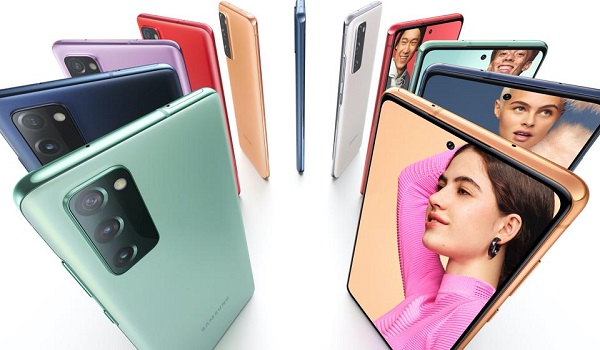
The best Samsung Galaxy S20 FE cases
We have listed cases that offer different and unique functionaliy or experiences for you to pick from. Here are some of the very best Samsung Galaxy S20 FE cases that you can buy.
Samsung Clear Standing Cover
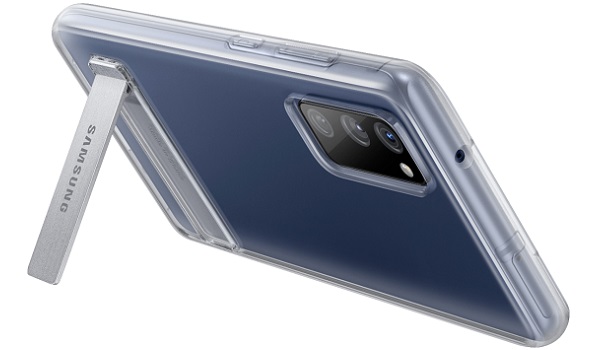
For video consumption, the Clear Standing Cover by Samsung themselves is as good as it gets. The case has a kickstand that lets you prop the phone up on a desk or other surface, so you can enjoy your favourite videos and movies without straining your hand to hold it up.
In addition to propping up your beloved Galaxy S20 FE and protecting it from the odd – or regular – fall, this case is transparent and so does not hide the beauty of the phone.
Spigen Rugged Armor
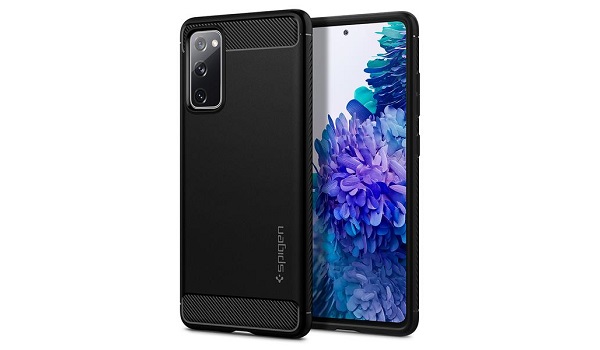
Outdoor enthusiasts and workers appreciate a rugged case for their smartphones. If you love to play rough and dirty, or work on a rig, at a construction site, or in some other tough environment, the Spigen Rugged Armor case is what the doctor ordered for your Galaxy S20 FE.
You might be fooled into thinking that a rugged protective case like this would be heavy, but this one provides all that protection in a slim, lightweight package. Its TPU bumper body has carbon fiber details.
The Rugged Armor case is available directly from the Spigen website for $25. It can be purchased at other stores and online retailers as well.
BAISRKE Slim Leather Cover
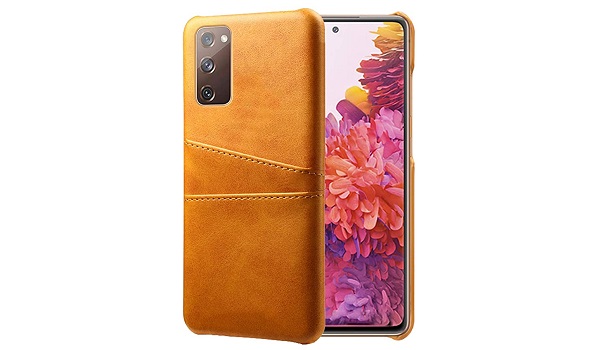
There are very few materials that beat the good old leather feel. If you want that on your Samsung Galaxy S20 FE case, the BAISRKE Slim Leather Cover is as good as any you will find.
It is a well detailed piece of work crafted work of imitation leather to deliver that premium feel. Don’t be fooled by the gentle looks either; it is made of rubberized TPU and designed to offer shock protection during falls. Its raised edges provide extra protection for your phone’s display, as corners are a fragile spot.
Spigen Ultra Hybrid
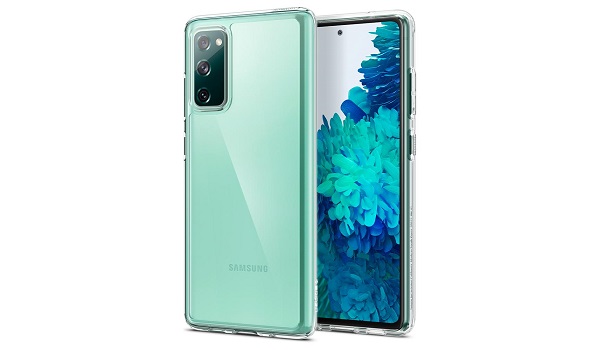
We are back with another Samsung Galaxy S20 FE case from Spigen. This is a transparent protective cover made from polycarbonate. While transparent, it is available in multiple colour options, so you can show off your phone and still match it to your dressing.
The shock-absorbent TPU frame built around the polycarbonate backplate offers good protection for your device, so it isn’t just about the looks.
The Ultra Hybrid case is available for $30 from Spigen’s website, and you can find it elsewhere as well.
Samsung S-View Flip Cover
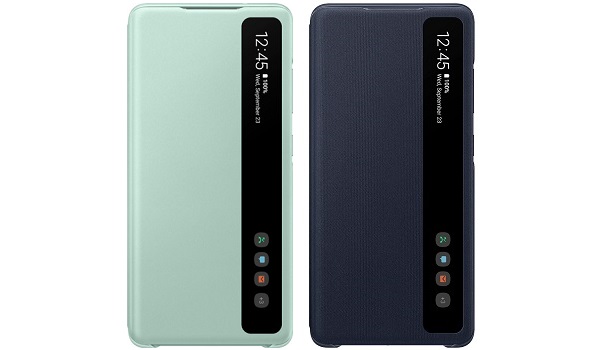
Samsung S View Flip Cover is one of the best Samsung Galaxy S20 FE cases
Lastly, if you want something futuristic and convenient, the S-View Flip Cover from Samsung is it. Thanks to a transaprent strip, this case allows you check vital information and notifications without opening up or unlocking your Samsung Galaxy S20 FE.
That is convenience. Plus, it looks very techie. Scratch that; it looks uber-cool.
