Add MobilityArena as a preferred source on Google
Let’s face it, without emojis, messaging just isn’t the same. Instead of just using plain old, boring texts, you get to add flair to your online conversations when you use emojis. Furthermore, since they allow people to express themselves without using words or sentences, emojis also make digital communication more sophisticated and enriched.
Even though emojis get updated and new ones get added on a regular basis. Androids are sometimes the last to get such updates. Naturally, nobody wants to miss out on new emojis so it makes sense to figure out a way to get new emojis on Android phones.

In this guide, we’ve provided some helpful tips to get new emojis on your Android phone and make your conversations more interesting.
How Can I Get New Emojis on Android Phones?
It’s not hard to get new emojis on Android phones, provided you follow the right instructions. Consider the most popular methods below:
Install the most recent Android version
A good way to get new emojis on Android phones is to install Android’s most recent version. They typically release a few new emojis with each new version. As such, when you want to get new emojis on Android phones, you should consider updating especially if you are using an older version.
First check the Android version. The steps to do this are as follows:
- Go to About Phone under Settings in the menu on your phone. You may need to first go through System on some devices. After that, click on the software version to find out which Android update you are using. Go to the next step if you aren’t using the most recent one.
- Refresh the Settings page. To see if an update is available, tap About Phone . Then click Install after tapping the update button. Ensure that you are using Wi-Fi or another mobile internet connection.
- Visit any messenger app to see if the update was successful. When typing, consider looking for any recent emojis on the Android phone
Note that the above-advised procedures may vary significantly depending on the type of device.
Install a New Keyboard
Installing a third-party Android emoji keyboard is another way to get new emojis on Android phones. Some of these apps also have an icon dictionary so you can quickly look up the meaning of an emoji, similar to the Emoji Keyboard.
On your smartphone, follow these steps to install a third-party keyboard:
- On your device, go to the Play Store .
- Use the Search bar to look up the keyboard app you wish to install.
- Select the desired app from the list that has now appeared.
- For the download, select Install.
- Await the download and installation of the keyboard app.
- Once installed, search the freshly downloaded keyboard for the new emojis.
Some of the top third-party keyboard applications include Microsoft SwiftKey, Ginger, Chrooma, and Fleksy.
Use the Emoji Kitchen
The software with all the intriguing characteristics that anyone would want in a keyboard is Google’s virtual keyboard, also known as Gboard . Gboard is the standard keyboard that comes pre-installed on the majority of Android devices. If not, it can be readily downloaded from the Play Store to any Android smartphone.
Here’s how to get new emojis on Android phones with Gboard:
- Open the Messenger app .
- To initiate a conversation, choose a contact.
- Next, begin typing by clicking on the Text box .
- After that, activate your emoji kitchen by clicking the Emoji icon and selecting your favorite emoji.
- Now, you can see the potential emoji combinations related to the particular emoji you selected at the top of the keyboard.
- Pick your preferred emoji to send by scrolling through the available options.
Create Your Own Custom Emoji to Add
Another way to get new emojis on Android phones is to customize yours by yourself. Emojis can be personalized to reflect your personality and preferences if you want to give them a more unique touch.
Emoji creator apps are available for download from Play Store. To customize emojis, there are dozens of programs available. Memoji, Bitmoji, and other well-known emoji-creation apps are a few examples.
To use Bitmoji (for instance) to add new emojis to Android, follow these steps :
- Launch the Play Store , then download the Bitmoji app (you can also use the other examples listed above).
- Open the Bitmoji app and create an account using your email.
- Choose a Gender for your Bitmoji avatar next, as well as other personal customization options
- To save your changes, click the Save button in the top right corner of the app screen.
- Click the Keyboard in the bottom right corner of the webpage.
- Next, select Enable Settings from the selection that appears.
Finally, waiting for Google to add new emojis is perhaps the simplest way to get new emojis on Android phones. Additionally, you can download and install the beta version of the Gboard app if you can’t help yourself and really need to be among the first to get new emojis on an Android phone.
In summary, regardless of the technique you choose to adopt, it’s not difficult to get new emojis on Android phones. Just be sure to follow the instructions we’ve provided correctly.
- Don’t miss our mobile phone reviews .
- Follow our news on Google News .
- Join our WhatsApp Group , to be notified of the most important articles and deals,
- Follow us on Instagram , Facebook , Twitter , and YouTube .
Author:Joan Agie
Add MobilityArena as a preferred source on Google
American manufacturing is back. Taiwan Semiconductor Manufacturing Company Limited (TSMC, also called Taiwan Semiconductor), a Taiwanese multinational semiconductor contract manufacturing and design company , is building two chip factories in Arizona in the United States of America. You read that right: for the first time in over a decade, semiconductor chips will be manufactured on US soil. That is great news for everyone who is an advocate of made-in-America chips, cell phones, cars, and everything else. It is about time we folded our sleeves and got back in the game.
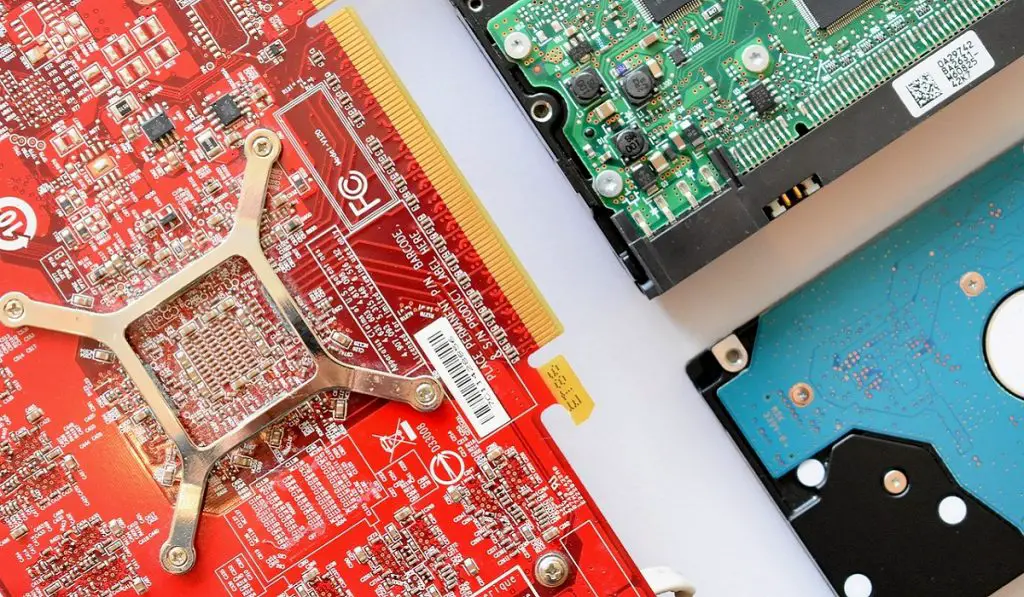
TSMC is investing $20 billion in the first of the new chip plants being built in Phoenix, Arizona. It will start production in 2024. Apple has said that they will use made-in-America chips from these plants in their products. Other technology companies that have committed to patronise TSMC’s American products include AMD and Nvidia. Construction of the second made-in-America chip factory will start in 2023 and it will go on stream in 2026 and produce 3nm chips.
TSMC is a dedicated foundry, meaning it builds the chips designed by other companies. Apple, AMD, and Nvidia are among its largest customers, and even Intel relies on TSMC to make the most advanced processors.
A Made-in-America Chips Revival Is Here
Manufacturing computer and cell phone processors on American soil is not the same as making PCs and phones in America, but it is a crucial first step. Once there is a supply of critical components, full-scale local manufacturing is inevitable. And it looks like that will happen soon. American-made cell phones might not be so far away in the future.
Intel is America’s biggest chipmaker and has its largest manufacturing site in Phoenix. It is looking to invest $20 billion to expand that facility by 2024. It also has plans to build a massive plant in Ohio. That plant is expected to start production in 2025. Another chip-maker, Micron , says that it will spend up to $100 billion on a facility in New York. Samsung says it is investing $17 billion in Austin, Texas.
The US government is launching a “Chips for America” program in 2023, to support companies that are interested in local production of chips. Several chip manufacturers have expressed interest in applying for funding through this program.
Author:MobileChic
That motivated, gadget-loving geeky chic who tries to stay on top of things. Unapologetic iFan.
