Add MobilityArena as a preferred source on Google
In the guide below, I share a few tips including how I got Prime Video on a non Smart TV, without a fuss.
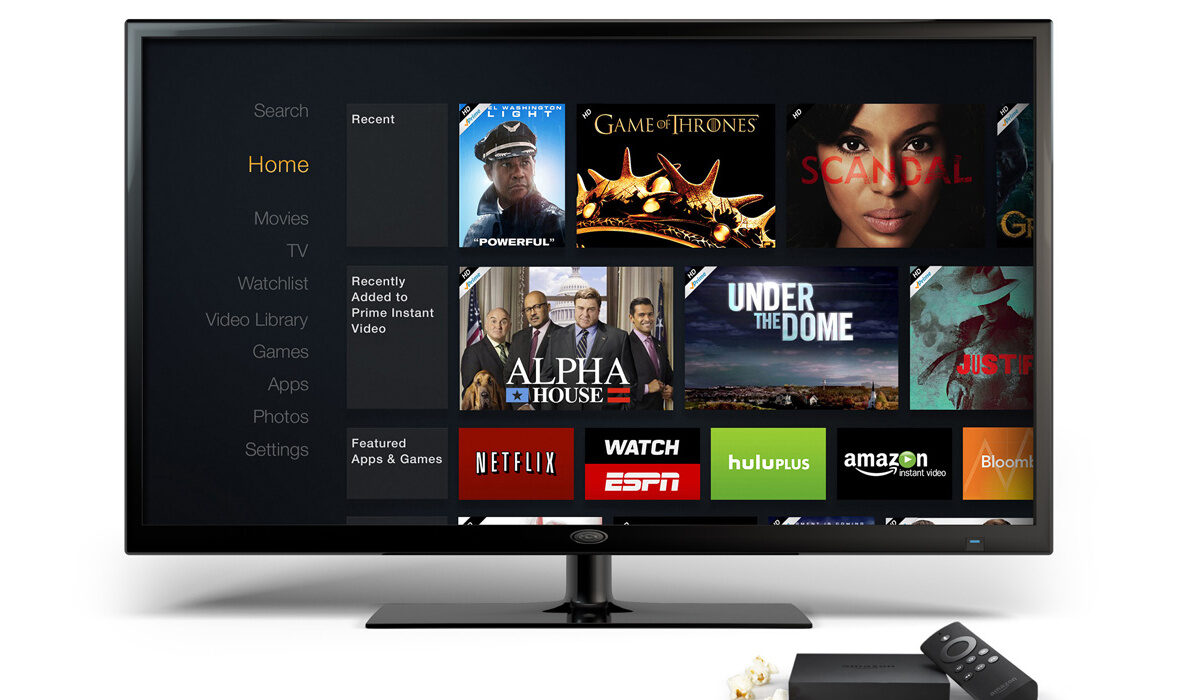
How To Get Prime Video On A Non Smart TV
- To Get Prime Video On A Non Smart TV, You Need A Dongle
- How to get Prime Video on a non Smart TV with Amazon Fire Stick
- Setup
- How to watch Prime Video on a regular TV with Chromecast With Google TV
- Summary and Final Words
To Get Prime Video On A Non Smart TV, You Need A Dongle
Because regular television sets do not come with certain features, they require an external device to enable them to connect and interact with a service like Prime Video. That external device is called a dongle.
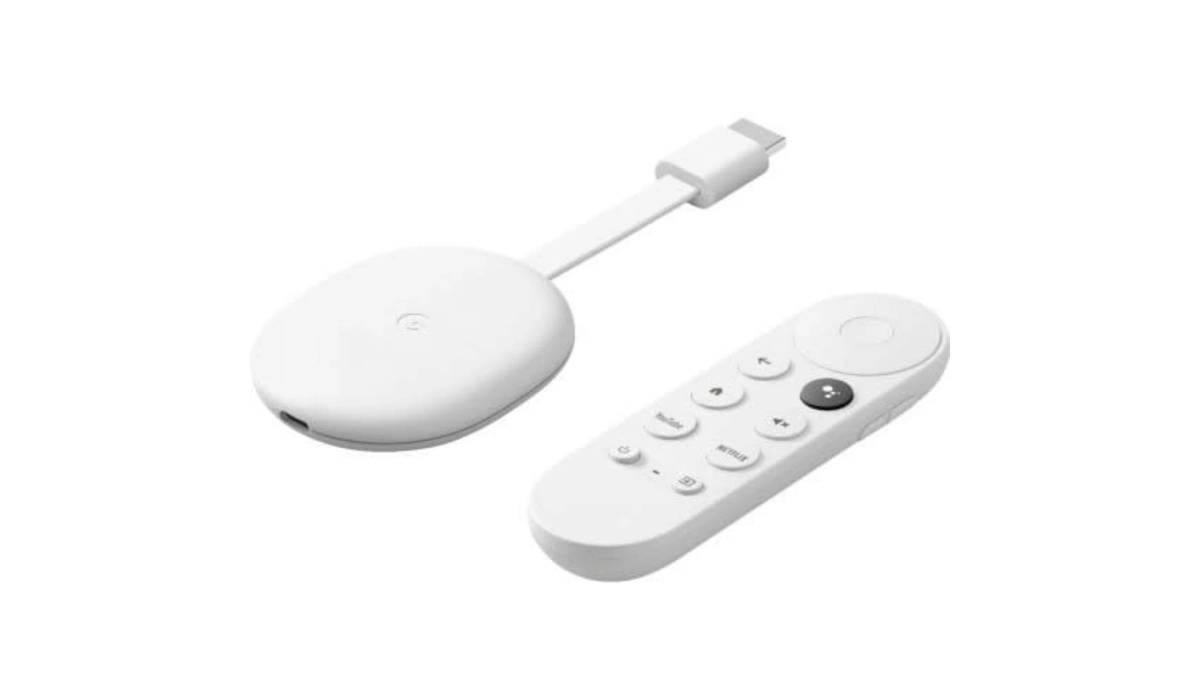
Chromecast with Google TV looks quite differently from Fire Stick, but it also comes with a remote controller. See the below image.
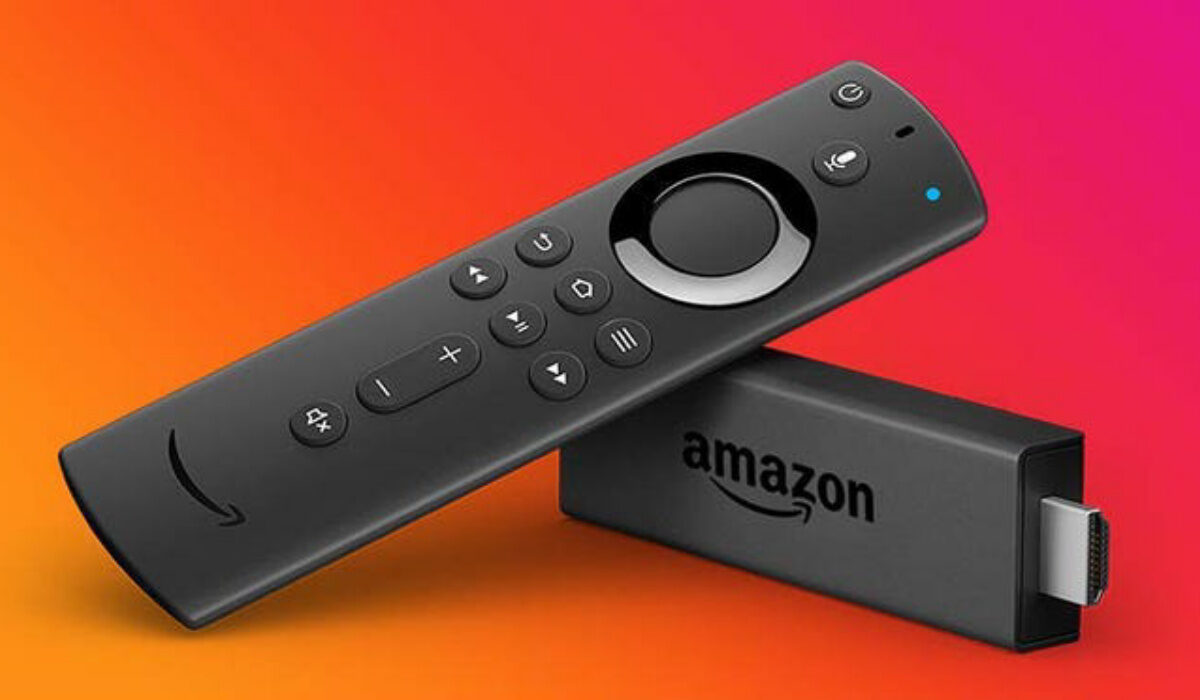
There are three models of Fire Stick. They differ in price and performance. Which means that the higher priced ones offer you better performance. Let’s look at each type.
- Fire Stick Lite: Costing only $29.99, this is the most affordable option to get and watch Prime Video on a non Smart TV. You get the full functionality to stream from Prime Video and other services like Hulu, Netflix, etc.
- The 1080p Fire Stick costs $39.99, for the benefit of having a slightly faster processor and the new Fire Remote controller. The new controller provides voice commands and volume and power controls for your television.
- Lastly, the 4K Fire Stick, as the name suggests, supports 4k resolution, in addition to the extras that the 1080l version already provide. It costs $49.99.
Setup
- Buy your preferred Fire Stick. As already mentioned, it costs anything between $20 and $50 and can be found on Amazon, Best Buy, and many other online stores.
- Plug it into your regular TV via the HDMI port. If your regular TV does not have an HDMI port, you will need an HDMI to AV (RGB) converter/adapter, or HDMI to component adapter. These are available for as low as $15. Connect the Fire Stick to the adapter and then that to your TV’s AV port.
- Make sure your Home Internet WiFi is up and running.
- Plug your Fire Stick into a power outlet. It should indicate that it is powering on.
- Use your television’s remote controller to select the input that matches the port you plugged the Fire Stick into. That should be HDMI. Once you pick the correct port, your Fire Stick boot up screen will appear on the TV display.
- Your remote should auto-pair with the Fire Stick. If it doesn’t, hold the “Home” button for about “fifteen seconds” to force it to happen.
- Next, follow the instructions on the TV screen to connect your Fire Stick to your Home Internet Wi-Fi network.
- Once connected, navigate to the app store to download the Prime Video app. Don’t get scared; if you know how to install apps on a phone, it is the same process.
- Login to your Prime Video account and begin to stream and watch your favourite movies and TV shows.
How to watch Prime Video on a regular TV with Chromecast With Google TV
Note: What you need to get Prime Video on a non smart TV is “Chromecast with Google TV”, not the older and less capable models that are called simply, “Chromecast”. Either the HD or 4K variant of Chromecast with Google TV will do. The 4K variant is the more advanced of the two, and also the more expensive, but you really should not bother with it if you do not own a 4K television set.
- Buy your Chromecast With Google dongle.
- Plug it into your regular TV via the HDMI port. If your television set does not have an HDMI port, try one of the alternatives mentioned above already.
- Make sure your home router is on and there is an active ainterbet connection.
- Plug your Chromecast device into a wall power outlet and it will power on.
- Download and install the Google Home app on your smartphone. This is important, as it is used for setting up your Chromecast.
- On the app, set up a Home and add your Chromecast a device on the Home app. Your Chromecast device will connect to your WiFi and then to TV, after which you can install all the apps you want on your TV.
- Now, it is time to login to your Prime Video account and start watching your favourite shows and movies.
Summary and Final Words
Personally, I use Chromecast with Google TV and setting up was smooth and easy. It has served me well till date without issues.
Is there any way to get Prime Video on a non Smart TV without connecting an external device? Unfortunately, there is not. It is the dongle that puts the “smart” in your regular TV. What other external devices can you use to get Prime Video on your non Smart TV? Your options include Roku ($30-39) and Apple TV ($150).
Author:Mister Mobility
Digital Skills and Communication Coach | Mobile Phone Connoisseur since 2001 | Tech Blogging since 2004
Add MobilityArena as a preferred source on Google
It is not every day that I hear the announcement of any new smartphone and I immediately began to consider getting one. But the announcement of the new Google Pixel 8 had me in that situation immediately.
For starters, I am a fan of Pixel smartphones. In an ideal world, Pixel phones would be my primary phones – the ones I use daily. They run stock Android OS (or as close to stock as it can get), have great cameras, have solid build quality, and provide timely software updates. What is not to like? There are a few issues, from my experience with them.
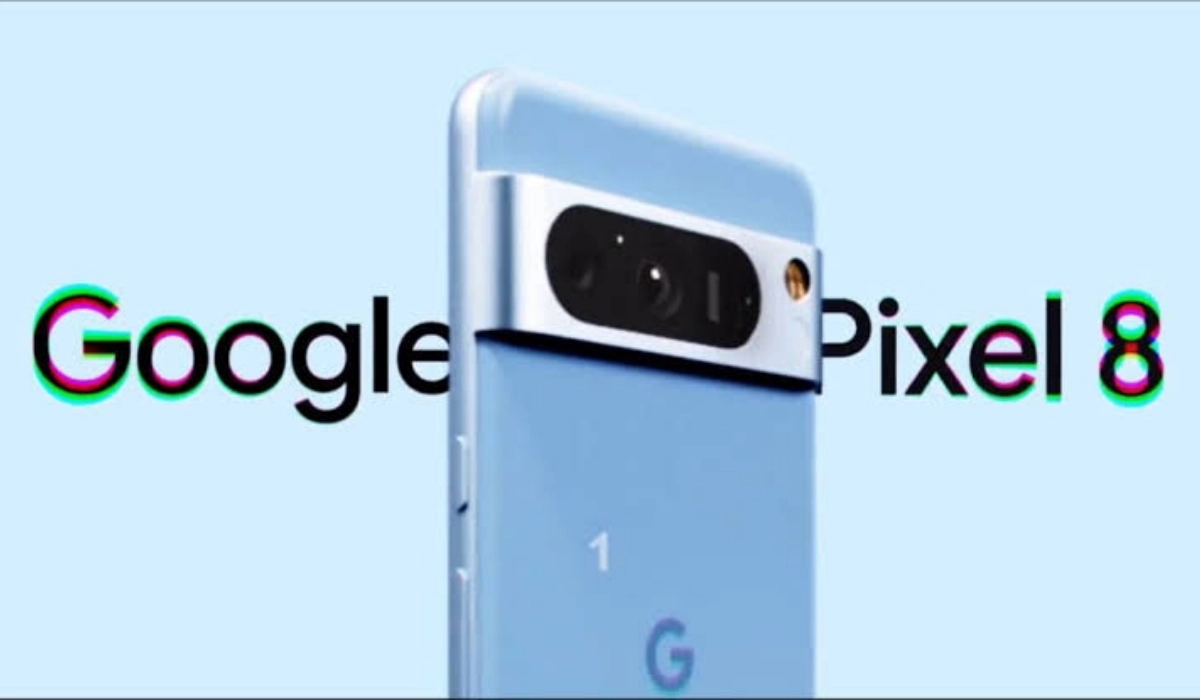
Then there eisnthe inclusion of Ultra-HDR , Google’s new advanced image-enhancibg technology that is sold as being able to make images more life-like. Google Pixels have always had solid photography, and this just makes them juicier.
The problem with last Pixel phones
I owned the Pixel 3, Pixel 3a, and Pixel 5A 5G, and all three gave me a certain suite of issues. The major one was overheating, which triggers a number of accomplice issues. That is my main grouse with Google’s smartphones: overheating . Of course, I’ve also disliked the rather slow charging that Google includes with them (thankfully, wired charging has gotten another bump up to 27W this year, though that is still miserable compared to what is available from many other brands). And I wish they had better battery life as well. But I can live with those two issues. The overheating is unbearable, a complete deal breaker for me.
I have read that the older Tensor processors used in previous Pixel models were responsible for the overheating problem in those phones. It is said that the new Samsung-made 4nm Google Tensor G3 chipset in the Pixel 8 promises better efficiency and higher performance, and generates much less heat, compared to its predecessors. I do desperately want that to be true. But Pixel phones were overheating even before Tensor chips began to be used in them. For example, the Pixel 3 had a Snapdragon 845 processor in it, yet it overheated.
I am not convinced that the Tensor processors are the problem. Perhaps they contribute to it, but it can’t just be that. Pixel smartphones definitely have some problem at the level of software-hardware optimization, especially with the cameras. Consider how fast the phones heat up once you start using the cameras, and you catch my drift.
Juicy Android software update support
Anyway, Google Pixel 8 has me considering another adventure in that direction. Why? I am still wary of the brand because of my experience with overheating, but the idea of getting timely software updates on a phone for 7 years has me drooling. It smells so good that I want to taste it. And as we all know so well, the taste of the pissing is in the eating. Or rather, in this case, the taste of a smartphone is in owning one. A part of me wants to own a Pixel 8. Another part is flashing bright red lights and reminding me that this phone will end up boiling me water for mugs of cocoa drinks.
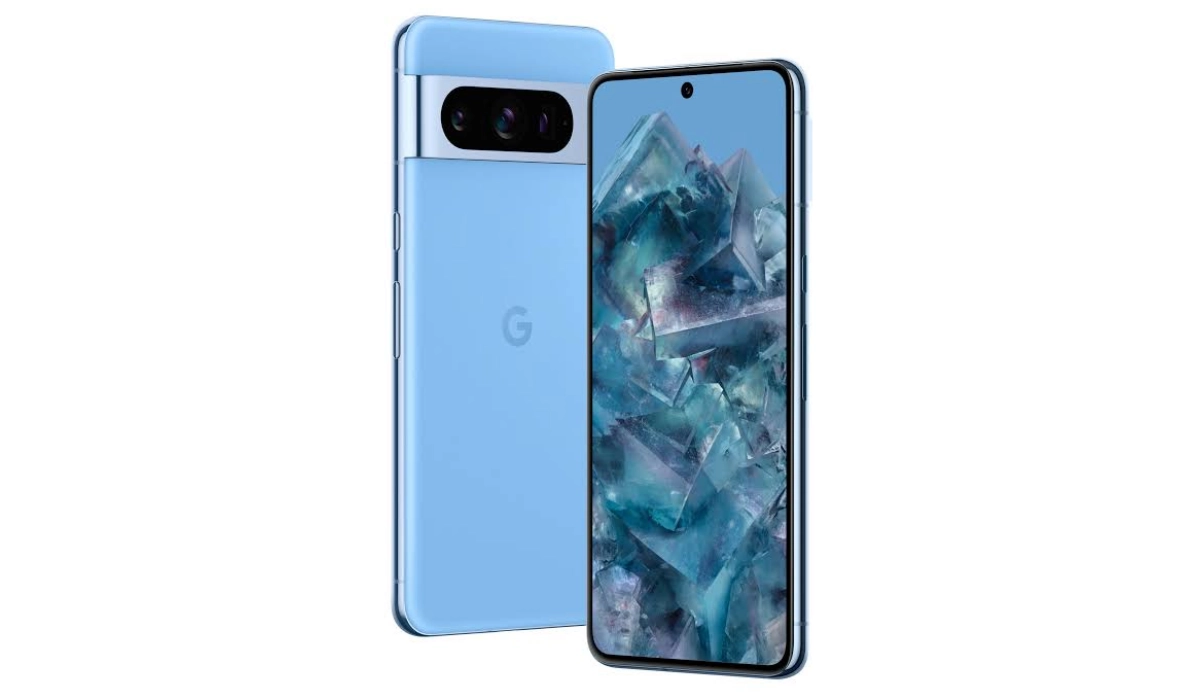
I am likely to bite and get one. Or more likely, I just might wait for the Pixel 8a to be announced to see if it will get the same 7-year update treatment. The 8a will cost less and so reduce whatever pains I will feel should the old overheating issue spring up on it as well. If I go that route, there will be no Pixel experience for me this year, as the Pixel 8a won’t be arriving till around May 2024. And that is fine. What is the hurry?
I am not particular about any other features of the phone. I simply want guaranteed software updates, so I can keep up with new features in Android OS. That’s it. I’d have loved to have a telephoto lens, but I don’t think that is worth paying the extra cost to get the Pixel 8 Pro. Plus, I prefer my smartphones to exist on compact sizes. The Pixel 8 will do just fine. Or like I already mentioned, the Pixel 8a.
Google Pixel 8 Price
In the United States of America, the 8/128GB variant sells for $699, while the 8/256GB variant sells for $759.
In the United Kingdom, the 8/128GB variant sells for £699, while the 8/256GB variant sells for £759.
In Canada, the 8/128GB variant sells for CA$1,555, while the 8/256GB variant sells for CA$1,675.
In the European Union, the 8/128GB variant sells for €799, while the 8/256GB variant sells for €859.
Author:Mister Mobility
Digital Skills and Communication Coach | Mobile Phone Connoisseur since 2001 | Tech Blogging since 2004
