Add MobilityArena as a preferred source on Google
Most modern smartphones have quite good battery life such that you never need to tinker to get a good performance. But every now and then, you might come across a phone with relatively disappointing battery life. One of the ways to improve battery life is to use the Developer Options menu in your Android device.
Our phone batteries are constantly draining for a number of reasons. One of them is that there is an endless stream of background process running inside your phone. The other one is that phones have these big, advanced displays that guzzle a lot of power. Two quick ways to increase battery life is to limit these background processes and limit the display processes.
You can limit background processes and some display processes using Developer Options.
Developer Options is disabled by default, so you have to enable it first. Go to your phone Settings, find the About page and look for the option that says “Build Number”. Tap on it repeatedly till you get a notice that Developer Options is now enabled. Now you are ready to make those moves.
- Increase battery life using Developer Options
- Increase battery life is by limiting screen refresh rate
Increase battery life using Developer Options
On your phone, go to Settings and follow these steps:
- Settings > General > Developer options
- At the top of the page, toggle Developer options on.
- Scroll down to “Mobile data always active” and toggle it off.
- Scroll down to “Windows animation scale” and toggle it off.
- Next, do the same for “Transition animation scale”.
- Next, scroll on till you see “Do not keep activities”. If you turn this off, you basically stop your phone from multitasking and that will increase your battery life greatly. Toggling it off means that every time you leave one app for another, the first app gets shut down immediately. The next time you open it, it starts up from scratch. If you are okay with that, toggle this option off.
- Tap on “Limit background processes” and select “No background processes” or pick any of the options to limit background process to one, two, three, or four. Personally, I chose to limit mine to two.
Once you have made your selection, you are all done. Simply exit the Settings app and you are good to go.
Increase battery life is by limiting screen refresh rate
If your smartphone has high refresh rate options, for example 90Hz, 120Hz, and higher, you can improve battery life by fixing the refresh rate to 60Hz which is the lowest or 90Hz if you do not like the basic 60Hz experience.
What is the science behind this? The higher the refresh rate, the more power a phone’s display consumes. This is because the display needs to update the image more frequently, which requires more energy. As such, pegging the display at a lower refresh rate reduces power consumption significantly, especially because the display is the biggest power guzzler in most smartphones.
With the above steps executed, your Android smartphone will record significantly better battery life.
Author:Mister Mobility
Digital Skills and Communication Coach | Mobile Phone Connoisseur since 2001 | Tech Blogging since 2004
Add MobilityArena as a preferred source on Google
In a world where budget smartphones are becoming increasingly popular, finding a reliable device that won’t break the bank can feel like a daunting task. Fortunately, there are plenty of affordable options that offer impressive features without the hefty price tag. Whether you’re a student, a busy professional, or someone who simply wants a dependable device for everyday use, there’s a perfect budget smartphone out there for you. Imagine being able to enjoy high-quality cameras, vibrant displays, and long battery life—all while keeping your wallet happy. With so many choices on the market, it’s easier than ever to find a smartphone that fits your needs and budget. Let’s explore some of the best budget smartphones available in the U.S. right now, ensuring you get great value without sacrificing quality!
- Google Pixel 8a
- Samsung Galaxy A25 5G
- Moto G Play (2024)
- OnePlus Nord N30
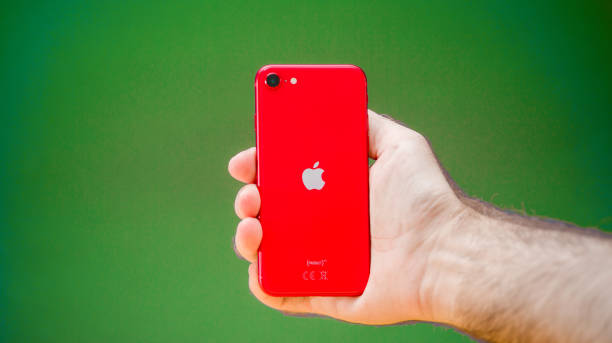
- Apple iPhone SE (2022)
- Conclusion
Google Pixel 8a
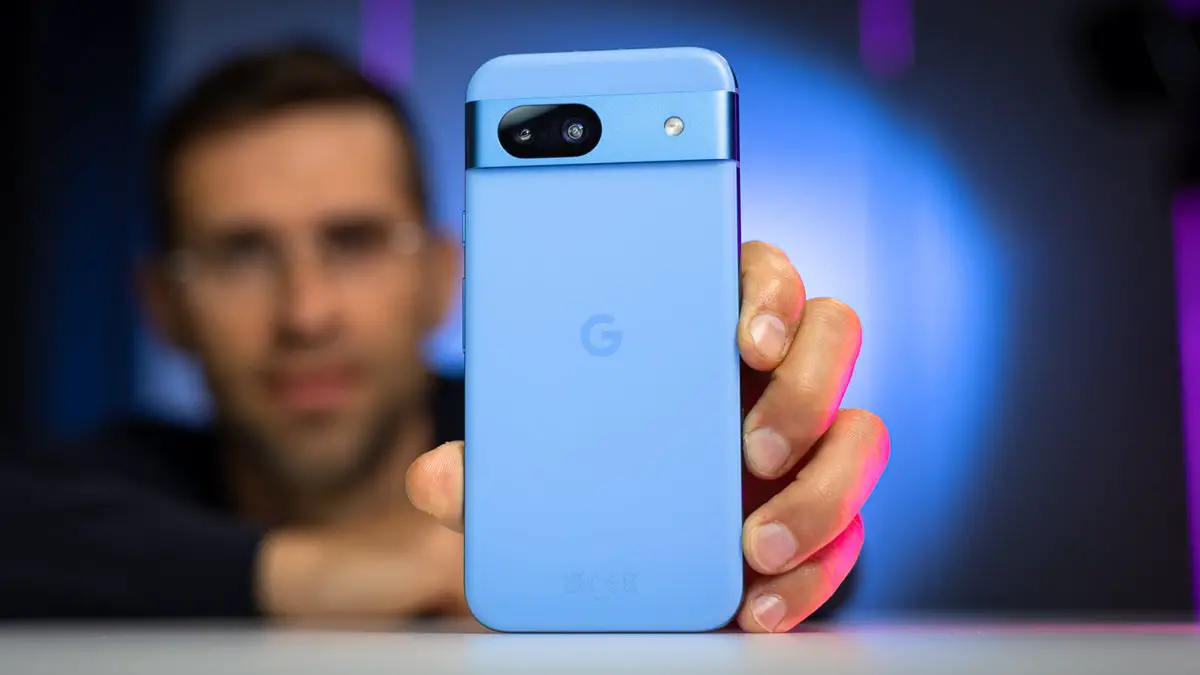
If you’re looking for one of the best budget smartphones that combines excellent performance with outstanding camera capabilities, the Google Pixel 8a is hard to beat. Priced at around $499, it offers a 6.1-inch OLED display with a smooth 120Hz refresh rate, ensuring that everything from scrolling through social media to watching videos is a delight.
- Camera Quality: With a 64MP main camera and advanced AI features like Magic Editor and Audio Eraser, your photos will look stunning.
- Software Support: Google promises seven years of software updates, making it a future-proof choice.
- Performance: Powered by the Tensor G3 chip, it handles multitasking and gaming with ease.
Imagine capturing your favorite moments with friends or family and knowing that your phone will keep getting better over time thanks to regular updates. The Pixel 8a is an investment in quality and longevity.
Samsung Galaxy A25 5G
For those who prefer Samsung’s ecosystem, the Galaxy A25 5G is an excellent option on the list of budget smartphones, it is priced at approximately $300. This phone packs a punch with its vibrant 6.5-inch FHD+ Super AMOLED display and a triple-camera setup featuring a 50MP main camera.
- Stunning Display: The AMOLED screen offers bright colors and deep blacks, making it perfect for streaming content.
- Long Battery Life: With a robust 5,000mAh battery, you can easily get through a full day of heavy use.
- Software Features: Samsung’s One UI brings useful features like Single Take mode for capturing multiple photos with one click.
Picture yourself enjoying your favorite shows on the go, all while having enough battery life to last through your busy day. The Galaxy A25 5G is designed to keep up with your lifestyle.
Moto G Play (2024)
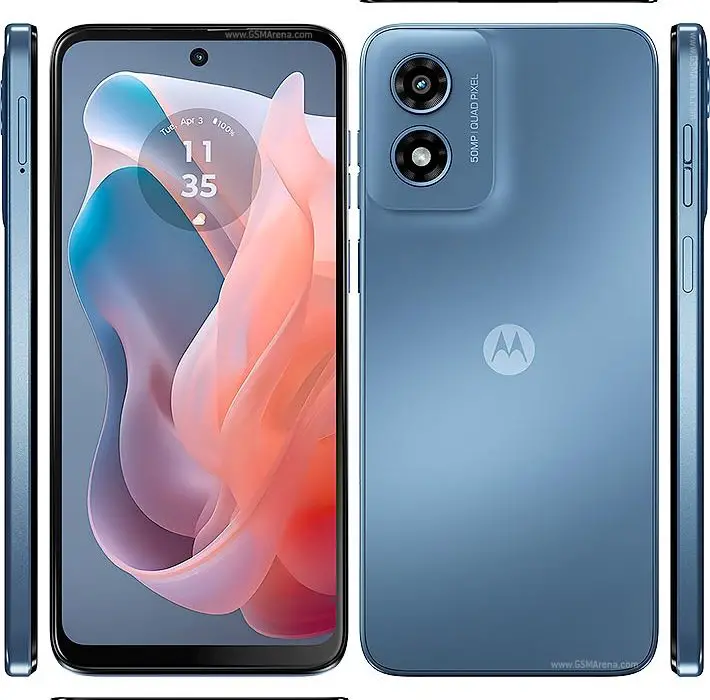
If you’re on an ultra-tight budget, the Moto G Play (2024) offers incredible value at just $150, sitting comfortably on the list of budget smartphones. Despite its low price point, this phone delivers solid performance with its Snapdragon 680 processor and a smooth 90Hz refresh rate display.
- Affordable Price: At $150, it’s one of the most budget-friendly options without sacrificing essential features.
- Decent Performance: With 4GB of RAM, it handles daily tasks and light gaming surprisingly well.
- Quality Build: Motorola has designed this phone to withstand everyday wear and tear.
Imagine being able to browse social media or catch up on your favorite shows without worrying about draining your wallet. The Moto G Play is perfect for anyone needing a reliable device without frills.
OnePlus Nord N30
The OnePlus Nord N30 is another fantastic option on the list of budget smartphones. It is priced around $299. This smartphone features a large 6.72-inch display with a smooth refresh rate that enhances your viewing experience.
- Fast Charging: With its impressive charging capabilities, you can quickly power up and get back to using your phone in no time.
- Solid Performance: The Snapdragon chipset ensures that multitasking is seamless and efficient.
- Great Design: Its sleek design makes it feel more premium than its price suggests.
Think about how convenient it would be to have a phone that charges quickly while offering great performance for both work and play. The Nord N30 fits perfectly into this lifestyle.
Apple iPhone SE (2022)
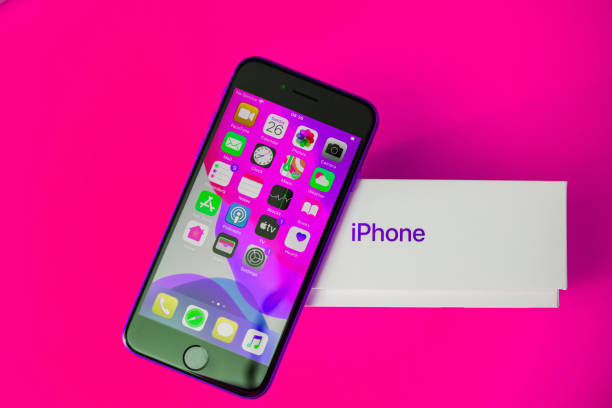
For those who are loyal to Apple but don’t want to spend over $400, the iPhone SE (2022) is an excellent choice on the list of budget smartphones, priced at approximately $429. This compact device packs powerful performance with the A15 Bionic chip used in higher-end models.
- iOS Ecosystem: Enjoy seamless integration with other Apple products and services.
- Camera Performance: The single-camera system captures stunning photos with impressive detail.
- Compact Size: Its smaller form factor makes it easy to use one-handed and fits comfortably in your pocket.
Imagine having access to Apple’s ecosystem without spending top dollar on the latest flagship model. The iPhone SE offers an affordable entry point into the world of iOS.
Conclusion
Finding the best budget smartphones doesn’t have to be overwhelming. Whether you prioritize camera quality, battery life, or software support, there’s an option available that meets your needs without breaking the bank. From the feature-rich Google Pixel 8a to the ultra-affordable Moto G Play (2024), these budget smartphones prove that you don’t need to spend a fortune to get great performance and functionality. As we move further into 2024, consider one of these budget-friendly devices as your next smartphone upgrade! With so many excellent choices available in the U.S., you can enjoy all the benefits of modern technology while keeping your wallet happy!
