Add MobilityArena as a preferred source on Google
Have you needed to log out of the Facebook Messenger app on your smartphone and looked around for the logout button without any success? Me too! You couldn’t find the thing because it doesn’t exist. There is no Logout/Sign out button in Messenger, and so no visible way to logout of the app.
But there is a way around that to how to log out of Facebook Messenger. And do not fret; it isn’t a complicated, technical process. It really is quite simple. Just follow the steps below.

Log out of Facebook Messenger app by clearing app data
There are a few ways you can logout of Messenger. The first is by clearing the app data, follow these steps on your Android phone:
- Go to Settings > Applications > Manage Applications.
- Open ‘Messenger’ and tap ‘Clear Data’.
That is it. This action clears your Facebook account login details from the Messenger app and logs you out. If you launch the app now, you will see that it asks you to login afresh.
PS : You can use this same procedure to force a log out of any app that you are logged in to on your phone.
Author:Mister Mobility
Digital Skills and Communication Coach | Mobile Phone Connoisseur since 2001 | Tech Blogging since 2004
Add MobilityArena as a preferred source on Google
In addition to being a fantastic tool for digital designers and artists, the Apple Pencil has revolutionized how its regular users take notes. This $99 piece of portable technology is a versatile tool that many iPad creatives live and swear by.
But there is one issue that all Apple Pencil users have in common: they are constantly misplacing it. If this is an issue you constantly face, we’ve created this guide for you. In this guide, we’ve provided useful solutions to help you find your lost Apple Pencil.
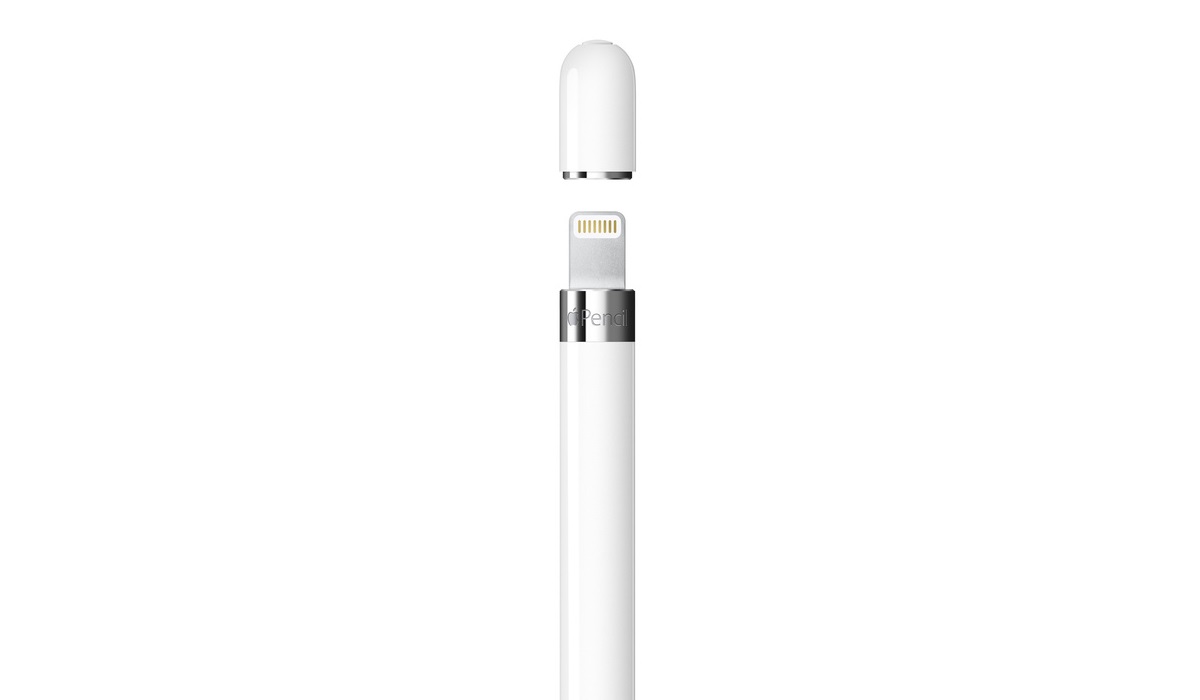
- How Can You Find Your Lost Apple Pencil? Download and Use the Bluetooth Finder App Use the Bluetooth Connectivity on your iPad Nudge the Apple Pencil
How Can You Find Your Lost Apple Pencil?
Users of Apple Pencil models 1 and 2 have raised questions about whether or not one can find a lost Apple Pencil using Apple’s Find My app. Unfortunately, while most Apple gadgets can be found via the Find My app from Apple, the Apple Pencil is not one of them. Not to worry though, here are some other helpful ways to find your lost Apple Pencil.
Download and Use the Bluetooth Finder App
By connecting to its wireless signature, the Bluetooth Finder app can help find your lost Apple Pencil. Keep in mind though that the Bluetooth Finder app will only function with a charged and awake Apple Pencil. Here’s how to find your lost Apple Pencil with this option:
- Open the Bluetooth Finder app and choose Apple Pencil from the selection of previously paired devices
- You will then see a radar in the Bluetooth Finder app showing the signal strength and an estimate of your distance from the device. You’ll know that your Apple Pencil is fairly close if the app displays a distance of less than 0.5 meters (two feet).
Use the Bluetooth Connectivity on your iPad
When trying to find a lost Apple Pencil, you could also navigate to Settings > Bluetooth > My Devices on your iPad to see if your Apple Pencil is nearby. Given that Bluetooth’s range is 30 feet, if your Apple Pencil displays as Connected , you’ll know it must be nearby.
Keep in mind that the Bluetooth range is greatly reduced by the materials separating your devices. The quality of your Apple Pencil’s connection, for instance, can be impacted by thick walls, flooring, or even furniture.
Using this information, you can conclude that if your Apple Pencil maintains the Bluetooth link, it is most likely closer than 30 feet.
Nudge the Apple Pencil
There’s a chance that your Apple Pencil has fallen asleep if you’ve lost it for some time. Even if it is fully charged, an Apple Pencil cannot be connected over Bluetooth when it is asleep. You could make efforts to nudge the device and wake it up so it becomes simpler to find your lost Apple Pencil.
You might be able to shake your lost Apple Pencil awake by shaking your backpack, tossing the couch cushions, or digging through desk drawers. Driving around could also activate your Apple Pencil if you think you left it in your car.
Extra tip : It might also be beneficial to revisit any place you’ve gone or stayed in the past few hours so you can find your lost Apple Pencil.
Retrace your steps by recalling the precise location where you last held the Apple Pencil. Examine your most recent iPad files, such as signed papers, sketches, or notes, for hints like timestamps or location information.
Also remember to check any areas or crevices close to your desk, such as underneath the table, behind the display, or behind pedestals, if you bring your Apple Pencil to the office.
In case it has been found and an attempt has been made to return it, it’s also a good idea to check with the lost and found department at your workplace.
Summarily , dealing with a lost Apple Pencil can be frustrating but our helpful suggestions can help you. Try one or more of our recommended solutions to find your lost Apple Pencil.
