Add MobilityArena as a preferred source on Google
You can use any two apps simultaneously by splitting the screen on your Android phone. This action is quick and easy to enable on any smartphone running Android 7 or later, and it can significantly increase your productivity.
If you don’t know how to make a split screen on Android, this guide is for you. We’ve provided helpful instructions to successfully split your Android screen, so keep reading to find out.
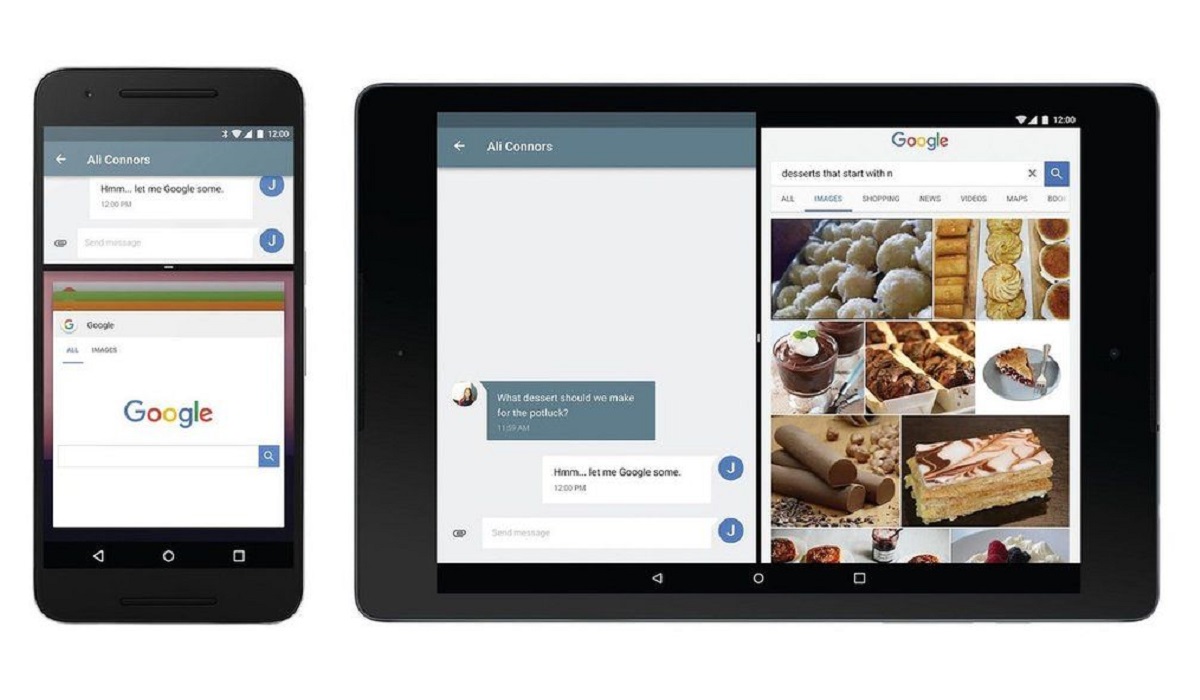
How Can You Make A Split Screen on Android phones?
The majority of modern Android phones from more than a dozen different manufacturers now allow users to run apps in split-screen mode, allowing you to use and view both screens simultaneously. However, not all Android devices support the split-screen functionality.
The instructions to make a split screen on an Android will most likely differ based on the brand, but the following should work for most Android devices:
● Tap the Recent Apps button on your Android home screen. You’ll find it at the bottom-left or right corner of your screen; it appears as three vertical lines on certain phones and as a rounded square on others.
● Locate the app you wish to use in split-screen mode on the Recent Apps page, then click on it and hold until a menu pops up.
● Select Split screen from the menu.
● The app you’ve chosen will momentarily take up the top portion of the screen and be divided from the bottom by a black bar. Tap the second app you wish to use in split-screen mode after that.
● Your apps will now show up in split-screen mode, and switching between them should be simple.
● Drag the black bar separating the applications in the direction of the program you want to close to terminate the split-screen view.
Note that you shouldn’t drag the black bar all the way to the top or bottom, though, since it will end the split-screen view. Instead, move it up or down if you’d like to give the top or bottom app more space on the screen.
How to make a Split Screen on Samsung Galaxy smartphones
It’s important to note that there is a small difference in how to make a split-screen on Samsung Galaxy smartphones. Follow these steps if you own one:
● Tap the Recent Apps button (the three vertical lines) in the lower-left corner of the Samsung Galaxy’s home screen.
● Locate the app you wish to use in split-screen mode in the Recent Apps panel, and then click on its icon at the top.
● Then, select Open in split-screen view from the menu that displays.
● The top half of the screen will display the app, divided in the middle by a blue bar. You’ll notice a selection of additional apps below the blue bar; all you need to do is tap on the app you want to occupy the screen’s bottom half.
● Now that each app is using its own half of the screen, you’ll be able to use them both without needing to close either.
● Drag the blue bar separating the applications in the direction of the app you want to close whenever you decide to end the split-screen view.
Now that you know how to make a split screen on your Android, don’t forget that the split-screen option can cause your battery to drain more quickly.
In addition, not all applications allow you to make a split-screen on Android; some, like games, demand full-screen functionality. You’ll find that some apps are better suited to split screens than others, especially if you frequently use apps in split screen mode.
For instance, using split screen mode on Android works well with apps like Netflix and YouTube because those programs have video capabilities and don’t require much interaction. On the other hand, if a player must pay close attention to the gameplay in a mobile game, using the split screen mode may not be a good option.
In summary , we hope this guide has taught you how to properly make a split screen on Android; just make sure to follow the instructions correctly for the right results.
Author:Joan Agie
Add MobilityArena as a preferred source on Google
The Nothing Phone 2 is a more premium device than its predecessor and features a few notable upgrades. The official announcement was made on the 11th of July, 2023 and we have detailed specs and pricing.
Key features include a bigger display, a more powerful, premium flagship processor, and 11 segmented LED strips with 33 total LED lighting zones in the Glyph interface. The head of Nothing Technologies operations in India has confirmed that the Nothing Phone 2 is made in India – by BYD Electronic, a Shenzhen-based manufacturer, in Tamil Nadu.
The specs sheet of the Nothing Phone 2 includes the Qualcomm Bluetooth audio suite of Snapdragon Sound, aptX Adaptive, aptX HD, and aptX.
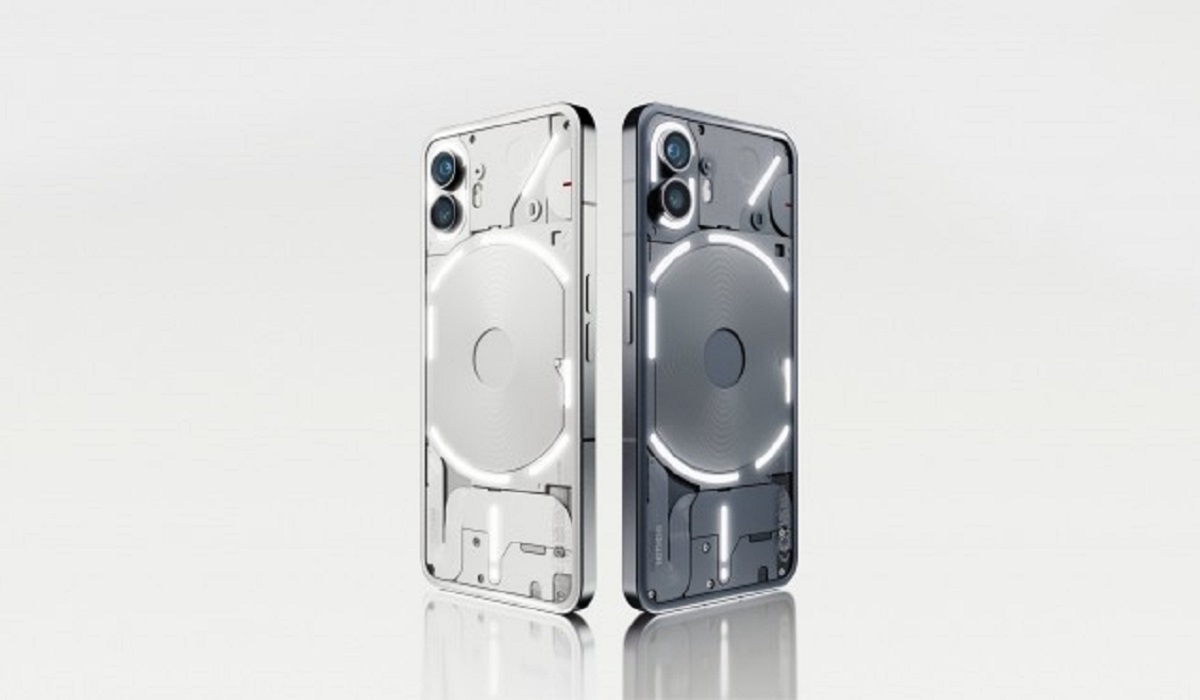
Nothing Phone 2 brief specs
OS: Android 13
Release Date: 2023
Network Type: 2G/3G/4G/5G
Display: 6.7-inch, 1080 x 2400 pixels resolution, 120Hz OLED, Corning’s Gorilla Glass
Processor: Qualcomm Snapdragon 8+ Gen 1
Selfie Camera: 32 MP
Rear camera: 50 MP dual
RAM: 12 GB
ROM: 512 GB
Battery: 4700mAh
Nothing Phone 2 detailed specs
Does Nothing Phone 2 support aptX codecs?
Does Nothing Phone 2 have WiFi 6?
Does Nothing Phone 2 have IR blaster?
Does Nothing Phone 2 have Google Play Store?
Will Nothing Phone 2 work in the USA?
Nothing Phone 2 detailed specs
Mobile Wireless Network and Software
- 2G mobile network bands : GSM, GPRS, EDGE 850 / 900 / 1800 / 1900 MHz.
- 3G mobile network bands : UMTS, WCDMA, HSDPA 850 / 900 / 1700 (AWS) / 1900 / 2100 MHz
- 4G mobile network bands : LTE 1, 2, 3, 4, 5, 7, 8, 12, 17, 18, 19, 20, 26, 28, 32, 34, 38, 39, 40, 41, 66
- 5G mobile network bands : NSA/SA 1, 3, 5, 7, 8, 20, 28, 38, 40, 41, 77, 78
- SIM Type : Nano-SIM, Dual SIM
- Software / OS : Nothing OS 2.0 based on Android 13
Design, Form Factor, Appearance
- Dimensions : 159.2 x 75.8 x 8.3 mm
- Weight : 194g
- Display : 6.7 inches, 1080 x 2400 pixels, 120 Hz refresh rate, 20:9 aspect ratio, OLED, Corning’s Gorilla Glass 5.
- Colours : White. Black.
- Physical Build : Aluminium frame; Gorilla Glass5 transparent back. IP53 splash resistance. Multiple LED lights on the back.
Internal Hardware Specs
- CPU/ Processor : 64-bit, 3.2 GHz Octa-core
- Chipset : Qualcomm Snapdragon 8+ Gen 1
- GPU/ Graphics Processing Unit : Adreno
- RAM : 8 GB / 12 GB
- Extended/Virtual RAM : Yes.
- Internal Storage : 256 GB / 512 GB
- External Storage : No
Photography, Video Recording
- Main Camera : 50MP Sony IMX766 main sensor + 50 MP ultrawide angle lens, autofocus, LED flash, dual OIS, dual EIS, 4k@30fps, 1080p@30fps video recording
- Front Camera : 32 MP Sony IMX615 sensor, fixed focus, Face Recognition, 1080p@30fps video capture
Audio, Video Playback
- Music Support : PCM, AAC / AAC + / eAAC + / MP3 / AMR – NB / WB / APE
- Audio : 3.5 mm audio jack
- Loudspeaker : Stereo speakers
- Video Support : H.264/MP4/MPEG4 player
- FM Radio : No.
Phone Sensors
- Digital Compass : Yes.
- Accelerometer : Yes.
- Proximity Sensor : Yes.
- Ambient Light Sensor : Yes.
- Barometer : No.
- Pedometer : No.
- Heart Rate Monitor : No.
- Gyroscope (G-Sensor) : Yes.
- Fingerprint Scanner : Yes; in-display.
- Face Unlock : Yes.
- Iris Scanner : No.
- Motion Sensing / Gesture Control : No.
- Voice Control : No.
- Intelligent Digital Assistant : Yes; Google Assistant.
- Infra-red Blaster : No.
Connectivity Options
- Bluetooth Version : 5.2
- Bluetooth Profiles : A2DP, LE
- Bluetooth Codecs : Snapdragon Sound, aptX Adaptive, aptX HD, aptX Low Latency.
- WiFi : Wi-Fi 802.11 a/b/g/n/ac/6, hotspot
- GPS : Yes, A-GPS, GLONASS, BDS, Galileo
- USB : microUSB v2.0. Type-C. USB-OTG.
- NFC : Yes.
Miscellaneous Specs and Features
- Battery Type and Capacity : Non-Removable Lithium-Polymer 4700mAh
- Battery Charging : 45W fast charging.
- Wireless Charging : Yes (15W).
- Reverse Charging : No.
- Model Version/Number : A065
Launch/Release Dates and Information
- Announced : July 11, 2023
- Release Date : July 17, 2023
Nothing Phone 2 Prices by Country
USA: $599 (8/128GB). $699 (12/256GB). $799 (12/512GB).
United Kingdom : £579 (8/128GB). £629 (12/256GB). £699 (12/512GB).
France, Germany & European Union : €679 (8/128GB). €729 (12/256GB). €849 (12/512GB).
Australia : $1,049 AUD (8GB + 128GB), $1,149 AUD (12GB + 256GB), and $1,249 AUD (12GB + 512GB).
Many of the above prices are rough conversions, as the Nothing Phone 2 is not officially available in many countries. The above prices may change with time from country to country, as market forces and economic policies influence product price movements.
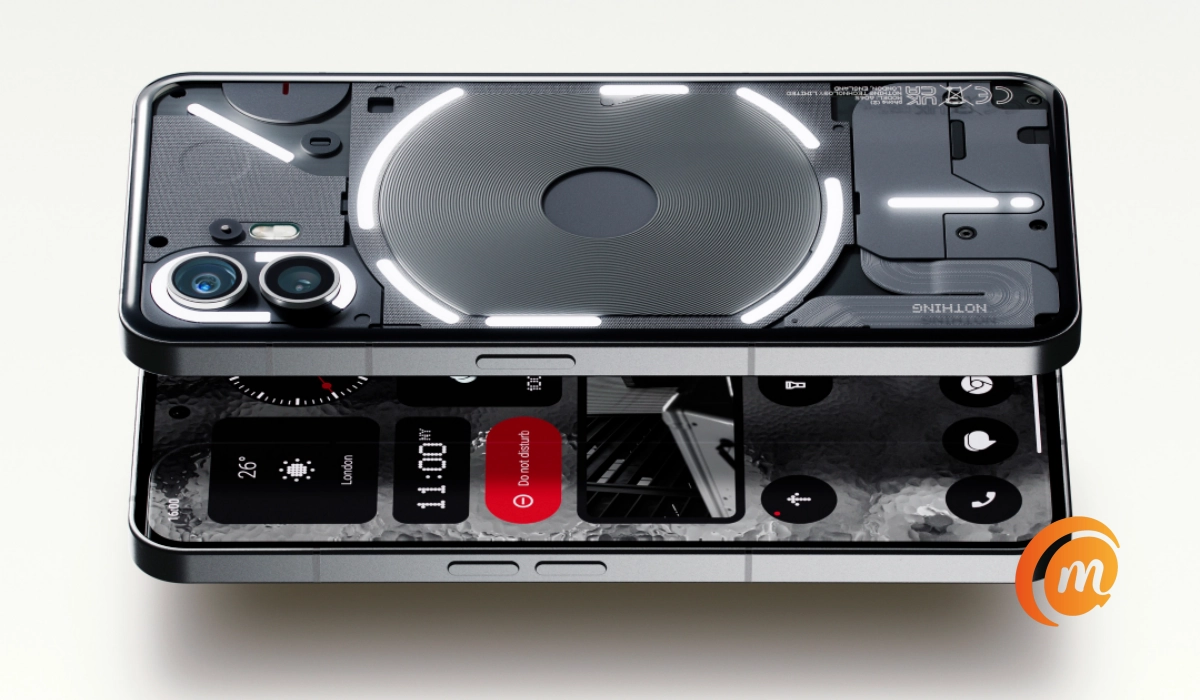
Nothing Phone 2
Does Nothing Phone 2 support aptX codecs?
The phone supports the following Bluetooth audio codecs: aptX, aptX Adaptive , aptX HD , and aptX Low Latency. In addition, it supports Qualcomm Snapdragon Sound.
Does Nothing Phone 2 have WiFi 6?
Yes; it has WiFi 6.
Does Nothing Phone 2 have IR blaster?
No; it does not have an IR blaster.
Does Nothing Phone 2 have Google Play Store?
It supports Google Services and software applications, including Play Store and Maps, Gmail, YouTube, and others.
Will Nothing Phone 2 work in the USA?
This is a GSM phone and is supported on US GSM carriers like AT&T and T-Mobile and other networks riding on their networks. It does not support CDMA networks. Nothing Technology says they won’t be shipping to the USA, though you can always make your own arrangements to ship it in.
MobilityArena Buyer’s Guide Verdict
Nothing Phone 2 does not have an infrared/IR blaster. If you are wondering whether it supports any aptX Bluetooth codecs, yes; it supports aptX, aptX HD, aptX Adaptive , and Snapdragon Sound .
Our Buyer’s Guide Verdict is a recommendation based on the specifications of the device and a general guide to help you understand how much value a device offers for its price. It is not an endorsement of the device. Ask questions and use your judgement when buying any device; MobilityArena takes no responsibility for your buying decisions .
Nothing Phone 2 Review Rating
Not available yet.
