Add MobilityArena as a preferred source on Google
Most people wish they could make their Android phones work faster. It doesn’t matter if you’re using an old gadget from a few years ago or one of the newest Android phones; it does not matter if you are using a Samsung Galaxy, Motorola Moto, OnePlus, or Google Pixel – more speed is always preferable.
Different people have different ideas about what to do to make Android phones work faster. Sadly, not all of them are effective. This is why we’ve created this guide, to show you genuine, tested-and-proven ways to make Android phones work faster.
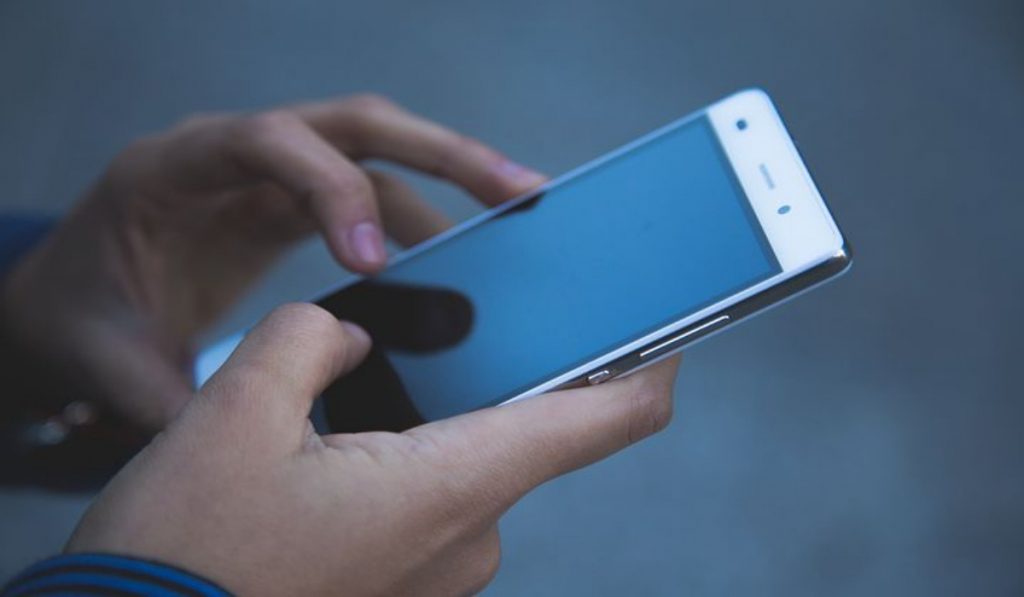
How Do I Make Android Phones Work Faster?
If increasing performance and speed are important to you, maintaining Android’s default apps and settings might not be the best choice. Your cell phone might operate better if you make a few tweaks and keep it clean of junk.
We’ve described below some of the helpful actions you can take to make Android phones faster:
Clean up your Home Screen
Keeping the home screen simple can help to make Android phones work faster, especially if it has a lesser CPU or less RAM. Widgets and live wallpaper both consume resources, and the latter may even update continuously in the background.
The “home screen redraw” is where you’ll most likely notice their effects. With RAM-heavy apps, it’s normal to see a completely blank home screen and experience a waiting period after exiting. This is because such apps use up a lot of RAM, so there’ll be random waiting periods before all your app icons, widget and wallpaper reload.
To prevent this, keep your home screens as neat and uncluttered as possible. This will make Android phones work faster.
Uninstall Bad or Resource-Heavy Apps
Bad apps are frequently the blame if you’re experiencing slowness on your Android cell phone. Also, it’s not always the smaller apps. Common offenders in this regard are usually those with some of the biggest names.
On Android, Snapchat is infamous for being sluggish, whereas removing Facebook is supposed to speed up your phone by up to 15%. Instead, consider using a different Facebook app. The main Google applications also come in memory-saving, quicker lightweight versions. After uninstalling such apps, you’ll notice that it will make Android phones work faster.
Update your Device and Apps Regularly
Another way to make Android phones work faster is by installing regular updates. Every new version of Android brings performance enhancements over the previous one, so you should always apply updates if they are available for your phone. Of course, not every manufacturer updates their cell phones, so keep that in mind the next time you decide to upgrade your device.
Apps are not exempted from this rule. To obtain the most recent updates as soon as resource- and battery-hungry bugs in an app are resolved, it’s good to enable automatic updates in the Play Store. To configure it, go to Settings > Auto-update apps .
Restrict App Auto-syncing
Many different categories of apps, including social, news, weather, and many others, are enabled to automatically sync. They typically log in every 15 minutes or so. Your cell phone will start to experience performance issues if you install too many of these apps.
Create a longer schedule with once or twice each day after checking the sync times for each app. Alternatively, you may simply disable syncing and update them manually. Doing this will bring a difference and make Android phones work faster.
Get Rid of Antivirus Software
Android users, in most cases, don’t need antivirus software, despite its promise to provide them with respite from malware. Your cell phone runs more slowly due to the presence of antivirus software, and the battery life is reduced.
In summary , you’ll get the best possible user experience when you know how to make Android phones work faster. Pay attention to all the tips and suggestions we’ve provided in this guide.
Author:Joan Agie
Add MobilityArena as a preferred source on Google
Any Android smartphone that you purchase is something you hope will last. However, it’s still a good thing to be able to tell when to upgrade your Android phone. Normally, a well-built phone should last for at least a few years. Sadly, no matter how well you take care of it, you will eventually notice that your phone begins to lose its newness and functionality.
Gadgets tend to get slow, malfunction, or become unable to keep up with recent websites and apps. Despite these, some people might still not be able to tell when to upgrade your Android phone. That’s why in this guide, we’ve provided some useful indications to help you know when to upgrade your Android phone.
- How Do You Know When to Upgrade Your Android Phone? Battery Dies Too Quickly Slower Performance Lack of Updates Apps Frequently Crashing Obvious Signs of Wear and Tear
How Do You Know When to Upgrade Your Android Phone?
There are several telltale signs that should help you recognize when to upgrade your Android phone. If you notice any of these indications we’ve described below, that’s how you know when to upgrade your Android phone:
Battery Dies Too Quickly
When your phone keeps dying on you, it’s a clear indication that you need to upgrade it. While there are methods to extend Android battery life, they might not be very effective if you notice that your phone isn’t holding a charge as well as it once did.
The lithium-ion included in the battery is to blame for this. Your battery’s chemical components begin to degrade with time, which means it will store less charge. A battery loses up to one-fifth of its capacity to hold a charge after many recharge “cycles.”
Consider upgrading to a phone with a new battery rather than relying constantly on a power bank or staying close to your charger. If the maker is still selling it, replacing the battery of your current smartphone will be less expensive.
Slower Performance
If you use any device for long enough, you’ll notice it starting to slow down. Experiencing delays like this can be quite frustrating and this is another way to know when to upgrade your Android phone.
Greater resource demands, such as higher RAM and CPU consumption, may result from upgrading your Android version. Similar problems could arise with brand-new apps, especially if they use up a lot of resources.
You’ll have more resources to execute your phone’s software, including Android itself and any installed apps, if you upgrade your Android phone.
Lack of Updates
Every year, around September, a new version of Android is released, adding new functionalities. It tends to put more strain on your phone’s resources, meaning you’ll need constant upgrades.
However, some manufacturers only provide two or three years’ worth of upgrades, so the software on your phone may go out-of-date sooner than you’d want. If your Android phone does not have any more updates from its manufacturer, this is another indication to let you know it’s time to upgrade it.
Apps Frequently Crashing
App crashes are typical on Android mobile devices. There are times when they happen because an app is unreliable or poorly made, and other times the problem is with your phone’s compatibility.
Apps crashing frequently on your phone could be an indication of a more serious issue. Apps may crash as a result of the demands they are placing on the RAM and CPU of your phone. If there are not enough resources, the app will crash.
You can also suffer problems when your phone’s storage is low, especially for programs that often save data or require access to the storage. In order to solve this specific issue, newer phones typically have more storage.
What all of this means is that, apps crash more frequently when a phone is due for a replacement, and their occurrence can help you recognize when to upgrade your Android phone.
Obvious Signs of Wear and Tear
Even though it would be fantastic if technology was unbreakable, nothing lasts forever. If your phone has damage, such as a broken screen, camera lens, or glass back, time is running out on how long it will endure. This is even one of the most obvious ways to know when to upgrade your Android phone.
The functionality of your phone will be hampered by damage, whether it occurs gradually or suddenly. It is you who must determine if you can cope with using a broken phone that still functions. But eventually, faulty parts will force your hand, and you might not have much of a choice but to upgrade.
Summarily , most people should know when to upgrade your Android phone, but it’s also understandable to be a little unsure or reluctant. If your Android phone is exhibiting the signs we’ve described in this guide, you already know it’s time for a new device.
