Add MobilityArena as a preferred source on Google
Throwaway phones can be beneficial in different day-to-day scenarios; they aren’t just for shady thieves or spies. You might decide not to offer strangers your actual phone number when they request it, for instance.
Now, while disposable phones are useful in such instances, they might be expensive and rather wasteful, so you could just get by with a disposable number instead, which is significantly less expensive and wasteful.
In this guide, we’ll show you how to take advantage of app technology to disguise your phone number and keep unwanted people from finding out your actual one. If you need this kind of information for whatever reason, then pay attention to the tips we’ve provided in this guide.
How Can I Make Calls Without Disclosing My Phone Number?
For a very low cost, you can hide your phone number when making calls by using several available smartphone apps. Self-destructing messages and the capacity to manage multiple numbers are just a couple of the incredibly helpful things that some of these applications have and offer people who decide to use them.
Below, in no particular order, are the Android and iPhone smartphone apps that we found to be the best for temporary phone numbers:
- Burner
Ad Hoc Labs’ Burner app has been in existence for a while. The software is only accessible in the US and Canada, but it has a fairly simple UI and lets you make calls and send texts from any new private number you choose. Burner numbers will typically use minutes from your regular carrier plan but has a separate voicemail box.
The best feature that Burner possesses is that you can “burn” your number so that you can quickly discard it and acquire a new one. Burner is available for a brief 7-day trial period. There are no regular plans available; instead, credit packs, which may be used to purchase a burner number for one week, two weeks, one month, etc. with various calling/texting allotments, are available for purchase starting at $1.99. These packs can be extended with more credits, or you can purchase unlimited use for $4.99 per new number per month.
Additionally, Burner enables you to link your phone number to services like Slack, Evernote, SoundCloud, and Dropbox, which creates a wealth of creative and administrative opportunities. Burner is only useful for adding a layer of privacy between yourself and other people; it cannot be used to remain completely anonymous. Also, keep in mind that they do maintain data backups and cooperate with law enforcement when required.
You can install the Burner app using one of the links below:
Download and Install the Burner App (iPhone)
Download and Install the Burner App (Android)
- Hushed
Hushed, created by AffinityClick, offers area codes from over 40 different nations and has a stunning, simple design. There are no exorbitant long-distance service fees because it uses your internet or Wi-Fi network to make the calls. A different voicemail box from your primary one is also available.
Although the function is currently only accessible to users in the US, Canada, and the UK, Hushed also supports messaging. Hushed also has you covered if you prefer that messages self-destruct after being opened; all you need to do is enable the inbuilt Private Messaging feature (which necessitates that both parties use Hushed) and you’re good to go.
You can install the app from one of the links provided below:
Download and Install the Hushed App (iPhone)
Download and Install the Hushed App (Android)
- Sideline
If you’re looking for a cost-effective calling app, try Sideline. Since Sideline uses your carrier’s network, just like Burner, calls received or made using Sideline will appear on your carrier’s bill. There are a couple of other ways to keep your voicemail separate from your actual phone number. In addition, you can transfer phone numbers from other services to Sideline if you don’t want to let them go. Note that Sideline is only available in the US and Canada.
You can install the Sideline app from one of the links below:
Download and Install Sideline (iPhone)
Download and Install Sideline (Android)
Other apps you could try for the same purposes include TextMe Up and Line2. Everything depends on how you intend to use your throwaway number(s), as each of these programs offers unique advantages.
Burner can be the best option if all you need is a temporary phone number that you won’t use again. If you need a lot of numbers for various purposes, TextMe Up can be a fantastic option. If you want to avoid using all of the minutes on your mobile plan, the best choices are TextMe Up, Line2, or Hushed.
In summary , there’s really no need to give out your true phone number if you’d rather not. Simply install one of the apps we’ve suggested on your device, and you’ll be good to make calls without any worries about disclosing your real phone number.
- Don’t miss our mobile phone reviews .
- Follow our news on Google News .
- Join our WhatsApp Group , to be notified of the most important articles and deals,
- Follow us on Instagram , Facebook , Twitter , and YouTube .
Author:Joan Agie
Add MobilityArena as a preferred source on Google
Why would you want to make OnePlus Nord N20 run faster? The Nord N20 is a budget smartphone aimed at users who do not want to spend a fortune on much more expensive models. The device has a 6.43″ FHD+ Dot notch Display. It has a 64 MP + 2 MP + 2 MP camera setup at the back, a 16 MP selfie camera in front, and a 4,500mAh battery.
Because it is a budget phone, it is not equipped with a top-of-the-range processor. While its processor is quite capable for the price, if you push it hard enough, the phone will begin to slow down at some point. Let’s have a quick look at the specifications before diving into what you can do to make the phone run faster and smoother.
- OnePlus Nord N20 specs at a glance:
- Make OnePlus Nord N20 run faster: Delete Unused apps
- Make OnePlus Nord N20 run faster: Clear App Cache
- Make OnePlus Nord N20 run faster: Run Software Updates
- Make OnePlus Nord N20 run faster: Restarting your Device
- Make OnePlus Nord N20 run faster: Use the Lite Version applications
- Make OnePlus Nord N20 run faster with a Hard Reset
OnePlus Nord N20 specs at a glance:
- Body:159.9 x 73.2 x 7.5 mm, 173g; glass front, plastic frame, plastic back.
- Display: 6.4″ AMOLED, 1080x2400px resolution, 20:9 aspect ratio, 409 ppi density.
- Chipset: Qualcomm SM6375 Snapdragon 695 5G
- CPU: Octa-core (2×2.2 GHz Kryo 660 Gold & 6×1.7 GHz Kryo 660 Silver); Adreno 619.
- Memory: 128GB 6GB RAM,
- OS/Software: Android 11, OxygenOS 11.
- Rear camera: 64 MP (f/1.8) main, 2 MP (f/2.4) depth, 2 MP (f/2.4) macro.
- Front camera: 16 MP (f/2.4).
- Video capture: Rear camera: 1080p@30fps; Front camera: 1080p@30fps.
- Battery: 4500mAh; Fast charging 33W SUPERVOOC.
- Misc: Fingerprint reader (under display, optical).
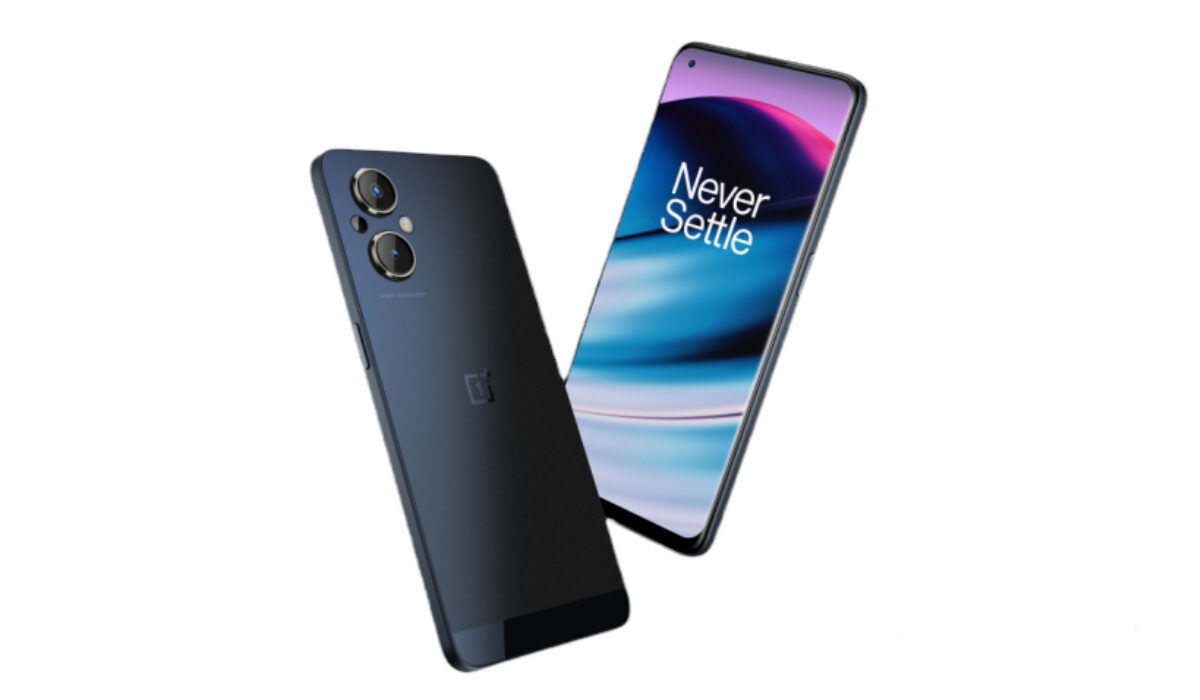
If, for some time, you have been looking to make your OnePlus Nord N20 run faster and smoother than it has, or you are having problems with your device lagging, here are some easy steps you can follow to make that possible.
Make OnePlus Nord N20 run faster: Delete Unused apps
Any smartphone user would love to have all their desired apps installed. This might lead to large amounts of apps piling up on the device, over time. It is important to form a habit of uninstalling unused apps and games. Having lots of these apps will hinder and slow down the performance of your OnePlus Nord N20.
Especially when you have some of them running in the background. They also become so many and have so much data on each one of them, that there is barely any storage space left for your device to run as smoothly as you may have liked.
Make OnePlus Nord N20 run faster: Clear App Cache
Cleaning the cache of the app on your OnePlus Nord N20 is important in terms of sending up your phone. Clearing the cache of an app can make that particular app run faster and smoother than it did before, and reduce possible lag. Clearing cache is also very important for entry-level devices too to help them improve their performance. As they are not as powerful as high-end devices. You can clear the cache of any app by long-pressing the app icon, selecting App info , and then Storage . There will be an option to Clear the cache . Select that and you’re good to go.
Make OnePlus Nord N20 run faster: Run Software Updates
It is important to keep your OnePlus Nord N20 up to date. This is because, with every new update, there might be security enhancements (which are crucial) but there might also be performance improvements added to the update that can make your overall experience, and device speed, better.
Make OnePlus Nord N20 run faster: Restarting your Device
It is well known that any device can perform faster and better simply off of a restart. The same holds for the OnePlus Nord N20. Doing this should address most of the performance issues, as it deletes temporary files to speed up the phone and clears the phone’s memory.
Make OnePlus Nord N20 run faster: Use the Lite Version applications
Lite versions of apps are the shortened versions of these said apps. Apps Tit Tok, Facebook, e.t.c. The lite versions are usually limited in comparison to the actual applications and don’t offer as many features. These lightweight apps, which do not work your device as hard as the main ones, are designed for entry-level smartphones and designed for users who want to keep their apps simple or use something simple. They help boost the performance of your device and lower your data and charges.
Make OnePlus Nord N20 run faster with a Hard Reset
If you are looking for a simple method that will help you to make your OnePlus Nord N20 run faster, it may be the most effective. If you do a hard reset on your OnePlus Nord N20, then all the phone data will be deleted, and the phone’s storage will be clean. At the same time, the random-access memory of your OnePlus Nord N20 will start working like new again. However, you need to back up all the data before performing a hard reset.
- Don’t miss our mobile phone reviews .
- Follow our news on Google News .
- Follow us on Instagram , Facebook , Twitter , and YouTube .
Author:Flamez
Flamez loves basketball, art, gadgets and cars.
