Add MobilityArena as a preferred source on Google
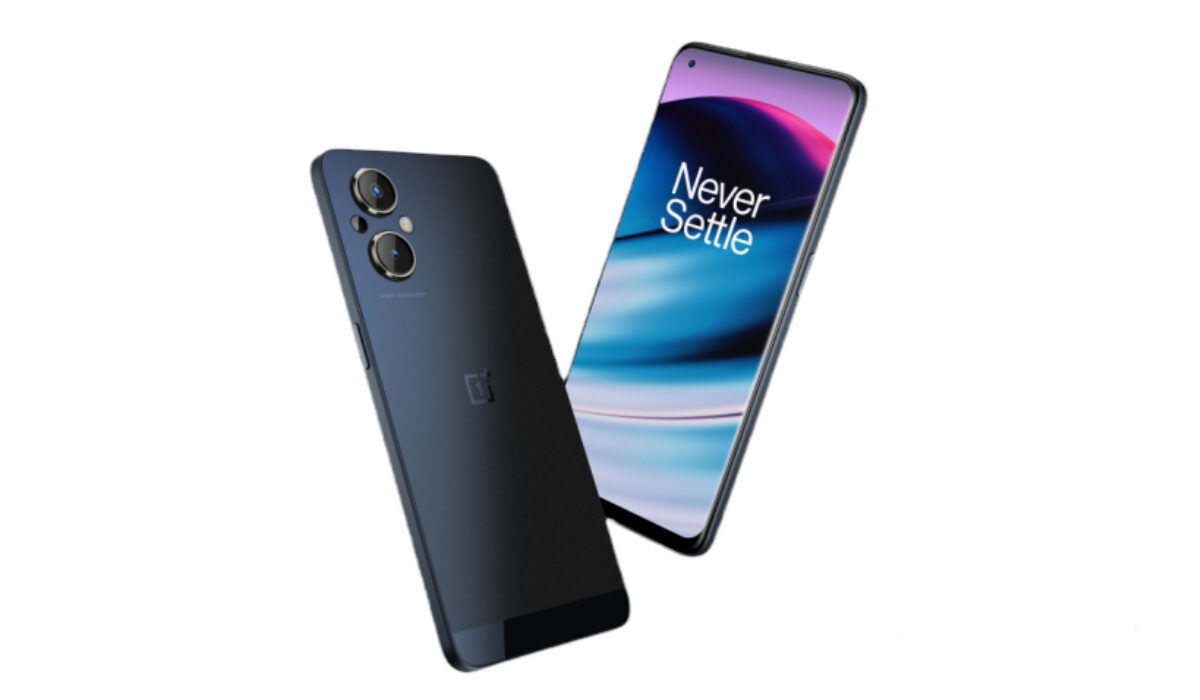
Why would you want to make OnePlus Nord N20 run faster? The Nord N20 is a budget smartphone aimed at users who do not want to spend a fortune on much more expensive models. The device has a 6.43″ FHD+ Dot notch Display. It has a 64 MP + 2 MP + 2 MP camera setup at the back, a 16 MP selfie camera in front, and a 4,500mAh battery.
Because it is a budget phone, it is not equipped with a top-of-the-range processor. While its processor is quite capable for the price, if you push it hard enough, the phone will begin to slow down at some point. Let’s have a quick look at the specifications before diving into what you can do to make the phone run faster and smoother.
- OnePlus Nord N20 specs at a glance:
- Make OnePlus Nord N20 run faster: Delete Unused apps
- Make OnePlus Nord N20 run faster: Clear App Cache
- Make OnePlus Nord N20 run faster: Run Software Updates
- Make OnePlus Nord N20 run faster: Restarting your Device
- Make OnePlus Nord N20 run faster: Use the Lite Version applications
- Make OnePlus Nord N20 run faster with a Hard Reset
OnePlus Nord N20 specs at a glance:
- Body:159.9 x 73.2 x 7.5 mm, 173g; glass front, plastic frame, plastic back.
- Display: 6.4″ AMOLED, 1080x2400px resolution, 20:9 aspect ratio, 409 ppi density.
- Chipset: Qualcomm SM6375 Snapdragon 695 5G
- CPU: Octa-core (2×2.2 GHz Kryo 660 Gold & 6×1.7 GHz Kryo 660 Silver); Adreno 619.
- Memory: 128GB 6GB RAM,
- OS/Software: Android 11, OxygenOS 11.
- Rear camera: 64 MP (f/1.8) main, 2 MP (f/2.4) depth, 2 MP (f/2.4) macro.
- Front camera: 16 MP (f/2.4).
- Video capture: Rear camera: 1080p@30fps; Front camera: 1080p@30fps.
- Battery: 4500mAh; Fast charging 33W SUPERVOOC.
- Misc: Fingerprint reader (under display, optical).
If, for some time, you have been looking to make your OnePlus Nord N20 run faster and smoother than it has, or you are having problems with your device lagging, here are some easy steps you can follow to make that possible.
Make OnePlus Nord N20 run faster: Delete Unused apps
Any smartphone user would love to have all their desired apps installed. This might lead to large amounts of apps piling up on the device, over time. It is important to form a habit of uninstalling unused apps and games. Having lots of these apps will hinder and slow down the performance of your OnePlus Nord N20.
Especially when you have some of them running in the background. They also become so many and have so much data on each one of them, that there is barely any storage space left for your device to run as smoothly as you may have liked.
Make OnePlus Nord N20 run faster: Clear App Cache
Cleaning the cache of the app on your OnePlus Nord N20 is important in terms of sending up your phone. Clearing the cache of an app can make that particular app run faster and smoother than it did before, and reduce possible lag. Clearing cache is also very important for entry-level devices too to help them improve their performance. As they are not as powerful as high-end devices. You can clear the cache of any app by long-pressing the app icon, selecting App info , and then Storage . There will be an option to Clear the cache . Select that and you’re good to go.
Make OnePlus Nord N20 run faster: Run Software Updates
It is important to keep your OnePlus Nord N20 up to date. This is because, with every new update, there might be security enhancements (which are crucial) but there might also be performance improvements added to the update that can make your overall experience, and device speed, better.
Make OnePlus Nord N20 run faster: Restarting your Device
It is well known that any device can perform faster and better simply off of a restart. The same holds for the OnePlus Nord N20. Doing this should address most of the performance issues, as it deletes temporary files to speed up the phone and clears the phone’s memory.
Make OnePlus Nord N20 run faster: Use the Lite Version applications
Lite versions of apps are the shortened versions of these said apps. Apps Tit Tok, Facebook, e.t.c. The lite versions are usually limited in comparison to the actual applications and don’t offer as many features. These lightweight apps, which do not work your device as hard as the main ones, are designed for entry-level smartphones and designed for users who want to keep their apps simple or use something simple. They help boost the performance of your device and lower your data and charges.
Make OnePlus Nord N20 run faster with a Hard Reset
If you are looking for a simple method that will help you to make your OnePlus Nord N20 run faster, it may be the most effective. If you do a hard reset on your OnePlus Nord N20, then all the phone data will be deleted, and the phone’s storage will be clean. At the same time, the random-access memory of your OnePlus Nord N20 will start working like new again. However, you need to back up all the data before performing a hard reset.
- Don’t miss our mobile phone reviews .
- Follow our news on Google News .
- Follow us on Instagram , Facebook , Twitter , and YouTube .
Author:Flamez
Flamez loves basketball, art, gadgets and cars.
Add MobilityArena as a preferred source on Google
Running (or going for a run) is very popular today, although other people prefer sports indoors and choose apps to do yoga or apps to do pilates exercises at home . If you are one of those who cannot sit still, then read on to unleash the pack of apps that will give you a boost!

- Nike+ Running
It ranks among the most popular running apps. Mobile applications have been used by Nike, Adidas, and Asics to increase brand loyalty among consumers.
Whether it’s your first race or your desire to break a record, it aids you in achieving the various objectives you set for yourself. It is created for both amateurs and experts; you can customize it to your level and take pleasure in whatever it is. Do you wish to establish a new personal best? Is this the first time you’ve run? Everything you require is right here.
The app has a great feature that can help you track your performance with a detailed real-time auditory feedback.
- Runtastic – Running and Fitness
One of the industry standard applications for running and sports in general has been and will remain Runtastic. We’ll explain why the application consistently receives 4.5 stars out of 5 in this section.
Runtastic has developed into an online fitness community where seasoned runners and newbies exchange advice, suggestions for routes, and thoughts on the sport.
You may figure out the altimetry, time of your race or route, pace, calories burned, and distance by using the GPS to measure your physical activity, among other things. Although it is totally free, purchasing the professional edition will provide you access to features like synchronization with your heart rate monitor band, motivational audios to listen to while you run, weather information, and leveled training routines.
You will have a real-life coach at your disposal who will provide you with the essential instructions in accordance with the strategy you have selected (run a marathon? Five kilos to lose? We will have access to interactive maps that track our progress in real time, all thanks to the mobile device’s GPS. Oh, and we’ll also have a map of history at our disposal so we can track our development.
If you publish your location, you can get encouragement from other Runtastic users, a group of runners both experienced and new to the sport who have built one of the biggest online sports communities.
- RunKeeper – GPS Running
No way can 25 million users be wrong. One of our favorite running applications is called RunKeeper, and you can download it for free on both iOS and Android.
You can use RunKeeper to have a personal trainer with you at all times, whether you’re running, cycling, hiking, or doing anything else.
Running is the ideal complement to the best free weight management apps, so don’t forget to incorporate it into your daily or weekly workouts! The most prestigious app among athletes and runners will show you some graphs with results and evolution after you finish your workouts, with perfect details of your pace, kilometers traveled, hours, minutes, and seconds, and most importantly, calories burned.
- Running for weight loss, lose weight in 8 weeks
Everyone who runs has goals they want to achieve. Some people exercise for fun, some do it to get in shape for the next marathon, and yet others exercise to reduce weight. Well, weight loss running emphasizes the latter. And it is responsible for creating efficient training schedules so you may quickly reach your desired weight.
You can select your own program before beginning it based on your objectives, experience level, and physical fitness. All of them rely on clever intervals that mix running and sprinting intervals to increase your fitness more quickly than with any other technique. And only three days a week are dedicated to training.
On the other hand, if our goal is to reduce weight, every plan must include a healthy diet. The program does this duty if you have no knowledge of nutrition or dietetics and require some basic dietary suggestions. It will advise you on what to eat at each meal and provide recipes that are delicious but only use healthy components.
- Google Fit, exclusively for Android
Google enters this industry with an exclusive Android app and a very healthy-looking heart logo. Its major goals are for you to develop healthy lifestyle habits, start getting more active (while explaining how), and discover the motivation you require. Of course, there is also the issue of weight loss and dieting.
If you only have a half-hour before leaving for work, you can set targets depending on length, distance, or calories burned (those Christmas excesses). At the end of the day, tally up your steps and be happy of your accomplishments.
For the majority of running enthusiasts, Android Wear compatibility is a given.
- Runmeter GPS Pedometer for iPhone (iOS exclusive)
The Runmeter GPS Pedometer app, one of the highest rated in this category, can be found on the App Store. Before you ask, the answer is that it works with iPad, iCloud, and Apple Watch.
For those who are more demanding, we have the pro version, which has sophisticated features, while for novices, we have the lite version, a free iPhone running software.
It requires no registration and uses very little storage space (you can fit YEARS of training into a few songs). You can customize it to your preferences and view data, maps, graphs, and anything else you like.
It can be used for a variety of activities, including running, cycling, rollerblading, skiing, and much more, to record weather, steps, lengths, places, stops, and accelerations. We urge you to test it right now because it is so comprehensive that we would run out of room on our website if we tried to list them all.
- Don’t miss our mobile phone reviews .
- Follow our news on Google News .
- Join our WhatsApp Group , to be notified of the most important articles and deals,
- Follow us on Instagram , Facebook , Twitter , and YouTube .
Author:Moses Udah
Creative, teacher, web content writer, copywriter, and student.
