Add MobilityArena as a preferred source on Google
Android phones have become increasingly faster nowadays, with newer software updates, better RAM and faster processor speeds making some of these devices operate at incredible speeds.
However, there are times when our Android devices may be clogged with junk, making this device rather slow and burdensome to operate. This is why we will look at a number of ways to speed up our Android devices whenever we notice them slowing down.
Turn On Data Saver Mode: Turning on the data saver option on your Chrome Browser (if you have one) can help you surf the internet faster. This is because this feature helps to compress the page, consuming less data and helping pages load faster. The downside to this is, you may need to sacrifice on image and video quality, as your images may now be a bit blurry on your android device.
Clear Cached Data: Perhaps one of the most popular methods of freeing up space on your Android device, this method is rather straightforward and can help you get rid of certain bits of information that may not be particularly useful to your smartphone.
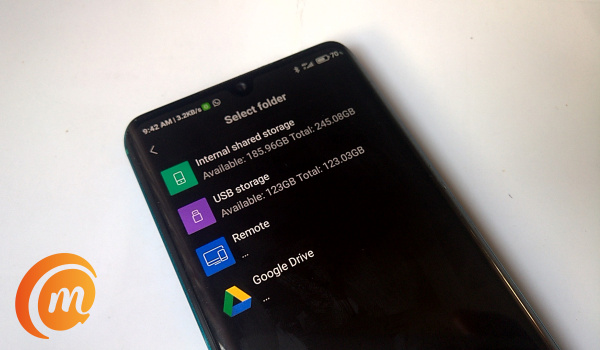
Turn off Auto-Sync: Turning off auto-sync on your Android device can help you speed up your smartphone and get it working with less hassles. The thing is, most smartphones nowadays have the Auto-sync feature that lets users sync certain apps in the background. You can go Settings to toggle this setting or select the apps you’d like to auto-sync.
Ensure Apps are not running in the background: You can stop apps from using up RAM space in the background. This will help your phone transit smoother between apps, while reducing the load on your android device’s processor and making it work faster generally. All you need to do is tap your home screen button, then get rid of the apps you are not currently using. This should help the other apps on your Android device work more smoothly.
Try to keep your Android OS up to date: A no-brainer, getting the latest updates and keeping your Android fresh should help it operate more smoothly. This should keep some of the old bugs away from your device with a number of fixes, although in a number of situations, this new update has introduced a number of new bugs to the device.
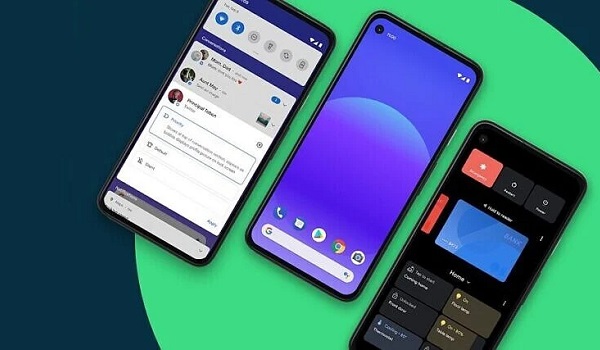
- Clean your device’s home screen: Cleaning up your smartphone’s home screen should reduce the occurrence of this issue. Using a live wallpaper with loads of widgets and other apps can slow your device down significantly, making simple processes take too long to respond. If you currently face this issue and seem to have too many apps/widgets on your home screen, then it may be time to get rid of some of these apps or widgets to make your device operate more smoothly.
Author:Alfa Baye
Staff Writer
Add MobilityArena as a preferred source on Google
I have owned over 200 phones since 2001 and have a track record of safety. In all these years since I got my first mobile phone, I have only broken the screen of two of them – my Samsung Galaxy S4 and my Infinix Zero 4 Plus (is there a thing with the number 4 here?)
Using phones with a glass back panel comes with peculiar challenges that complicate matters with my sterling record. My record with phone screens remain intact, but it is clear to me now that if I choose to continue to use phones with a glass back panel, I have to start fighting to keep a separate record.
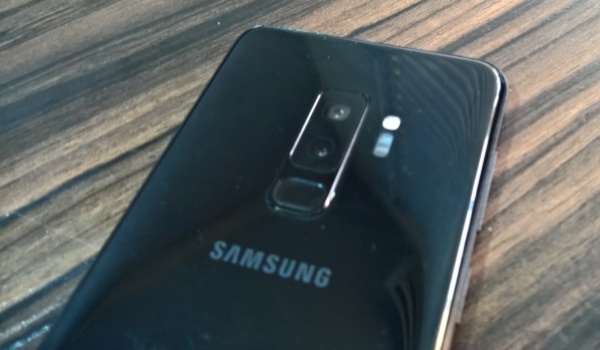
With other kinds of smartphones – those with plastic and metal back panels – all you ever have to worry about is the screen. Keep your screen safe and you are good.
But with phones with glass back panel, you have to worry and care about more than just the screen. There’s another slab of glass that is a huge potential point of failure – the back.
I have used a Xiaomi Mi Note 10 Pro for the last one year. Apart from the fact that it is one of the most capable smartphones I have ever used, it is also a gorgeous device, and the glass back panel is a part of that beauty.
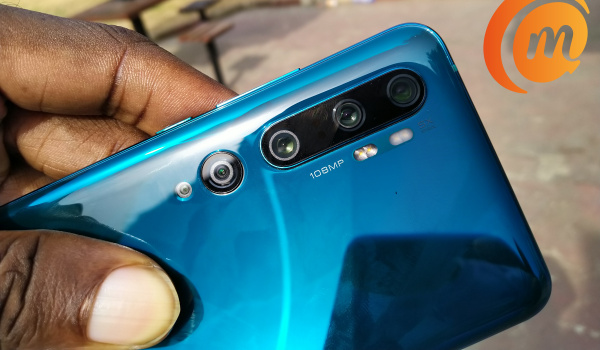
The trouble with phones with glass back panels
Unfortunately, that also means that it is a very fragile smartphone. It is not the first smartphone with a glass back panel that I have owned and used. Not too long ago, I had the Samsung Galaxy S9 Plus , which has a glass back panel as well.
I used a leather protective case with it for the most part, as I had read up a few user accounts of how fragile it was. I also remember the Lenovo Vibe S1 from 2016. It was a slippery eel and a delicate device that had a death wish. I didn’t use a case with it.
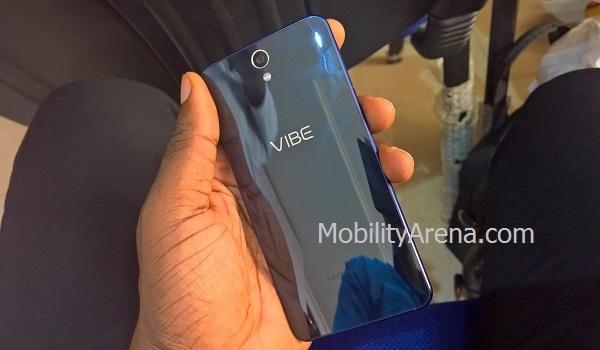
Lenovo Vibe S1 had a glass back panel
Phones with glass back panel are delicate. One drop on a hard surface, or a chance hit, and you can easily end up with a cracked back.
They are also slippery. If you are going to leave them lying on a table, make sure that table is flat or else they might begin a moonwalk for the edge and ultimately have an unscheduled meeting with the floor.
Which was what happened to my Mi Note 10 Pro late last year. When I picked it up, it had just a small nick on one edge. I out it back in its case (I had removed the case during the time the accident occurred) and thought no more of it.
Last week, I took off the case to admire the glorious beauty of my beloved phone once again, and found this:
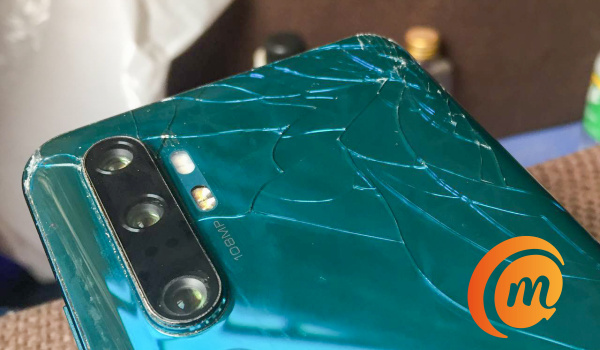
Yes; that nick on the glass at one edge had spread like cancer and the entire upper section of the glass back panel now had a complex web of cracks.
That is the thing with cracked glass. It can start with one small scratch and stretch out into something more complex.
If you have ever had a small crack on your vehicle’s windshield, you know this pattern. Did I mention that something similar happened to my Vibe S1? Have a look:
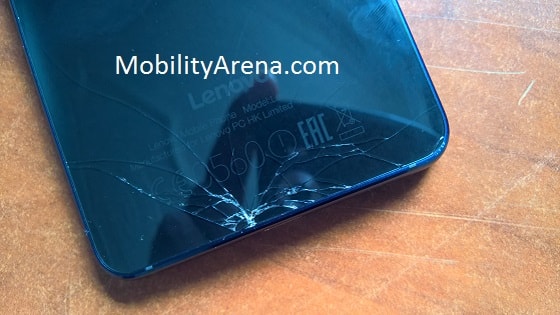
The cracked back glass panel wasn’t as elaborate as what I have on my Xiaomi now, but it wasn’t a pleasant sight either.
My sterling record with phone screens has stayed intact. But my record with glass back panels isn’t looking so good, and I am one of the most careful people with phones.
If you are going to use a smartphone with a glass back panel
I have one piece of advice for you if you choose to buy and use phones with glass back panel: buy and use a protective case for them. Keep the case on all the time.
If you take the case off for any reason, put it back as soon as you are done. Back when I had the Samsung Galaxy S9 Plus, I purchased and used a USAMS Joe leather case for it (photo below).
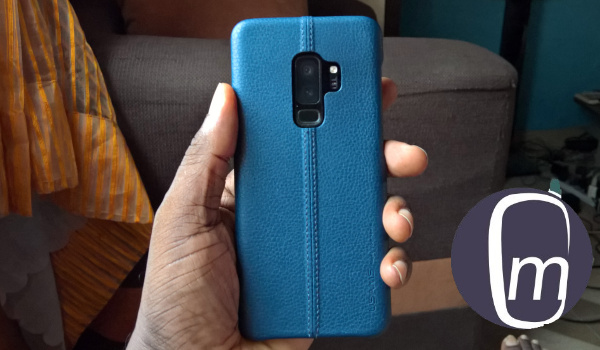
The problem, in my own case, is that I am not a huge fan of putting my smartphone in a case. I love to feel the quality of my devices in my hand. I love to see their beauty. So, while I have been compelled to use cases in recent times, that is not how I prefer to use my phones.
I currently use a case with my Xiaomi but had it off during the time it dropped and cracked. I’d rather just not have a case on my phones. So, I am not going to take my own advice – at least not this one. The advice that I shall stick to going forward is to not buy phones with glass back panel.
I shall stay away from them. There are lots of beautiful smartphones out there with polycarbonate and metal back panels. I shall see to it that I satisfy myself with those.
My Xiaomi Mi Note 10 Pro still works well and is such a capable device that I will have a hard time replacing it. But eventually, it will become dated and no longer be able to keep up with newer devices.
When that time comes to replace it, its replacement will not be a smartphone with a glass back panel. I shall be getting a phone that I can use freely without needing the protective services of a case. This is not my first smartphone with a glass back panel, but it will be my last.
For now, it has a protective case on it. Sadly, I can’t enjoy its beauty any more.
Author:Mister Mobility
Digital Skills and Communication Coach | Mobile Phone Connoisseur since 2001 | Tech Blogging since 2004
