Add MobilityArena as a preferred source on Google
Residents of select countries can now pre-order the Pixel 6a and be early owners of the phone when it starts shipping. Specs of Google Pixel 6a include a 6.14-inch OLED FullHD+ display. There is no high refresh rate on this model, so all you get is 60Hz refresh rate. The screen has Corning Gorilla Glass 3 protection. Embedded in the display is an 8 MP front camera and a fingerprint scanner.
At the back of the Pixel 6a is a dual rear camera comprising two 12 MP lenses. Inside is a Google Tensor chip with a Titan M2 security chip, coupled with 8 GB of RAM and 128 GB of internal memory. There is no microSD card slot here, as there is no 3.5 mm audio jack port. Supported networks include 2G, 3G, 4G, and 5G.
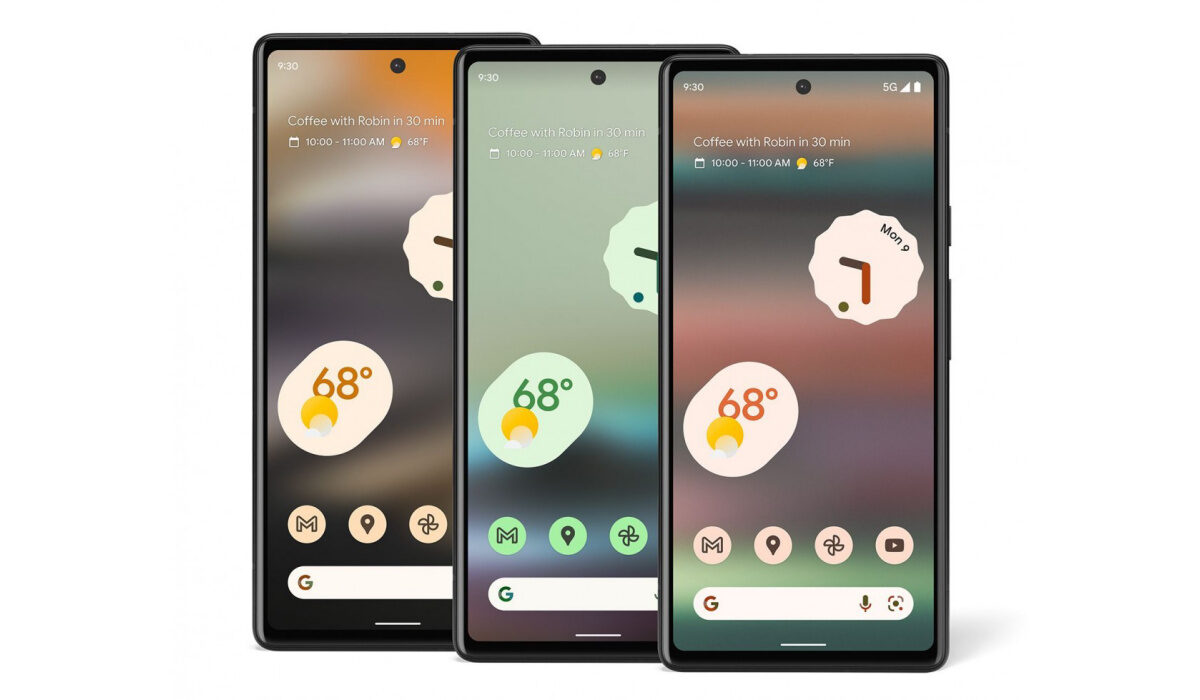
You can now pre-order the Pixel 6a in the USA and UK
Other features include NFC, Android 12, stereo speakers, IP67 dust/water resistance (you can submerge the phone in up to 1 metre of water for 30 minutes), and USB Type-C. Keeping the lights on is a 4,410 mAh battery. There is 18W fast charging built-in.
- Verizon Specials for the Pixel 6a in the US
- Pre-order the Pixel 6a in the US
- Pre-order the Pixel 6a in the UK
- Pre-order the Pixel 6a in Canada, Australia, Germany, other countries
Verizon Specials for the Pixel 6a in the US
Pre-order the Pixel 6a in the US
Pre-order the Pixel 6a in the UK
Pre-order the Pixel 6a in Canada, Australia, Germany, other countries
Besides the US, and UK, you can also pre-order the Pixel 6a if you are resident in any of the following countries:
- Canada: CAD 599
- Australia: AUD 749
- Ireland: EUR 459
- Germany: EUR 459
- France: EUR 459
- Italy: EUR 459
- Puerto Rico: USD 449
- Spain: EUR 459
- Singapore: SGD 749
- Taiwan: NTD 13,990
- Japan: JPY 53,900
To pre-order in any of these countries and others, visit the Google Store or authorised partner in each country. Note that to make a purchase from the Google Store, your shipping address must be in the same region as the Google Store you are purchasing it from. The phone goes on sale publicly on the 28th of July.
Author:Anna Makama
Gadget lover making my way through life one day at a time.
Add MobilityArena as a preferred source on Google
Samsung Galaxy A03 exists on the lower mid-range scale of smartphones. That means it is designed to deliver a fair amount of performance, but will slow down or stutter under intensive use. It uses a mid-range processor coupled with just 3 GB or 4 GB of RAM. This means that sometimes its resources are stretched thin when you use it heavily, and it will begin to run slower than usual. This article provides you with simple tips on how to make your Samsung A03 run faster.
Note that there are two key factors affecting your phone’s performance. They are the processor and RAM. The processor determines how powerful your device is, while the RAM determines how smoothly apps launch and run on the phone. RAM (Random Access Memory) is a temporary storage for running apps. We can’t do anything about the processor, but RAM usage can be managed. Bear this in mind, as we provide ways to make your Samsung A03 run faster.
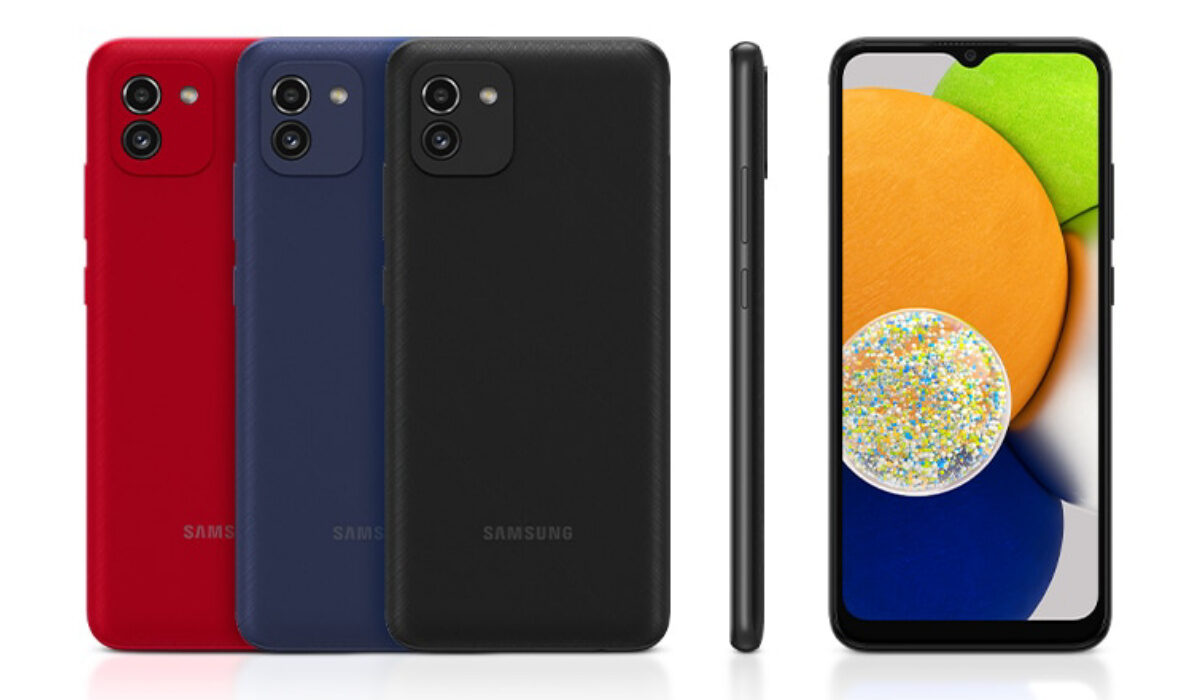
How to make your Samsung A03 run faster
- Make your Samsung A03 run faster by not using many apps at the same time
- Make your Samsung A03 run faster by using Device Care auto-optimisation
- Make your Samsung A03 run faster by restarting your phone
- Make your Samsung A03 run faster by not clogging it up with app updates
- Make your Samsung A03 run faster by keeping it from getting hot
Make your Samsung A03 run faster by not using many apps at the same time
There are two variants of the A03 – one with 3 GB RAM and the other with 4 GB RAM. These are fair amounts of RAM, but they are not the most generous. The lower the RAM, the easier you need to go on your phone. As such, as an example, a cellphone with 2 GB RAM is more limited than one with 3 GB. This is because it has less resources for apps to run with. If you switch between a lot of apps on it, the RAM gets used up and the phone begins to slow down.
As already mentioned, 3 GB and 4 GB RAM are fair, but still require some management for best performance. Don’t push your Samsung A03 too hard by opening and using a lot of apps at the same time. Switching between many apps means they keep running in the background, using up precious resources. If you have used a lot of apps on the phone, you need to shut down those apps to keep things running smoothly. To do this, open the Running Apps menu, then slide up on the app you want to close. Repeat this for as many apps as you need to shut down.
Make your Samsung A03 run faster by using Device Care auto-optimisation
Device Care is a feature that you can use to auto-optimise your Samsung A03 for better performance. How it works is that when you are not using your phone and the screen is off, the feature closes any background apps (it doesn’t touch your most recently used apps). It is a good idea to set Device Care to auto-optimise your Samsung A03 at night when you are asleep.
- To do this, go to Settings > Battery and Device Care .
- Tap the Options icon.
- Tap Automation .
- Tap Auto optimise daily .
- Tap Time .
- Set the clock to the time you would like Auto optimise to run, e.g. 2am
- Tap Done .
- Tap the switch next to Close apps to free up memory .
That is it; you now have auto-optimisation helping you to free up memory while you sleep. You wake up to your Samsung A03 ready to perform at its best for the day.
Make your Samsung A03 run faster by restarting your phone
Restarting your cellphone on a regular basis, say weekly, is an easy way of clearing its memory of junk. This is low-hanging fruit. You will be amazed how much smoother or faster your Samsung A03 runs just because you do this. Restart your Samsung A03 at least once a week to make it faster.
Make your Samsung A03 run faster by not clogging it up with app updates
Every time you run app updates, your cellphone storage gets clogged up with extra baggage. Each updated app takes up more system space – even those apps that you do not use, especially those pre-installed by Samsung. What to do? Do not turn on automatic app updates. Instead, make it a duty to manually update only the apps that you use or need.
Make your Samsung A03 run faster by keeping it from getting hot
You already know that overheating is a bad thing for any kind of electronic or machinery. If your phone heats up significantly, that impacts its performance, and it will slow down if you do not let it cool off. Keep your cellphone away from hot environments. If, while using your Samsung A03, it begins to heat up, put it down and let it cool off for a while. It will serve you better if you treat it right, this way.
With these few tips, you should see your Samsung A03 perform better, and run faster and smoother. All the best.
- Don’t miss our reviews .
- Follow our news on Google News .
- Follow us on Instagram , Facebook , Twitter , and YouTube .
Author:Mister Mobility
Digital Skills and Communication Coach | Mobile Phone Connoisseur since 2001 | Tech Blogging since 2004
