Add MobilityArena as a preferred source on Google
Recording calls is a great way to keep track of important conversations and their details. By recording calls, you can ensure that you have accurate information and can refer back to them whenever needed. It can also serve as evidence in legal matters or disputes. Moreover, it’s a great way to preserve memories of meaningful conversations with loved ones.
There are various ways to record phone calls on Android, and I’ll walk you through each of the methods. Whether you need to capture important conversations for business or personal reasons, these steps on how to record a phone call on Android work for different purposes. Get ready to unlock this awesome feature and never miss important details again.

- How To Record A Phone Call on Android Use the Phone App Use Google Voice Use an External Recorder
How To Record A Phone Call on Android
Android smartphones offer a wide range of features, and one of them is the ability to record phone calls. However, in April 2022, Google made changes to its policies that affected third-party call-recording apps. These apps were using Android’s accessibility APIs for non-accessibility purposes, but the new policy restricted their usage. As a result, many of these apps were no longer available in the Play Store.
Despite this change, there are still several methods you can use to record phone calls on Android. It’s important to note that the legality of call recording varies depending on your country or region. It’s crucial to familiarize yourself with the laws and regulations regarding call recording in your specific location. Some places require the consent of all parties involved, while others may allow recording with the consent of just one party.
To ensure compliance with legal requirements, it’s best to err on the side of caution. Now, let’s explore the different ways you can record phone calls on Android with step-by-step instructions.
Use the Phone App
Some Android phones have call recording built-in either in the Google Phone app or the phone app provided by the manufacturer. However, there are certain conditions to consider with the Google Phone app. It needs to be preinstalled on your phone with the latest update, and your device should be running Android 9 or a higher version.
If you meet the requirements, here’s how to record a phone call on Android with the call recording feature in the Google Phone app.
- Open the Phone app on your Android device.
- Tap the three-dot menu icon or the settings gear icon, usually in the screen’s top-right corner.
- From the menu options, select “ Settings ” or “ Call Settings “.
- Look for the “ Call Recording ” or “ Record Calls ” option and tap on it.
- Toggle the switch to enable call recording. (Note that the exact wording and placement may vary depending on your device and Android version). You can either select “ Always record ” or choose specific numbers to record.
- Once enabled, during any call, you should see a “ Record ” button on the call screen. Tap on it to start recording the call.
- A notification will appear indicating that the call is being recorded.
- To stop the recording, simply tap on the “ Stop ” button or end the call.
- To access the recorded calls, go back to the Phone app’s settings or menu and look for a “ Recordings ” or “ Call Recordings ” option.
- Tap on it to view a list of recorded calls, usually organized by date and time.
- From the list, you can play, share, or delete the recorded calls as needed.
Remember, the availability of the feature depends on your region, carrier, and device compatibility. Not all phones and locations have access to it due to these restrictions.
Use Google Voice
- To enable call recording on Google Voice , access your account via the web or official app.
- Navigate to Settings , which can be found as a gear button in the top-right corner of the web or under the three-line menu icon in the app.
- From there, go to Calls and turn on the toggle for Incoming call options.
- When you receive a call to your Google Voice number, simply tap the number Four to start recording.
- Remember to obtain the other person’s permission, as an announcement will play to inform both parties about the recording.
- To stop recording, press Four or end the call.
- To listen to recorded calls on Google Voice, you can go to the menu in the Google Voice app or website and select the “ Recorded ” option.
Use an External Recorder
If the Google Voice app doesn’t meet your needs, you can consider using an external recorder, like a dictaphone or other device. There are various ways to record audio from your device, even without using an app directly on the device itself. For example, you can use a separate phone with a voice recorder app to record the call while it’s on speaker. The Google Recorder app is recommended for Pixel phones, and Voice Recorder is a good option for other devices.
If you don’t have an extra phone, you can purchase a dedicated voice recorder, such as the Sony Voice Recorder , Waytronic Mobile Phone Call Recording Headset , and the RecorderGear PR200 . They are designed specifically for recording phone calls and they provide convenient and reliable solutions for capturing important conversations. With these devices, you can easily ensure accurate information and have a record of your phone calls.
Please keep in mind that call recording laws still apply when using external devices for recording calls. These devices can mistakenly capture conversations that should not be recorded, so just remember to check the call recording laws in your location before using any recording method. Stay informed and ensure that you’re using these devices responsibly and within legal boundaries.
To sum up , with the right tools and knowledge, you can easily record phone calls on your Android device. Now I believe you know how to record a phone call on Android like a pro. With the step-by-step guide provided here, you can easily capture important conversations, ensure accurate information, and even preserve memories. If you’d like more useful tips, check out this category .
Author:Joan Agie
Add MobilityArena as a preferred source on Google
AWD and 4WD are two industry terms that are often used interchangeably, but they are not the same. Both All-wheel drive (AWD) and four-wheel drive (4WD) are technologies that send power from the engine to all four wheels of a vehicle, but they do so in different ways. AWD is typically found in passenger cars and crossover SUVs, while 4WD is more commonly used in trucks and SUVs designed for off-road use.
AWD systems are designed to improve traction in all driving conditions, including dry pavement, rain, and snow. These systems use sensors to monitor the vehicle’s speed, wheel slip, and other factors to determine how much power to send to each wheel. This makes AWD vehicles more stable and easier to control in slippery conditions.

On the other hand, 4WD systems are designed for off-road use and are typically found in trucks and SUVs. These systems are designed to provide maximum traction in extreme conditions, such as deep mud or snow, and are often used for towing or hauling heavy loads. Unlike AWD, 4WD systems typically have a low-range transfer case that allows the driver to select between two or four-wheel drive modes, depending on the driving conditions.
- Understanding AWD Definition of AWD Benefits of AWD Limitations of AWD
- Understanding 4WD Definition of 4WD Benefits of 4WD Limitations of 4WD
- Comparing AWD and 4WD Drivetrains Performance Comparison Fuel Efficiency Comparison Cost Comparison
- Choosing Between AWD and 4WD Consideration Factors Common Scenarios
Understanding AWD
Definition of AWD
All-Wheel Drive (AWD) is a drivetrain system that distributes power to all four wheels of a vehicle. This means that all four wheels can receive power from the engine, and can work together to provide better traction and stability on the road. AWD is typically found in cars, SUVs, and crossovers, and is designed to provide better performance in a variety of driving conditions, including wet, snowy, or uneven terrain.
Benefits of AWD
One of the main benefits of AWD is improved traction and stability on the road. Because power is distributed to all four wheels, AWD vehicles are better equipped to handle slippery or uneven road conditions, such as rain, snow, or ice. AWD can also improve acceleration and handling, particularly in off-road or high-performance vehicles.
Another benefit of AWD is that it can provide better fuel efficiency than four-wheel drive (4WD) systems. AWD systems are typically more lightweight and less complex than 4WD systems, which can help to improve the overall efficiency of the vehicle.
Limitations of AWD
While AWD can provide better traction and handling in certain driving conditions, it does have some limitations. AWD systems can be more expensive to manufacture and maintain than two-wheel drive (2WD) systems, which can increase the overall cost of the vehicle. AWD systems can also add weight to the vehicle, which can reduce fuel efficiency and performance.
In addition, AWD systems are not always necessary for all drivers. For example, drivers who live in areas with mild weather conditions may not need the added traction and stability provided by AWD. Additionally, AWD can be less effective in extreme off-road conditions, where 4WD may be necessary to provide the necessary traction and power.
Understanding 4WD
Definition of 4WD
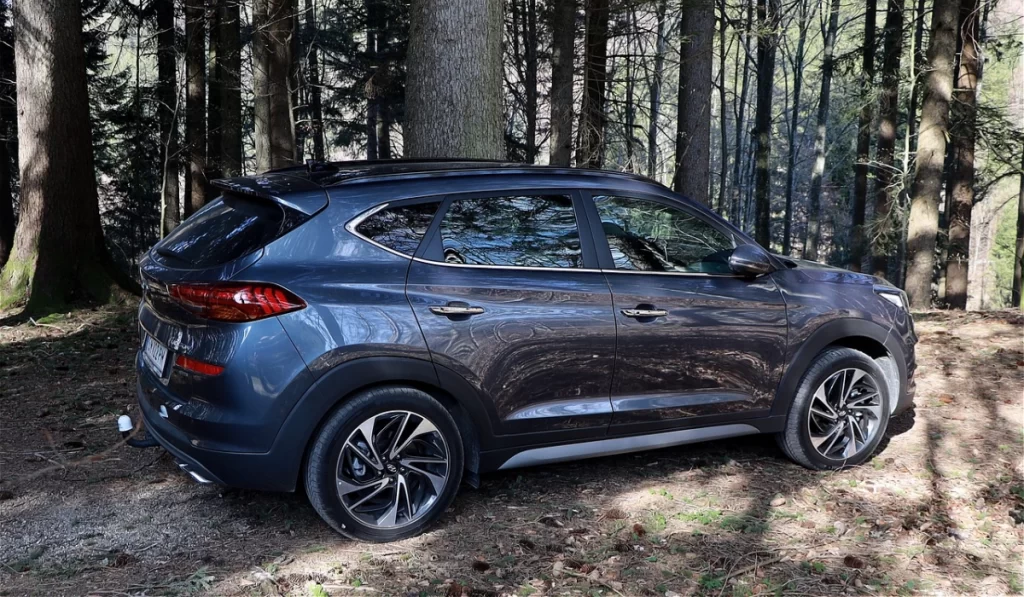
Four-wheel drive (4WD) is a type of drivetrain system that distributes power to all four wheels of a vehicle. It is designed to provide maximum traction and stability on rough terrain, such as snow, mud, and rocky roads. In a 4WD system, the power is evenly distributed between the front and rear axles, which allows the vehicle to maintain its grip on the road and prevent wheel slippage.
Benefits of 4WD
The main benefit of 4WD is its ability to provide better traction and stability on challenging terrain. This makes it an ideal choice for off-road driving and for people who live in areas with harsh weather conditions. 4WD vehicles are also capable of towing heavy loads and hauling cargo, which makes them popular among farmers, construction workers, and outdoor enthusiasts.
Limitations of 4WD
While 4WD provides several benefits, it also has some limitations. One of the main drawbacks of 4WD is its reduced fuel efficiency compared to two-wheel drive (2WD) vehicles. This is because 4WD systems are heavier and more complex, which requires more energy to operate. Additionally, 4WD vehicles are more expensive to purchase and maintain than 2WD vehicles.
Another limitation of 4WD is that it is not suitable for high-speed driving on smooth roads. This is because 4WD systems are designed for low-speed traction and stability, which can make them unstable at high speeds. Therefore, 4WD vehicles are primarily used for off-road driving and for low-speed applications.
Comparing AWD and 4WD Drivetrains
When it comes to choosing between AWD and 4WD, there are several factors to consider. Here, we’ll compare the two in terms of performance, fuel efficiency, and cost.
Performance Comparison
Both AWD and 4WD are designed to improve traction and handling in challenging driving conditions. However, there are some differences between the two. AWD systems are typically better suited for on-road driving, providing improved traction in wet or slippery conditions. 4WD systems, on the other hand, are designed for off-road use, providing better traction on rough terrain and in extreme weather conditions.
In terms of handling, AWD vehicles tend to handle more like traditional two-wheel drive vehicles, while 4WD vehicles can handle more like off-road vehicles. AWD vehicles generally provide better handling on paved roads, while 4WD vehicles are better suited for off-road use.
Fuel Efficiency Comparison
Because AWD vehicles are designed to provide better traction and handling on the road, they tend to be heavier and less fuel-efficient than 2WD vehicles. 4WD vehicles are even heavier and less fuel-efficient than AWD vehicles, as they are designed for more extreme off-road use.
That being said, advances in technology have made AWD and 4WD vehicles much more fuel-efficient than they used to be. Some modern AWD and 4WD vehicles have fuel economy ratings that are nearly as good as their 2WD counterparts.
Cost Comparison
AWD and 4WD vehicles tend to be more expensive than their 2WD counterparts. AWD systems are typically more expensive to manufacture and install, and 4WD systems are even more complex and expensive. Additionally, AWD and 4WD vehicles tend to be heavier and require more maintenance than 2WD vehicles, which can add to their overall cost of ownership.
The choice between AWD and 4WD will depend on your specific needs and driving conditions. If you live in an area with frequent snow or rain, an AWD vehicle may be a good choice. If you plan on doing a lot of off-road driving, a 4WD vehicle may be a better option. However, keep in mind that both types of vehicles tend to be more expensive and less fuel-efficient than their 2WD counterparts.
Choosing Between AWD and 4WD
When deciding between all-wheel drive (AWD) and four-wheel drive (4WD), there are a few factors to consider. This section will explore some of the most important factors to keep in mind when making your decision.
Consideration Factors
One of the most important factors to consider is the type of terrain you will be driving on. AWD is generally better suited for driving on paved roads, while 4WD is better suited for off-road driving. If you plan on doing a lot of off-road driving, then 4WD may be the better choice for you.
Another factor to consider is the climate in which you will be driving. AWD is generally better suited for driving in wet or slippery conditions, while 4WD is better suited for driving in snow or ice.
Fuel efficiency is also an important factor to consider. AWD vehicles tend to be less fuel efficient than 4WD vehicles, so if you are looking for a vehicle with better gas mileage, then 4WD may be the better choice.
Common Scenarios
Here are a few common scenarios where one type of drive may be more suitable than the other:
- If you live in an area with mild winters and do not plan on off-roading, then AWD may be the better choice for you.
- If you live in an area with harsh winters and plan on doing a lot of off-roading, then 4WD may be the better choice for you.
- If you frequently drive on unpaved roads or in rugged terrain, then 4WD may be the better choice for you.
- If you frequently drive on paved roads and want better traction in wet conditions, then AWD may be the better choice for you.
Ultimately, the decision between AWD and 4WD will depend on your specific needs and driving habits. Consider the factors above and choose the option that best suits your needs.
Author:Mister Mobility
Digital Skills and Communication Coach | Mobile Phone Connoisseur since 2001 | Tech Blogging since 2004
