Add MobilityArena as a preferred source on Google
Every once in a while, there is the occasional slip of the hand where we mistakenly delete an important text message, leaving us perplexed or confused on how to get it back. What do you do when you mistakenly delete such text from your iPhone? How do you get it back and all the important information in it? You can find this out in this brief and straightforward guide.
- Recover messages from iTunes Backup: If you want to recover deleted text messages from your iPhone, you can try using iTunes back. To do this, follow these steps:
- Connect your iPhone to a synced PC/Mac.
- Launch iTunes.
- Select your iPhone from the device list.
- Tap Summary , then choose the recent backup entry date.
- Click Restore Backup , if you notice it is greyed out, change the backup preferences from iCloud to computer and the restore.
This method is useful in recovering old texts, but one huge disadvantage of this recovery method is it deletes the current data on your device. You also do not have the luxury of selecting the exact messages but will rather need to recover all the texts, making this process a tad cumbersome.
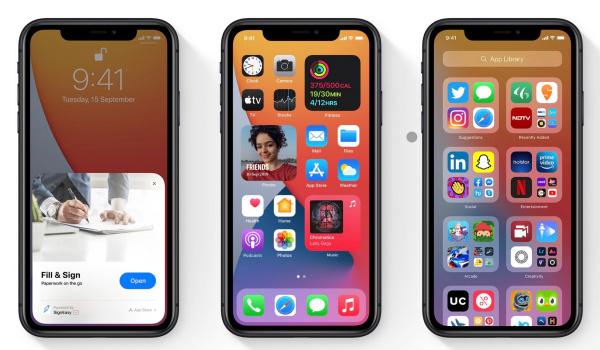
- Recover messages from iCloud backup: This method comes in particularly handy when you have backed up your iPhone’s data on iCloud, making it easier to recover deleted text messages from your iPhone through iCloud. To do this, you should clear all the content on your iPhone then replace it with the most recent iCloud backup. These tips below will help you recover deleted text messages from your iPhone:
- Go to Settings and click General > Reset > Erase all content and settings .
- In the confirmation box that pops up, pick Erase Now . Follow through with the instructions on screen till you get to the Apps & Data page.
- Click restore from iCloud backup.
- Sign in with your details into your iCloud account.
- Select the relevant backup from the list and wait for it to finish.
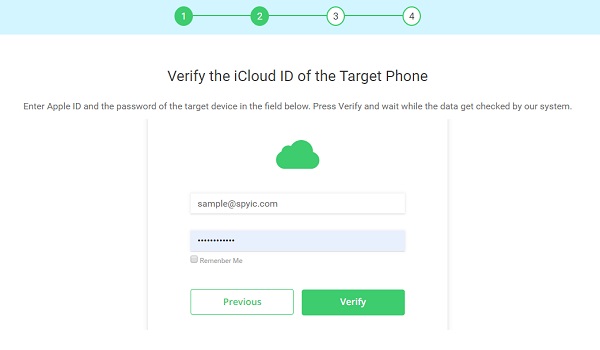
- Restore using a third-party app: You can recover some of your lost texts by using a trusted third-party app. All you need to do is plug your device into your computer, launch the application and follow the on-screen instructions. These apps are also useful in recovering call history, some of these apps include: iMobie PhoneRescue , Wondershare Dr. Fone , Stellar Data Recovery and Tenorshare UltData .
Author:Alfa Baye
Staff Writer
Add MobilityArena as a preferred source on Google
| Samsung Galaxy A72 Quick Phone Specs |
|---|
| OS: Android 11. Release Date: March 2021. Network Type: 2G/3G/4G Display: 6.7-inch Super AMOLED Processor: Snapdragon 720G Selfie Camera: 32 MP Rear camera: 64 MP triple sensors RAM: 8 GB ROM: 256 GB Battery: 5000 mAh. |
- Specs
- Samsung Galaxy A72 Price and Launch Date Is Samsung Galaxy A72 a 5G phone? What kind of fingerprint reader does Samsung Galaxy A72 have? Does Samsung Galaxy A72 have Gorilla Glass?
- Buyer’s Guide Verdict Glossary
Specs
Mobile Wireless Network and Software
- 2G mobile network bands : GSM, GPRS, EDGE 850 / 900 / 1800 / 1900 MHz.
- 3G mobile network bands : UMTS, WCDMA, HSDPA 850 / 900 / 2100 MHz
- 4G mobile network bands : LTE 1(2100) / 3(1800) / 5(850) / 8(900) / 38(2600) / 40(2300) / 41(2500)
- 5G mobile network bands : No.
- SIM Type : Nano-SIM, Dual SIM
- Software / OS : Android 11 + One UI 3.0
Design, Form Factor, Appearance
- Dimensions : 165 x 77.4 x 8.1 mm
- Weight : 203g
- Display : 6.7 inches, 1080 x 2340 pixels, 29.5:9 aspect ratio, 90Hz refresh rate, Super AMOLED, water drop screen, Corning’s Gorilla Glass 3 protection.
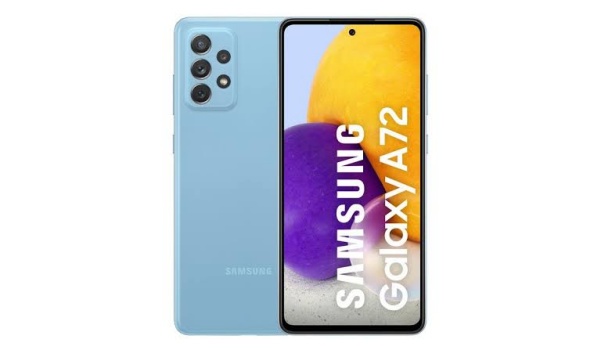
- Colours : White. Pink. Grey. Blue.
- Physical Build : Plastic. IP67 water and dust resistance
Internal Hardware Spec ifications
- Processor Type : 64-bit, 1.8 GHz Octa-core, Kryo 570 + X52 5G modem
- Processor Name : Qualcomm Snapdragon 720G (8nm)
- Graphics Processor : Adreno 619
- RAM : 6 GB / 8 GB
- Internal Storage : 128 GB / 256 GB
- External Storage : microSD, up to 1TB (dedicated slot)
Photography, Video Recording
- Rear Camera : 64 MP main sensor + 12 MP ultrawide sensor + 8 MP telephoto sensor + 2 MP macro, LED flash, HDR, EIS, 4k@30fps, 2160p@30fps video recording
- Front-facing Camera : 32 MP, Face Recognition, HDR, 1080p@30fps video capture.
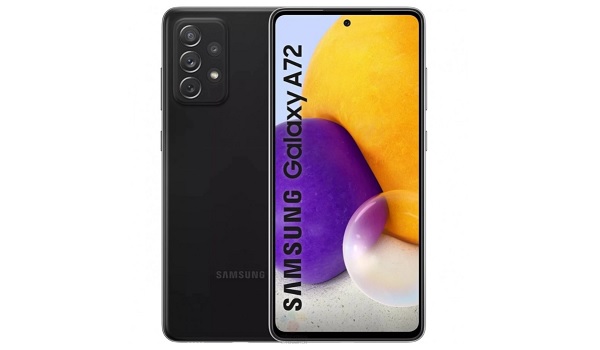
Samsung A72
Audio, Video Playback
- Music Support : PCM, AAC / AAC + / eAAC + / MP3 / AMR – NB / WB / APE
- Audio : 3.5 mm audio jack
- Loudspeaker : Dual speakers
- Video Support : H.264/MP4/MPEG4 player
- FM Radio : Yes.
Phone Sensors
- Digital Compass : Yes.
- Accelerometer : Yes.
- Proximity Sensor : Yes.
- Ambient Light Sensor : Yes.
- Barometer : No.
- Pedometer : No.
- Heart Rate Monitor : No.
- Gyroscope (G-Sensor) : Yes.
- Fingerprint Scanner : Yes; under-display.
- Face Unlock : Yes.
- Iris Scanner : No.
- Motion Sensing / Gesture Control : No.
- Voice Control : No.
- Intelligent Digital Assistant : Yes; Google Assistant; Bixby.
- Infra-red Sensor : No.
Connectivity Options
- Bluetooth : v5.0, A2DP
- WiFi : Wi-Fi 802.11 a/b/g/n/ac, hotspot
- GPS : Yes, A-GPS, GLONASS, BDS
- USB : microUSB v2.0. Type-C. USB-OTG
- NFC : Yes.
Miscellaneous Specs and Features
- Battery Type and Capacity : Non-Removable Lithium-Polymer 5000 mAh
- Battery Charging : 25W quick charging
- Wireless Charging : No.
- Reverse Charging : .
- Model Number : SM-A725F / DS.
Samsung Galaxy A72 Price and Launch Date
- Announced : March 2021
- Release Date : March 2021
- Price in the UK : The 6GB/128GB variant sells for £420 in the UK.
- Price in Europe : €450 for 6GB/128GB variant. The price starts at €509 for the 8GB/256GB version.
- Samsung A72 Price in Nigeria : The 8GB/128 GB variant has a recommended retail price of ₦188,000 in Nigeria, while the 8GB/256 GB variant has a recommended price tag of ₦204,000.
You can buy the Samsung A72 via a credit/instalment/loan service from any one of several retailers or service providers, depending on your country.
In Nigeria, these include QuickCheck, Carbon Zero, among others.
If you buy the Samsung A72 through Jumia, you can get Jumia Protect (device insurance) for it as well for a small fee. If buying elsewhere, ask if device insurance is available, as other retailers also offer an insurance cover for a small premium.
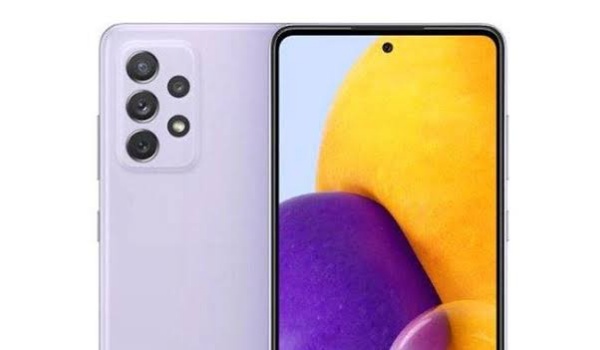
Questions and Answers about Samsung Galaxy A72
Here are answers to some of the most commonly asked questions about Samsung Galaxy A72.
Is Samsung Galaxy A72 a 5G phone?
The Samsung A72 is a 4G smartphone.
What kind of fingerprint reader does Samsung Galaxy A72 have?
Samsung A72 has an in-display fingerprint reader.
Does Samsung Galaxy A72 have Gorilla Glass?
The Samsung A72 has Gorilla Glass protection.
Buyer’s Guide Verdict
Samsung A72 is a solid phone with impressive features, including a sterling AMOLED display, IP protection, good cameras, decent performance and good battery life.
If you want a mid-range Samsung that stands out, this is it. However, if you are looking for the best value for money, there are models from the competition that offer better performance and features at a lower cost. The Redmi Note 10 Pro by Xiaomi is one of them.
Our Buyer’s Guide Verdict is a recommendation that we make based on our evaluation of the specifications of the device. It is a general guide designed to help you understand how much value a smartphone offers for its price. It is not a stamp of quality assessment or an endorsement of the device or of the manufacturers. Be sure to ask questions and use your judgement when buying any device, as MobilityArena may not be held responsible for your buying decisions .
Samsung A72 Alternatives
The smartphone that the Galaxy A72 has to beat is Xiaomi’s Redmi Note 10 Pro, and it is difficult to beat it.
The Redmi Note 10 Pro offers an AMOLED display, a higher refresh rate, a lower IP rating, a much more capable 108MP camera, and a more powerful processor, among others. And it does all this for a much lower price.
Phone Review Rating
We are yet to review the Samsung Galaxy A72 and so do not have a review rating for it yet. This section will be updated with our review rating and a link to the review page, as soon as we have a review ready.
Glossary
- One UI : This is a custom software application created by Samsung Mobile for use in their smartphones. It is based on Android operating system, giving it a look and feel that is unique to their own phones. One UI also includes extra features and services that are not available in Android OS.
Samsung Galaxy A72 supports Google Services and software applications, including Play Store and Maps, Gmail, YouTube, and others.
