Add MobilityArena as a preferred source on Google
In this comprehensive guide, we’ll show you how to find out if your iPhone has a virus, as well as what you can do to get rid of or remove viruses from your iPhone.
You’re probably worried about a cyberattack if you’re currently seeking online guidance about iPhone viruses. Maybe you were browsing online when your iPhone’s screen flashed a suspicious pop-up message informing you that you had a virus. Is this message reliable? How can you tell if your iPhone is indeed infected with a virus and what should you do if it is?
How to Remove Viruses from your iPhone or iPad
Does my iPhone have a Virus?
In reality, it is highly unlikely for iPhone devices to have a virus, but it does happen. So, before we dive into the steps you need to take to remove viruses from your iPhone, let’s look at how to even tell that it has been infected in the first place. Below, we’ve described a few ways you can tell if your device has been corrupted with a virus:
You have a jailbroken device : One of the major reasons for jailbreaking your device is wanting to install an app from a source other than the official App Store. While the rationale is understandable, with a jailbroken device, you should be aware that the likelihood is increased that you may (at some point) have unintentionally allowed a piece of malicious software known as a worm onto your device.
If you notice strange activity on your iPhone, such as apps rerouting you to suspicious-looking web pages, the presence of a worm is noticeably more likely.
Your device is using up too much cellular data : Are you concerned that your iPhone may contain dangerous software? Watch out for an unexpected increase in your cellular data consumption that cannot be attributed to normal iPhone usage.
Your phone overheats : Again, a malfunctioning battery is typically the culprit when your iPhone overheats, but in certain rare instances, it may be a symptom of a virus.
How do you get rid of or remove viruses from your iPhone?
If at this point, you’re sure your iPhone does have a virus, there’s no need to fret. Thankfully, there are some steps you can take to get rid of it:
Delete any apps that look suspicious
The most basic action to take to remove viruses from your iPhone is to delete any suspicious-looking apps, especially any that you do not remember installing. Since any virus was most likely introduced by an unauthorized app on your device, it’s smart to immediately get rid of any suspicious-looking apps that could be causing your device to exhibit signs of malware.
Erase and Reset all Contents and Settings
You might attempt erasing every piece of data on your iPhone if the above solution doesn’t resolve your problems. Go to Settings and then General to accomplish this. After that, select Reset and Erase All Content and Settings .
You should keep in mind, however, that by selecting this option, you will completely delete all of the data on your iPhone. If you don’t back up all of your essential iPhone data, you run the danger of losing your contacts, images, and other data.
Restore your phone using an earlier backup point
Restoring your iPhone from a previous backup is one approach to getting rid of a virus. Note that you’ll need to take this action after first performing a factory reset. You can either use a backup on your computer or a prior version saved to iCloud to restore your data. It’s easy to recover your phone using iTunes if you have backups stored on your PC.
Simply navigate to Settings, pick iCloud, and then check to see if iCloud Backup is enabled. You won’t be able to restore from a prior version without a virus, though, if this option is grayed off.
Keep in mind that this action may or may not work. It depends on whether you got the virus before or after the backup version you’re restoring. Restoring your phone to a previous backup version won’t work if you got the virus on your phone before the backup was restored. In this case, you need to continue testing earlier backup versions until you locate one that is malware-free.
Preventing Viruses in the Future
It is one thing to successfully remove viruses from your iPhone; it is another to make sure it stays virus-free. You’ll undoubtedly want to make sure your gadget remains virus-free after eradicating the malware. You must take some safety precautions to ensure that viruses cannot readily infect your device.
Here are two easy ways you can protect your iPhone from viruses:
- Don’t try to jailbreak your device just because you want to download unauthorized applications. When you bypass the built-in security measures with the help of jailbroken apps, viruses and other malicious software can now directly access your iPhone.
- As soon as an update is available, download it to keep your iOS current. Head to your Settings app, click on General , and then select Software Update to do this.
Summarily, we’re sure you’ll agree that prevention is better than cure when it comes to tackling viruses on your iPhone device. Take all the necessary steps you need to keep viruses from corrupting your device. If, despite your efforts, malware still manages to get onto your device, simply follow our suggestions to get rid of it.
- Don’t miss our reviews .
- Follow our news on Google News .
- Join our WhatsApp Group , to be notified of the most important articles and deals,
- Follow us on Instagram , Facebook , Twitter , and YouTube .
Author:Joan Agie
Add MobilityArena as a preferred source on Google
Residents of select countries can now pre-order the Pixel 6a and be early owners of the phone when it starts shipping. Specs of Google Pixel 6a include a 6.14-inch OLED FullHD+ display. There is no high refresh rate on this model, so all you get is 60Hz refresh rate. The screen has Corning Gorilla Glass 3 protection. Embedded in the display is an 8 MP front camera and a fingerprint scanner.
At the back of the Pixel 6a is a dual rear camera comprising two 12 MP lenses. Inside is a Google Tensor chip with a Titan M2 security chip, coupled with 8 GB of RAM and 128 GB of internal memory. There is no microSD card slot here, as there is no 3.5 mm audio jack port. Supported networks include 2G, 3G, 4G, and 5G.
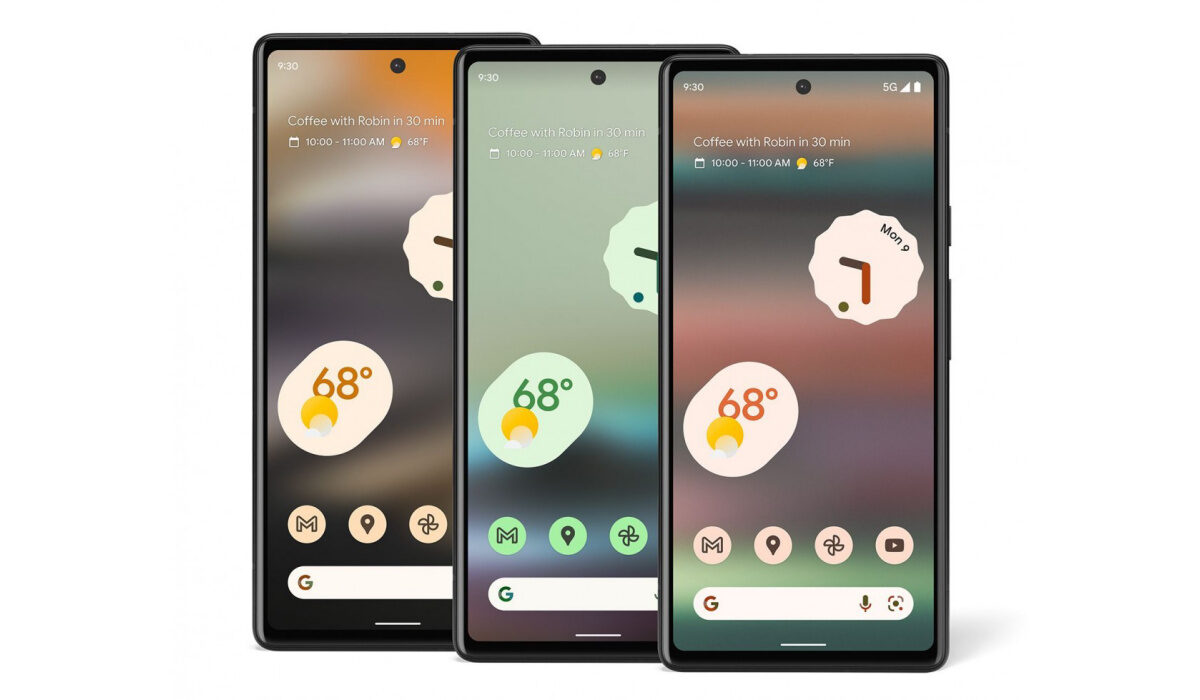
You can now pre-order the Pixel 6a in the USA and UK
Other features include NFC, Android 12, stereo speakers, IP67 dust/water resistance (you can submerge the phone in up to 1 metre of water for 30 minutes), and USB Type-C. Keeping the lights on is a 4,410 mAh battery. There is 18W fast charging built-in.
- Verizon Specials for the Pixel 6a in the US
- Pre-order the Pixel 6a in the US
- Pre-order the Pixel 6a in the UK
- Pre-order the Pixel 6a in Canada, Australia, Germany, other countries
Verizon Specials for the Pixel 6a in the US
Pre-order the Pixel 6a in the US
Pre-order the Pixel 6a in the UK
Pre-order the Pixel 6a in Canada, Australia, Germany, other countries
Besides the US, and UK, you can also pre-order the Pixel 6a if you are resident in any of the following countries:
- Canada: CAD 599
- Australia: AUD 749
- Ireland: EUR 459
- Germany: EUR 459
- France: EUR 459
- Italy: EUR 459
- Puerto Rico: USD 449
- Spain: EUR 459
- Singapore: SGD 749
- Taiwan: NTD 13,990
- Japan: JPY 53,900
To pre-order in any of these countries and others, visit the Google Store or authorised partner in each country. Note that to make a purchase from the Google Store, your shipping address must be in the same region as the Google Store you are purchasing it from. The phone goes on sale publicly on the 28th of July.
Author:Anna Makama
Gadget lover making my way through life one day at a time.
