Add MobilityArena as a preferred source on Google
To stop a phone from overheating, it helps if you know the reason why it is getting hot. This will help you take the necessary actions that will prevent it from overheating. And if it is already hot, you’ll know how to make it cool quickly, thereby preventing your phone from developing issues.
I will show the causes of overheating and the solutions. I will also talk about phone coolers, and then I will show you what it means when certain parts of your phone get hot.
Causes of overheating in a phone, and how to stop it
1. Reduce the usage of your phone
Causes
It is general knowledge that if you run something, especially electronic devices, for a long time, it tends to get overheated. Even though several mobile device brands are starting to create phones suitable for frequent usage, this issue hasn’t been fully resolved.
When using your phone a lot, it will multiprocess. For instance, while playing a game, you’re also receiving numerous notifications on your phone, and there might be other active apps in the background as well. Moreover, when Bluetooth or Wi-Fi is turned on, it adds to the workload of the phone. All these might be too much for the phone, that is why it is overheating.
Solution
Do not overuse your phone. Once you no longer need an app, close it. For those social media apps that send notifications every time, you can turn the notifications off by going to your Phone Settings » Apps »Select the app » Notifications » Toggle off.
If you have a battery optimizer app or this feature comes with your phone, whenever it brings battery optimization notifications to improve the performance on your phone, tap on it to optimize your phone instantly.
2. Keep away from sunlight
Cause
I see people on the streets holding their phone instead of tucking it away inside their pockets. Holding your phone, especially in the summer, will make it get hot due to the direct rays of the sun. However, if you’re only outside for a short time, you can hold your phone without the risk of it getting hot. It is also possible that it doesn’t get hot when you’re outside, but the moment you get in and start using your phone it will get hot in no time.
A room with a hot temperature will also lead to overheating of the phone. If the room is hot, everything will be hot and even your body wouldn’t be so comfortable with the heat, so it’s expected that the phone will get hot too.
Solution
Put your phone in your pocket when you’re out on the street. Alternatively, you can get a strap bag and put it inside. If you have no choice but to hold your phone outside, then when you get inside, don’t start using your phone immediately. You can put it down for a few minutes, so it cools off.
If you’re inside and the temperature is high, open the windows. If you can, then go into a room with AC, so it can cool it down faster. Should these options be impossible for you, then go outside and stand in your balcony or front yard. Make sure you’re staying under a shade.
3. Avoid playing graphic-intensive games for too long
Cause
Most developers are switching to graphics-rich games like PUBG, and to be earnest they are actually very interesting with their realistic layout, so it tends to suck us in, and we end up playing it for long hours, and the side effect is that phones get to overheat. Just playing it for 30 mins – 1 hour can make your phone start heating.
Solution
If you like to play games for long hours, then it’s best you get a phone with a large RAM. This makes it possible for the phone to handle long sessions of gaming without it getting heated. If your phone is 8 GB ram and above, then you will be able to get long hours of gaming.
If you are using a low RAM phone, there is nothing you can do to get long hours of gaming. Once your phone gets too hot, quit the game and drop your phone until it cools down.
4. Overcharging
Cause
Plugging your phone overnight will make it overcharge, and it doesn’t just make a phone overheat, it also has negative effects on the battery.
Solution
You might have heard that charging up to 100% and making your battery lower than 30% isn’t so good for phones. You don’t want your phone to get overcharged or get too low because it will weaken the battery faster.
So unplug your phone around 80% – 90%, and charge it when it is around 30%.
5. Update apps and system
Cause
When new updates are available, they come with bug fixes that enhance the performance of your phone and the app. If you don’t upgrade your system or the app, it will start to interfere with the normal operation of the phone, which will cause overheating among other issues.
Solution
Update your phone system and installed apps. If you don’t get notified to update automatically, you can check out your phone system settings for new updates, or check the Google Play Store or App Store to see if new updates are available.
If you notice that your phone gets overheated a lot, check for available updates and install the new package.
Can a phone cooler cool my phone?
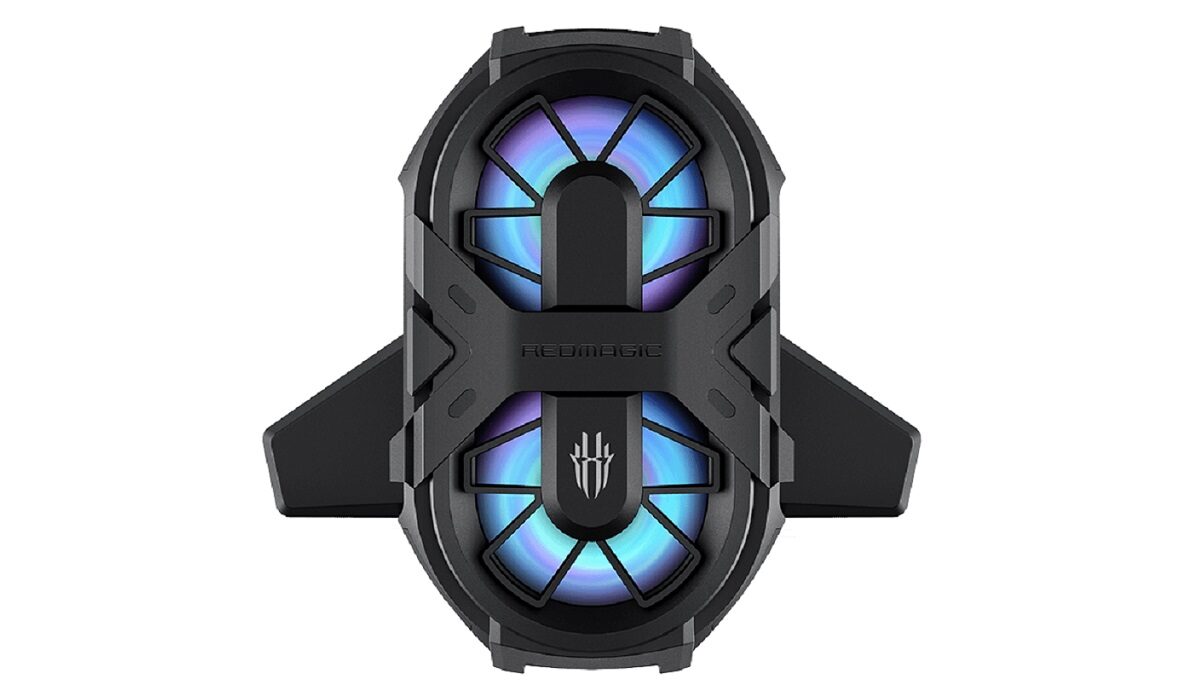
RedMagic Phone cooler
This peripheral device added to the back of an overheating phone actually works. The best part is that it lets you use your phone for long hours without the risk of overheating.
Phone coolers make use of heat sink technology for cooling phones. This device is a fan that can be adjusted to sit perfectly on the back of your phone. Some of these phone coolers also offer rapid cooling. There are different brands available with different features, do thorough research before settling for any phone cooler. A good brand to opt for is Black Shark.
Where is the heat coming from?
The battery, screen, or processor is the places that heat usually comes from which makes a phone overheat. The battery creates electricity, the screen emits light, and the high-speed information transfer happens in the processor, so all these actions produce heat.
You might have noticed that sometimes it could be the bottom of your phone that is hot, other times it is the back of your phone, and sometimes it could even be the area around the top of your phone. All these areas can give you an educated guess on what made your phone hot.
• Bottom of the phone
If you’re charging and the bottom is hot, then the issue may be from the charger. If you’re using the charger from the phone’s manufacturer, you shouldn’t experience this. If you are using a third-party charger, make sure the manufacturer is a reputable one because there are lots of fake chargers in stores.
• Back of the phone
This is a very common occurrence. If the back of your phone is hot, then the battery might be overheating. If this occurs frequently especially when you haven’t been using your phone for long hours, then this means the battery needs to be replaced because it will rapidly be losing its efficiency until it can’t hold enough charge.
• Above the battery
If the top of your screen is getting hot, then it’s most likely caused by an overworked processor. If you have been outside for a long time, then it could be because of long exposure to direct sunlight. Leave your phone alone and let it sit idle for 30 mins or more, so it can cool down.
Conclusion
If you want to cool down your phone very fast, the device you should use is a phone cooler. Some of them are designed with a rapid cooling mechanism, so frequent users of smartphones will be able to use their phones for long hours. I made sure to also include the causes of overheating and solutions, so you can increase your battery life without peripherals.
Author:Mukhtar Sadiq
Add MobilityArena as a preferred source on Google
If you are trying to use your phone as a security camera, you will need two phones to make that possible, along with an app that supports turning a phone into a security camera.
One of the best apps to use is the Alfred Camera. It is also the most used app for turning your phone into a security camera because it offers great features, and has a great performance.
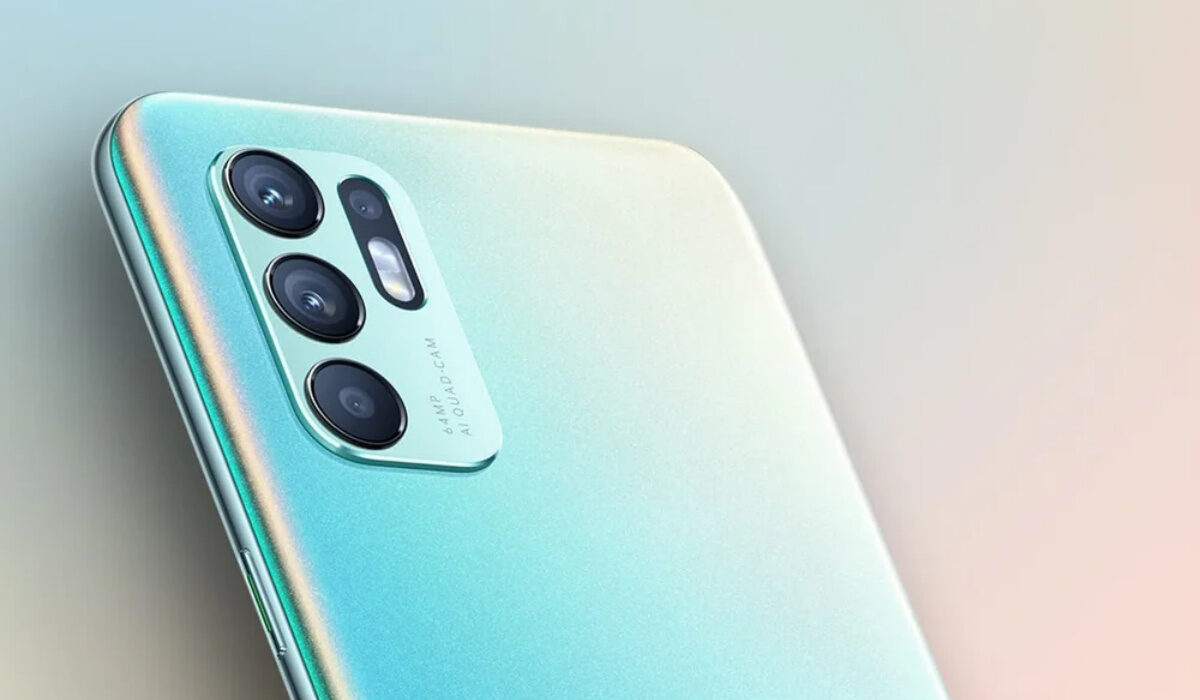
How to use Alfred Camera to turn your phone into a security camera
This app has a free and paid version. On the free version, there are several settings and features available. But for the best experience when using this app, it is best you switch to Alfred Premium subscription. The downside of the free version is that the video quality is not so good.
To enjoy this app to the fullest, it is also beneficial if your phone isn’t that old. If you are an Android user, using an Android 8 upwards will make it more efficient. Here is how to use it in turning your phone into a security camera.
Steps
You need to get two phones for this to work. If you have an old phone, then this phone will act as the camera, while your main phone will be the control panel and viewfinder. Just make sure the phone acting as a camera is plugged into a power outlet.
• Download and install the app. It is available for both Android and iOS devices. You will download the app on both phones.
• Launch it on both phones and follow the instructions on the screen.
• Sign in with Google. Choose the Google account you want to use if you have more than one account, and you’ll have to give the app permission to your data. Use the same Google account on both phones.
• Give camera access and microphone access to the app by tapping on “allow”.
• One of the phones will be the camera (the old phone) while the other phone will be the viewer/control panel. Follow the on-screen instructions on how to set both up.
Alfred Camera Video Interface
• At the bottom of your screen, you’ll see three icons. They are “settings, turning on a power-saving mode, disabling/enabling motion detection”
• Choose the front lens to record the front of your environment or switch to the rear camera to record the back environment.
• You’ll see the active cameras listed on your screen. Tapping on the camera will take you to the live feed.
• There is a video button you can use to capture and save the video.
• Switch the camera orientation to what suits you.
• For visibility at night you can switch to night vision mode.
Alfred Camera Audio Interface
• Check the screen; you’ll see a microphone button. You can tap and hold it to use it to speak to anyone where the phone acting as a camera is located.
Other features
There are several other features available on this app, such as enabling flashlights or playing siren sound at high volume. This helps to make your environment even more secure. Other things you can do are changing the camera’s name, configuring motion detection, add other users to have access to the app, among others.
Alternative apps for using an old phone as a security camera
If Alfred Camera isn’t working efficiently on your phone, probably because your phone model is too old for it, there are other apps you can use either you are an Android or iOS user. Here are some of the best ones to opt for —
• AtHome Camera
This is an app that has some of the best features for turning your phone into a security camera. It features an AI design that makes its motion detection impressive. It also features a 24-hour video recording, so you can check everything that happened 24 hours ago.
If the phone you are using is a high-end phone it might have great sensors. If it does, the app will be able to detect vibration and start filming automatically.
Since you will be using one phone as the camera and another one as the viewer/control panel, you will need to get separate apps but by the same developer. One of the apps performs the functions of a camera, while the other one performs the functions of a control panel.
This app works on both Android and iOS devices.
• Manything
This app works well on iOS devices, especially if you will be using an iOS device as the camera and also the viewer. This app features an IFTTT channel that lets you link with numerous connected devices and web services.
For instance, if you have a motion detection light or stereo player, you can connect it to Manything so when motion is detected it will automatically turn on. This app allows you to turn your phone into a home-security tool and a motion-activated smart device.
It works on Android devices too, but from personal experience, I enjoyed it more on iOS devices.
• Cloud Baby Monitor
This is a great app to settle for if you are looking for an unlimited range of LTE, Wi-Fi, or 3G network, and it is also an app with high-quality video.
It is compatible with the Apple Watch, so instead of using your phone, you can use the watch to get noise and motion alerts. You can also use it on your Mac computer.
This app allows you to play soothing white noise or a lullaby to use in getting your baby to sleep. This is a great feature because you don’t have to always physically soothe your baby every time the baby turns in his or her sleep. Just soothe the baby from the available playlist, and you’ll be able to focus on whatever you’re doing.
This app works on iOS devices and Android devices, but it has more functionality for iOS devices.
Conclusion
When most people use their phone as a security camera, they make use of old phones. It’s a great idea instead of just throwing it away because it can sit for decades on a landfill, and this isn’t great for the planet. If you’re one of those that let their old phones sit in the drawer, here is an opportunity to put them to good use.
