Add MobilityArena as a preferred source on Google
Most people would agree that phone calls can be annoying these days, especially since there are more convenient ways to communicate, including texts. As a result, most of the calls you get might be unwanted, typically from marketing campaigns. But calls from unknown international numbers, which almost often amount to nothing more than a money-grabbing ploy, are even more undesirable, almost to the point of being a nuisance.
Fortunately, it is pretty easy to restrict international calls on a mobile device. This guide will teach you about different options for tackling calls from unknown international numbers. The easiest way is to simply not answer any calls from unknown international numbers, but if you are getting spammed with them, you will need to implement some blocking. Keep reading to find out how to do that.

How Do I Stop Getting Calls from Unknown International Numbers?
There are different ways to achieve this on your mobile device. We’ve discussed each method below:
Block International Calls through Your Carrier
The majority of carriers, if not all of them, offer their customers ways to track unwanted calls. Scam calls have become a much bigger issue in recent years. However, the good news is that you can collaborate with your provider to stop receiving these calls from unknown international numbers.
While a turnkey solution is unlikely to be provided by your carrier (some might though), you can still block specific numbers or robocalls on most providers. You must contact your carrier’s help department or visit their online support page to get a complete breakdown of the options you have available. Additionally, you could try adding your phone number to the Do Not Call list. You can opt out of receiving telemarketing calls with this service. It is still a smart idea to use it even though it may not totally stop you from receiving unwanted international calls.
If the issue persists long enough and you have a US-based phone number, you can submit a complaint. Try to use this approach to locate a solution, since your alternatives are considerably more constrained if you’re on a landline.
Block International Calls from your Device
Your device likely has built-in call-blocking features if your carrier is unwilling to assist you or can’t go as far as you need them to. The steps you must take will be based on your device’s operating system because they vary somewhat depending on the platform. Below, we’ve given a brief summary of each.
Although the nomenclature for Android devices may vary slightly depending on your carrier, overall, it should be quite uniform.
- Locate the Settings menu.
- Find Call Settings next; it may simply be called Call on your device
- It’s possible that you’ll need to use your phone’s app to access the call settings because they may not be visible there.
- From the Call Settings menu, choose Block Numbers ; you may also see it tagged as Blocked contacts on your device.
- Here, you can either turn on the option to block all incoming calls or block certain numbers that you know will be unwelcome.
If you’re using an iOS device, follow these steps:
- On your iPhone, create a new contact. You can ban specific phone numbers by adding them to this contact. Add as many as you want because this contact’s associated phone numbers will all be screened.
- Tap on the green Phone symbol in the Settings menu of your phone.
- Tap Blocked , then Calls , as you scroll down.
- Now choose the contact you already made by tapping Add New . To keep track of the reason they are blocked, it’s a good idea to give this contact the name “International Numbers” or something similar.
You shouldn’t receive any unwanted calls from such numbers anymore after this setting.
Block Calls From Unknown International Numbers with Third-Party Apps
Employing a program made especially for call blocking is another option you have for blocking unwanted international calls. Due to the diversity of functions that apps can offer, including, in some cases, restricting country codes, many users will find that this option is the best.
Call Blacklist is one of the top Android apps for managing calls. This program lets you make a “blacklist” of phone numbers that will be blocked, as the name suggests. You can enter whole numbers as well as numbers that either begin with or contain specific numerical sequences. Effectively, you may ban all calls from a specific country by using this feature to screen out country codes. Password protection and other useful features are included in the software.
Call Control is a really good choice if you’re using an iOS device. This program has many of the same functionality as Blacklist, in addition to intelligent blocking tools that archive suspected numbers using lists maintained by the community. This program also allows you to do a reverse search to learn who is calling from banned numbers. In their respective stores, each of these apps is free.
In summary , you can choose from any of the methods we’ve suggested to restrict unwanted calls from unknown international numbers on your smartphone. Ensure to follow the relevant instructions carefully to achieve the desired results.
Author:Joan Agie
Add MobilityArena as a preferred source on Google
When it comes to staying connected digitally, there are several options available, and some offer more ease and flexibility than others. This is the main advantage of prepaid cell phones, compared to regular phone plans. If you’ve been seeking a flexible and perhaps cheaper phone plan, it might be time to start considering a prepaid cell phone.
In this guide, we’ll teach you what prepaid cell phones are, the advantages they offer, and which carriers to get the best deals for them from. Also, ensure to take note of our helpful tips and instructions to get the best out of them.
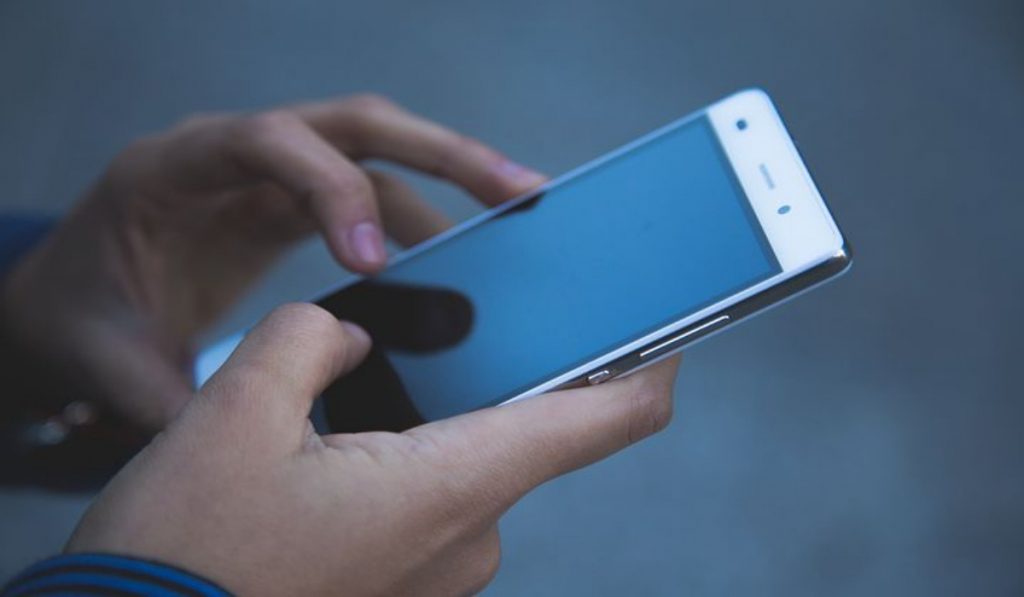
What are Prepaid Cell Phones?
Prepaid cell phones offer the same basic features as normal cell phones. The difference is that there aren’t any obligations for long-term contracts or extra fees for using more minutes than the monthly plan. Essentially, you purchase a cellphone with a specific service (number of minutes usable over a specific number of months). Until your minutes are used up, you can still make calls and, depending on the phone’s features, send texts and picture messages.
When the minutes get used up, you have the option to purchase additional minutes right away or later. Alternatively, you could also just stop using the phone altogether for the period, if you want to stick to a budget.
The independence and control they combine are the main benefits of getting prepaid cell phones. With a prepaid cell phone, you are not tied to a multi-year plan with a predetermined number of minutes per month during predetermined calling hours, additional fees if you go over the limit, and an expensive fee if you break the contract.
You are permitted to speak on the phone anytime you choose for whatever length of time you like, up until the time allotted is passed. A monthly bill is not required of you either. There is no difference between talking more one month and less the next, and unused minutes carry over from one month to the next. Additionally, a prepaid phone allows you the flexibility to switch to a different plan whenever you wish.
If this seems like something you’d want, keep reading to find out how to get the best deals for prepaid cell phones.
What are the Best Deals for Prepaid Cell Phones?
Now, the next question is, which carriers offer the best prepaid plans? We addressed that in this section. You should be able to choose the prepaid plan that’s best for you from one of the options we’ve listed below, including top-name carriers as well as local and regional carriers.
Metro by T-Mobile
Metro by T-Mobile has a wide range of single- and family-line options, and it provides the best overall rates for consumers who opt for prepaid cell phones in the market.
Metro by T-Mobile offers unlimited talk, text, and data plans that include taxes and videos, starting at just $100 per month for a four-line plan and $80 per month for two lines. For individuals or families, there are additionally less expensive options available, such as a $30 option that includes unlimited talk, text, and 5 GB of data.
Due to parent company T-coast-to-coast Mobile’s network, most Metro by T-Mobile plans also feature Wi-Fi calling, 4G LTE mobile hotspot connectivity, and countrywide coverage.
You should anticipate paying full price for a device if you use prepaid or “pay-as-you-go,” even if it’s a high-end smartphone like the Samsung Galaxy S21 FE 5G or Apple iPhone 13. Additionally, you are free to connect your own suitable smartphone at any time to your Metro by T-Mobile line.
Boost Mobile
If you’re looking for a lot of data with loads of added benefits to use with your prepaid cell phone, check out Boost Mobile for affordable prices and plenty of data for your entire family. Plans with 35 GB of LTE data and unlimited call, text, and data start at $50 for a single line. Another bonus is a 12-GB mobile hotspot. (Note that speeds will decrease once you use more than 35 GB of data).
HD video streaming and a 30 GB mobile hotspot are included in the $60 package. You can pay only $5 a month for additional lines to make international calls to Mexico. The Boost network, which is supported by parent firm DISH, provides countrywide service to almost all of the United States.
GoSmart Mobile
Try GoSmart Mobile if you want a prepaid plan that offers affordable rates with a few noteworthy additions. It is a great option when it comes to the basics. GoSmart’s monthly plans start at $15 for unlimited talk, text, and 250 MB of data and go up to $55 for unlimited data and a 10 GB mobile hotspot plus a $10 credit for international calls.
The GoSmart unrestricted 4G LTE access to Facebook and Facebook Messenger stands out in addition to the data speed restriction. GoSmart also offers unlimited international texting, making it ideal for a certain set of prepaid cell phone users.
Every GoSmart user enjoys limitless access to the Facebook platform, regardless of which of the plans they are on. You need a 4G LTE-capable gadget and you are on your own to acquire 4G LTE access to Facebook since GoSmart just offers the service and the SIM.
T-Mobile
Even though there is intense competition in the prepaid cell phones market, the Simply Prepaid option is a fantastic alternative for individual customers searching for a single line of service. Customers can bring their own device or buy one from the carrier with this plan, which offers unlimited text, talk, and up to 10 GB of 4G LTE data for $40 per month.
Choose the $50 Unlimited monthly rate plan if you want to go a little bit higher and get unlimited data and mobile hotspot connectivity. In addition, an Unlimited Plus plan with unlimited data and as much as 10 GB of 4G LTE mobile hotspot connectivity is available for $60 per month.
Additionally, there is a $15 international package that includes unlimited calling to more than 70 nations. For an additional $5, you can also access international roaming in Mexico and Canada.
Consider the affordable T-Mobile Connect plans if you only need a small amount of data and want to save money: a $15/month prepaid plan with unlimited talk and text and up to 3 GB of high-speed internet, or a $25/month prepaid plan with up to 6 GB of high-speed data. T-Mobile guarantees that with these plans, your data will rise by 500 MB per year through 2025.
In summary , now you know where to start from if you’ve decided that you want to use prepaid cell phones. Also take note of our carrier plan suggestions to help you get the best possible deals. If you know anyone else who’s thinking of getting a prepaid cell phone, make sure to recommend this guide to them. Also note that the prepaid prices mentioned in this article may change from time, to time, at the discretion of the carrier.
