Add MobilityArena as a preferred source on Google
Thanks to smartphones, we now live in an always-connected age. It is great in many ways, but it has its downsides. One of those is the constant tracking of our activities. This tracking is mostly used to tailor ads for display to us, but it involves such minute details of our lives that it is shocking what information about us can be pieces together from that data. If you want to stop iPhone apps from tracking your activities, there are a few things you can do.
There are a few things you must know, though. The first is that, with or without any apps installed, your iPhone is constantly tracking you. Yes; Apple itself does a fair amount of accessing your personal information and activities. The only way to prevent that is to not use an iPhone. But then Google does the same thing on Android smartphones. So, unless you want to ditch smartphones entirely, or try one of the many de-Googled smartphone options, you are out of luck with that.
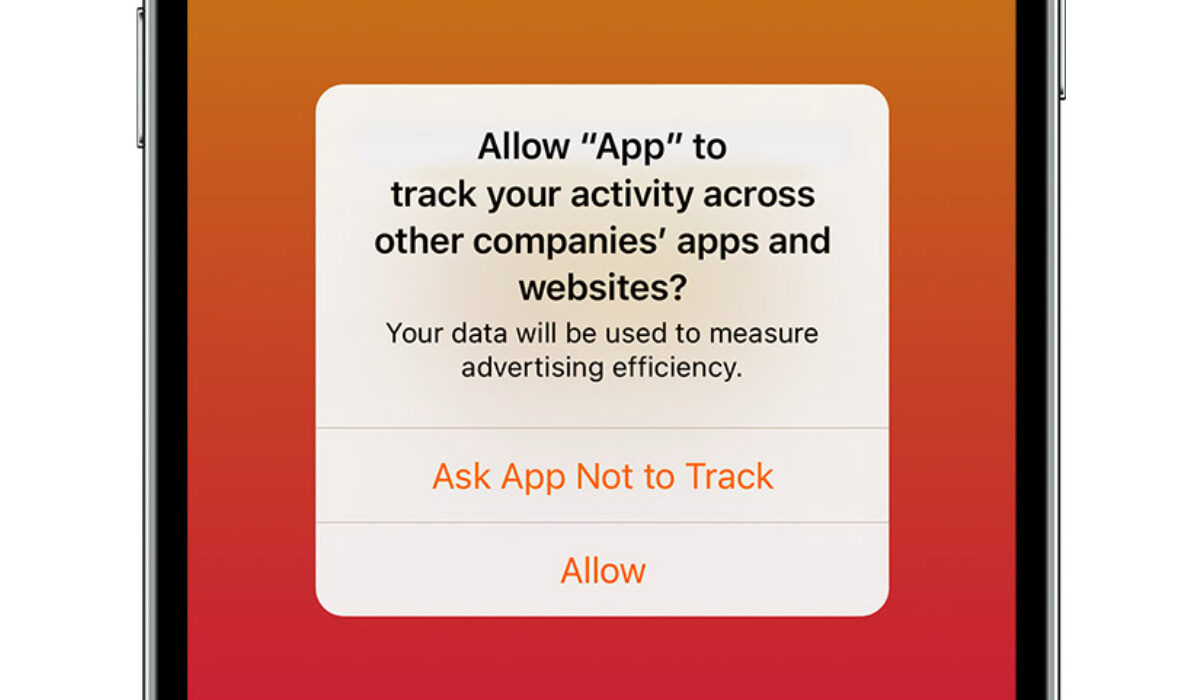
For now, you can prevent apps from tracking you on your iPhone, thanks to a tool that Apple built into iOS 14.5 and later. It is called App Tracking Transparency and requires that apps ask for permission before tracking your activity across other companies’ apps and websites.
The App Tracking Transparency feature puts the power in your hand to deny an app access to your iPhone’s Identifier For Advertisers (IDFA). Note that an app developer might decide circumvent this and keep tracking you despite your instructions, but they would be in danger of Apple banning their apps from the App Store. The app is also not permitted to track your activity using other information that identifies you or your device, like your email address. That is not to say that it is not possible for an app developer to still track you through other means. But at least, these angles are covered.
You Stop iPhone Apps From Tracking You
- How to turn off access to IDFA and stop iPhone apps from tracking you
How to turn off access to IDFA and stop iPhone apps from tracking you
You can stop apps from tracking you at the point of downloading and opening a new app. Your iPhone will prompt you to ask if you want to allow the app track your activity across other companies’ apps and websites. Choose the Ask App not to Track option to prevent it from using your phone’s IDFA to track you.
But it can be tedious doing that for individual apps. There is an option buried in your iPhone settings that enables you to do a device-wide blocking of all apps. To stop all apps on your iPhone from tracking your activities, follow these steps:
- Go to Settings > Privacy > Tracking
- Toggle off Allow Apps to Request to Track .
Once you have done this, the only apps that can track you are those that you individually give permission to do so. You can modify tracking settings for individual apps by going to Settings > Privacy > Tracking . You can access the list of apps that have requested permission to track your activity. Enable and disable tracking for each app, as you please.
This feature exists not just for iPhones but also for iPad and iPod Touch. On any type of iDevice running v14.5 or later, go to Settings > Privacy > Tracking . On Apple TV, go to Settings > General > Privacy > Tracking . Enable or disable as you please, to stop iPhone apps from tracking you.
That’s it. Apple’s App Tracking Transparency is a useful tool to prevent app tracking on your iPhone and other Apple devices. It provides you with a level of privacy from having information that identifies you or your device from being collected by apps and shared with 3rd parties for advertising purposes.
- Don’t miss our reviews .
- Follow us on Instagram , Facebook , Twitter , and YouTube .
Author:InfoDesk
Add MobilityArena as a preferred source on Google
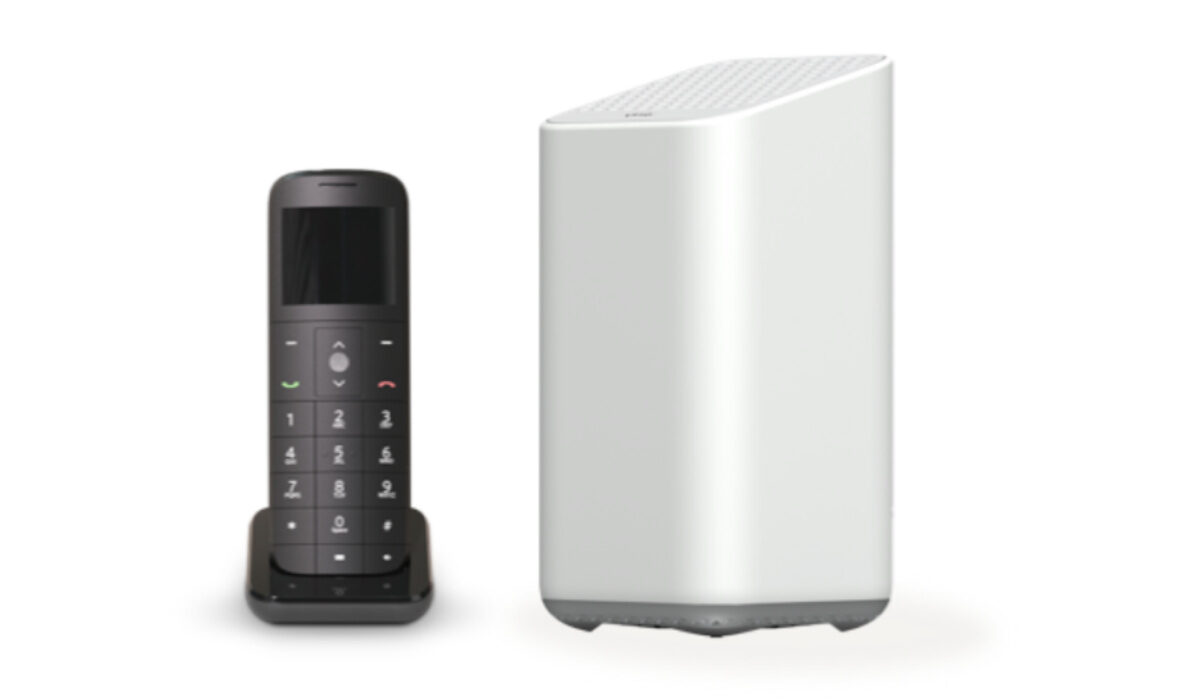
Xfinity’s phone service gives you a crystal-clear connection from your home or office with a digital home phone. Customers are also given unlimited nationwide calling and a variety of international calling plans, plus call blocking tools to help you block unwanted spam calls. Xfinity home phone service price starts from $30 per month.
Xfinity home phone service reviews on Best Company website
I came across reviews on the Best Company site and they had an overall star review rating of 4 out of 5 stars. Let’s begin with the good reviews, there were all of the customers who praised Xfinity’s customer service. Users wrote about how friendly, helpful and competent the company’s customer service is. A lot of customers were happy with how affordable Xfinity’s service and plans are. According to customers, Xfinity has good service, a great selection of phones and stable and consistent internet connection. The company also allows for a flexible contract. It is also easy to activate and they have excellent data and cell coverage. Here’s a few good reviews:
•Great service at an incredible price. I was paying a lot more for a lot less with other companies until I found Xfinity Mobile. They also have a great selection of phones and amazing customer service.
•Excellent coverage, pay by Gig allows for low cost. No service charge. Save over $40 a month from Verizon, my former carrier.
•This is hands down the cheapest phone service out there. As long as you have internet services through Xfinity you are able to get services (credit check of course) which comes with free unlimited talk and text.
Now onto the bad reviews, there were a few who complained about the poor signal strength and not much coverage in some areas. Some customers also had a few complaints about dropped calls and data issues. A customer complained that he had gone to their store three times over five days to purchase a new phone and port a new number but he wasn’t able to and customer service or the employees weren’t able to solve his issues. There were also some complaints about customer service not replying to customers. Here are a few of the reviews:
•Absolutely awful. I’ve been into the xfinity store three times over the span of five days trying to purchase a new phone and port my existing number over to xfinity services… to no avail. My porting process is “stuck in the servers.” The service at the location is absolutely dreadful. No one seems to care about the issue or do anything to resolve it. It’s incredibly frustrating and I’d do anything to just get out of this absolute mess.
•Xfinity cellphones was the cheaper option as we have Xfinity ISP and they were able to bundle. Unfortunately, the signal strength in my home was very poor. We had to replace it so that we could use our cellphones in our home.
•Worst experience ever ! I would never ever recommend this company because I even had a paper contract for 2 years payment plans but still they change after a year my monthly payments they had no light explanation which I understand.
(Source)
Xfinity home phone service reviews on Broadbandnow website
The Broadbandnow site also had an overall star review rating of 4 out of 5 stars. A lot of customers really praised the Company’s customer service, some of them wrote about how they had issues, spoke to a customer service agent and their issues were fixed that same day or the day after. Xfinity’s customer service and tech support were described as good and efficient. Customers were also happy with their affordable and reliable plans. Here’s some of the reviews:
•My internet went out and they at once detected the internet connection issue and resolved the issue quickly! They were extremely professional, knowledgeable, friendly, courteous, and FAST!
•Have had Xfinity for just over a year. Had to relocate and the area we built a new home in does not offer Xfinity. I miss it already. I had great service, never a down time, fast, reliable and every contact with a representative was both friendly and courteous. I’d recommend them to anyone and would have it again if they someday offer service here.
•I had to call Xfinity about my wifi, it was the nicest customer service experience I’ve ever had, she made it so comfortable and easy, made me laugh, and overall made my night better. Thanks, Xfinity.
Now onto the bad reviews, a lot of customers were not really happy with the fact that sometimes they could not speak with a real agent, only automated messages. Some customers had issues with updating boxes and inconsistent internet speed. Some customers’ internet services kept dropping and they had to go without internet for hours. Some customers also complained that their bills were jumped from $80 to #100 after a year without any warning. Here’s a few of the reviews:
•Xfinity has terrible customer service. They make it extremely hard to speak to a live agent on the phone when you have questions and concerns that are not directly addressed by the automated messages when you call their customer service line. They do not treat returning customers well and I think I spend way too much money a month on their internet and cable services to not be able to speak to a customer service agent when there is an issue with something on my bill. Truly disappointed by Xfinity and how they treat loyal customers. Also the service has gotten significantly worse over the years.
•I ordered internet and cable and was told I have a 30-day free trial. I cancelled cable but I was billed for a whole month for the equipment and half a month of service. Other than that everything is smooth sailing with the internet.
•Security System sucks, you have to secure your whole home because Xfinity only secures partial, not all windows and doors. are secure, you have to purchase other equipment to secure all.
(Source)
Last Words
After reading through a lot of reviews, it seems like Xfinity home phone service has high ratings and seems to be loved by a lot of customers, although they still need to make some adjustments.
- Don’t miss our reviews .
- Join our WhatsApp Group , to be notified of the most important articles and deals,
- Follow us on Instagram , Facebook , Twitter , and YouTube .
Author:Dun
Dun enjoys reading and writing, and is always on her smartphone. She currently uses a Google Pixel 3.
