Add MobilityArena as a preferred source on Google
Whether you are switching from one Android phone to another, or from Android to iOS or vice versa, there is no reason why you should be losing your contacts when you switch phones. This is the 21st century and technology solved this problem years ago.
Modern smartphones have full Gmail or Outlook support and can synchronise your Contacts. Once you setup your Gmail or Outlook to synchronise your cell phone contacts, every time you switch to a new phone, all you have to do is setup your Gmail/Outlook on the new phone and all your Contacts are wirelessly copied to the new device. Easy. Also, any changes you make to your contacts in Gmail desktop are synchronised to your device, and vice versa.

How to stop losing your contacts when you switch to a new phone
Here are the steps to take to make sure your Contacts synchronise across devices:
You need a Gmail or Outlook account Every Gmail or Outlook account has the Contacts service attached to it, so if you have one, you’re good to go. If you don’t have one, create one. You can create one on your phone by going to Gmail.com or Outlook.com. If you already have one, you don’t need to create another. You can use your existing account.
Setup On Mobile On the phone where you have your Contacts right now, launch the Gmail or Outlook app and setup your Gmail account on that phone for email. Then go to the Settings menu and check any options to enable synchronisation of Contacts and Calendar. If you had your account setup before now, you are good to go.
Import Your SIM/Phone Contacts If you have your contacts on your SIM or phone contacts, open your Contacts app -> Menu -> Import/Export -> Select to export from SIM/Phone and import to your Gmail/Outlook account.
Once done, you are good to go. All your contacts on your SIM or phone have been added to your Gmail/Outlook Contacts. From now on, to add your cell phone contacts to any new device, just setup your Gmail or Outlook account on the device in question and watch the magic happen.

You can stop losing your Contacts when you switch from one smartphone to another by using Google or Outlook to keep them synchronized.
Note When adding new contacts to your device, always select the option to “Save as Google/Outlook contact”. Some devices will insert your email address in place of Google or Outlook account.
The above steps apply to all modern smartphones, whether it is an Apple iPhone or an Android smartphone. The exact terminologies and menus may differ slightly, depending on how each manufacturer has implemented their software, but the process is the same.
So you remember, here are the steps again: create a Google/Gmail or Outlook account, login to it on your phone, export your phone or SIM contacts and save them under the new Google/Outlook account. And lastly, any time you have to save a new Contact, be sure to save it under your Google or Outlook account. Do not save to SIM or phone.
Now, you do not have to lose your contacts any more when you lose your phone or buy a new smartphone or tablet. Your contacts are stored in the cloud and can be synced to any mobile device just by logging into your Gmail or Outlook account. Bliss.
Did I miss out anything in this tutorial? Do chip in with a comment below, so I can keep refining the guide for you. Got more questions about this? You’re welcome to ask, and I will try my best to answer them.
- Don’t miss our reviews .
- Join our WhatsApp Group , to be notified of the most important articles and deals,
- Follow us on Instagram , Facebook , Twitter , and YouTube .
Author:Mister Mobility
Digital Skills and Communication Coach | Mobile Phone Connoisseur since 2001 | Tech Blogging since 2004
Add MobilityArena as a preferred source on Google
The Big Brother USA show is huge and has grown from strength to strength with each passing year. Millions of Americans watch the show. While it is available as a TV show, you do not have to miss a thing on the Big Brother USA live show just because you are not at home or not in front of a TV screen. Thanks to the mobile-friendly technology and services, you can keep up with the show everywhere you go .
If you are interested in live streaming Big Brother USA shows while away from your TV screen at home, while out on the move or in some other location, you do not have to miss out on juicy parts of your favourite show. Mobile technology and services have improved in the last decade and now bring a new level of access and convenience for users.

We can go on with more examples of why it is a good idea for you to have access to view Big Brother Naija on your mobile. The idea is that regardless of the situation, you do not have to miss your favourite show and keep up with the drama between the 20 housemates who will be spending 10 weeks in Big Brother’s house this year.
Watch Big Brother USA On Your Phone Via CBS All Access App
For a fee that starts at $5.99/month, you get access to live shows, sports, entertainment and more, including Big Brother live feeds.
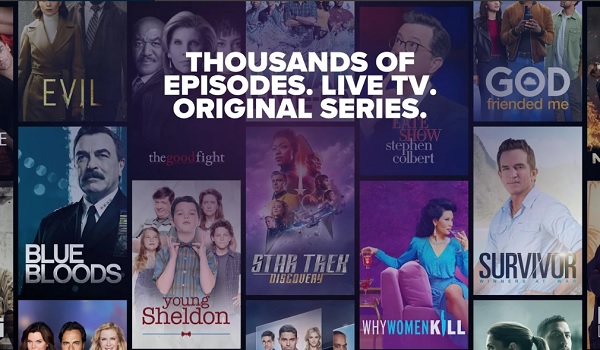
CBS gives a free 7-day trial which allows you to stream CBS live on your cell phone, cell phone, tablet, or other streaming device via the CBS All Access app . , which is available for iPhone, iPad, as well as Android smartphones and tablets.
You can download the CBS All Access app for Android from HERE , while iPhone and iPad users can download it from HERE .
Watch Big Brother USA Via Other Video Streaming Services
HULU + Live TV : The Big Brother USA live show can be streamed via Hulu.com, as well as via the Hulu app. The app is available for both iPhone and Android devices.
YouTube TV : YouTube TV is available on Roku, Apple TV, and Chromecast, so you have quite a number of options for watching the show on your mobile device. The app is available for both iPhone and Android devices.
- Don’t miss our mobile phone reviews .
- Follow our news on Google News .
- Join our WhatsApp Group , to be notified of the most important articles and deals,
- Follow us on Instagram , Facebook , Twitter , and YouTube .
