Add MobilityArena as a preferred source on Google
Macs are very versatile computers. You can take a screenshot on your Mac in different ways – You can capture the entire screen, or just a window on the screen, or just a portion of the screen.
The easiest way to take a screenshot on your Mac is to use keyboard shortcuts. Below are the steps to go about it.
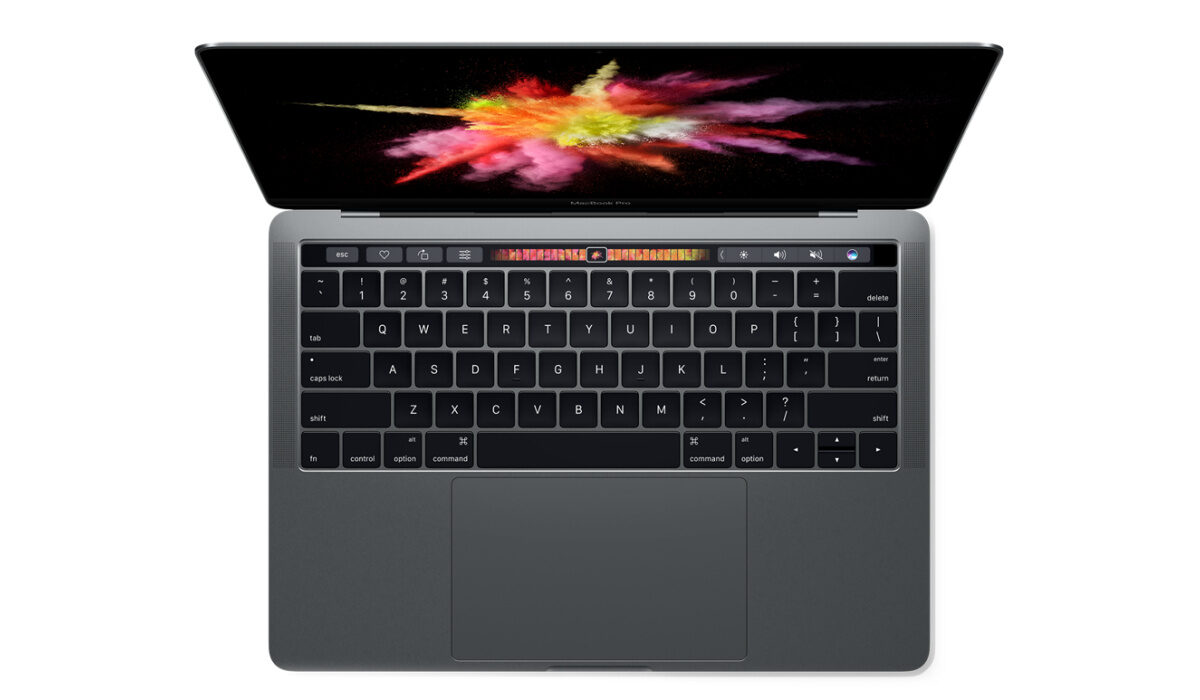
Find instructions on how to take a screenshot on your Mac below.
- How to take a screenshot on your Mac
- How to take a screenshot of a portion of the screen on a Mac
- How to take a screenshot of a window or menu on a Mac
- Shortcut for taking screenshots on a Mac Where are screenshots saved on a Mac?
How to take a screenshot on your Mac
- To take a screenshot of the full screen, press and hold these three keys at the same time: Shift, Command, and 3.
- If you see a thumbnail in the corner of your screen, click it to edit the screenshot. Or wait for the screenshot to save to your computer.

How to take a screenshot of a portion of the screen on a Mac
- Make sure the portion you want to capture is visible on the screen, then press and hold these three keys at the same time: Shift, Command, and 4.
- Drag the crosshair to select the area of the screen to capture. To move the selection, press and hold Space bar while dragging. To cancel taking the screenshot, press the Esc (Escape) key.
- To take the screenshot, release your mouse or trackpad button.
- If you see a thumbnail in the corner of your screen, click it to edit the screenshot. Or wait for the screenshot to save to your computer.
How to take a screenshot of a window or menu on a Mac
- Open the window or menu that you want to take a screenshot of.
- Press and hold these keys together: Shift, Command, 4, and Space bar. The pointer changes to a camera icon. To cancel taking the screenshot, press the Esc (Escape) key.
- Click the window or menu to capture it. To exclude the window’s shadow from the screenshot, press and hold the Option key while you click.
- If you see a thumbnail in the corner of your screen, click it to edit the screenshot. Or wait for the screenshot to save to your computer.
Shortcut for taking screenshots on a Mac
For easy reference, here is a summary of the screenshot shortcuts:
- To take a screenshot of the full screen, press and hold: together: Shift + Command + 3.
- To take a screenshot of a portion of the screen, press and hold at the same time: Shift + Command + 4.
- To take a screenshot of a window or a menu, press and hold at the same time: Shift + Command + 4 + Space bar.
Where are screenshots saved on a Mac?
Any screenshots you take on your Mac are saved to your desktop. You can find them and edit, send, or delete, depending on what you choose to do with them.
- Don’t miss our reviews .
- Join our WhatsApp Group , to be notified of the most important articles and deals,
- Follow us on Instagram , Facebook , Twitter , and YouTube .
Author:InfoDesk
Add MobilityArena as a preferred source on Google
Announced on the 8th of March 2022, Apple’s Mac Studio is an advanced super desktop computer that leaves everything else you know in the dust. It was designed to execute complex 3D rendering at much faster speeds than other computers are capable of. Studio Display is a 27-inch 5K Retina screen, 12MP Ultra Wide advanced camera, and 6-speaker Hi-Fi audio. Together, they are a full-stack multimedia beast.
Mac Studio is built from a monolithic block of Aluminium and has variants powered by Apple’s M1 Max and M1 Ultra processors. The M1 Ultra is a new processor that Apple claims is the world’s most powerful.
According to the company, with this new desktop computer, “users can do things that are not possible on any other desktop, such as rendering massive 3D environments and playing back 18 streams of ProRes video.” You can connect up to five displays to it for work.
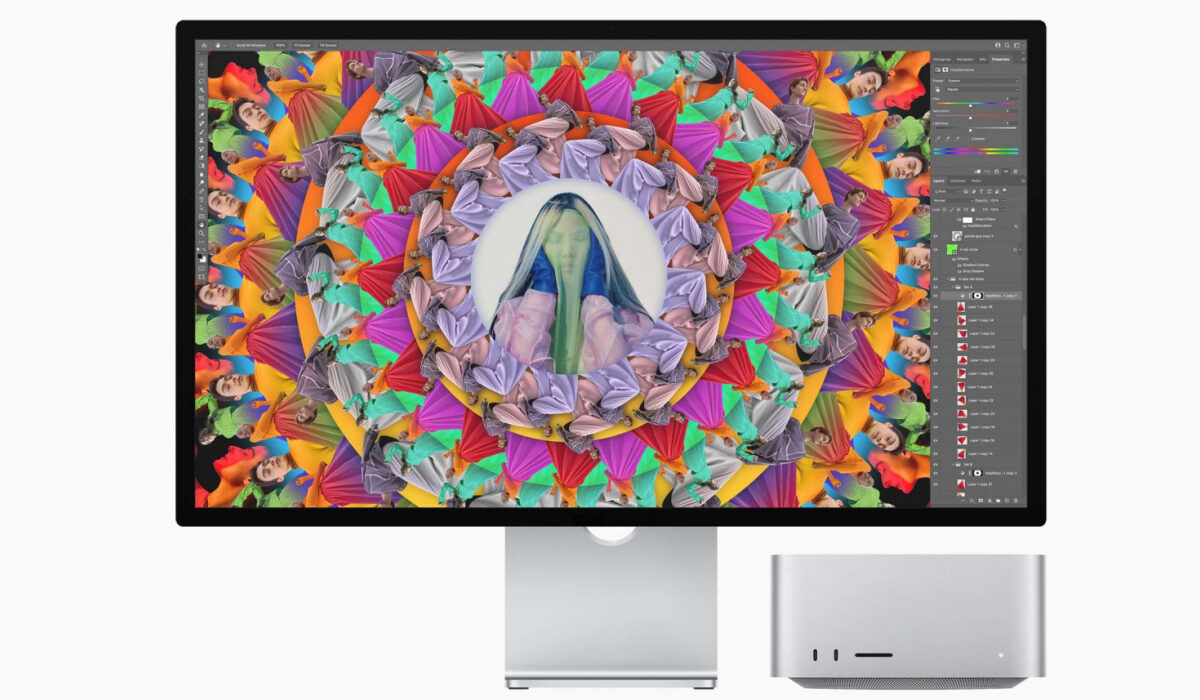
Mac Studio and Studio Display
Specification with Apple M1 Max chip
- 10-core CPU with 8 performance cores and 2 efficiency cores
- 24-core GPU
- 16-core Neural Engine
- 400GB/s memory bandwidth
Media engine
- Hardware-accelerated H.264, HEVC, ProRes, and ProRes RAW
- Video decode engine
- Two video encode engines
- Two ProRes encode and decode engines
Configurable to:
M1 Max with 10-core CPU, 32-core GPU, and 16-core Neural Engine
RAM: 32GB / 64GB
SSD Storage: 512GB / 1TB / 2TB / 4TB / 8TB
Specification with Apple M1 Ultra chip
- 20-core CPU with 16 performance cores and 4 efficiency cores
- 48-core GPU
- 32-core Neural Engine
- 800GB/s memory bandwidth
Media engine
- Hardware-accelerated H.264, HEVC, ProRes, and ProRes RAW
- Two video decode engines
- Four video encode engines
- Four ProRes encode and decode engines
Configurable to:
M1 Ultra with 20-core CPU, 64-core GPU, and 32-core Neural Engine
RAM: 64GB / 128GB
SSD Storage: 1TB / 2TB / 4TB / 8TB
They both support WiFi 6, Bluetooth 5, and Ethernet connectivity, along with four Thunderbolt 4 USB-C ports, 10 Gbit Ethernet, two USB-A ports, one HDMI, a 3.5mm audio jack, and a power connector.
Availability and Pricing
Mac Studio goes on sale on March 18, 2022. The configurations with M1 Max processor start from $1,999 (USA), £1,999 (UK),€2,299 (EU), and INR 189,000 (India), while the config with M1 Ultra processor starts from $3,999 (USA), £3,999 (UK), €4,599 (EU), and INR 389,000 (India).
Studio Display starts from $1,599 (USA).
How much is Mac Studio?
Mac Studio with M1 Max processor starts from $1,999 (USA), £1,999 (UK),€2,299 (EU), and INR 189,000 (India), while the variant with M1 Ultra processor starts from $3,999 (USA), £3,999 (UK), €4,599 (EU), and INR 389,000 (India).
Should you buy a Mac Studio or MacBook Pro?
A MacBook Pro is a laptop, which makes it better suited to individuals who work on the move and so need to be able to carry their computer around. On the other hand, Mac Studio is a desktop computer, meaning it is better suited for the office or home-office desk. Also, the Mac Studio is much more powerful than MacBook Pro.
Which is better, Mac Studio or MacBook Pro?
MacBook Pro is no match for the Studio. There is no competition at all in terms of power and capabilities. Studio is simply much more advanced and powerful.
Mac Studio versus Mac Pro: Which is better?
Mac Studio is a much more powerful computer than Mac Pro. Mac Studio is designed to be able to execute processes that even a Mac Pro would struggle with. Apple says it delivers “up to 90 percent faster CPU performance than Mac Pro”, and “up to 60 percent faster CPU performance than 28-core Mac Pro”.
- Don’t miss our reviews .
- Join our WhatsApp Group , to be notified of the most important articles and deals,
- Follow us on Instagram , Facebook , Twitter , and YouTube .
