Add MobilityArena as a preferred source on Google
If a cell phone is locked to a carrier, it means you can only use a SIM card from that one carrier in the phone. SIMs from other carriers will not connect to the mobile network and will not function for any services. On the flip side, an unlocked phone guarantees that you will be able to use it freely with any compatible carrier. If that is important to you, you definitely want to be able to tell if a phone is locked to a carrier or not.
- Ask At The Store
- The SIM Card Test
- Check The Carrier Lock Status on iPhone
- How to check if an Android phone is locked to a carrier
- What To Do If Your Cell Phone Is Locked To A Carrier
Ask At The Store
The SIM Card Test
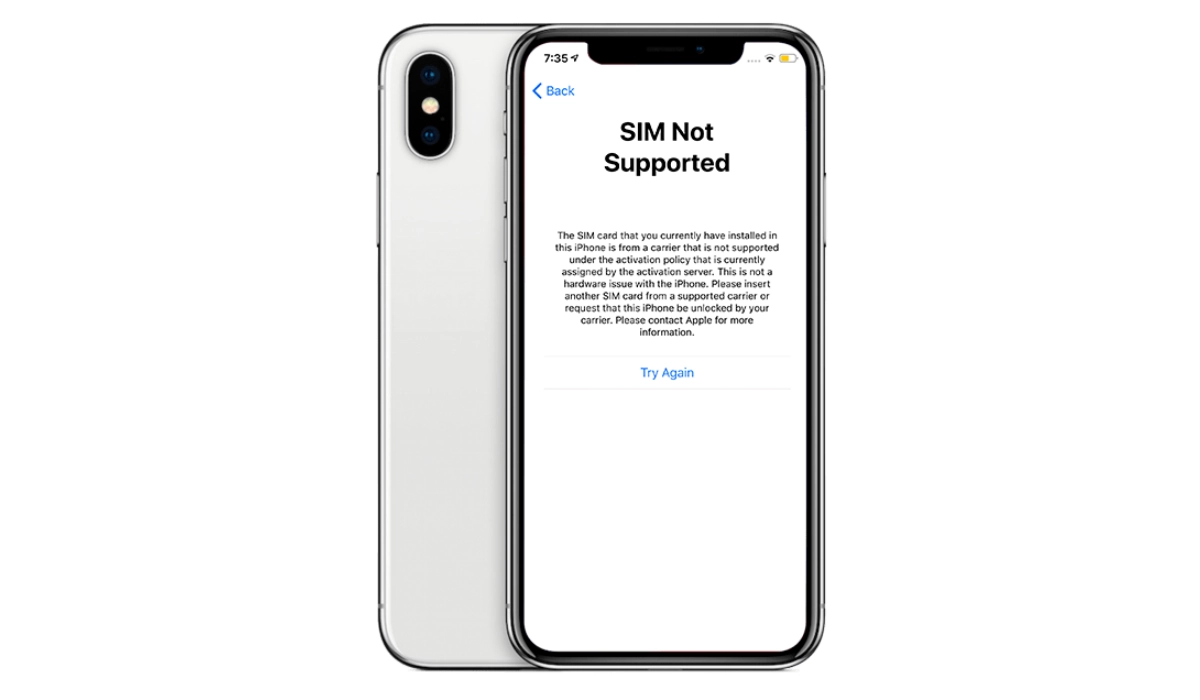
If the smartphone in question is not in a sealed box, the easiest and most effective way to quickly check if it is locked or not is to remove any SIM card on it, and insert one from another carrier. If the phone does not connect to the network and you are unable to make calls, send SMS, and connect to the mobile Internet, that phone is locked to a carrier. If it is a locked iPhone, it will display a message saying the SIM card is not supported and that you need to replace it with a supported SIM card.
Check The Carrier Lock Status on iPhone
Again, this requires that the phone is not in a sealed box. On an Apple iPhone, you can tell if your iPhone is locked to a carrier by checking the Carrier Lock menu.
- On iOS 14 and above, go to Settings ,
- Scroll down and tap on General, then select About.
- Scroll down to the section that says Carrier Lock or Network Provider Lock (in some other countries). If you see the No SIM Restrictions message next to it, your iPhone is unlocked and can be used freely with any compatible carrier or network.
How to check if an Android phone is locked to a carrier
Brands like Samsung, OnePlus, Nokia, Google, BLU, and others, use Android OS which does not have a similar menu to the Carrier Lock menu in iPhones. That does not mean there is no way to check if a phone is unlocked or not.
- On your Android smartphone, open Settings
- Tap ‘Connections’, ‘Network and internet’, or other similar label
- Tap ‘Mobile network’, or similar
- Tap ‘Choose network’ or ‘Automatically select network’. If your phone goes on to list out available networks, it is unlocked. If, however, you can only select one carrier, then that phone is locked to that specified one.
What To Do If Your Cell Phone Is Locked To A Carrier
Whether it is an iPhone or a Samsung phone, Nokia phone, Motorola phone or some.other, if your phone is locked to a carrier, you have two options:
- Unlock it so you can freely use a SIM card from any compatible carrier in it. Notice that I keep repeating the phrase “compatible carrier”. This is because every phone, even when unlocked, has a range of frequencies that determine which networks it can work on. For example, some phones work on T-Mobile but not on Verizon. For more details, read up, Your Unlocked Phone Will Not Work All Over The World Or On Every Carrier .
- Stick with the network carrier that it is locked to.
There are multiple ways to unlock an iPhone , for example. We also have an article about unlocking Walmart Family Mobile phones . Of you choose to unlock a phone, make sure you stay on the right side of the law.
Author:Mister Mobility
Digital Skills and Communication Coach | Mobile Phone Connoisseur since 2001 | Tech Blogging since 2004
Add MobilityArena as a preferred source on Google
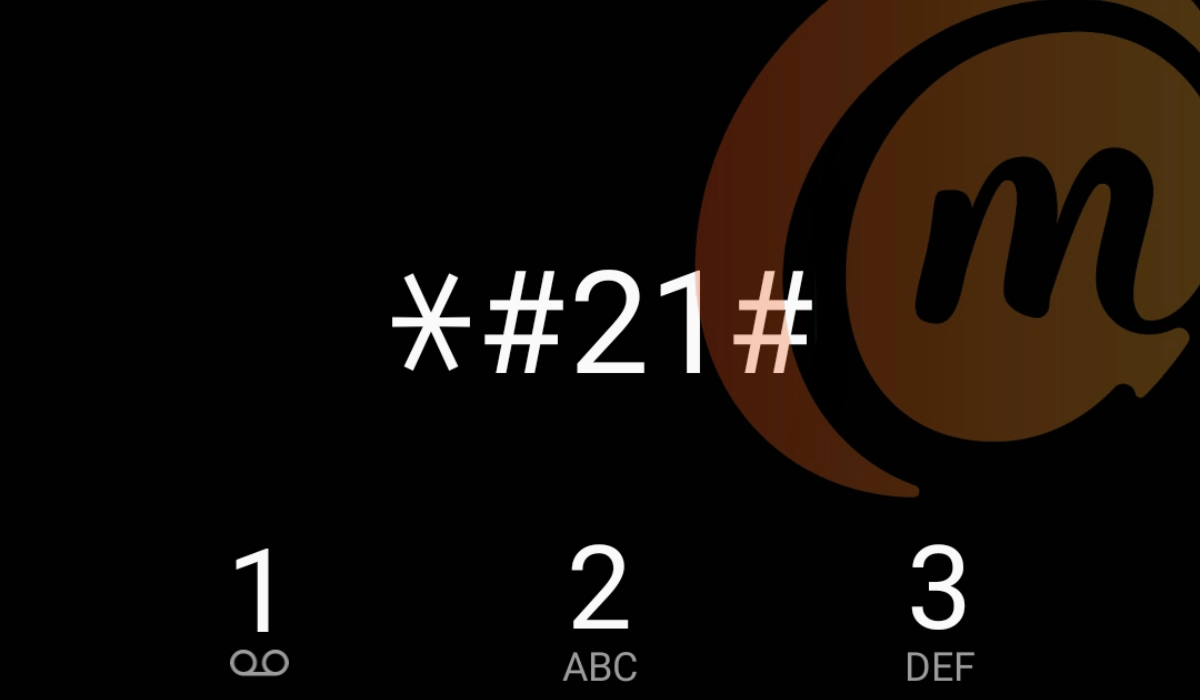
Perhaps like many other phone users, you have seen one or more messages about how the *#21# code is used to find out if someone is monitoring your cell phone. The claim is that when you type either of these two codes on your Samsung phone, other Android phone, or even an iPhone, if it displays that a list of features are enabled, that is proof that your phone has been tapped.
In some of these messages, users are told to discard their phones after this test returns positive. But is this claim true? I have been a mobile technology person since 2001 and I can tell you for certain that the claim is a hoax. Entering *#21# on your cell phone – any type – does not tell you whether your phone has been tapped or not.
*What is #21# used for?
What the *#21# code does on your phone
The question on your mind now must be, “What does the *#21# code do?” That specific code tells you if you have call forwarding enabled on your line. That is it. Call forwarding is a standard cell phone technology that diverts your calls to another number when your phone number is unreachable or unavailable.
For example, one popular use of call forwarding is to divert work calls to another number while you are on vacation, so another member of the team can attend to customers and service providers who need to reach the business. Call forwarding is a useful business feature.
As already mentioned, entering *#21# only shows which call forwarding types are active on your line. It does not reveal whether or not your cellular or mobile number has been tapped.
When I entered *#21# on my iPhone
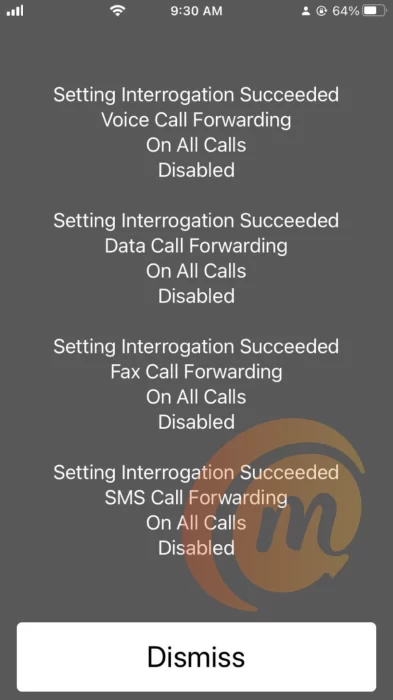
As a way of demonstrating this, I entered the *#21# code on my iPhone and the got the following results listed on the screen:
- Setting Interrogation Succeeded: Voice Call Forwarding On All Calls Disabled
- Setting Interrogation Succeeded: Data Call Forwarding On All Calls Disabled
- Setting Interrogation Succeeded: Fax Call Forwarding On All Calls Disabled
- Setting Interrogation Succeeded: SMS Call Forwarding On All Calls Disabled
The above results tell me that my voice calls, data calls, fax calls, and SMS text messages are not being forwarded. All my calls come directly to my line. Here is the screenshot:
What is the meaning of the ##21# code?
When you dial ##21# on your phone, what it does is erase all your call forwarding. If you have been looking for a way to disable or wipe out any existing call forwarding on your line, this is the code to dial.
How to disable call forwarding on your phone
If you dial *#21# and find that call forwarding is enabled in some way, there is no need to fret or worry. Most likely, you turned it on inadvertently. All you have to do is turn it off now, should you not need it. You can disable call forwarding by dialling ##21# or ##002# on your phone. Please do not dispose of your phone because a hoax says to.
- How To Use The *43# Code To Manage Call Waiting
- Understanding the ##4636## Code for Phone Diagnostics
Author:Mister Mobility
Digital Skills and Communication Coach | Mobile Phone Connoisseur since 2001 | Tech Blogging since 2004
