Add MobilityArena as a preferred source on Google
Photo Shuffle stands out among a vast array of Lock Screen modifications introduced with iOS 16 for iPhone devices. You’ll typically be able to see a variety of photographs on your Lock Screen throughout the day when using Photo Shuffle, sort of like a presentation of your gallery. The photographs that are displayed can be chosen manually, or you can opt for an automatic selection.

How Do I Create A Photo Shuffle on My iPhone?
By hand-picking all the images you love the most, you may manually create a Photo Shuffle. It lets you customize your smartphone in a variety of ways and gives it a uniquely personal feel.
If you somehow lack the time to set this up, you can accomplish it automatically with your iPhone’s settings. Typically on your iPhone, you can also configure an automatic shuffle with featured images. This saves a lot of time and makes it easy for you to use the iOS 16 Photo Shuffle feature. Using Live Photos as your iPhone’s background is also another great feature you can choose for this function.
We’ll go over both of the procedures for making a manual or automatic Photo Shuffle below. The manual method goes thus:
- Use Touch ID or Face ID to unlock your iPhone. Instead of swiping to access the Home Screen, stay on the Lock Screen.
- Tap the Lock Screen repeatedly. You’ll now be able to customize your wallpaper using the available choices that appear on your screen.
- At the bottom of the screen, click the blue plus (+) sign.
- From the top menu, choose Photo Shuffle .
- Select Photos Manually to manually make a Photo Shuffle. Then click Add after selecting all of the desired pictures.
- Use Featured Photos if you’d like a Photo Shuffle that happens automatically. By pressing on “Choose next to People beforehand”, you can decide to take someone out of or add someone to your highlighted photos.
- You may now view how the images appear on your Lock Screen. With a pinch, you may zoom in or out and change the image as necessary.
- To create Photo Shuffle, click Done .
The second technique involves visiting the Settings app on your iPhone. The following are the steps involved:
- Go to Wallpaper under Settings once it’s open.
- Select Add New Wallpaper .
- From the top, select Photo Shuffle .
- The remaining steps are the same. For an automatic shuffle, select the Use Featured Photos option, and for manual selection, click on Select Photos Manually .
Using Shortcuts to modify your iPhone wallpaper on a schedule was the closest thing the iPhone had to this capability before. To check how this option performs for you, you could consider giving it a try as well.
How to Control Shuffle Frequency with iOS 16Photo Shuffle
It’s possible to control the shuffle frequency of the iOS 16 Photo Shuffle feature, which determines how frequently and when the photographs are reorganized. To put it another way, you can decide how or when your iPhone will switch between pictures.
There are, at this point, only four choices: On Tap , On Lock , Hourly , and Daily . At several stages, you can rapidly alter the shuffling frequency.
To activate this setting:
- The Shuffle Frequency setting will be visible on your screen when you open Photo Shuffle through your Lock Screen or your Settings app using one of the aforementioned methods. Tap it, then proceed to select your preferred option.
- Once you’ve added all of your photos to the shuffle, you can also select Shuffle Frequency . After selecting Add and the preview screen has appeared, select More from the bottom menu, select Shuffle Frequency , and then pick your preferred choice.
Summarily , with the methods we’ve described above, you can now completely personalize your Lock Screen with iOS 16 Photo Shuffle. In just a few minutes, you can quickly transform your wallpaper into a slideshow of your favorite people or locations.
We’re sure you’ve found this guide to be helpful and enlightening. Thus, we encourage you to recommend it to other iPhone users you know, so that they can get the best of this great functionality.
- Don’t miss our mobile phone reviews .
- Follow our news on Google News .
- Join our WhatsApp Group , to be notified of the most important articles and deals,
- Follow us on Instagram , Facebook , Twitter , and YouTube .
Author:Joan Agie
Add MobilityArena as a preferred source on Google
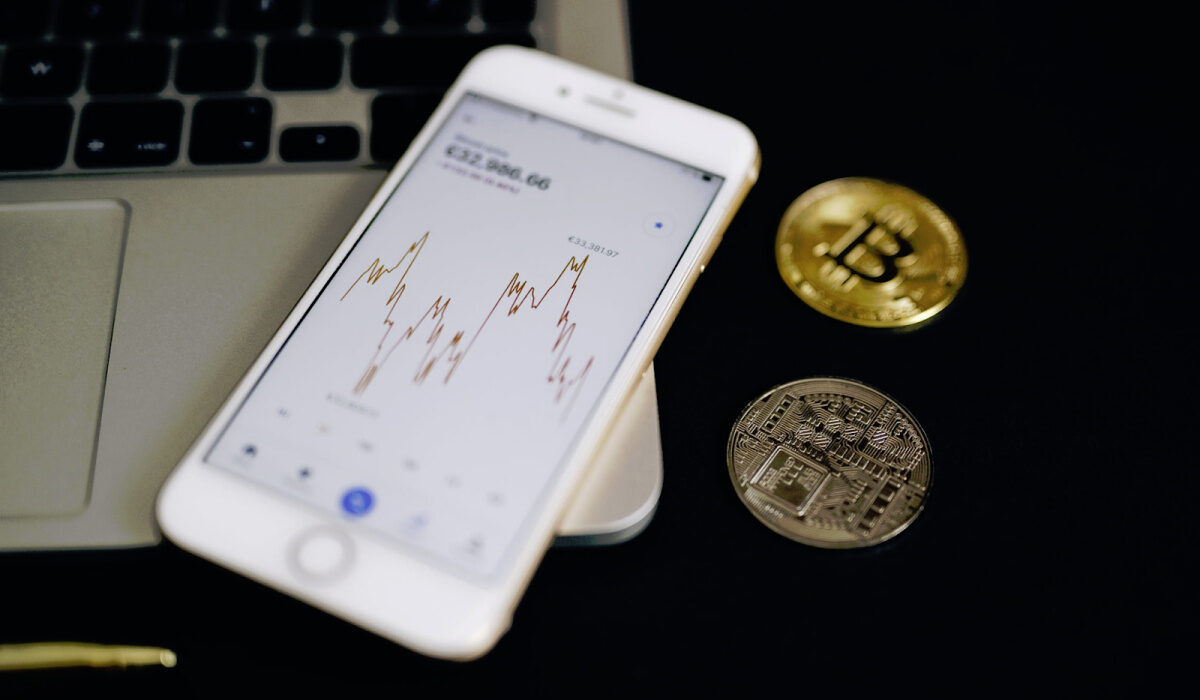
Investor interest in digital currencies is growing as a result of the significant boom that cryptocurrencies have experienced on the global market. Everyone wants to invest in cryptocurrencies. And for many people, one of their biggest worries is figuring out the best cryptocurrency investment platforms because nobody wants to take a chance by putting their money on unreliable websites.
But don’t worry, in this article we’ve listed the best and most trustworthy platform (apps) you can use to invest in cryptocurrency. The following is a list of the programs that, are the best for cryptocurrency investing.
- Binance
- Bit2me
- Bitflyer
- Bitpanda
- Cex-10
- Coinbase
- Coinmama
- Crypto.com
- Gemini
- KuCoins
- Moon
1. Binance
It is regarded as one of the best tools for crypto stock trading. Binance hardly needs an introduction as it is regarded as one of the biggest cryptocurrency exchanges by trading volume. The brand is self-evident.
An iOS and Android app is available for the Maltese trading platform. The app supports a wide range of altcoins (alternative cryptocurrencies), including almost all of the major ones, in addition to Bitcoin and the company’s own cryptocurrency Binance Coin (BNB). It supports futures contract trading with up to 125x leveraged trading on hand BTC-USDT, and it has many advanced features as well.
2. Bit2me
Bit2me is a 2014 creation that offers cryptocurrency trading services. It has offices across Europe, with its headquarters in Spain. However, you can use the site and conduct business from any location in the world. You can purchase Bitcoin and 20 other cryptocurrencies on this platform, including the most well-known ones, accepting a variety of payment methods, including cash, around-the-clock. The drawback of Bit2me is its high trading costs. Fo For Bitcoin, the percentage is 2.76%.
3. Bitflyer
Takafumi Komiyama and Yuzo Kano created BitFlyer in January 2014, making it one of the biggest cryptocurrency market operators in the country. With 2.5 million users, it is one of the biggest exchanges of its sort. The business continually advances by introducing fresh cryptocurrency-related technologies. Users of BitFlyer have access to a wide range of sophisticated trading choices on the platform in the United States, which has been available in Europe since 2017.
4. BitPanda
BitPanda Pro is another of the best platforms for investing in cryptocurrencies. On this cutting-edge trading platform, you can trade well-known digital assets like Bitcoin and Ethereum.
BitPanda Pro is a very active cryptocurrency trading platform that was founded in Vienna. BitPanda Pro is wholly owned by BitPanda. Investors can trade cryptocurrencies and other digital assets on this trading platform for a reasonable fee. Additionally, a variety of digital assets can be swapped for EUR, BTC, and BEST.
5. CEX-10
Since its debut in 2013, this well-known, trustworthy, and safe cryptocurrency exchange has never had any accounts compromised or funds lost or stolen. The primary function of CEX.IO is to purchase Bitcoins right away via the company’s website or iOS and Android mobile apps. It accepts a variety of payment methods, including credit cards, debit cards, bank transfers, Skrill, and more.
6. Coinbase
One of the biggest cryptocurrency exchanges in the world and one of the top programs for investing in cryptocurrencies is Coinbase. It provides a trading program with lots of features that you may connect straight to your bank account. The software accepts a variety of payment options for trading and purchasing cryptocurrency. These consist of Intevac Online, SEPA transfers, debit/credit card payments, and more.
The program comes with a number of cutting-edge tools to assist you in creating a reliable bitcoin wallet. Automatic purchases, immediate price change notifications, secure BTC deposits, etc. Are all possibilities.
7. Coinmama
Coinmama is a platform that acts as an exchange office and acts as an intermediary in the transfer of cryptocurrencies to its users. Since its founding in 2013, it has expanded to more than 180 nations and has over 2,300,000 active users. Since its founding in 2013, it has expanded to more than 180 nations and has over 2,300,000 active users. The site supports ten different cryptocurrencies, with Bitcoin and Ethereum dominating the market. It can be bought using three different sorts of fiat money. The US currency, the euro, and the British pound.
8. Crypto.com
This cryptocurrency payment platform, Crypto.com provides a number of services aimed at bringing the crypto economy to the general public. The “Monaco” brand, a start-up founded in 2017 with the goal of bridging the gap between the traditional financial system and the crypto economy, purchased the crypto.com domain. You may purchase and trade a variety of cryptocurrencies on the crypto.com website. through a debit card (Visa) offered by Crypto.
9. Gemini
The first cryptocurrency exchange in the United States to provide trading between cryptocurrencies and dollars was Gemini. The Gemini trading app is essentially an expansion of the company’s mobile wallet feature, which up until 2018 was the only means for customers to purchase and sell digital assets. You can quickly deposit funds to buy and sell compatible cryptocurrencies with the tap of a finger using this app’s quick loading times and user-friendly layout.
10. KuCoin
Another prominent cryptocurrency exchange with a strong brand and a global presence is KuCoin. On this platform, you may effortlessly use a card to buy your preferred cryptocurrency. KuCoin is simple to use even for new users who have never used cryptocurrency trading apps before, thanks to its friendly user interface. To assist you in managing your investment portfolio, the app provides real-time market analysis tools, price alerts, and analytical candlestick charts.
11. Moon
Many people believe that this service is the finest option for purchasing, selling, and saving Bitcoin and Ethereum. Its interface is simple to use and attractive graphically.
Simply register on the website, fill out the necessary information, and select one of the available authorisation methods to start buying Bitcoin or Ethereum. The system will immediately generate your own wallet during registration, where you can keep your acquired coins.
Author:Moses Udah
Creative, teacher, web content writer, copywriter, and student.
