Add MobilityArena as a preferred source on Google
Is there a Netflix Original film or series that you want to see with a friend but distance hinders you? If your answer is yes, then Netflix Party has got you covered.
The pandemic made a lot of activities and events go virtual. People worked from home, schooled from home, even attended their graduation ceremony from the comfort of their homes. The film industry was not left out in all of this.
Since people could not go to the cinemas to see movies, a lot of people substituted for streaming services such as Netflix . In this article, we will show you an easy way you can watch your favourite Netflix movies and series with your friends even while you are miles apart.
What Is Netflix Party (Teleparty) and How To Use It
Netflix Party (now called Teleparty) is a Chrome extension that enables you to watch original Netflix content with friends and loved ones and engage in conversations while the film plays. So in a way, it gives the feeling that you are all watching together.
Teleparty synchronizes video playback and adds group chat to not just Netflix, but also Disney, Hulu and HBO. So you can use it with those other video streaming services too.
Using the Netflix Party application is easy. Simply follow the guidelines listed below, and you will be on your way to “Netflix and chilling” with your best buddies.
- To use Netflix Party, first ensure that you have an active Netflix account and subscription.
- Now install the Chrome extension on your web browser.
- Open the Netflix web app and select the film you wish to watch.
- Click on the extension icon and start the party.
- Copy the Netflix Party link and share it with your friends.
There are no limits to the number of people that can join the party, so you can share the link with a lot of people. You can also chat during the film by using the chat feature on the extension. As a host, you can only create a Netflix party from your web browser, not the mobile application, and whoever joins does so from the web.
So, grab yourself some popcorn, pick a film, share a link and have a great time with your family and friends.
PS : Netflix Party is now called Teleparty , and is available on Microsoft Edge and Google Chrome for desktop or laptop computers.
- Don’t miss our reviews .
- Join our WhatsApp Group , to be notified of the most important articles and deals,
- Follow us on Instagram , Facebook , Twitter , and YouTube .
Author:KittysTech
Tech analyst, Collins Eshiet, writes about technology. Follow me on Twitter @KittysTech.
Add MobilityArena as a preferred source on Google
If you don’t own a Google Pixel smartphone, you can have access to early builds of Android software updates months before the final product is released. Owners of other phone brands do not enjoy this provilege.
But Samsung is already rolling out One UI 4 Beta to select devices in select countries, so you can get an early taste of One UI 4 Beta on your Samsung phone if you meet the criteria.
What to expect in One UI 4 Beta
Because One UI 4 Beta is based on Android 12, you can expect some of the features and benefits of this latest version of Android. Because One UI hides the native look and feel of Android OS, some of these will be implemented differently from what we have seen in our Android 12 review .
One UI 4 Beta will also feature some of Samsung’s own additions and improvements to Android 12. Also note that it is not advisable to install beta software on your every day phone, as some features may not function properly and spoil your daily experience.
The beta is designed to help Samsung get feedback from users, so they can improve their custom software. If you are sure you want to proceed, below is an easy guide spelling out how to download and install Samsung’s version of Android 12 Beta on your Galaxy smartphone.
How to download Android 12-based One UI 4 Beta
The steps below are simple and straightforward to carry out, thanks to Samsung having made the process user-friendly. You will not have to flash a ROM or carry out any technical procedure. It is as simple as tapping on a few buttons.
- Install the Samsung Members app from the Galaxy Store or Google Play.
- Open Samsung Members app
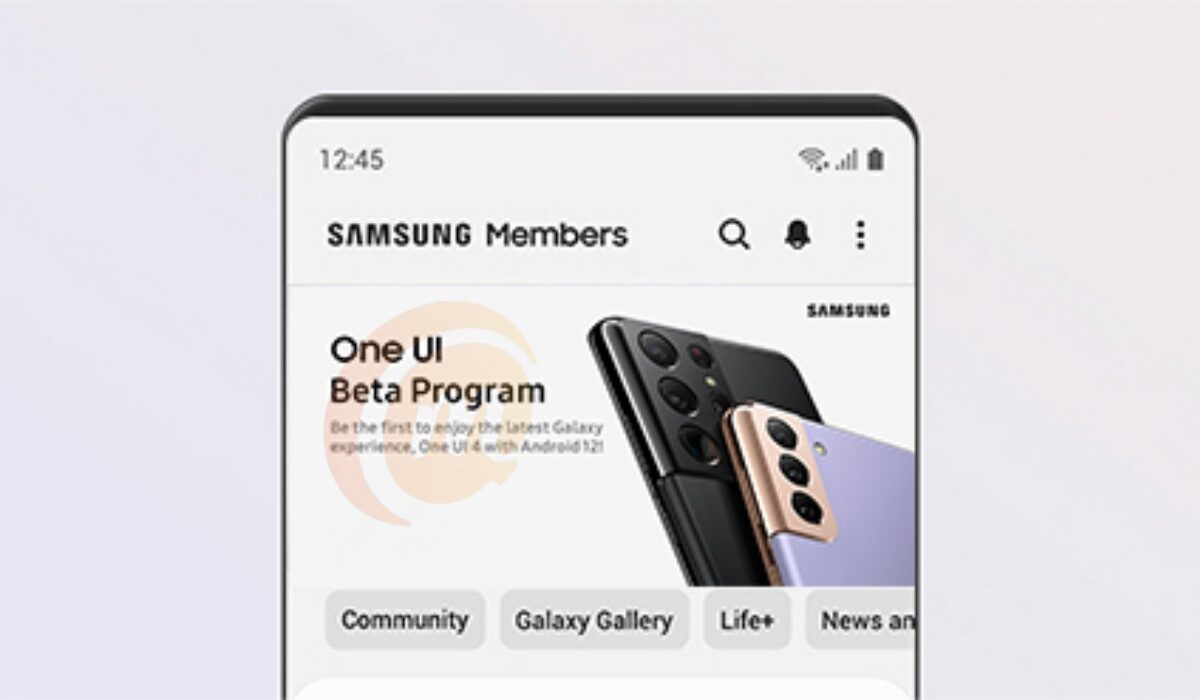
- Once opened, locate the carousel of cards in which you can find an ad for One UI Beta Program . You can also check for the One UI Beta programme in the notice section of the app. Once you find it, tap on it.
- After tapping on the card, in the next page, also tap on the Register button. This will sign you up for the One UI Beta programme.
- Next, to tap the Enroll button. You are now officially enrolled for beta updates.
Samsung will start sending you any available Beta update after a few minutes. In the next section, see how to install the One UI 4 Beta after it has been sent to you.
How to install Samsung Android 12-based One UI 4 Beta
After completing the One UI Beta Program registration, you should wait for an update notification. In case you don’t receive a push notification, then you can freely head to your phone’s Settings , tap on the Software updates menu and wait for a while, your Samsung device will let you Download and install Android 12 Beta.
Samsung Android 12 Beta: Eligible Devices
The following Samsung phones are eligible for the One UI 4 Beta. Samsung is constantly adding to the list.
- Galaxy S21
- Galaxy S21+
- Galaxy S21 Ultra
- Galaxy Z Fold 3
- Galaxy Z Flip 3
- Galaxy S20,
- Galaxy S20+
- Galaxy S20 Ultra
- Galaxy Note 20
- Galaxy Note 20 Ultra
- Galaxy Z Fold 2
- Galaxy Z Flip
- Galaxy Z Flip 5G
- Galaxy Note 10
- Galaxy Note 10+
- Galaxy S10e
- Galaxy S10
- Galaxy S10+
If you do not own anyone of the about phones, or any other that Samsung may add to the list, sorry, but you cannot get the Beta software. That isn’t all: another factor is your country.
Is Android 12-based One UI 4 Beta available in your country?
Location is the last clause that determines whether you will get the Beta update. Samsung says that the One UI 4 Beta is only available in seven countries, as listed below:
- South Korea
- United States (For Unlocked/T-Mobile/Sprint)
- Germany
- India
- United Kingdom (UK)
- China
- Poland
That is it. If you are in any of the above countries, you are in luck. If you are not, you can get the Beta software by flashing your device, if you really must have the beta software update. Otherwise, you are best waiting for when the finished One UI 4.0 software will be available for Samsung phones without restrictions.
- Don’t miss our reviews .
- Join our WhatsApp Group , to be notified of the most important articles and deals,
- Follow us on Instagram , Facebook , Twitter , and YouTube .
