Add MobilityArena as a preferred source on Google
Picture a smart air conditioner that also purifies the air, dehumidifiers the air, has energy saving, and that can be controlled via an app on your smartphone. That is a picture of the LG ThinQ DualCool Premium AC. With the LG ThinQ app, users can operate the air conditioner, change the mode, or set the temperature from anywhere – home, office, or on the road.
The premium air conditioner was launched in Lagos on Friday, 25th of October 2019, when it was introduced into the Nigerian market. It is the first of its kind to be introduced in the Middle East & Africa region apart from the Korean market.

LG ThinQ Dualcool Premium AC has been unveiled in Lagos, Nigeria
What sets the LG ThinQ Dualcool Premium AC apart from the competition
LG ThinQ Dualcool Premium AC is a life changer because it’s beyond just an Air Conditioner as it is packed with health benefits for our consumers and other mind-blowing features that you would desire to have in your kind of AC.
Announcing the launch of this new range of air conditioner, Mr. James Lee, President, LG Electronics, Middle East & Africa Region said; “As a global company, LG Electronics has come a long way in supporting millions of households with quality, cutting-edge technological products. Our philosophy to technology and innovative designs has obviously endeared us to our esteemed consumers in Nigeria and all over the world.
“The new product is equipped with Dual Premium Design and unique features such as LG ThinQ, Air Purification, Ice & Custom Cooling, Energy saving and many more. LG DUALCOOL Premium Air Conditioner comes in Rose Gold and White Colours.
Speaking about the LG ThinQ Dualcool Premium AC, Mr. Lee said “Dual Premium Design is an art of technology inspired by a form of round pillar that sends optimal wind to anywhere. It also has two short-haul and long distance runners inside the air conditioner to operate in the most optimal way in each section to save energy through the help of AI Dual Inverter”.
Compared to the general cooling of 10.8℃ in average, LG DUALCOOL Premium Air Conditioner blows 6.8℃ wind in average to provide instant cooling when it is turned on. Even the electric fans adjust the wind directions. It does not make sense that an air conditioner is unable to adjust the wind directions. The Air conditioner provides custom cooling of direct-indirect winds with up down left right wind control.
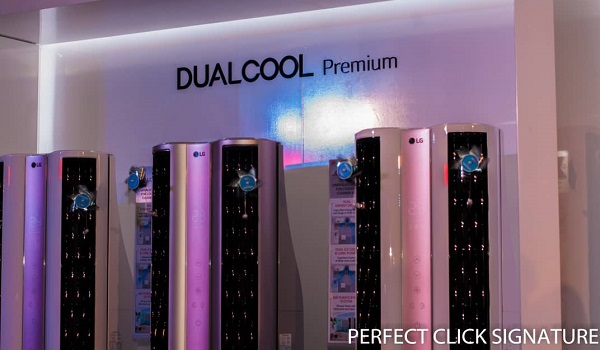
With LG ThinQ TM , users can operate the air conditioner, change the mode or set the temperature from anywhere. LG ThinQ app can be downloaded on the smartphone from Google Play Store by Android mobile phone users or app store by iPhone users.
In his remark, Mr Mohammed Fouani, Managing Director, Fouani Nigeria Ltd, said LG has been consistent in producing quality products that meet the yearnings and aspirations of customers. “Life’s more than having the latest electronics, but about the experiences that technology creates. LG has been consistent in churning out products that create comfort and peace of mind, and we are happy to be one of their distributors.
“I believe the new LG ThinQ Dualcool Premium AC will address the needs of our esteemed consumers who are health conscious and want to live a healthy lifestyle. The new air conditioner is a solution provider to all worries, especially when you are worried about the quality of the air you breathe in. You can be rest assured the LG ThinQ Dualcool Premium AC will beautifully take care of everything.
“As the leading and sole distributor of LG Electronics products all over Nigeria, you can get the new range of ACs at any Fouani Nigeria Ltd outlet evenly spread over the country in Lagos, Port Harcourt, Abuja, Kano, Jos, Asaba, Ibadan and Benin”, he concluded.
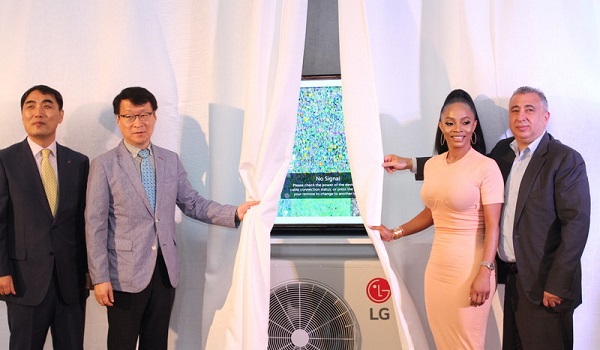
L-R: Mr. Taieck Son, Managing Director, LG Electronics West Africa Operations, Mr. James Lee, Regional President, LG Electronics, Middle East & Africa Region, Ms. Toke Makinwa, Celebrity and a renowned On-Air Personality and Mr. Mohammed Fouani, Managing Director, Fouani Nigeria Ltd at the launch of the LG DUALCOOL Premium Air Conditioner today at Sheraton Hotel Ikeja Lagos, Nigeria.
- Don’t miss our reviews .
- Follow our news on Google News .
- Join our WhatsApp Group , to be notified of the most important articles and deals,
- Follow us on Instagram , Facebook , Twitter , and YouTube .
Author:Content Partner
Add MobilityArena as a preferred source on Google
Lawnchair launcher is easily the best Android launcher available today. It offers a clean user experience and extensive customization options in a lightweight package.
I cannot be the only person who does not use the Google search bar that is often imposed on the home screen of many Android smartphones. I do not use it, and I do not like that it takes up space when it is of no use to me. Thankfully, Lawnchair Launcher lets me remove it while keeping a stock Android appearance.
But beyond the homescreen Google search bar, Lawnchair Launcher has a number of other great features that make it highly recommended for use on your Android phone. Let’s have a look.
The Google Pixel Experience
Personally, my favourite Android user interfaces are Google’s Pixel launcher and Samsung’s One UI. Both are clean, simple, and mostly friendly. Lawnchair is a Google Pixel launcher, meaning that it gives you the look and feel of Google’s Pixel smartphones. Or better still, the closest user experience to them. No; it does not offer you all the features, but using Lawnchair Launcher feels like you are using a Pixel.
But while I like the Pixel user interface, there are two sore points for me. The first one is the Google search bar on the home screen. I dislike it, especially because I never put it to use. Which is why it is a good thing that Lawnchair lets me get rid of it completely.
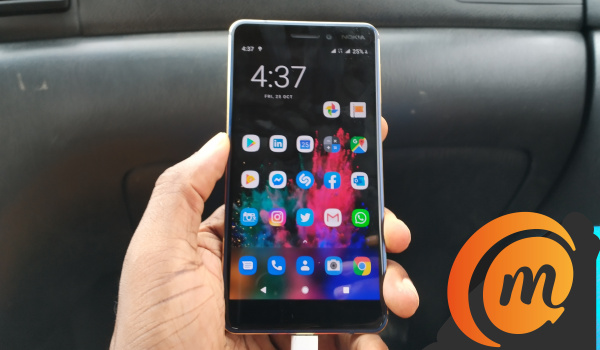
Lawnchair Launcher home screen on the Nokia 6.1
The second thing about Google Pixel launcher that I do not like is how when you do a short swipe up from the bottom of the home screen, it pulls up the task switcher. After that, a second short swipe up opens the app drawer. I find this arrangement clumsy and annoying. Lawnchair Launcher lets me get rid of that. With Lawnchair, there is only one action required to open the app drawer – a single short swipe upwards.
Yes! More user friendly.
No Root!
You do not need to root your droid to use Lawnchair Launcher on it. Just download it from the Play Store, set it up, customize it, and use.
Super Light
Lawnchair Launcher is super lightweight and fast. It is easy on your phone’s resources and runs like it was designed to be there. As at the last time I looked, it was only 3.8 MB in size.
Look, Themes! Go from Light to Black Mode
Even if your Android phone will not get Android 10 and system-wide dark mode, you can get some degree of that with Lawnchair. It has a set of themes that include the traditional Light Mode (white background), Dark Mode (grey background), and Black Mode (background is pitch black). Black Mode is my favourite, of course. Everything looks better in black .
This doesn’t affect the notification menu and phone settings, but the rest of the user interface is modified depending on your choice of theme.
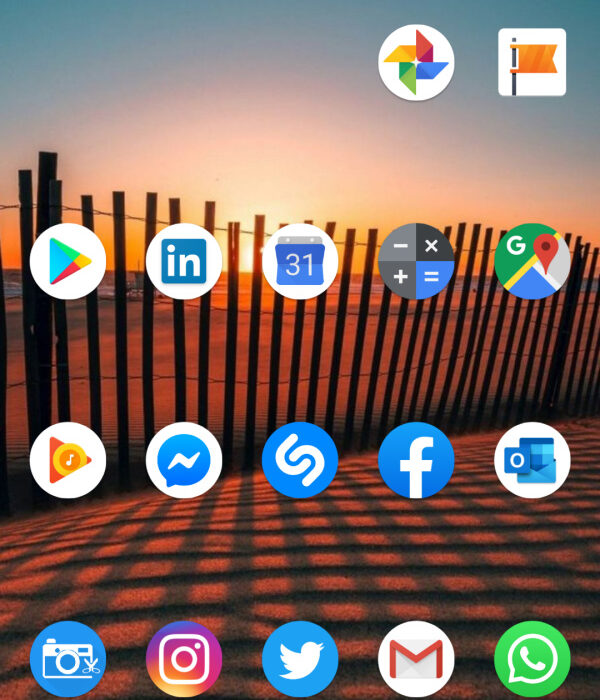
Lawnchair launcher home screen offers the clean Google Pixel experience
Turn off the Google Feed
If you do not like the Google Feed that is usually located in the left pane of the Android home screen, you can turn it off too in Lawnchair.
Modify the Android App Drawer
This launcher app also lets you modify the App Drawer. You can scale, set opacity, determine number of columns and rows, hide icon labels, and much more. The available customization options are legion. And yes, Lawnchair supports icon packs.
Backup Lawnchair Launcher Settings
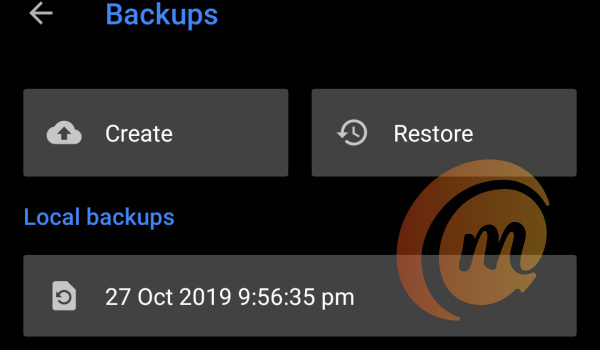
Lawnchair lets you create a backup of your app settings, so you can always set it up again to taste without wading through all the menus.
Simply put, Lawnchair launcher is the best Android launcher
Lawnchair may be new, but it has come to this battle with big guns blazing. It is amazing that it is so customizable, yet so lightweight and also fast and smooth in use. The interface is clean and easy to use as well. The best part is how it lets you get rid of redundant aspects of Pixel Launcher. The overall package simply makes it the best Android launcher available.
Download Lawnchair Launcher
- Don’t miss our reviews .
- Join our WhatsApp Group , to be notified of the most important articles and deals,
- Follow us on Instagram , Facebook , Twitter , and YouTube .
Author:Mister Mobility
Digital Skills and Communication Coach | Mobile Phone Connoisseur since 2001 | Tech Blogging since 2004
