Add MobilityArena as a preferred source on Google
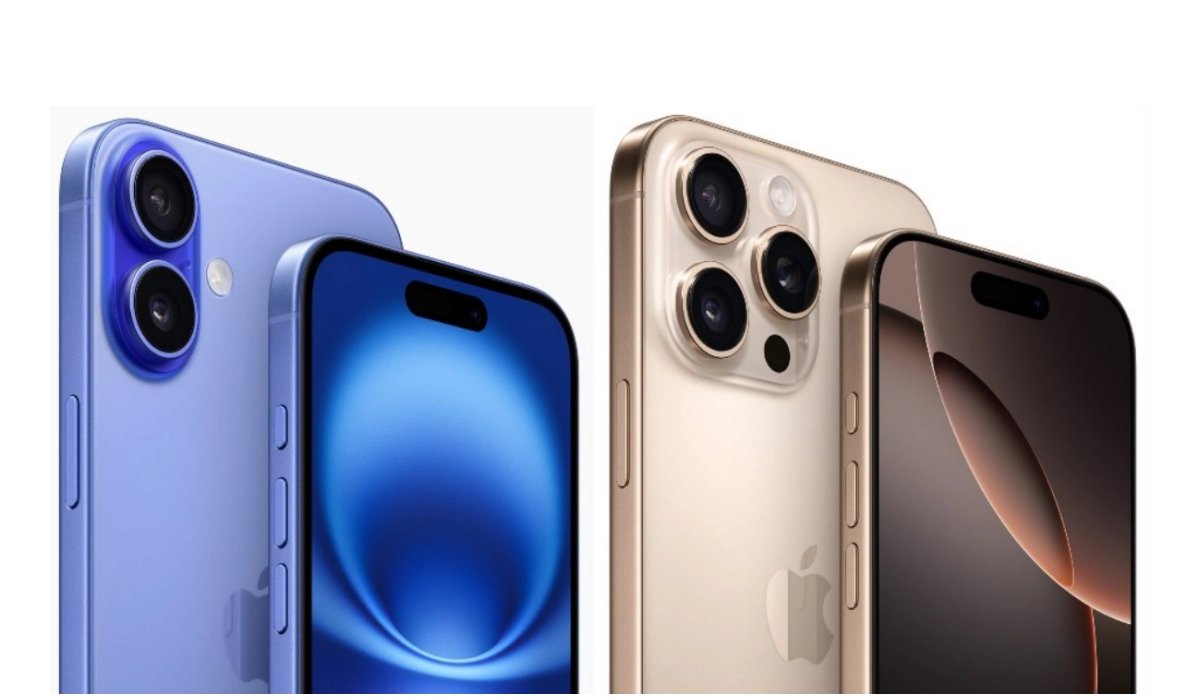
iPhone 16 prices for some of Apple’s core markets are now official. The United States, United Kingdom, Germany, Australia, and Japan, are some of the iPhone’s most successful markets, and we have compiled the list of the prices of all four iPhone 16 models in these countries.
Note that all first three iPhone 16 models have 128GB, 256GB, and 512GB storage options. The iPhone 16 Pro Max does not have a 128GB storage but has a 1TB storage.
- United States
- United Kingdom
- Germany (and the European Union)
- Japan
- Australia
United States
Apple iPhone 16 prices in the U.S. have stayed the same from last year’s prices for the 15 series, so you know what to expect.
The base iPhone 16 starts from $799 for the 128GB variant, then goes up to $899 for the 256GB, and maxed out at $999 for the 512GB variant.
The iPhone 16 Plus has a $899 price tag for the $128GB variant, $999 for the 256GB variant, and $1,099 for the 513GB variant.
The iPhone 16 Pro goes for $999 for the 128GB storage, $1,099 for the 256GB storage, and $1,199 for the 512GB storage.
And lastly, the iPhone 16 Pro Max starts from $1,199 for the 256GB storage, $1,299 for the 512GB storage, and $1,399 for the 1TB storage.
United Kingdom
In the UK, the iPhone 16 goes for £799 for the 128GB storage, £899 for the 256GB storage, and £999 for the 512GB storage.
The iPhone 16 Plus goes for £899 for the 128GB storage, £999 for the 256GB storage, and £1,099 for the 512GB storage
The iPhone 16 Pro goes for £999 for the 128GB storage, £1,099 for the 256GB storage, and £1,199 for the 512GB storage.
And lastly, the big daddy iPhone 16 Pro Max goes for £1,199 for the 256GB storage, £1,299 for the 512GB storage, and £1,399 for the 1TB storage.
Germany (and the European Union)
The iPhone 16 prices listed in this section also roughly applies to other European Union countries like Norway, Luxembourg, Finland, Denmark, Sweden, Belgium, and Austria, as much as they apply to Germany. Any variations in prices will be minor.
In the European. Union (EU), the iPhone 16 goes for €949 for the 128GB storage, €1,099 for the 256GB storage, and £1,199 for the 512GB storage.
The iPhone 16 Plus goes for €1,099 for the 128GB storage, €1,199 for the 256GB storage, and €1,299 for the 512GB storage.
Next is the iPhone 16 Pro which goes for €1,199 for the 128GB storage, €1,299 for the 256GB storage, and €1,399 for the 512GB storage.
Coming up at the rear is the iPhone 16 Pro Max which carries a price tag of €1,499 for the 256GB storage, €1,599 for the 512GB storage, and €1,699 for the 1TB storage.
Japan
Apple iPhone 16 prices in Japan start from JPY 124,800 for the 128GB base model, JPY 139,800 for the 16 Plus (128GB), JPY 159,800 for the iPhone 16 Pro (128GB), and JPY 189,800 for the iPhone 16 Pro Max (256GB).
Australia
Apple iPhone 16 prices in Australia are lower than the prices announced for the iPhone 15 series in the country last year. But who is complaining?
The standard iPhone 16 kicks things off with a price tag of $1,399 for the 128GB base storage version.
The iPhone 16 Plus starts at $1,599 for the 128GB storage variant.
The iPhone 16 Pro starts at $1,799 for the 128GB variant.
The big guy, iPhone 16 Pro Max, starts at $2,149 for the 256GB base storage.
The iPhone 16 series go on sale from September 20, 2024. If you have not pre-ordered, on that date, head out to an Apple store to pick one, or get it from an independent retailer or from your carrier.
Author:Mister Mobility
Digital Skills and Communication Coach | Mobile Phone Connoisseur since 2001 | Tech Blogging since 2004
Add MobilityArena as a preferred source on Google
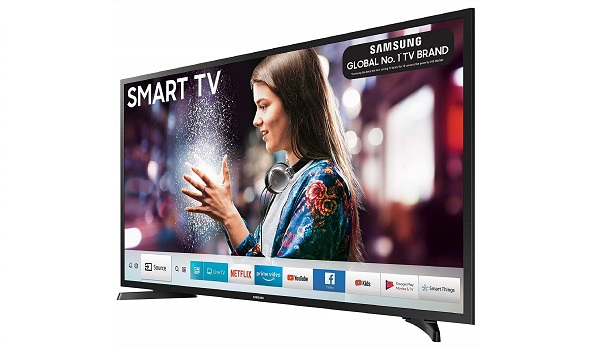
It is safe to say that smart TVs have revolutionized home entertainment, giving a seamless combination of traditional television and advanced technology with the use of internet connectivity. However, just like any sophisticated smart device, smart TVs can suddenly develop various issues that can interrupt the daily viewing experience of users.
I will be exploring, comprehensively, 9 common smart TV problems and how to resolve it, according to the daily quest for solutions to these problems by users from around the globe.
- 9 Common Smart TV problems and their solutions include:
- Wi-Fi Connectivity Problems in smart-TV
- Pixilation IN Smart-TV
- Smart TV not turning on
- Lagging or Slow Performance in Smart-TV
- Blank Screen/No Sound in Smart-TV
- Black Bars on either sides in Smart-TV
- Auto Power Off in Smart-TV
- Remote Control Issues in Smart-TV
- Conclusion
9 Common Smart-TV problems and how to resolve them quickly
9 Common Smart TV problems and their solutions include:
- Wi-Fi connectivity problems
- Pixilation
- Unable to recognize inputs
- Smart TV not turning on
- Lagging or Slow Performance
- Blank Screen/No Sound
- Black Bars on either sides
- Auto Power off
- Limited memory size
Wi-Fi Connectivity Problems in smart-TV

According to the U.S stream content weekly, 80% of households with smart TV are faced with Wi-Fi connectivity issues, which prevent them from streaming their desired entertainment. Simple steps to follow to solve this problem:
- Check Wi-Fi Settings and ensure the correct network name and password are entered
- Restart your router or unplug the router, wait for 30 seconds, and plug it back in to refresh the connection
- Reposition the Router, you can move the router closer to the TV or eliminate obstacles that might interfere with the signal.
- Use a Wi-Fi Extender if the TV is far from the router
Pixilation IN Smart-TV
Another common problem is pixilation, where the picture quality breaks down into small squares with distorted colors. Here are a number of solutions to it.
- If, you use a HDMI cable, ensure it is properly plugged-in into both the TV and the device you’re streaming from
- Also try to access your TV picture settings, locate the TV picture mode settings, refresh rate settings and try to play around the adjustment to see if the pixilation dissolves
- If any of these does not work, you may require the help of a technician
Unable to recognize inputs in Smart-TV
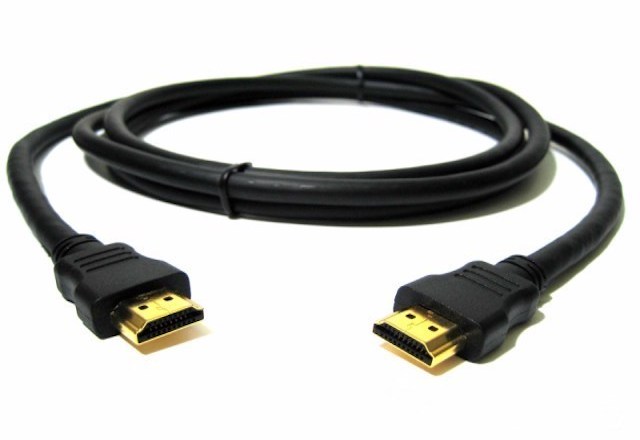
If your Smart TV is not recognizing inputs such as HDMI, USB-playback, etc. you may not be able to connect to gaming consoles, external streaming devices, e3tc. To solve this, you can do the following:
- Check your input settings to be sure you have selected the right input to connect to external devices. Select the “input” or “source” button on your remote control and ensure it matches the devices you want to connect to
- Disable/Enable HDMI CEC: This option allows you to control multiple devices via a single remote control, however, if not properly configured, it could be a problem. Access your TV menu option, Disable/Enable the HDMI CEC and reconnect the device
- You should also check if the HDMI cable is not totally damaged.
Smart TV not turning on
Here’s what you should do when encountered with this issue:
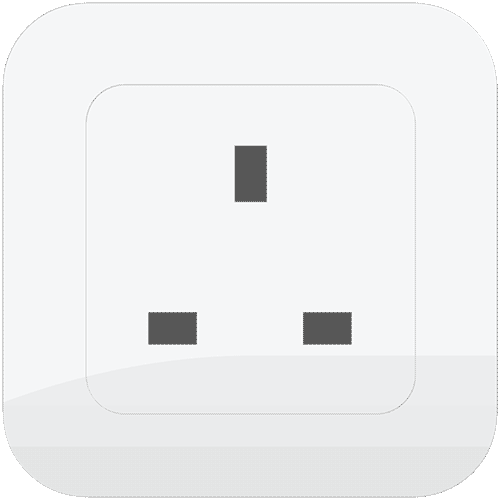
- Plug the TV directly to a power source, sometimes, using a power strip/protector can be the issue, so, just try to plug in directly and turn it on.
- Unplug the TV for 5 minutes, sometimes there’s excess power supply in the TV, this action helps the TV to discharge excessive power supply and remove residual information.
- Try the factory reset button on your TV, ensure your data on the TV is backed up before doing this.
Lagging or Slow Performance in Smart-TV
Smart TVs may experience lag or stuttering during use, affecting the viewing experience. Try to:
- Restart the TV, this refreshes the system and can clear temporary issues. Also, uninstall unnecessary apps and clear cache data to free up memory.
- Check for and install software updates to enhance performance.
Blank Screen/No Sound in Smart-TV
If you have a blank screen or no sound despite the TV being powered on. Solution, try the following:
- Check Cable Connections to ensure all cables are securely connected and try different HDMI ports.
- Verify Input Source to make sure the correct input source is selected in the TV settings.
- Restarting the TV, sometimes, a simple restart can resolve temporary glitches.
- Adjust Audio Settings, check the audio settings and ensure external devices are properly connected
Black Bars on either sides in Smart-TV
Black bars usually happen when the aspect ratio of what you’re watching does not match the aspect ratio of your TV. To fix this, try adjusting the picture settings on your TV.
Auto Power Off in Smart-TV
Another common problem as lodged by users is the Smart TV turns off unexpectedly while in use, simply do the following:
- Disable Sleep Timer, check the settings and disable any sleep timer that may be activated.
- Inspect Power Connections, ensure the power cord is securely connected and try a different outlet if necessary
Remote Control Issues in Smart-TV
The TV’s remote control may not work, or it may not be paired correctly with the TV. To resolve this, simply do the following:
- Replace Batteries, if the remote control is not responding.
- Re-pair the Remote, most Smart TVs make use of Bluetooth remote control, follow the pairing instructions in the TV’s manual to re-establish the connection between the remote and the TV.
- Use Physical Buttons on the TV to navigate the menu and adjust settings as a temporary solution if the remote control is not functioning at all,
- Consider a Universal Remote that is compatible with your TV model. This can provide a convenient alternative to the original remote.
Conclusion
In conclusion, Users can often resolve these issues through simple troubleshooting steps, such as checking settings, restarting devices, and adjusting picture settings. The solutions provided — ranging from checking cable connections to repositioning routers and performing factory resets — empower users to take control of their smart TV experience. Furthermore, recognizing when to seek professional help can prevent further complications and ensure that the TV operates smoothly. As smart TVs continue to evolve and become integral to our daily lives, being equipped with knowledge about common problems and their solutions will enhance user satisfaction and enjoyment. By addressing these issues proactively, users can maximize their smart TV’s capabilities and enjoy uninterrupted entertainment.
