Add MobilityArena as a preferred source on Google
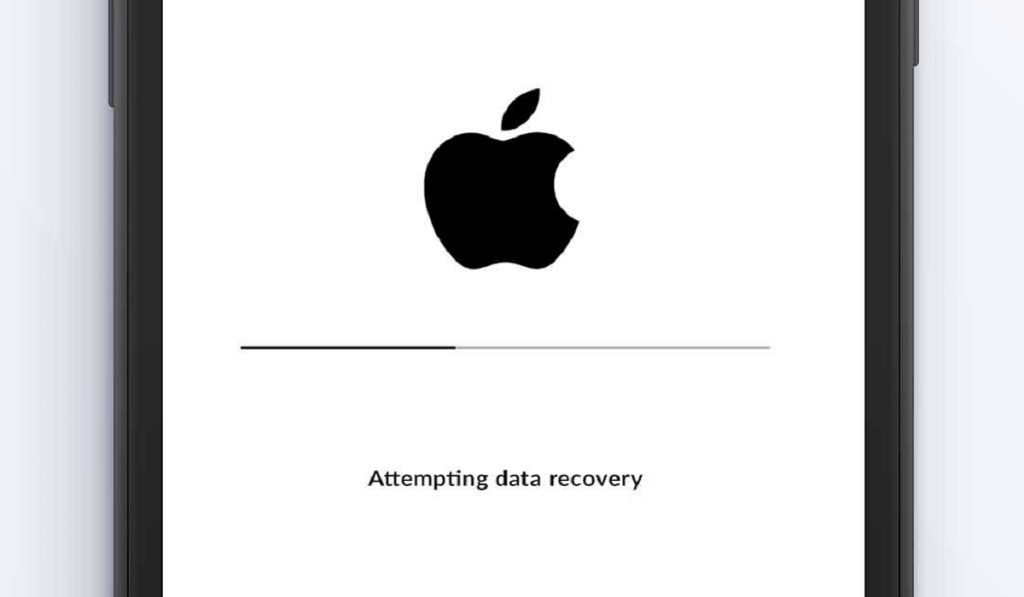
Having an iPhone stuck on Attempting Data Recovery c an be an unnerving experience, especially if it is your first time. You got an iOS software update notification and proceeded to download and install it. But during the reboot process, your darling phone got stuck at that point where it says, Attempting Data recovery.
The first time that happened to me, I freaked out. I had just purchased my iPhone 11 Pro and thought I had done something wrong to mess the phone up. It was not until later that I discovered that I was not a lone in that situation: apparently, many other iPhone users have experienced it, too. Even better, the solution was often not something complicated.
- What Does Attempting Data Recovery Mean?
- How Do I Fix iPhone Stuck on Attempting Data Recovery? 1: Use the Home Button 2: Hard Reset (Force Restart) Your iPhone To Force Restart iPhone 6 and earlier: To Force Restart iPhone 7 and 7 Plus: Force Restart iPhone 8 and later: 3: Use iTunes to Fix iPhone Stuck On Attempting Data Recovery 4: Use 3rd Party Software or A Service Center
What Does Attempting Data Recovery Mean?
As already explained, this message shows up on your iPhone screen when it attempts a reboot after a software update. It appears that the update process was interrupted in some way and the device is trying to fix that so your data doesn’t get lost. A scenario like this is one of the reasons why we recommend that you backup the data on your iPhone, so that should the attempted data recovery process fail, you can always reset your device and restore a backup to it. In the following section, I spell out a few things you can do to fix an iPhone stuck on Attempting Data Recovery.
How Do I Fix iPhone Stuck on Attempting Data Recovery?
Here, I detail a number of different ways to fix an iPhone stuck on attempting data recovery. The first three are all simple processes and tasks that anyone can carry out. If those three do not work, there is a last, more technical solution: if you are a techie person, you will be able to handle it yourself. If you are not, a service center technician will run it for you.
1: Use the Home Button
If you own one of the older iPhone models or even the iPhone SE (2022) with a Home Button, here is another one of those situations in which you have an edge. Pressing the Home Button is one of the things you can do to make your iPhone exit the Attempting Data Recovery screen. Just press it and wait a few moments. If it works, your phone will complete the boot process and start running as usual. If pressing the Home Button does not fix it, or your iPhone does not have a Home Button, move on to the next method below.
2: Hard Reset (Force Restart) Your iPhone
A soft reset is a universal “magic” tool, in that it can fix many issues. Where you have your iPhone stuck on Attempting Data Recovery, a soft reset is not possible, but a hard reset will do. A hard reset is a forced restart – a simple rebooting – of your iPhone. Ordinarily, it does not affect the files and data on your device. But because you are applying it in the middle of an attempt to recover data, there is a possibility that some data can be lost. Again, here is a reminder (for next time) that you should backup your iPhone before running any software update.
If you have a backup already, then you have nothing to fear: force restart your device right way. Here is how to do that, depending on the model you have.
To Force Restart iPhone 6 and earlier:
Press the Home Button and the power button at the same time, and hold them for a few seconds until the Apple logo pops up on the screen. Then let go of the buttons and restart the iPhone.
To Force Restart iPhone 7 and 7 Plus:
Press the Volume down button and Power button at the same time, and hold them for a few seconds until the Apple logo pops up on the screen. Then let go of the buttons and restart the iPhone.
Force Restart iPhone 8 and later:
Press and quickly release the Volume up button. Then repeat the same with Volume down button. Press the power button and hold it until the Apple logo appears on the screen, then let go and restart the iPhone.
If a hard reset solves the problem of your iPhone stuck on Attempting Data Recovery, Yay! Enjoy using your phone. If you lost any data, simply restore an existing backup. However, should the force restart attempt not resolve the problem, it is time to get your laptop or PC and attempt to use iTunes to fix it.
3: Use iTunes to Fix iPhone Stuck On Attempting Data Recovery
If you have an Internet-connected PC – it does not have to be an Apple PC; even a Windows PC will do – you can install the latest version of iTunes and use that to fix your iPhone stuck on Attempting Data Recovery. Note that this process will factory reset your iPhone, wiping everything on it. You will lose all data on the phone (if you have an existing backup, you can restore it later). Your iPhone will also be updated to the latest iOS version. Here are the steps to follow:
- Launch iTunes on your computer and make sure that you have the latest version.
- Connect your iPhone to the computer and put the iPhone in recovery mode by doing the following: Press and quickly release the Volume Down button, then press and hold the top button until it completely restarts and you see recovery mode on your screen.
- You will see a pop up saying an iPhone has been detected in recovery mode and asking to restore the device. Confirm the restore and update and wait for iTunes to complete the process.
If this works, your iPhone will restart and function normally again. If you have a backup, this is the time to restore it. However, if this process does not work, don’t give in to despair; this is not the end of the road for your iPhone. You just need a more technical solution.
4: Use 3rd Party Software or A Service Center
There are a number of available 3rd party tools that offer the ability to fix an iPhone stuck on Attempting Data Recovery. They include: EaseUS, uBackup, PhoneRescue, UltFone, among others. Using a 3rd party software can sometimes be daunting, especially if you are not a technical person. In this case, I recommend that you take the iPhone stuck on Attempting data Recovery to an official service center, so someone qualified can help you with the process.
Author:MobileChic
That motivated, gadget-loving geeky chic who tries to stay on top of things. Unapologetic iFan.
Add MobilityArena as a preferred source on Google
What are hotel smartphones? They are room-docked smartphones provided to hotel guests as complimentary additions to their rooms. Exact implementation may vary, but such phones are able to offer a wide range of customized experiences of convenience.
For example, anyone who has done a fair bit of international travelling knows that feeling of being disconnected right after arriving at your destination. Even if your line can roam, you know that voice and data roaming charges can be a pain in your wallet or bank account, so you avoid making calls or turning on your mobile data, as much as possible.
At most airports, you get free Wi-Fi, but once out of that area, you are on your own. You get to your hotel room and have to make arrangements to get connected. Of course, many hotels now also offer free Wi-Fi. Some hotels are going a step further by providing guests with smartphones they can use all through their stay. Back in 2014, Engadget writer, Zach Honig, reported his experience with hotel smartphones at the the Hyatt Regency Tsim Sha Tsui, a Hong Kong hotel:
Last month, the Hyatt Regency Tsim Sha Tsui in Hong Kong installed handsets in each of its 381 rooms. Guests can use the phone throughout a stay, with unlimited data (and tethering!), and calls to Hong Kong, the US, UK, Australia, China and Singapore included for free. It comes with Facebook, Instagram, Skype and a handful of travel applications pre-installed, and once you type in your Google credentials, you can add any other apps you want. Then, when you’re ready to check out, simply tap the “clear data” button to wipe your personal info and return the device to its original state, so it’s ready for the next guest.
Specifically, the handset provided was the Android-powered Alcatel Idol X. Well, you weren’t expecting anything in the class of HTC One; were you? Anyway, we think that this is a brilliant value added service for travellers who often have to swap SIMs on arrival in a new country and worry about getting online and staying connected. Mister Mo’s recent Ghana trip is a case in point.

What Are Implementations And The Benefits Of Hotel Smartphones?
Traditional room intercom can now be replaced with these smartphones, for guests to use in communicating with the hotel’s staff and services. Imagine a room phone with menus that let you order your meals from the kitchen without making a voice call. The phone can be pre-loaded with the full food and drink menu, so you can conveniently pick and choose what you want, and also specify exactly what time you want it.
Hotel smartphones can be pre-programmed with local emergency numbers (Police, Fire etc), so guests can conveniently get help should they need to. They can also be pre-loaded with local tourism and business information, as well. The possibilities of customisation and added value are abundant. Each hotel can offer as much a customized mobile experience as they desire to.
Such phones can also come with a local SIM card pre-loaded, so international guests have a local phone line to use on arrival and all through their stay. The user only needs purchase airtime for their use of voice and data.
It may not be something that every hotel can afford yet, but I think that more 4 – 5 star hotels should implement this and make their clients’ stay more comfortable. The Hyatt Regency has set the pace. Sheraton, Hilton, and others, over to you.
Author:MobileChic
That motivated, gadget-loving geeky chic who tries to stay on top of things. Unapologetic iFan.
