Add MobilityArena as a preferred source on Google
Like many people, you have probably wondered why your cell phone hangs, freezes, or pauses in the middle of you carrying out a task with it. Phone hanging is a very common issue experienced by smartphone users. Resolving the issue is not a difficult thing. We have compiled a list of the top reasons why your phone may be hanging, along with easy solutions that you can carry out.
Low Internal Storage Space Can Lead To Phone Hanging
Check your smartphone’s internal storage. If it is getting full, with less than 10% space left free, chances are that it will slow down your phone and even lead to hanging. To resolve this, delete unimportant apps, videos, files (or move them to a memory card).
A Rogue App Can Leave Your Phone Hanging
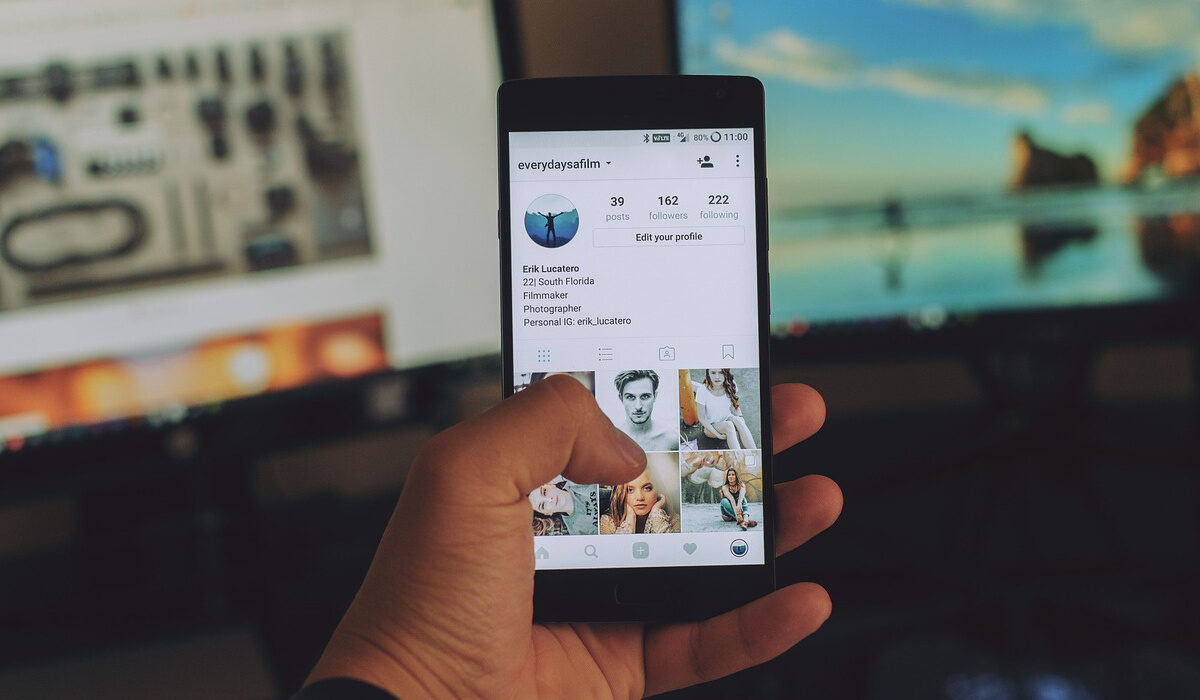
Look at the most recently installed applications just before the instability/hanging started. If you did install some apps around that time, chances are that one or more of them are responsible for the hanging. Make a list of the apps, then uninstall all of those apps on the list. If your smartphone runs better after uninstalling them, then it is clear that one or more of them is the culprit. If they are all non-essential apps, you can forget about them and move on.
However, if one of those apps is important to you, you can do something to pinpoint the specific rogue app. Re-install the deleted apps one at a time and check to see how your phone behaves after installing each. You should be able to narrow down the list to the particular app that is messing things up. Once confirmed, delete that app and keep the others.
Too Many Apps Running In The Background
If you have too many apps running at the same time for a long period, this can make your smartphone hang. Shut down some of the apps that are running. Your phone hanging problem should go away, if this was the reason for the problem. You will have to continually keep an eye on running apps though, especially if your phone has a low RAM amount.
Phones with less than 2 GB of RAM are especially probe to this. If your phone has 4 GB RAM and above, you have very little to worry about this happening. You can run many apps at the same time without issues.
A Software Issue May Be Responsible
Underlying software issues can be responsible for your cell phone hanging. Usually, a restart helps. But in extreme cases, a factory reset may be required. This clears up your phone and returns it to factory settings and state. Note that this will delete your apps, videos, music and other files permanently. As such, you should backup all your files before carrying this out. To do a factory reset, go to the Settings menu of your phone and look under Backup & Reset .
Hardware Damage Is Possible, Too
If you have tried out the above solutions and none of them worked, perhaps your phone may have a hardware damage responsible for the hanging. It may be time to visit a service centre to have it checked out.
- Don’t miss our mobile phone reviews .
- Follow our news on Google News .
- Join our WhatsApp Group , to be notified of the most important articles and deals,
- Follow us on Instagram , Facebook , Twitter , and YouTube .
Author:Mister Mobility
Digital Skills and Communication Coach | Mobile Phone Connoisseur since 2001 | Tech Blogging since 2004
Add MobilityArena as a preferred source on Google
The Galaxy S8 Plus is the bigger twin to the Galaxy S8 . If you want everything in the Galaxy S8 in a bigger package, this is the phone for you.
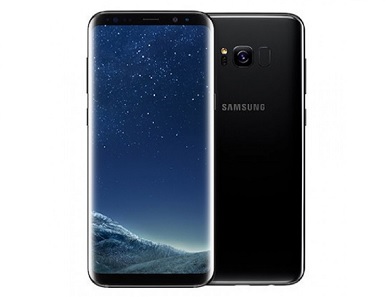
Sporting a huge 6.2-inch Super AMOLED display, it is water and dust resistant, has a fingerprint scanner and is powered by a 3500 mAh battery. And finally, Samsung’s digital assistant, Bixby, is here. So is Samsung DeX – desktop experience support. Have a look at the rest of the Samsung Galaxy S8 Plus Specs.
Samsung Galaxy S8 Plus Specs
Network and Software
- GSM : GSM
- 3G : HSDPA
- 4G : LTE Frequency Bands 1(2100) / 2(1900) / 3(1800) / 4(1700/2100) / 5(850) / 7(2600) / 8(900) / 12(700) / 13(700) / 17(700) / 18(800) / 19(800) / 20(800) / 25(1900) / 26(850) / 28(700) / 38(2600) / 39(1900) / 40(2300) / 41(2500)
- SIM Type : Nano SIM – Single and dual SIM variants
- OS : Android OS v7.0 Nougat + Grace UI
Design
- Dimensions : 159.5 x 73.4 x 8.1 mm
- Weight : 173 g
- Display : 6.2-inch 1440 x 2560 pixels, 568 PPI, Super AMOLED Curved display, Always-on display, with Corning Gorilla Glass 5
- Build : Aluminum body + Corning Gorilla Glass 5 back panel + IP68 certified – dust proof and water resistant over 1.5 meter and 30 minutes
- Colours : Midnight Black, Orchid Gray, Arctic Silver, Coral Blue, Maple Gold
- Sensors: Fingerprint, Iris, Accelerometer, Proximity, gyro, compass, barometer, heart rate, SpO2
Hardware
- Processor Type : 64-bit Octa-core 2.45 GHz
- Processor Name : Qualcomm MSM8998 Snapdragon 835 / Exynos 8890
- Graphics Processor : Adreno 540 / Mali-T880 MP12
- RAM : 4 GB
- Internal Storage : 64 GB / 128 GB
- External Storage : MicroSD card up to 256 GB (dedicated in single SIM variant)
- Cloud Storage : 115 GB OneDrive
Cameras
- Rear : Dual 12 megapixel, f/1.7, 26mm, autofocus, OIS, LED flash, HDR
- Video recording : dual-video rec., 2160p @ 60 fps
- Front-facing : 8 megapixel, Auto HDR
Multimedia
- Music Support : mp3, aac, aac+, eaac+, amr
- Audio : Regular
- Loudspeaker : Stereo
- Video Support : mpeg4, h.263, h.264
- FM Radio : Yes
Connectivity
- Bluetooth : v4.0
- WiFi : Wi-Fi 802.11 a/b/g/n, Wi-Fi Direct, hotspot
- GPS : Yes
- USB : microUSB v3.1; USB-C
Miscellaneous
- Payment : Samsung Pay (Visa, MasterCard certified)
- Charging : Adaptive Fast Charging
- Battery : Non-removable Li-ion 3,500 mAh
- Announced : March 29, 2017
- Availability : April 21, 2017
- Samsung Galaxy S8 Plus Price : $850 / €909
For more Samsung mobile price and specification resources, do not forget to check our Samsung Specs archives .
- Don’t miss our reviews .
- Follow our news on Google News .
- Join our WhatsApp Group , to be notified of the most important articles and deals,
- Follow us on Instagram , Facebook , Twitter , and YouTube .
