Add MobilityArena as a preferred source on Google
By definition a dual flash drive has two connectors so it can plug into both your smartphone and your PC as you need. I have owned and used dual flash drives for years, but this was the first time I was using one that worked with iPhones. The file systems on iPhones are not designed to be accessible the way the one on computers and Android phones are. The iXpand Mini flash drive, made by Western Digital, is a dual flash drive that plugs into iPhones and iPads, as well as Mac and Windows computers.
A flash drive that can work with an iPhone or iPad so you can manually and automatically move files on and off your iDevice is certainly innovative. That is something novel, and I was eager to see how it works.
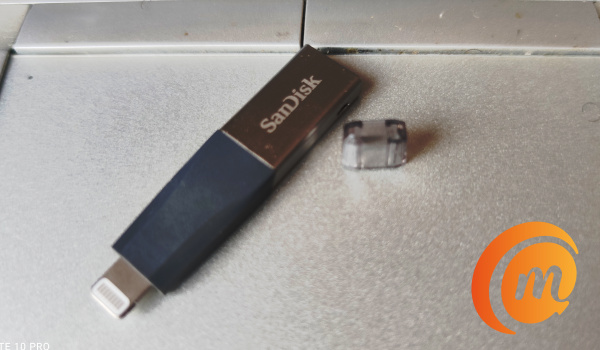
This is what the iXpand Mini dual flash drive looks like
The iXpand Mini dual drive has two connector ports – a standard PC-compatible USB-A connector, and an iPhone-compatible Lightning connector. The Lightning connector has a transparent protective piece of plastic as a cover, while the USB-A connector is exposed, having no cover.
It is quite lightweight and slim, which makes it convenient to carry around – and also to forget in a pocket or a purse. Be sure to keep an eye on it.
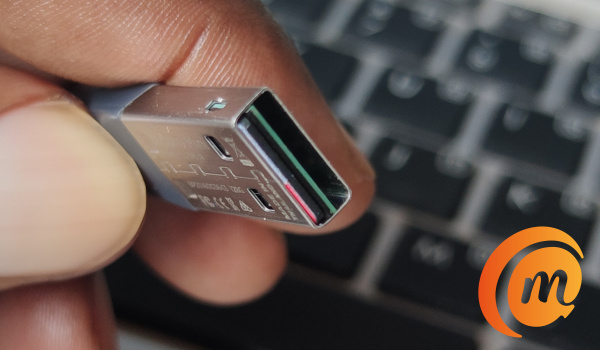
This is the USB-A connector end of the iXpand Mini flash drive
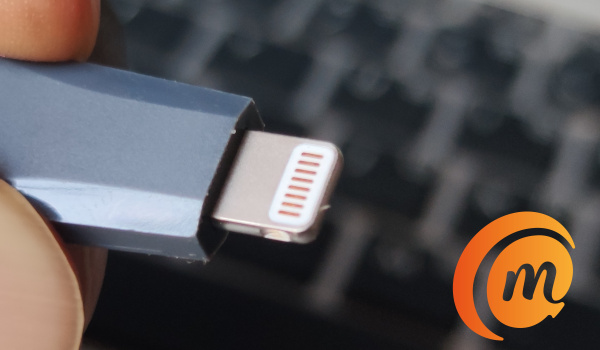
And this is the Lightning connector end that plugs into iPhone and iPad
iXpand Mini Flash Drive Specs
- Storage Capacity: 32GB / 64GB /128GB / 256GB
- USB Type: USB 3.0
- Connectors: Lightning; USB-A
- PC/Mac computer compatibility: Windows® 7, Windows 8, Windows 10, Chrome OS, Mac OS X v10.9 and higher
- Mobile device compatibility: iPhone 5, iPhone 5c, iPhone 5s, iPhone 6, iPhone 6 Plus, iPhone 6s, iPhone 6s Plus, iPhone SE, iPad Air, iPad mini, iPad mini 4, iPad Pro 12.9″, iPad Pro 9.7″ iPad with Retina display, iPod 5th Generation and newer, with Lightning connector and iOS 8.2+.
iXpand Mini Flash Drive Review: In Use
Our review unit is of 32 GB capacity. Plugging it into my Windows 10 laptop, it plays the typical audio prompt and opens a file manager window to reveal the contents of the drive. The contents include folders and files. It does everything you have been able to do with a flash drive in a PC.
We have been plugging USB drives into laptops for ages and you already know how to use it that way. The novelty is worn, and I bet you are not reading this review because the iXpand Mini Dual Drive can be plugged into a laptop.
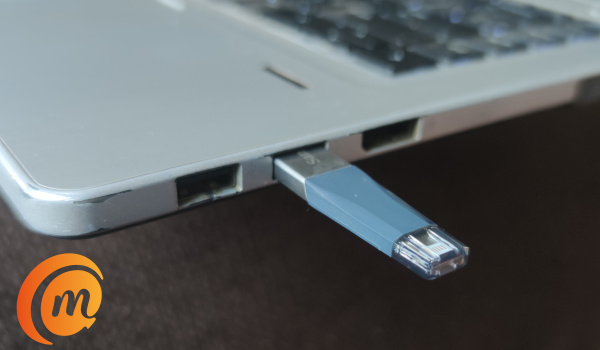
iXpand Mini flash drive plugged into a Windows PC. It works with Mac computers too.
You are likely reading this review to see how the dual drive works with an iPhone, so we will skip to that. The iXpand Mini flash drive works as it should with a laptop. That’s all there is to that.
Using iXpand Mini Flash Drive With iXpand Drive App
Knowing the iPhone’s file system architecture, I suspected that there was no way the iXpand Mini flash drive would work plugged into an iPhone without an app making it possible. So, before installing the iXpand Mini flash drive app, I plugged the USB device into an iPhone. I was not disappointed.
The iPhone promptly popped up a message to said, ‘App Not Installed: The accessory “iXpand Flash Drive uses an app you do not have installed. Would you like to get it from the App Store?”‘ Just as expected. So, while the SanDisk Ultra Dual Drive C can work with an Android smartphone whether the compatible app is installed or not, the iXpand flash drive for iPhones and iPads requires its app to function.
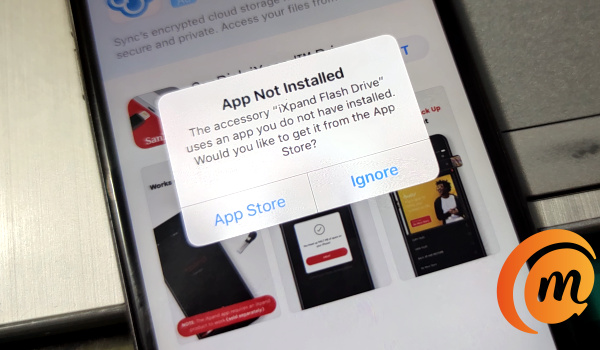
I tapped on the “App Store” option and proceeded to install it and we were ready to go.
What is the iXpand Drive App all about? In a nutshell, it is a tool that helps you back up, transfer and manage photos, videos and files between your iPhone, iPad and computers (Windows and Mac). It also gives you access to your iPhone’s file system – at least a portion of it, so you can move files around and copy, paste just like you would on a computer or on an Android phone.
Being able to access your files on an iPhone is a big deal. Let me explain, from iOS 11, Apple introduced a Files app but it offers limited access to files on your iDevice. The app works primarilly to allow you manage your files across Apple’s iCloud Drive and other third-party cloud storage services like Dropbox, Google Drive, and Microsoft OneDrive. To access your local files i.e. those on your device, you need to install an app that enables it. And that is where the iXpand Flash Drive app comes in.
So, how well does this app do it? I set out to find out. On plugging in the iXpand Mini Flash Drive after installation of the app, the app was automatically launched and presented options of what I can do with it
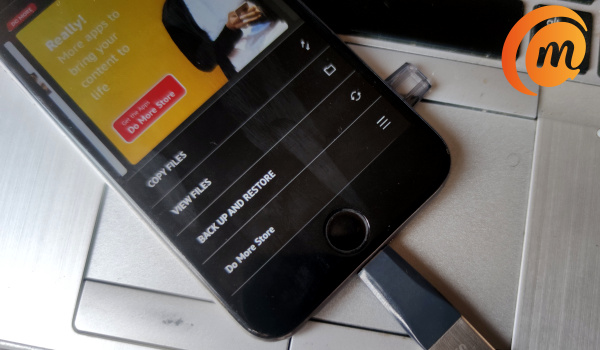
The options include: copy files, view files (including playing audio and video directly from the USB drive on the iPhone, as well as backup and restore.
The iXpand Flash Drive app is available for iPhones and iPads for free and does not have any ads on it. You can download the iXpand Drive app HERE .
iXpand Mini Flash Drive Review: Conclusions
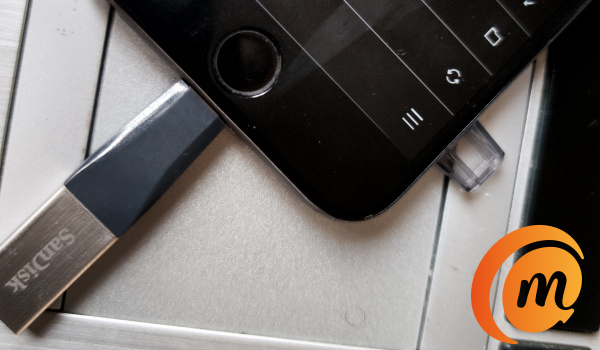
The iXpand Mini flash drive is a simple but useful USB accessory for anyone who owns an iPhone smartphone and a Mac or Windows laptop. Even if you do not own a laptop or Mac, you never can tell when having a portable drive that is pluggable into your smartphone will come in handy. Smartphones are today’s PCs afterall.
It is compatible with all iPhones with a Lightning port from iPhone 5 upwards. It can plug into every iPhone and iPad with a Lightning connector.
iXpand Mini flash drive Hands-on Video
There are different storage capacities of the iXpand Mini Flash Drive available in the market, including 32GB, 64GB, 128GB, and 256GB. The 32GB unit we reviewed is available for ₦10,500, while the 64GB unit is available in the market for about ₦18,000 on Jumia. You will find the 32GB unit for $22.99, the 64GB unit for $33.49, the 128GB unit for $45.99 and the 248GB option for $73.99 from Western Digital’s website. It is also available from local and international online stores.
Author:Mister Mobility
Digital Skills and Communication Coach | Mobile Phone Connoisseur since 2001 | Tech Blogging since 2004
Add MobilityArena as a preferred source on Google
Chinese smartphone company Xiaomi has been releasing updates for its smartphones with the Android 11-based MIUI 12. Some of the devices that readily come to mind are the Redmi Note 9 Pro , Mi 10 and Mi 10 Pro , and the K30 Pro Zoom.
Now, the Redmi K30 5G is next up, as reports say that this smartphone is currently receiving the new update. This update comes with the firmware version MIUI 12.1.1.0 RGICNXM and weighs about 2.8GB. Currently, it is Beta Stable and is not in its final version yet, as it will go out to beta program members in China who own the Redmi K30 5G.
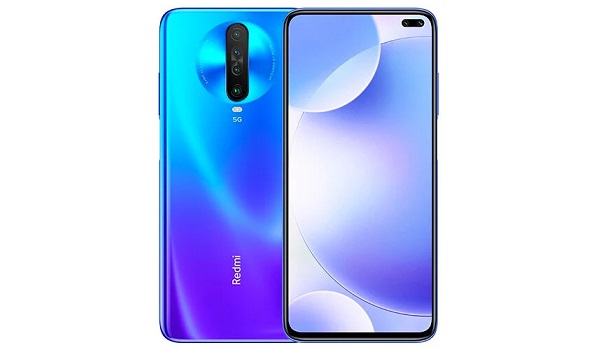
The final version of this software is expected to be released to the general public in a few days’ time.
The Redmi K30 5G launched in February this year with quad rear cameras, dual selfie cameras, the Qualcomm Snapdragon 765G chipset, and a 4,500mAh battery. On the software front, It had the Android 10 OS (which can be upgraded to Android 11) and offers up to 8GB of RAM. A number of other variants were released after it including a “ Racing Edition “.
As at the time of this report, there is no timeline yet concerning when this update will be rolled out to other regions.
References
- Source ;
- Source .
Author:Alfa Baye
Staff Writer
