Add MobilityArena as a preferred source on Google
Many months ago, I needed a replacement Bluetooth headset for taking calls when driving and when in other situations in which my hands are busy. My eventual choice was the Jabra Talk 5, a simple, compact traditional headset.
To be more precise, I purchased the Jabra BT20146, which has since been renamed as the Jabra Talk 5. It is exactly the same device. It just got an easier, trendier, less Star Wars-like name. I mean, who wants to call a consumer product by the name, BT2046? It sounds like R2-D2.
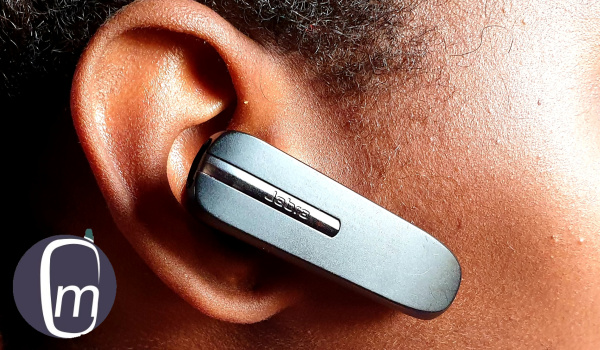
Jabra Talk 5 key specs
- take calls for 2 connected devices.
- 1 omnidirectional microphone.
- in-ear speaker.
- LED light.
- detachable earhook.
- single button.
- range: 10 meters.
- battery: Jabra won’t diclose the battery rating but say it delivers up to 11 hours talk time.
- Bluetooth 2.1.
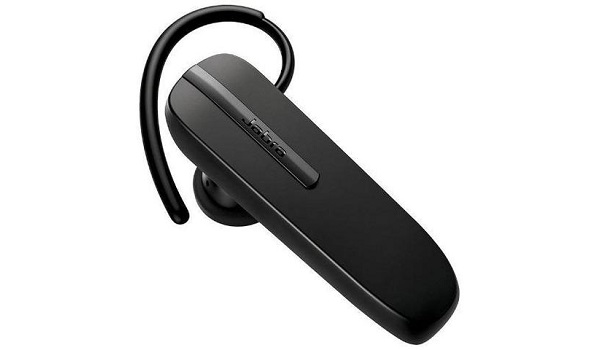
Jabra Talk 5 BT2046 Bluetooth headset
In the box were the following items:
- Jabra BT2046
- Earhook
- Ear-gel
- USB cable
- Quick guide and other pamphlets
Jabra Talk 5 BT2046 review
The Talk 5 is an in-ear headset and so can be worn without the ear hook. I was a bit sceptical about how well that would work, but I did try it on without the hook and had no problems with it for the most part. After the initial fears that it would fall off, I got used to having it hang in there all by itself.
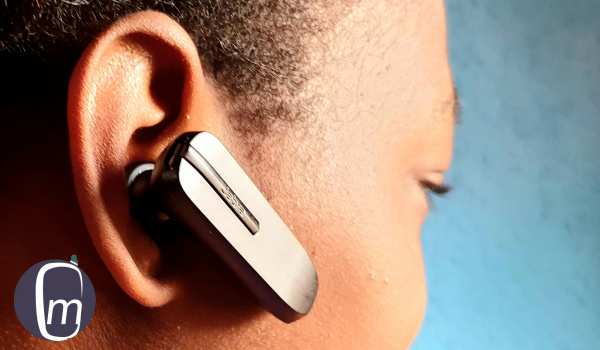
Jabra BT2046 review
Audio quality is good. It isn’t horrible and neither it is spectacular. But it is good enough for most scenarios excpet the noisiest.
No A2DP Profile
If you want a Bluetooth headset that supports media playback, i.e., listening to music from your phone, this is not one. It does not support A2DP, which is the BT profile that makes audio streaming possible. The BT2046 headset uses the older Bluetooth 2.1 standard. This model is strictly for calls.
One Multi-purpose Button
It has only one button, the horizontal strip with “Jabra” inscribed on it – and that is used both as a power button and as an Answer/End call button. Press and hold it to power it on and off. When a call is incoming, tap it to answer the call. To end an ongoing call, use the same action – a tap on the button.
The LED light that lights up in blue to indicate charging is also located on this same button button. It also flashes the same colour to indicate an incoming call. The Jabra Talk 5 does not have volume buttons. To control in-call volume, you have to use your connected phone’s volume buttons.
- Don’t miss our mobile phone reviews .
- Follow our news on Google News .
- Join our WhatsApp Group , to be notified of the most important articles and deals,
- Follow us on Instagram , Facebook , Twitter , and YouTube .
Author:Mister Mobility
Digital Skills and Communication Coach | Mobile Phone Connoisseur since 2001 | Tech Blogging since 2004
Add MobilityArena as a preferred source on Google
Wireless charging and wireless chargers are relatively new technology in the mobile space. It allows you to charge your smartphone without having to plug a cable to it. However, a cable is involved in a different way. We explain how it works below, as well as the advantages and disadvantages of using one.
Wireless charging involves the use of a charging pad, plate, pillow, or pod, which itself is connected to a power source by a cable. It is the last mile of the charging process that is wireless – you place your compatible phone on the pad and it gets charged via electromagnetic waves.
Not all smartphones have wireless charging capabilities, which is why only compatible phones will work with a wireless charger. So, the first step is to make sure that your smartphone supports wireless charging. For more details, see our earlier article, How Wireless Charging Works .
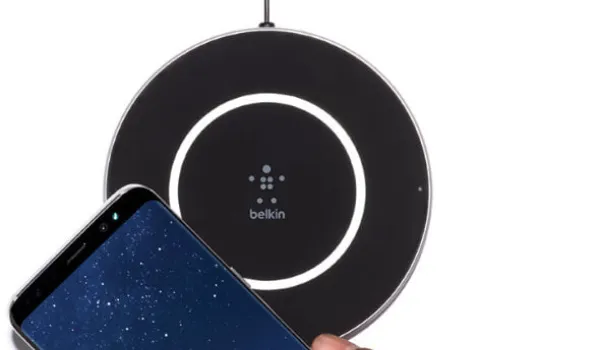
Belkin F7U014 wireless charger pad with Samsung phone
- The advantages of using a Wireless Charger
- The disadvantages of using a Wireless Charger
- Is wireless charger bad for battery?
- Can all phones use a wireless charger?
- Why does wireless charging take so long? Why is it so slow?
- How do I know if my phone has wireless charging?
- The future is wireless References
The advantages of using a Wireless Charger
Convenience : The key advantage of charging your phone wirelessly is the convenience of not plugging in a cable. Just drop it on the plate and go about your work (or play). If it rings, you pick it up, and when done, drop it. You have no need to worry about getting entangled with a cable.
Power Surge Protection : A second advantage is more applicable to people who live and work in areas prone to power surges. The absence of a direct cable connection provides some protection for the smartphone in the event of a power surge. This is because “the wireless charger cannot pass increased voltages on to your smartphone” [1]. At worst, the charging pad gets damaged, but your smartphone stays unharmed. This makes using a wireless charger safer for your smartphone than charging directly from a power outlet.
Fast Charging : Wireless charging pads charge as fast as cables do. It depends on the rating of the charger you buy. An 18W wireless charger is as fast as an 18W cable charger. So, when shopping for a wireless charging pad, be sure to check for its rating. That way you don’t end up with one that is of lower rating than your phone supports.
Wear-and-tear Protection : Wireless charging prevents wear and tear on the charging port of your smartphone. Charging port damages are some of the most common faults in mobile phones. The less you have to plug in and pull out a USB port, the longer the life of your smartphone.
The main advantages of wireless chargers are convenience and protection from the west and tear of inserting removing a physical charging port.
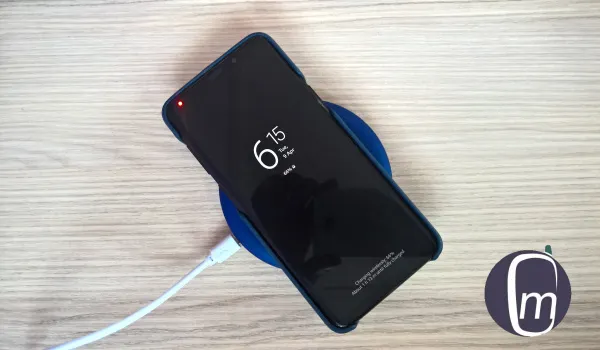
Samsung Galaxy S9 Plus on a wireless charging plate
The disadvantages of using a Wireless Charger
Higher Cost : Wireless charging pads are more expensive than regular chargers of the same ratings, so you will spend more to enjoy the convenience and benefits of wireless charging.
No Multitasking : When using a wireless charger, you cannot use your phone at the same time, because you have to lift the phone off the pad to use it. Once you lift it, charging stops. This is unlike how you can plug your phone to a normal charger and still use it at the same time.
Using a wireless charger is slow : Wireless charging is so much slower than wired charging. The technology hasn’t kept up with fast wired charging speeds. You will find fast wireless chargers to buy, but they do not match the charging speeds available from using a cord.
Is wireless charger bad for battery?
Wireless charging produces more heat than wired charging, so your smartphone battery will warm up more when you use a wireless charger. However, this is not a problem, as safeguards have been built to keep things stable. As such, charging your device wirelessly is not bad for the battery.
Can all phones use a wireless charger?
Not at all. A phone has to have wireless charging functionality built into it for it to be capable of charging wirelessly. In some cases, a 3rd party wireless charging case or a wireless adapter/receiver can be purchased and used to add the functionality.
Why does wireless charging take so long? Why is it so slow?
Because wireless charging generates more heat than wired charging, it is necessary to keep the charge at a lower and slower pace to avoid damage to the battery of the phone.
How do I know if my phone has wireless charging?
The easiest way to know if your smartphone has wireless charging is to check the product user manual, documentation, or specifications.
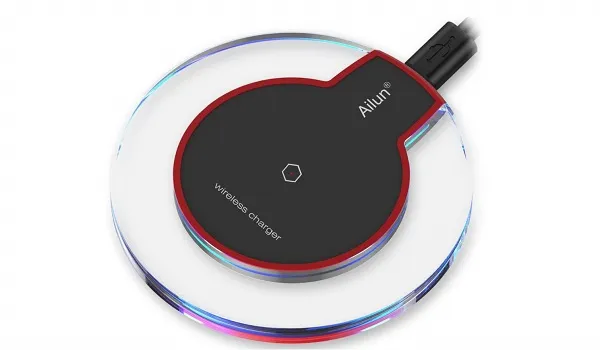
Ailun wireless charger
The future is wireless
In all, wireless charging offers more advantages than disadvantages. But as with all things, the benefits that it offers may not be high up on your list of needs.
To get a wireless charger or not? Well, the first factor is whether or not your smartphone supports the technology. Then you decide whether getting one is worth the money and the effort or not. As with some things though, you never know how much you might like it until you take the plunge.
Wireless charging technology is here to stay though. And we will see wireless chargers evolve in the years to come. Welcome to the future.
References
[1]. Qi Certified Charging and Belkin Wireless Charging Safety .
Author:Mister Mobility
Digital Skills and Communication Coach | Mobile Phone Connoisseur since 2001 | Tech Blogging since 2004
