Add MobilityArena as a preferred source on Google
Rooting your Android phone used to be as simple as downloading Kingroot APK , installing and clicking one button. But Kingroot has run into troubled times in recent years. Plus, rooting has got more difficult for devices running Android 6 Marshmallow and newer. But there are alternatives like SuperSU Pro and Kingo Root .
We are recommending only rooting methods that do not require a PC. This is because we understand that many people interested in rooting their devices have little access to a PC. All three apps are free.
What of device support? It varies from one root app to another. Some will work on some devices, but not others. Some root devices running Android 8 Oreo, while others are stuck on support for Android 7 Nougat.
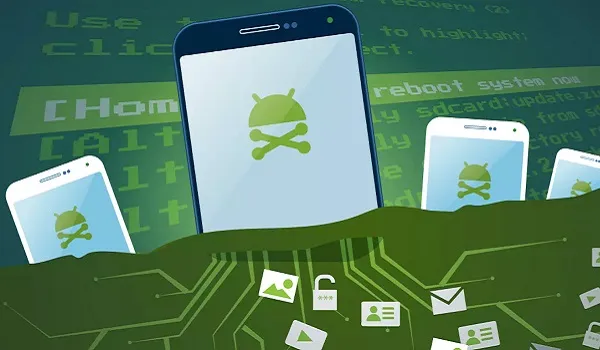
What are the pros and cons of rooting your phone?
Rooting gives you deeper control over your phone. If your device manufacturer has uninstallable apps pre-installed on the phone, rooting gives you access to uninstall bloatware. You will also be able to prevent unwanted apps from starting on boot. This can greatly improve the performance of your device.
If you want to boost the performance of your phone, rooting lets you overclock it. This will drain your battery faster, but your phone will handle tasks better. On the flip side, you can also under-clock your phone. You might have a powerful phone but desire better battery life. Under-clocking is the way to go then.
In addition, if you love to play around with different firmware, rooting is the way to go. This is also useful and great if your device manufacturer is slow with software updates. You can install ported versions of the most up-to-date software to your rooted device. And don’t forget custom ROMs. If you are a lover of those, rooting is something you want to do.
Note that MobilityArena and its principals take no responsibilities for any apps you download and use as a result of reading this article. If you choose to root your phone, it is all on you. Your Android phone can easily get damaged during rooting. Plus, rooting voids your device’s warranty. Even google is not a fan of rooted devices and so offer no support for them. Proceed at your own risk.
Download KingRoot APK
You came here looking for KingRoot APK, so we shall present that to you first. You can download it from the official website . If you run into trouble using it and would like to try out alternatives, jump to the sections below.
Download SuperSU Pro
This is another free root app you can use without the need for a PC. You can download the SuperSU Pro APK file directly from the developer’s website and install on your mobile device.
Download Kingo Root
Kingo Root says it has a success rate of over 60%. The app also offers Kingo SuperUser, a superuser access management tool for rooted Android devices. It is a fine alternative for SuperSU to manage root permission after rooting your Android. Get it from the developer’s website .
How to root your phone
All the apps listed here are one-click root apps. That means after installing KingRoot APK, SuperSU Pro APK or Kingo Root APK files, all you have to do is launch the app and click the “Root” button. You may need to reboot your phone after that, and that is it. Enjoy your root privileges.
How to unroot your phone
Unrooting your phone is quite easy. With many of these apps, just uninstall the root app to unroot your smartphone.
May the force be with you
- Don’t miss our reviews .
- Follow our news on Google News .
- Join our WhatsApp Group , to be notified of the most important articles and deals,
- Follow us on Instagram , Facebook , Twitter , and YouTube .
Author:InfoDesk
Add MobilityArena as a preferred source on Google
The terms “video blogging” and “YouTube blogging” are self-explanatory. They refer to the use of video as a content type. With the former, your video content is published on any platform, while the latter refers to creating video content specifically for YouTube. If you want to start out right now with a low budget, I have a few important tips for you.
Why Video Blogging?
There are a number of reasons why you should give video blogging a shot. For one, we live in a multimedia world now and video is hot cake. That does not mean that traditional text-and-image blogging is dead or going away. You are reading this on a traditional blog after-all.
However, video blogging offers a different type of experience and has its strengths. It is great for demonstrations. It is great if you have good looks and a great voice to show off. Yes; that is vain, but the majority of people on the planet love vanity, so use it to your advantage. Even if you do not have a great body or voice, a touch of make-up can transform any ugly duckling into a princess. Have you seen Bobrisky ?
YouTube Blogging, in particular, is the rave these days. YouTube bloggers are some of the most high profile bloggers around. If you are nursing a dream of getting in on the action, now is a good time.

What You Need To Get Started With Video Blogging On A Budget
If you are on a budget and wish to start, here are some key resources that you will find handy to keep your expenses low while starting.
- A budget smartphone
- A basic make-up kit
- A 3.5mm microphone and app
- A tripod stand
- Internet connection
- A script
- A video editing app
- An online video storage service
In the next section, I shed more light on each of the above items.
A Smartphone
You probably already own one and since you are soon a budget, you can start with that right away. It may not have a great camera, but I assure you that you can record really good videos with it if you put in the work.
For starters, always record in good lighting. If what you have is a budget smartphone, then outdoors is your best bet. Go to a park for your recordings. Or use a section of your wall at home as your backdrop. As a rule, if you want to be seen clearly, always face the sun. If you want to play around with effects, you can try other orientations.
If you are using a budget smartphone, you will need a memory card for your video recording. This is because memory is always a scarce resource on budget devices.
A Basic Make-up Kit
Video is primarily about visuals, so you need to put some effort into looking good. Which is why your video blogging career should not start without some form of beauty treatment. Do not get scared, if you are a guy. Something as simple as brown powder can make you look much better in video. I own a basic powder puff kit that looks like this:

It isn’t a full make-up kit, but it makes a difference. If you are a lady, chances are that you already own a make-up kit and know how to put it to elegant use. In any case, there are tons of YouTube videos that teach how to make up. Feel free to put them to use.
3.5mm Microphone and Compatible App
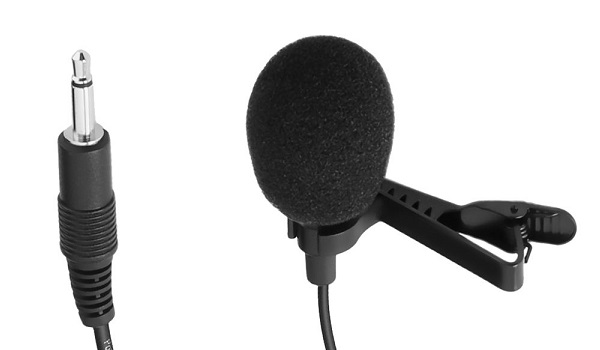
Read this quick guide on how to use a 3.5mm microphone for video recording on your smartphone.
Tripod Stand
Internet Connection
It goes without saying that you need internet access for video/YouTube blogging; right? Right. Invest in a 4G service, if available in your area. If that is not available, a 3G connection will do, but works best when everyone else is asleep in your area. So, you can do your uploads between the hours of 1am and 6am.
A Script
Yes; you will need a script if you want to practice serious vlogging. Your script can be a simple itemised list of things you want to talk about. Even better if you make it a more extensive outline of what you want to say. Take time to memorize your script. You can also be creative and find ways to stick it on a wall in front of you, like a crude teleprompter.
Whatever you do, unless you belong to the niche class of geniuses who can do a video recording without the need for a script, you should sit down ahead of time and write out your script. Run a search for sample scripts if you need further help.
Video Editing App
If you want to create captivating videos, you will need to do some form of video editing. You can save money by doing the most basic editing by yourself for starters, then later hire a video editor to handle it. Using a video editing app right on your smartphone is a good first step. Such an app lets you stitch two videos together, cut/trim/resize/compress videos, and more.
There are scores of video editing apps available in Google Play Store, so check in there and download as many as catch your fancy to see which one you are most comfortable using. You will require some practice to get the hang of the app though, so get to it now: record something and try editing it. The better you get at using it, the greater the chances of developing a great video blogging career.
An Online Video Storage Service
After recording your video, you need to upload it somewhere for all to see. There are a number of platforms available for this.
If you already run a WordPress blog, you can use VideoPress, WordPress’ video storage service, if you take up a Premium or Business subscription with them on WordPress.com.
Alternative platforms include YouTube, Vimeo, Instagram, Facebook, Flickr, and Wistia, among others. In the next section, I talk about using YouTube for video blogging.
For YouTube Blogging
YouTube is the largest video platform on the Web, so it is natural that you will want to put your video content there. All you need is a Google account. If you already have a Gmail account, you are good to go. Browse to YouTube.com and sign into it with your Gmail account, customize it and you are ready to start uploading your videos.
YouTube has an app, so you can easily upload your videos directly from your smartphone. This makes YouTube blogging particularly easy to do. Plus it is free and so perfect for vlogging on a budget.
Last Words
Video blogging is an exciting terrain. It is particularly more resource-intensive than text-and-image blogging. That means you need to spend more to get going. But with the above tips, you can get started almost right away without breaking the bank. You can always upgrade your equipment as more resources become available to you.
If you have any questions, I will be glad to answer. Use the comment box below to submit your questions and contributions. Happy video blogging.
Author:Mister Mobility
Digital Skills and Communication Coach | Mobile Phone Connoisseur since 2001 | Tech Blogging since 2004
