Add MobilityArena as a preferred source on Google
Lawnchair launcher is easily the best Android launcher available today. It offers a clean user experience and extensive customization options in a lightweight package.
I cannot be the only person who does not use the Google search bar that is often imposed on the home screen of many Android smartphones. I do not use it, and I do not like that it takes up space when it is of no use to me. Thankfully, Lawnchair Launcher lets me remove it while keeping a stock Android appearance.
But beyond the homescreen Google search bar, Lawnchair Launcher has a number of other great features that make it highly recommended for use on your Android phone. Let’s have a look.
The Google Pixel Experience
Personally, my favourite Android user interfaces are Google’s Pixel launcher and Samsung’s One UI. Both are clean, simple, and mostly friendly. Lawnchair is a Google Pixel launcher, meaning that it gives you the look and feel of Google’s Pixel smartphones. Or better still, the closest user experience to them. No; it does not offer you all the features, but using Lawnchair Launcher feels like you are using a Pixel.
But while I like the Pixel user interface, there are two sore points for me. The first one is the Google search bar on the home screen. I dislike it, especially because I never put it to use. Which is why it is a good thing that Lawnchair lets me get rid of it completely.
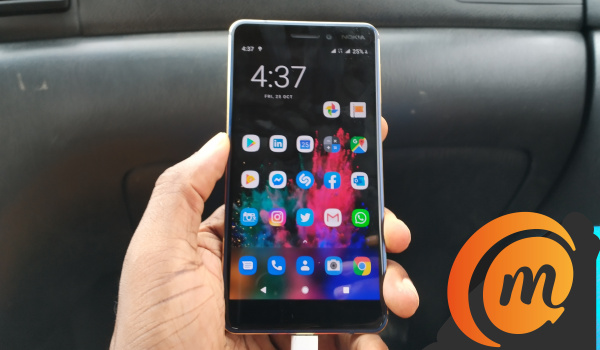
Lawnchair Launcher home screen on the Nokia 6.1
The second thing about Google Pixel launcher that I do not like is how when you do a short swipe up from the bottom of the home screen, it pulls up the task switcher. After that, a second short swipe up opens the app drawer. I find this arrangement clumsy and annoying. Lawnchair Launcher lets me get rid of that. With Lawnchair, there is only one action required to open the app drawer – a single short swipe upwards.
Yes! More user friendly.
No Root!
You do not need to root your droid to use Lawnchair Launcher on it. Just download it from the Play Store, set it up, customize it, and use.
Super Light
Lawnchair Launcher is super lightweight and fast. It is easy on your phone’s resources and runs like it was designed to be there. As at the last time I looked, it was only 3.8 MB in size.
Look, Themes! Go from Light to Black Mode
Even if your Android phone will not get Android 10 and system-wide dark mode, you can get some degree of that with Lawnchair. It has a set of themes that include the traditional Light Mode (white background), Dark Mode (grey background), and Black Mode (background is pitch black). Black Mode is my favourite, of course. Everything looks better in black .
This doesn’t affect the notification menu and phone settings, but the rest of the user interface is modified depending on your choice of theme.
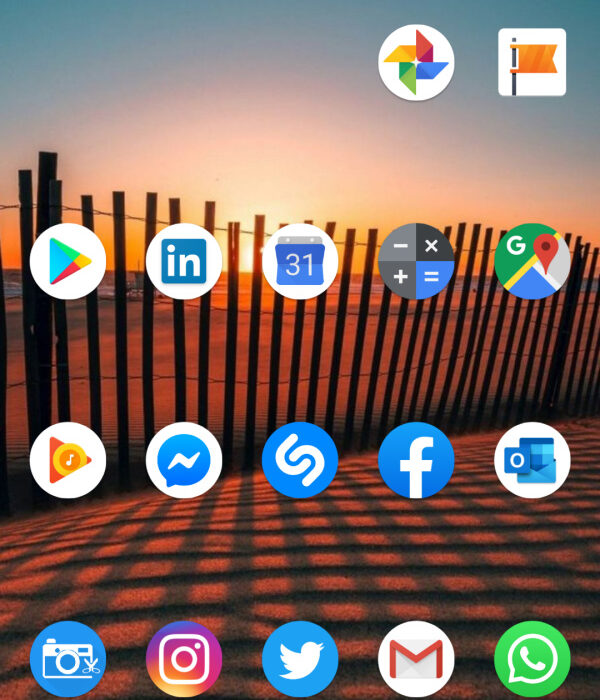
Lawnchair launcher home screen offers the clean Google Pixel experience
Turn off the Google Feed
If you do not like the Google Feed that is usually located in the left pane of the Android home screen, you can turn it off too in Lawnchair.
Modify the Android App Drawer
This launcher app also lets you modify the App Drawer. You can scale, set opacity, determine number of columns and rows, hide icon labels, and much more. The available customization options are legion. And yes, Lawnchair supports icon packs.
Backup Lawnchair Launcher Settings
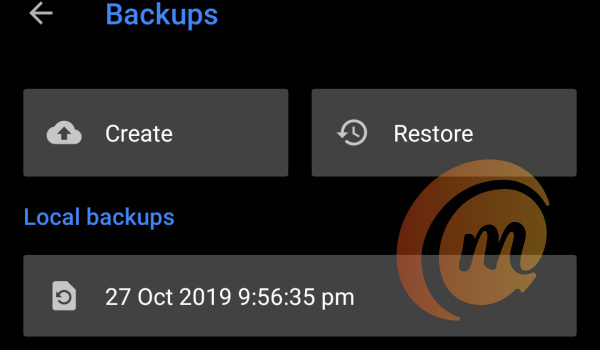
Lawnchair lets you create a backup of your app settings, so you can always set it up again to taste without wading through all the menus.
Simply put, Lawnchair launcher is the best Android launcher
Lawnchair may be new, but it has come to this battle with big guns blazing. It is amazing that it is so customizable, yet so lightweight and also fast and smooth in use. The interface is clean and easy to use as well. The best part is how it lets you get rid of redundant aspects of Pixel Launcher. The overall package simply makes it the best Android launcher available.
Download Lawnchair Launcher
- Don’t miss our reviews .
- Join our WhatsApp Group , to be notified of the most important articles and deals,
- Follow us on Instagram , Facebook , Twitter , and YouTube .
Author:Mister Mobility
Digital Skills and Communication Coach | Mobile Phone Connoisseur since 2001 | Tech Blogging since 2004
Add MobilityArena as a preferred source on Google
What do you get when you put stock Android 9 OS, a HDR10 display, and AI triple camera in a tough Gorilla Glass protected composite shell? Find out in our Nokia 6.2 review.
Nokia 6.2 review: Quick Specs
Here are the key specifications of our review unit:
- Body: Polymer composite and glass with Gorilla Glass 3 protection front and back;
- Screen: 6.3-inch, 1080 x 2280 pixels, 19:9 aspect ratio, HDR10, PureDisplay, waterdrop notch, IPS LCD screen, with Gorilla Glass 3 protection.
- Rear Camera: triple camera – 16MP f/1.8 + 5MP depth sensor + 8MP f/2.0, auto-focus lens; LED flash; 2160p video recording,
- Front Camera: 8MP, f/2.0 aperture, 1080p video recording
- Chipset: Qualcomm Snapdragon 636, octa-core CPU clocked at 2.2 GHz, Adreno 508 GPU
- Memory: 4GB RAM / 64 GB storage, plus dedicated microSD slot for up to 512GB expansion
- OS: Pure Android 9 Pie (Android 10 ready);
- Battery: non-removable 3,500mAh with 10W fast charging.
- Connectivity: Dual SIM (4G), Bluetooth 5.0, GPS/A-GPS/GLONASS/BDS, Wi-Fi a/b/g/n/ac, FM radio, microUSB 2.0 Type-C
- Colors: Ceramic Black.
- Misc: Reverse charging.
Nokia 6.2 review: Quick Pros And Cons
Before we dive into the review proper, let’s have a look at the pros and cons of this device.
- The design of the Nokia 6.2 is elegant
- Great display
- Pure, bloat-free Android software
- Guaranteed software updates for 2 years and monthly security updates for 3 years
- The phone is slippery and a fingerprint magnet.
- 10W fast charging is a downgrade from 18W fast charging in its predecessor, Nokia 6.1 .
Nokia 6.2 review: In the box
- the Nokia 6.2 phone itself (our review unit is the 4GB/64GB model in Ceramic Black)
- getting started, and product and safety info pamphlets.
- SIM ejector pin
- 3.5mm audio headset.
- USB Type-C cable.
- 10W fast wall charger.
Nokia 6.2 review: Hardware And Design
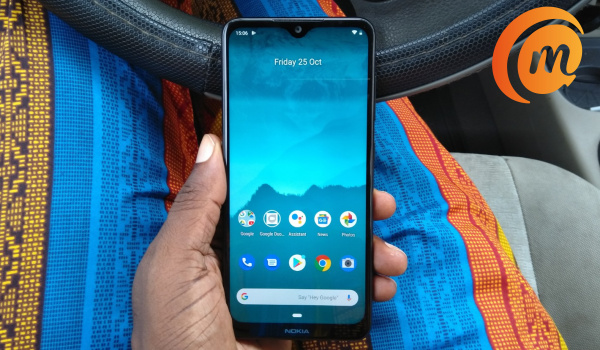
There is glass everywhere. The Nokia 6.2 has Gorilla Glass 3 covering both the front and back sides of the phone. All of that glass makes it a slippery phone.
The slippery nature apart, this is a beautiful, tastefully designed phone. HMD Global says the frame is made from a composite polymer that is twice as strong as polycarbonate and half as heavy as aluminium. In hand, it is a very light phone indeed. The summary of the Nokia 6.2’s design is that it feels and looks like it costs twice its ₦72,000 price tag.
On the left edge is a hardware button for launching Google Assistant. On the right, you will find the volume up and down buttons, as well as the power button. The top edge houses the 3.5mm audio jack, while the bottom edge houses the USB-C port, speaker grills and microphone hole.
Nokia 6.2 review: Software
Software-wise, Nokia 6.2 runs stock Android 9 Pie. Nokia has carved a place for itself as the brand that is dedicated to stock Android and the Android One project. But beyond that, they are also committed to guarantted software updates for 2 years. Security updates will be pushed to the Nokia 6.2 for 3 years.
HMD Global says that the Nokia 6.2 will get Android 10 before December 2019 rolls away. As at the time of this Nokia 6.2 review, our unit had the September 2019 security patch.
There are no bloatware pre-installed on the Nokia 6.2, so you get to intall only the apps you need or want. The default apps are mostly Google apps. Unlike with most other Android smartphone brands, there are no duplicated apps and services on the Nokia 6.2.
Nokia 6.2 review: Network And Telephony
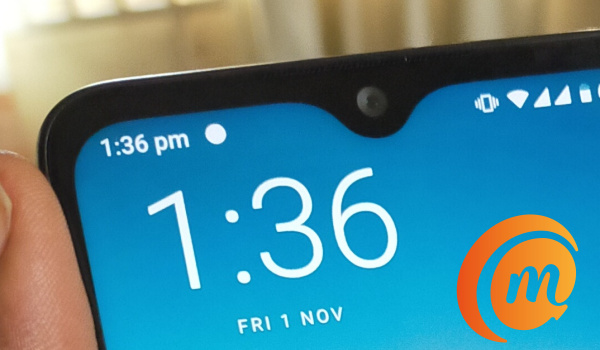
This is a dual-SIM, dual 4G LTE device. It supports Glo’s 700MHz band and putting in a Glo SIM quickly confirmed that Glo 4G works fine on the Nokia 6.2. Of course, it works with the LTE networks of the other 3 major mobile operators. Telephone call quality is very good and clear. We experienced no issues in this regard.
Nokia 6.2 review: Display And Multimedia
The 6.3″ FHD+ resolution IPS LCD display of the Nokia 6.2 is one of the finest in its class. It is based on Nokia’s new PureDisplay technology and is even more impressive than the display of some more expensive, competing smartphones. The support for HDR10 makes it one of the few phones in this price range to offer that feature that makes watching HDR video content a delight.
I did a comparison with a few other competing phones and found that Nokia’s claim that it outperforms some OLED displays in some ways is not just marketing. It actually delivers great tones and much deeper blacks than most IPS LCDs do.
In addition, the Nokia 6.2’s PureDisplay screen upscales SDR video content to HDR in real time, so you get to experience HDR quality videos even if the original content is not in HDR. You can turn it off in the phone settings, should you have no need for it.
Nokia 6.2 review: Photography
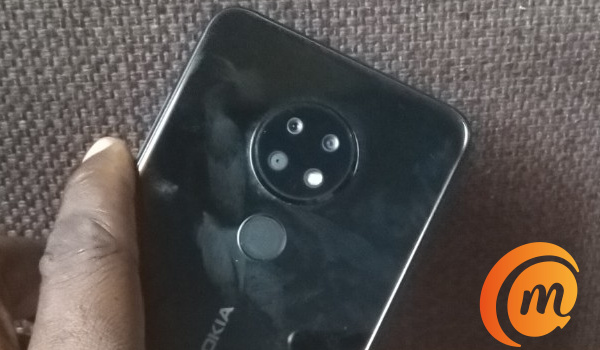
It is time to examine how good the Nokia 6.2’s cameras are. The selfie camera is an 8MP snapper, while the main camera has a 16MP main sensor + 5MP depth sensor + 8MP wide angle, triple lenses combination. It lacks the Zeiss optics of its identical sibling, Nokia 7.2. How well do both cameras perform?
PS : feel free to click on the sample photos to have a look at a larger, higher resolution image.
8MP Selfie Camera :

Colour reproduction of the selfie camera is very good. As with most selfie cameras, you will notice a little smoothening, but it isn’t excessive. Photos from the selfie camera are nowhere near as good as those from the main camera, and it is a general trend with smartphones. As I keep saying, if you want the best quality selfies, use your phone’s main camera instead .

Nokia 6.2 selfie cam has no blown highlights, has accurate colour reproduction.
Look at the collage above. The photo on the left was taken with the Nokia 6.2. You can see good details, and the colour reproduction is very accurate (I can tell because I took both selfies). Also, there are no blown highlights. Looking at the selfie on the right (taken with another phone), you can see the bright/white-out sections where the sky should be visible. These are called blown highlights (also called overblown highlights).
Rear Triple Camera :
Here are sample photos taken with the rear triple camera.
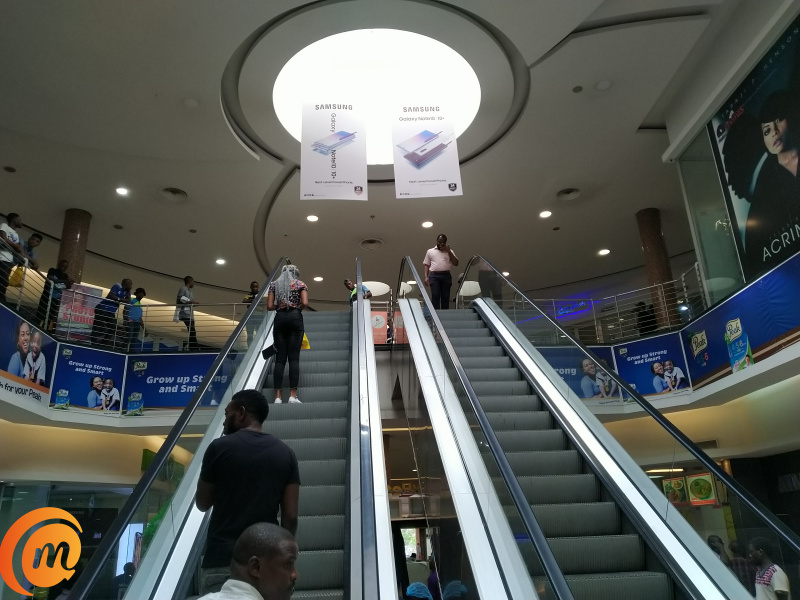
Daytime, indoor, both natural and electrical lighting: Ikeja City Mall escalator shot with Nokia 6.2
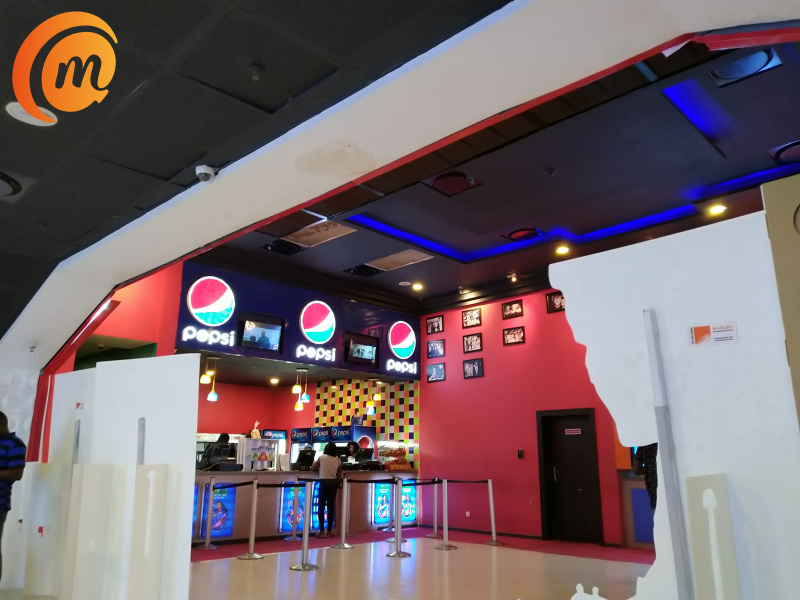
Daytime, electric lighting: Silverbird cinemas Ikeja shot with Nokia 6.2
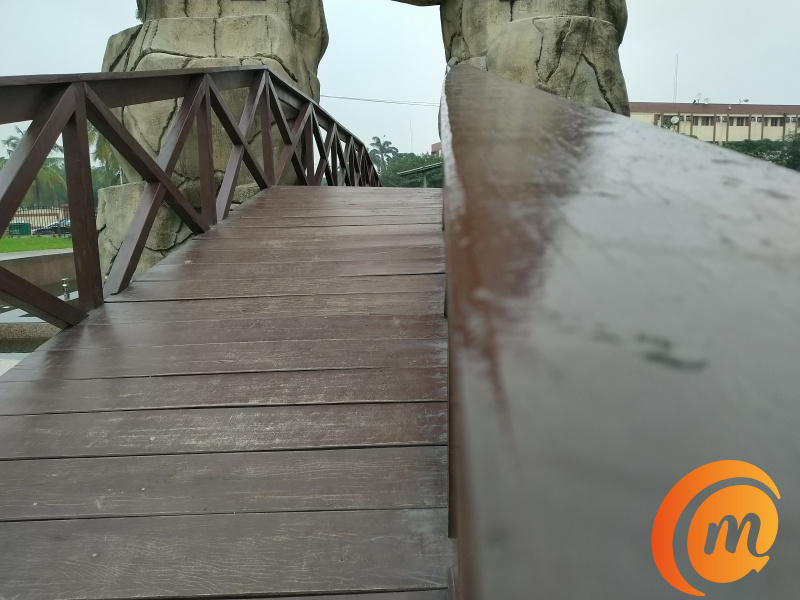
Daylight, outdoors: JJT Park captured with Nokia 6.2
What do you think of the Nokia 6.2’s cameras?
Nokia 6.2 review: Multitasking And Performance
Performance is smooth. The Qualcomm Snapdragon 636 chipset is tried, tested and dependable. Yes; it is dated, but it gets the job done so well the problem with it exists only in techies’ heads. App launching and switching is smooth with the 4GB of RAM.
If interested in benchmark scores, here are some:
- Geekbench 5.0 : 278 Single-core score; 1185 multi-core score.
- AnTuTu : 124,630.
There is 64GB internal memory in this unit. Should you need more space for your files, you can throw in a microSD card of up to 512GB capacity.
One issue with performance that irks a bit is with the fingerprint scanner. Sometimes, I had to try a couple of times before the fingerprint scanner would unlock the phone. Eventually, I restarted the phone and the issue stopped. But even after that, unlocking the phone with a fingerprint is still not as snappy as I have experienced with many other phones. Occassionally, ending a phone call is problematic, as the screen will not wake up fast enough even after applying a finger to the scanner or pressing the power button. I wonder if this is something a software update can fix.
Nokia 6.2 review: Battery life
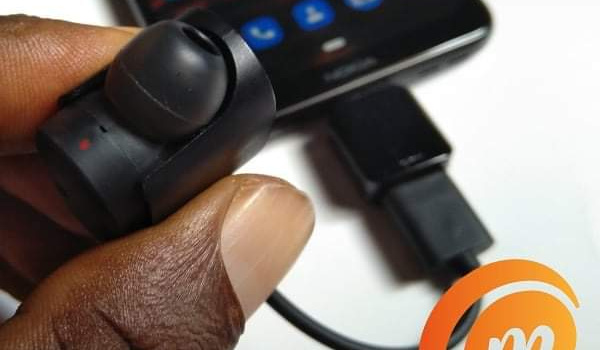
Nokia 6.2 review: using reverse charging
The combination of USB-OTG and reverse charging allows you to use the Nokia 6.2 as a power bank to charge a USB accessory or other phone. I tried charging another phone with it and that worked too. Nice. Now, if only that 3500mAh battery were 5000.
But the battery does a good job of keeping the lights on for long periods. If you are not a heavy user, you will go through a working day without running out of juice. Everyone else, myself included, will need to top up at least once during the day.
I have two active email accounts, 3 instant messaging apps, 4 social networking accounts, some web browsing and a few phone calls to tend to daily, on two active 4G lines.
Charging is via 10W standard. It is faster than regular charging, but I still long for 18W. The Nokia 6.1 has 18W.
Nokia 6.2 review: Final Words
Nokia 6.2 is a solid smartphone with good performance. It has everything covered and does not have any major failings. This is one of those phones that are good all-round performers. It offers nothing spectacular and you won’t get frustrated with it in any way. It is one of those dependable mid-rangers that everyone wants.
This is a phone that I recommend if it is within your budget.
Thank you for reading our Nokia 6.2 review. Do stick around for more useful and exciting content.
- Don’t miss our reviews .
- Join our WhatsApp Group , to be notified of the most important articles and deals,
- Follow us on Instagram , Facebook , Twitter , and YouTube .
Author:Mister Mobility
Digital Skills and Communication Coach | Mobile Phone Connoisseur since 2001 | Tech Blogging since 2004
