Add MobilityArena as a preferred source on Google
American manufacturing is back. Taiwan Semiconductor Manufacturing Company Limited (TSMC, also called Taiwan Semiconductor), a Taiwanese multinational semiconductor contract manufacturing and design company , is building two chip factories in Arizona in the United States of America. You read that right: for the first time in over a decade, semiconductor chips will be manufactured on US soil. That is great news for everyone who is an advocate of made-in-America chips, cell phones, cars, and everything else. It is about time we folded our sleeves and got back in the game.
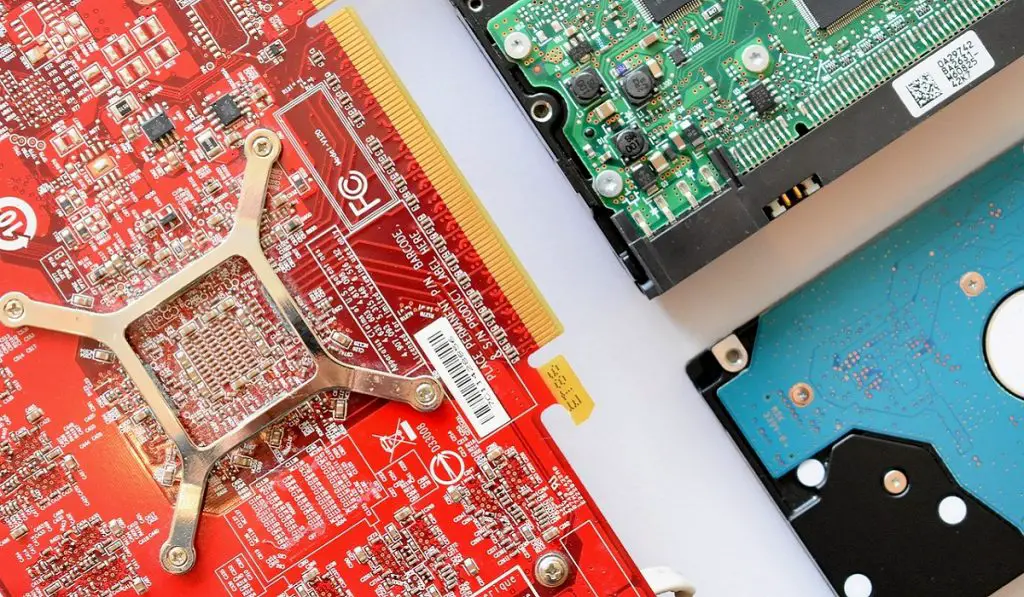
TSMC is investing $20 billion in the first of the new chip plants being built in Phoenix, Arizona. It will start production in 2024. Apple has said that they will use made-in-America chips from these plants in their products. Other technology companies that have committed to patronise TSMC’s American products include AMD and Nvidia. Construction of the second made-in-America chip factory will start in 2023 and it will go on stream in 2026 and produce 3nm chips.
TSMC is a dedicated foundry, meaning it builds the chips designed by other companies. Apple, AMD, and Nvidia are among its largest customers, and even Intel relies on TSMC to make the most advanced processors.
A Made-in-America Chips Revival Is Here
Manufacturing computer and cell phone processors on American soil is not the same as making PCs and phones in America, but it is a crucial first step. Once there is a supply of critical components, full-scale local manufacturing is inevitable. And it looks like that will happen soon. American-made cell phones might not be so far away in the future.
Intel is America’s biggest chipmaker and has its largest manufacturing site in Phoenix. It is looking to invest $20 billion to expand that facility by 2024. It also has plans to build a massive plant in Ohio. That plant is expected to start production in 2025. Another chip-maker, Micron , says that it will spend up to $100 billion on a facility in New York. Samsung says it is investing $17 billion in Austin, Texas.
The US government is launching a “Chips for America” program in 2023, to support companies that are interested in local production of chips. Several chip manufacturers have expressed interest in applying for funding through this program.
Author:MobileChic
That motivated, gadget-loving geeky chic who tries to stay on top of things. Unapologetic iFan.
Add MobilityArena as a preferred source on Google
In the past, it used to be time-consuming and tedious to remove backgrounds from images and you would typically need a PC and some significant Photoshop expertise. However, these are no longer necessary because it’s possible to remove the background from images on an Android phone.
In this guide, we’ll discuss a number of useful apps with various interesting features. These apps let you remove the background from images on an Android phone if you’re looking to achieve more professional-looking photos, or for any other related purpose.
- What Apps Can I Use to Remove the Background from Images on Android Phones?
What Apps Can I Use to Remove the Background from Images on Android Phones?
There are several apps that come with certain features that make them useful when there’s a need to remove the background from images on Android phones. Consider the following apps:
PhotoRoom Studio
PhotoRoom is a good photo editing tool you can use to remove the background images on Android phones, especially since it has a dedicated feature for this function. It can therefore be used to generate professional photos for whatever purpose we need.
To get started, you may either select a template or start the editing from scratch. PhotoRoom offers an AI-powered backend that accurately recognizes the backdrop in photos. Once selected, you can delete, modify, or retouch it.
Within this app, you can also change the image’s brightness, warmth, and contrast. It also lets you apply effects to your photographs, like blur and filters.
Picsart
Picsart is another feature-rich image editing option that can also be used to remove the background from images on Android phones.
Picsart includes a variety of image editing and creation capabilities. It features an AI-powered background editing tool that works with very little input. The background can be blurred, removed, or replaced with a custom image.
You may also modify the image dimensions using the Ratio tool in the editing menu. Furthermore, its Select tool lets you delete certain things from your photographs, such as people, buildings, or structures you’d rather not have in an image.
Picsart’s background removal feature is comprehensive and includes numerous tools. However, saving the modified photographs requires the app’s premium edition.
Remove bg automatic
Remove bg automatic is a special app in the sense that it’s a tool whose sole purpose is to remove the background from images on Android phones and other devices. It has powerful tools for getting this task done quickly, such as an AI-based Auto Cut feature that finds and removes the backdrop automatically.
The app allows you to fine-tune its tools to your preferences, making the procedure easier and more accurate. If you make a mistake, you can always restore the image.
After you’ve removed the background, you can replace it with a different one; options include a gradient, a solid color, or a custom image. It also includes some simple photo effects, such as vintage, classic, and seasonal styles. After you’ve removed the background from images on an Android phone, you can post your modified image on various social media platforms directly from the app.
Photoshop Express
Photoshop Express is essentially the smartphone version of Adobe Photoshop, and it also does a good enough job to remove the background from images on Android phones. It is a strong image editing and creation app with background removal tools.
You can choose an image from your phone’s gallery and then, while in editing mode, click the Settings tab and choose Background. You can then make changes to the image background. Alternatively, you can manually select the backdrop, with options to remove or adjust the selection.
In summary , any of the apps we’ve described above will prove incredibly helpful if your aim is to remove the background from images on Android phones. With some of the listed apps, you’ll also have the option to make some further edits.
As such, feel free to select the option that works best for you to easily remove the background from images on Android phones.
- Don’t miss our mobile phone reviews .
- Follow our news on Google News .
- Join our WhatsApp Group , to be notified of the most important articles and deals,
- Follow us on Instagram , Facebook , Twitter , and YouTube .
