Add MobilityArena as a preferred source on Google
I currently juggle between two smartphones as my primary devices. One has a regular candy bar form factor and costs about $400. The other is a clamshell foldable – a flip smartphone – and it costs a little over $500. Both of them have 45W fast charging and fully charge up in less than one hour.
- How fast does the Google Pixel 9 Pro Fold charge?
- Charging Speeds of Google Pixel 9 Pro Fold Alternatives
- References
How fast does the Google Pixel 9 Pro Fold charge?
But the $1,800 Google Pixel 9 Pro Fold is fitted with a mere 21W fast charging and fully charges up in 1 hour and 40 minutes. That’s madness. Absolutely insane.
If you want to manufacture a cutting edge premium device, put in everything it takes for it to be truly cutting edge. There is absolutely no point building a Ferrari that has a top speed of 500 miles per hour but an acceleration of zero to 100 in 30 minutes. That’s not cutting edge; that’s a crippled super car.
The Google Pixel 9 Pro Fold is a crippled device. Against most of the competition, it stands no chance, and it isn’t just about how slow it charges. But since this rant is about charging, let’s stick to that. Below is listed how fast competing foldables from other manufacturers charge up.
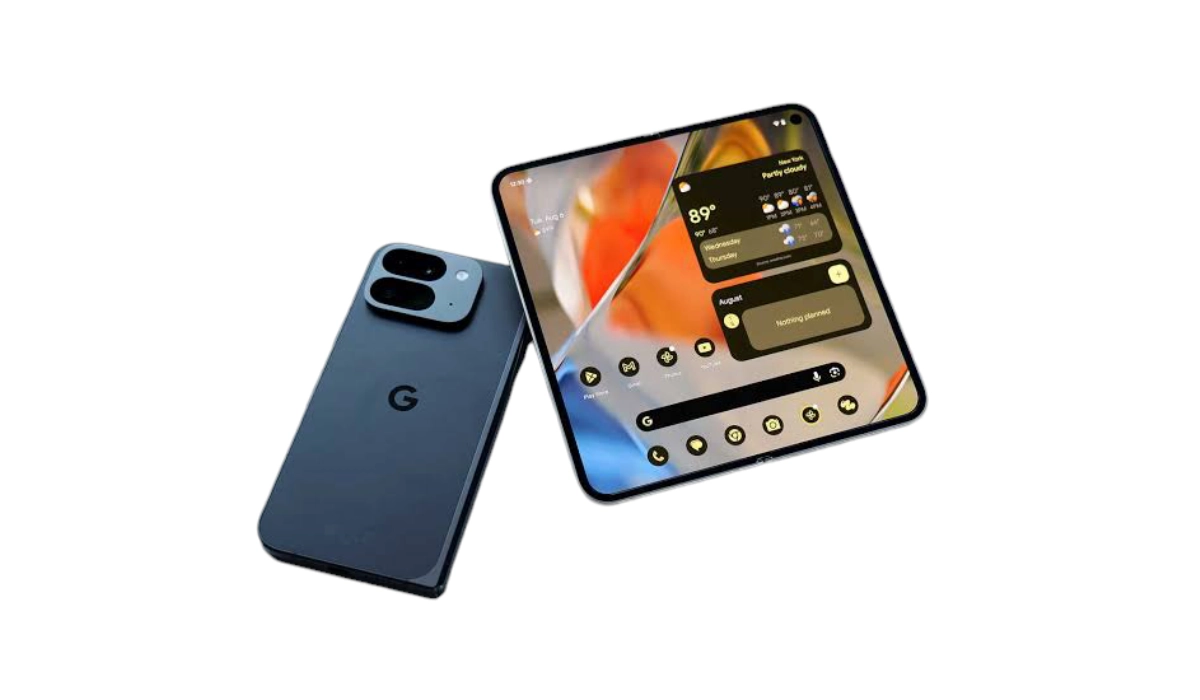
Google Pixel 9 Pro Fold is crippled by extremely slow charging.
Charging Speeds of Google Pixel 9 Pro Fold Alternatives
How long does it take to charge these Google Pixel 9 Pro Fold alternatives? Have a look.
- Huawei Mate X3 : 48 minutes
- Xiaomi Mix Fold 3 : 50 minutes
- Honor Magic V2 : 52 minutes
- Samsung Galaxy Z Fold5 : 1 hour 24 minutes
- Samsung Galaxy Z Fold6 : 1 hour 26 minutes
When it comes to fast charging, the US smartphone market gets the short end of the stick a lot. The main players here are clearly sworn to keep consumers tied to the charger for as long as possible. Apple is guilty of it. Samsung is guilty of it. Google is guilty of it. These three brands are the triumvirate of slow charging. There is no question about it that whenever Apple makes a foldable device, it will also be crippled with slower charging.
The key problem for US consumers is that these alternative devices are not readily available in the market. Were brands like Xiaomi and OnePlus to establish themselves further in the US and make their devices more widely available, it would only be a matter of time before more savvy users flock to them.
Elsewhere in the world – across Europe, South America, Africa, and Asia, other cell phone brands have embraced more cutting edge charging speeds that provide users of their devices with super convenience. Here in the United States, phone users get charging speeds from 2020 in 2024.
Anyone should feel scandalized to be offered 21W fast charging for a device that costs from $1,800 upwards. Seriously. Consumers should be up in arms and flocking to the competition.
Also, one has to ask: why is it that the Pixel 9 Pro XL supports 37W, and the Pixel 9 Pro and Pixel 9 support 27W charging, but the Pixel 9 Pro Fold gets only 21W? In my opinion, 27W charging is still too slow for any phone in the Pixel 9 series’ categories. At the very least, all of them, including the Google Pixel 9 Fold, should support no less than 37W charging.
It just doesn’t make any sense. Not to mention that I suspect that despite crippling the Pixel 9 Pro Fold this way, we shall soon start getting reports of how the device overheats at the slightest opportunity, something that has become a Google Pixel staple , year after year.
References
- Google Pixel 9 Pro Fold has the lowest charging speed of the series ( source )
Author:Mister Mobility
Digital Skills and Communication Coach | Mobile Phone Connoisseur since 2001 | Tech Blogging since 2004
Add MobilityArena as a preferred source on Google
The Samsung Galaxy Z Flip 6 has garnered attention for its innovative design and impressive features, but users have reported several challenges that can affect the overall performance and experience. From charging issues to unresponsive screens, these problems can be frustrating. Fret not, there are practical solutions to help you navigate these challenges and get the most out of your device and I put them together for you in this article.
- Charging Problems with Samsung Galaxy Z Flip 6
- Unresponsive Inner Screen
- Delayed Notifications
- Performance Issues
- Conclusion
Charging Problems with Samsung Galaxy Z Flip 6
Many users have experienced issues with their Z Flip 6 not charging properly, particularly when closed. Some report that the phone only charges wirelessly or when opened, leaving them frustrated and unable to use their device effectively. The Solutions to this problem are highlighted below:
- Check the Charging Cable and Port: Ensure that your USB-C cable is in good condition and that there is no debris in the charging port. Clean it gently if needed.
- Test with Different Chargers: Try using a different charger or plugging it into a computer to see if the issue persists.
- Soft Reset: Perform a soft reset by holding down the power and volume down buttons until the device restarts. This can help resolve minor software glitches affecting charging.
- Contact Support: If issues continue, reach out to Samsung support for warranty repair, as many users have had success with this approach after experiencing similar problems.
Unresponsive Inner Screen
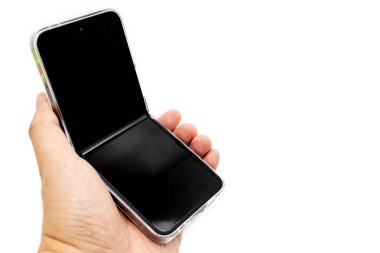
Another common complaint is the inner screen becoming unresponsive or displaying a black screen after updates. This can render the phone nearly unusable, as users have reported that touch inputs are still recognized despite the display being off. Below are the solutions to solve this issue:
- Force Restart: Try a forced restart by holding down the power and volume down buttons until the device reboots.
- Wipe Cache Partition: Boot into recovery mode and wipe the cache partition to clear any temporary files that may be causing software glitches.
- Seek Repair: If the problem persists, contacting Samsung support for a repair is often necessary, as it may indicate a hardware issue.
Delayed Notifications

Users have reported significant delays in receiving notifications for messages and apps due to battery optimization settings that put infrequently used apps into deep sleep mode. Follow these steps to solve it:
- Adjust Battery Settings: Go to Settings > Battery and Device Care > Battery > Background Usage Limits, and check if any apps are set to “Sleeping” or “Deep Sleeping.” Remove them from these lists if necessary.
- Clear App Cache: For specific apps experiencing delays, navigate to Settings > Apps > (app name) > Storage, and tap “Clear Cache.”
- Check Sync Settings: Ensure that email clients or messaging apps are set to sync at appropriate intervals to avoid delays in notifications.
Performance Issues

Some users have noticed lagging performance or slow app loading times, which can detract from the overall experience of using the Z Flip 6. These checks can help solve this performance glitch:
- Software Updates: Regularly check for software updates under Settings > Software Update, as these often include performance improvements.
- Change Performance Profile: Adjust your performance profile by going to Settings > Battery and Device Care > Performance Profile, and select “Light” mode for better efficiency.
- Factory Reset: If persistent issues occur, consider performing a factory reset as a last resort. Ensure you back up important data before proceeding.
Conclusion
While the Samsung Galaxy Z Flip 6 offers an exciting foldable experience, it is essential to address these common challenges proactively. By following these practical solutions for charging problems, unresponsive screens, delayed notifications, and performance issues, you can enhance your user experience significantly. If problems persist despite troubleshooting efforts, don’t hesitate to reach out to Samsung support for further assistance. With these tips in hand, you’ll be well-equipped to enjoy everything your Galaxy Z Flip 6 has to offer!
