Add MobilityArena as a preferred source on Google
I like the new Microsoft. It is unfortunate that the company made a mess of Windows Phone, but I really like the new approach. The company’s new drive in mobile application development for Android OS and iOS is in the right direction. The latest out of Redmond is that they are taking on Google in the mobile browser war. Microsoft Edge Preview for Android and for iOS is out and ready for as many as will love to take it for an early spin.
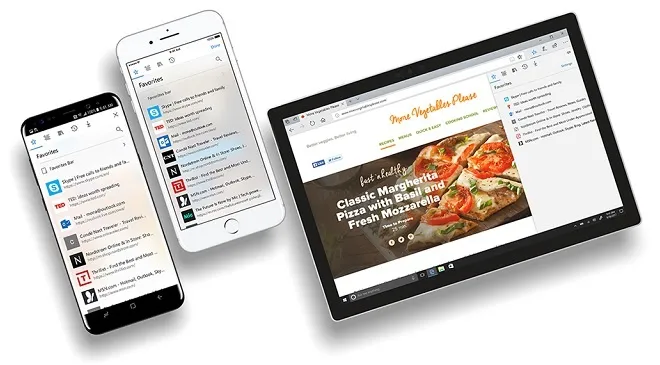
Microsoft Edge Preview for Android and iOS
I have mentioned how good Microsoft Edge is a few times. Having used it on both a Windows PC and a Windows smartphone, it is a huge improvement over its predecessor, Microsoft Internet Explorer. Microsoft Edge is a very modern web browser.
What To Expect From Microsoft Edge Preview for Android
- You will be able to sync your information (passwords, favourites, browsing history) and use them across your devices – PC, tablet and smartphone.
- Find, view, and share content with a built-in QR Code Reader to pull up information at a touch of a button
- You will be able to use Voice Search while browsing the web
- If you are concerned about your privacy, InPrivate mode is available as well.
The same set of features are available on the iOS version too.
Download Edge Mobile To Your Smartphone
The new browser isn’t available in the Android market app yet. It isn’t available in the Apple appstore either. Access to it is currently restricted to Windows Insiders.
If you aren’t registered as an Insider yet, you can join in. Head over to this page to get started.
- Don’t miss our reviews .
- Join our WhatsApp Group , to be notified of the most important articles and deals,
- Follow us on Instagram , Facebook , Twitter , and YouTube .
Author:Mister Mobility
Digital Skills and Communication Coach | Mobile Phone Connoisseur since 2001 | Tech Blogging since 2004
Add MobilityArena as a preferred source on Google
No new Ubuntu smartphones have been released in a while. But owners of existing devices can experience a new feel by updating them to UBports Ubuntu Touch OS.
After Canonical suddenly announced their plans to terminate support of Ubuntu Touch in the beginning of 2017, the programming source code for the project was taken up by the UBports community. UBports have developed their own version of the Ubuntu Touch OS. They have been hard at work making sure that you can update your legacy Ubuntu phone to the new version.

So, while no-one is making any new Ubuntu smartphones for now, you can experience a new feel on your existing Ubuntu device. In the early days of UBports, the update was a tedious process that required some technical knowledge. How, there is a software that has made the process easy to complete by anyone with a PC.
What You Need To Update To UBports Ubuntu Touch OS
- Download the Ubports Installer HERE . Available for Windows PC, Linux,
- Launch the software
- Connect your Ubuntu phone to your PC with a USB cable and enable developer mode
- Select “Switch to UBports” on the software
- Your Ubuntu phone will enter FastBoot mode
- Follow the prompts to complete the update
Note that your Ubuntu phone will be wiped during this update. As such, we advise that you make a backup before starting.
New Features of UBports Ubuntu Touch OS
The new version of Ubuntu Touch OS has some new features that you just might like. These include:
- Flashlight toggle in the battery indicator (For Qualcomm devices only, due to closed-source Mediatek drivers)
- A new version of the OpenStore (the original one died with Canonical’s abandonment)
- Updated boot spinner
- Optional custom backgrounds for the homescreen
- Calendar can now sync with generic CalDAV servers
- Display changelogs for stable OTA updates
Let us know how your update experience went.
Author:Mister Mobility
Digital Skills and Communication Coach | Mobile Phone Connoisseur since 2001 | Tech Blogging since 2004
