Add MobilityArena as a preferred source on Google
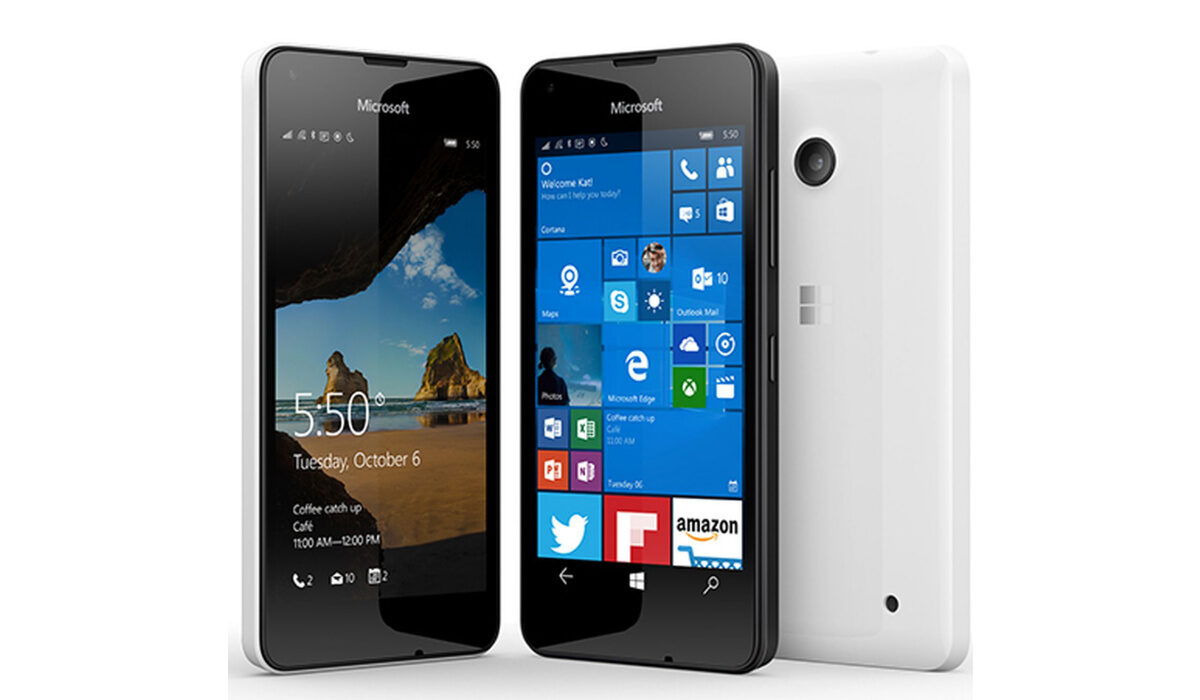
Microsoft Mobile’s Lumia 550 is the first budget Windows 10 Mobile smartphone. It is also 4G LTE enabled. If you are into Microsoft’s Windows 10 ecosystem and want an affordable smartphone, this is what the doctor ordered.
Lumia 550 Specs and Features
Wireless Network & Software
- 2G mobile network bands : GSM 850 / 900 / 1800 / 1900
- 3G mobile network bands : HSDPA 900 /1900/ 2100
- 4G mobile network bands : LTE FDD Bands 1(2100) / 3(1800) / 7(2600) / 8(900) / 20(800)
- SIM Type : Nano-SIM
- Software / OS : Microsoft Windows 10
Design, Build, Appearance
- Dimensions : 136.1 x 67.8 x 9.9 mm
- Weight : 141.9 g
- Display : 4.7-inch, 720 x 1280 pixels (315 PPI), LCD Capacitive touchscreen
- Sensors: Accelerometer, Proximity
Internal Hardware Specs
- Processor Type : Octa-core 1.1 GHz Cortex-A53
- Processor Name : Snapdragon 210
- Graphics Processor : Adreno 304
- RAM : 1 GB
- Internal Storage : 8 GB
- External Storage : microSD, up to 200 GB + 15 GB of OneDrive cloud storage
Photography, Video recording
- Rear : 5 MP, 2592 х 1944 pixels, autofocus, LED flash; Video recording : Yes, 720p@30fps
- Front-facing : 2 MP, 480p
Multimedia Playback
- Music Support : AAC, AMR, MP2, MP3, M4A, MKA,
- Loudspeaker : Yes
- Video Support : MP4/MPEG4/H.263/H.264 player
- FM Radio: Yes
Connectivity Options
- Bluetooth : v4.1
- WiFi : Wi-Fi 802.11 a/b/g/n, Wi-Fi Direct, DLNA, hotspot
- GPS : Yes
- USB : microUSB v2.0
Miscellaneous Features and Specs
Battery : 2100 mAh
Launch Date : October 6, 2015
Availability : December 2015
Launch Price : USD140
Don’t miss our reviews .
Join our WhatsApp Group , to be notified of the most important articles and deals,
Follow us on Instagram , Facebook , Twitter , and YouTube .
Author:Etoniru Chibueze
Chibueze is an award-winning gadget reviewer and geek. He loves research, while living and breathing tech. You can reach him on Facebook, Twitter ,OR LinkedIn
Add MobilityArena as a preferred source on Google
If you need to know how to cancel Glo auto borrow because you are having issues using it, here is a quick guide to help you out .
Globacom’s Borrow Me Credit is a service that allows qualified users to request for airtime from Glo on loan when you have run out of airtime. The service allows you to borrow N50, N100, N200, N500 and N1,000 to be paid back on your next recharge within a specified period.
I have used both the manual and auto borrow aspects of the service. See my experience with the manual Borrow Me Credit here on MobilityArena.com: Borrow Me Credit .
Some months ago, I decided to give the auto recharge aspect a try as well. While it works, it has one annoying weakness: many times, there is a delay in Glo’s system, and you don’t get credited with the airtime immediately. The whole idea behind auto borrow is that the user should have access to airtime when he needs it.
The delay often means that one still has to get airtime some other way first – and then the system credits your line later after the urgency is past. In other words, one is paying for a service that regularly doesn’t deliver when one requires it.

Eventually, I decided to disable the auto recharge feature. If I really need to borrow credit, I will do it manually. Here’s what to do to opt out of auto borrow.
Updated: How to cancel Glo auto borrow
The service works around the *321# short code.
In the early days, to stop the auto recharge service, dial 321#, then press “1” for auto borrow, and then press “2” to cancel. Glo later changed the code. To do so now, simply dial 321912#. You should get an SMS notifying you that you have successfully opted out of Auto Borrow service.
PS : Thanks to Kadiri for the updated information.
Author:Mister Mobility
Digital Skills and Communication Coach | Mobile Phone Connoisseur since 2001 | Tech Blogging since 2004
