Add MobilityArena as a preferred source on Google
Ever found yourself staring at a mountain of tasks with an incredibly tight deadline? You’re not alone. Every day, countless college students struggle to manage their multitude of responsibilities, trying to balance academics, work, and their social life. It’s the quintessential college dilemma, one that often has you looking up a college essay writing service at three in the morning.
While it is a sure way to deal with the workload, you could also use the alternative route. A method that not only allowed you to manage your responsibilities more efficiently but also gave you time for yourself? Thanks to the advent of mobile apps, specifically designed for time management, this seemingly impossible feat can become a reality. These apps are rapidly gaining traction among the student community due to their convenience, ease of use, and practical application. And if you look closely, you might even discover some of them serve academic needs, such as a reliable app.

Image Source:Unsplash.
- The Significance of Time Management in College
- Overview of Time Management Apps
- Best Time Management Apps for College Students
- How to Maximize the Use of Time Management Apps Understanding the App’s Features Regular Use and Updates Task Prioritization Effective Use of Reminders Integration with Other Apps Set Realistic Expectations
- Conclusion
The Significance of Time Management in College
In the hectic environment of college, time management is akin to a secret weapon that can spell the difference between success and stress. Students are constantly juggling multiple facets of their lives – from challenging coursework and part-time jobs to extracurricular activities and personal commitments. The real difficulty lies in effectively managing all these tasks without burning out.
Here’s why good time management is crucial in college:
- It significantly reduces stress and anxiety, which are often the results of last-minute cramming or rushing to complete assignments.
- It positively impacts your academic performance as you’ll have enough time to thoroughly review and revise your coursework.
- It instills a sense of control over your life, enhancing your confidence and self-esteem, and giving you room to explore other interests or opportunities.
Overview of Time Management Apps
Imagine having a personal assistant that helps you organize your tasks, keep track of deadlines, and reminds you when it’s time to start working on your next assignment. That’s essentially what a time management app does. With the plethora of apps available on various platforms, the challenge lies in choosing one that fits your lifestyle and caters to your needs.
For example, a dedicated writing app, like EssayPro, offers assistance beyond mere assignment scheduling. It aids in honing your writing skills through grammar checks, spell checks, plagiarism detection, and a slew of other features aimed at improving your writing style. Thus, with a single app, you can manage your academic deadlines and simultaneously enhance your writing abilities.
Best Time Management Apps for College Students
Navigating the vast ocean of time management apps can be daunting due to the sheer number of options available. To make the process easier, we’ve compiled a list of the most popular apps among college students, each with its unique advantages.
- My Study Life
Designed with students in mind, My Study Life is a comprehensive app that helps manage every aspect of academic life. From timetables to task managers and exam/assignment reminders, this app keeps track of your academic commitments and alerts you in advance about impending deadlines. The easy-to-use interface and synchronization feature that enables you to access your data across devices make it a favorite among college students.
- Todoist
If you’re a fan of to-do lists, Todoist is the app for you. It allows you to create task lists, prioritize them based on their urgency, and set deadlines. You can also create sub-tasks, making it easier to manage complex assignments. The added benefit of being able to access your lists across multiple devices makes Todoist a handy tool in your time management arsenal.
- Toggl
For those who wonder where their time goes, Toggl provides the answer. It tracks how much time you’re spending on different activities, helping you identify where you might be wasting time and where you can improve your productivity. With detailed reports, it enables you to visualize your time distribution and understand your work patterns.
- Evernote
Evernote is the Swiss Army Knife of productivity apps. It allows you to take notes, create checklists, set reminders, and even save online articles for later reading. The app synchronizes across devices, ensuring your information is always at your fingertips.
- EssayPro App
The EssayPro App is more than just a writing assistant. While it does provide tools for improving your writing proficiency, it also assists in managing your assignment deadlines and offers real-time writing assistance. Its multifaceted approach towards academic improvement makes it an invaluable tool for any college student.

How to Maximize the Use of Time Management Apps
Integrating time management apps into your college routine can be a game-changer, but just like any other tool, the efficacy lies in how you use them. If you’re new to these applications or haven’t been seeing the desired results, the problem might not be with the tool but how you’re using it. In this section, we’ll delve into strategies to maximize the use of time management apps, ensuring they become your reliable allies in the battle against procrastination and disorganization.
Understanding the App’s Features
Before you start depending on an app to manage your time, it’s crucial to familiarize yourself with its features. Each app, be it My Study Life, Todoist, Toggl, Evernote, or the EssayPro App, has unique attributes that distinguish it from others. For example, Toggl specializes in time-tracking, providing detailed reports on where you’re spending your time, while the EssayPro App offers writing assistance along with assignment management features.
Regular Use and Updates
Consistency is key when using time management apps. Regular use not only helps you adapt to the new tool but also ensures the app stays current and in sync with your schedule. It’s a good idea to start your day by reviewing your tasks in the app and updating it with any new assignments or commitments.
Additionally, set aside a few minutes at the end of the day to reflect on what you’ve accomplished and what needs to be pushed to the next day. This routine keeps you aware of your schedule and helps cultivate a habit of planning and reflection.
Task Prioritization
An important aspect of time management is knowing which tasks need your immediate attention. Not all tasks are created equal – some are more critical or urgent than others. Prioritizing helps you focus your energy on what matters most, reducing the stress of feeling overwhelmed.
Most time management apps offer a way to prioritize tasks. You can often assign labels or sort tasks based on their urgency or importance. This feature not only keeps your most pressing tasks at the forefront but also provides a visual representation of your task list, making it easier to manage.
Effective Use of Reminders
The reminder feature is one of the most valuable aspects of a time management app. It acts as your personal alarm, ensuring that important tasks don’t fall through the cracks. However, to use reminders effectively, it’s important not to overdo them. Too many reminders can desensitize you to them, making you more likely to ignore or dismiss them.
The best way to use reminders is to set them for your most important tasks or those with strict deadlines. Additionally, give yourself enough lead time. A reminder set for an assignment due in 15 minutes isn’t as helpful as one set a day or two in advance.
Integration with Other Apps
Most time management apps offer integration with other apps, allowing you to streamline your productivity efforts. This could mean syncing your Google Calendar with Todoist, or integrating Toggl with your preferred project management tool.
This integration ensures that all your tasks are in one place, reducing the need to switch between apps. Additionally, it allows for automatic updates across platforms, ensuring all your tools are up-to-date.
Set Realistic Expectations
Time management apps are tools designed to assist you, but they aren’t magic solutions that will automatically make you more productive. Setting realistic expectations is vital to avoid disappointment.
Understand that these apps aid in organization and planning, but the actual execution of tasks is up to you. They can notify you of an impending deadline, but they won’t complete the task for you. They can track where your time is going, but they can’t stop you from spending hours on social media.
In other words, time management apps enhance your efforts, but they require your active engagement and commitment to be effective.
Conclusion
Using a time management app effectively is a combination of understanding its features, regular use, task prioritization, effective use of reminders, integration with other apps, and setting realistic expectations. By leveraging these strategies, you can ensure that your chosen app serves as a valuable tool in your pursuit of productivity and efficient time management. Like any other tool, the value you get out of it depends on how well you use it, so invest time in learning and regular use. With the right approach, your time management app can become your most trusted ally in navigating the exciting yet challenging landscape of college life.
Author:Content Partner
Add MobilityArena as a preferred source on Google
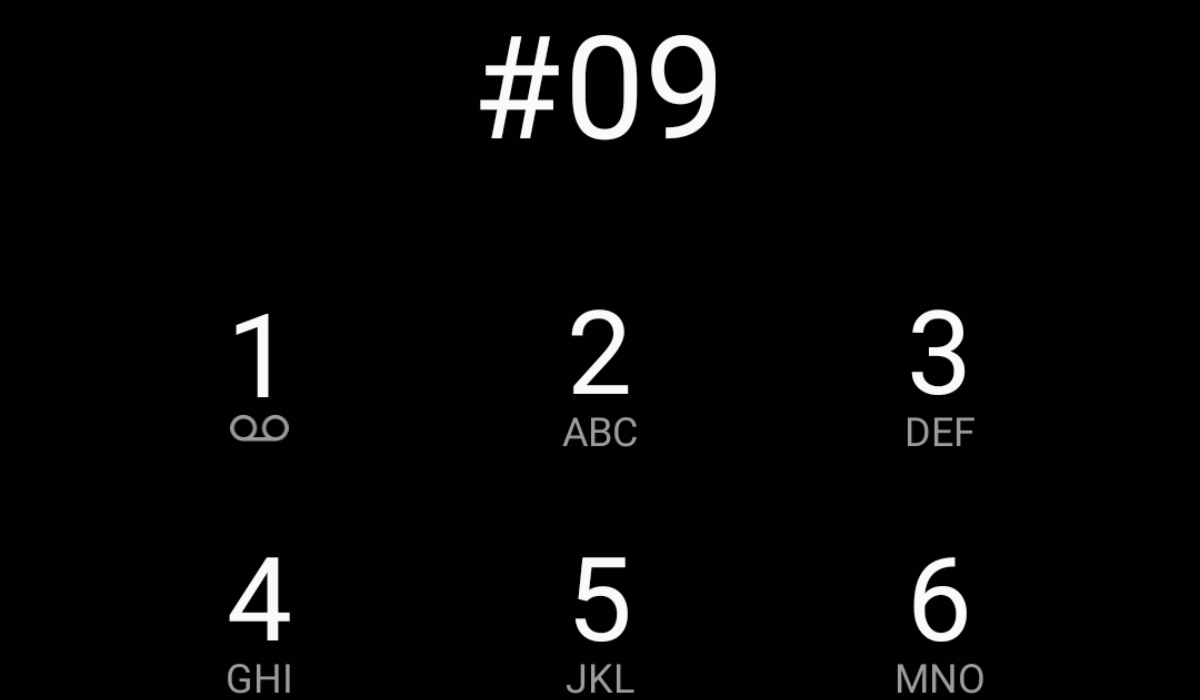
There is a cautionary notice out in the wild about how dialling #09, 90#, or #90, depending on what version of the notice you come across, will result in your personal data being breached, including having your contact list and any bank details or credit card information on your phone copied.
According to the notice, certain international numbers, run by scammers, will call you and should you dial #09, #90, or 90# during the telephone call, your personal information gets stolen. The first time I read this message, I wondered who it is that comes up with these hoaxes. There is always a new one showing up every other year. Let me address this hoax and tell you what happens when you dial these numbers on your cell phone.
Here is one version of the notice. I call it the extended version:
Please pass this message to your family and friends NOW. People have been receiving calls from Tel: +375602605281 Tel: +37127913091 Tel: +37178565072 Tel: +56322553736 Tel: +37052529259 Tel: +255901130460 or any number starting from +371 +375 +381 These guys only ring once and hang up . If you call back, they can copy your contact list in 3 seconds and if you have a bank or credit card details on your phone, they can copy that too. +375 code is for Belarus. +371 code is for Lativa. +381 Serbia. +563 Valparaiso. +370 Vilnius. +255 Tanzania. Don’t answer or call back. Also, don’t press 90# or #09 on your cell phone when asked by any caller to do so. It’s a new trick which is used to access your SIM card, make calls at your expense and frame you as a criminal. URGENTLY FORWARD this message to as many friends as you can to stop any intrusion!!! Note that these numbers are owned by fraudsters.
Another version of the message leaves out the part about being called by any number:
Please take care If Some One Asks You To Dial #09 or #90. Please Do Not Dial This When Asked. Please circulate Urgently. If you receive a phone call on your cell phone from any person saying that they are checking your mobile line, and you have to press #90 or #09 or any other number. End this call immediately without pressing any numbers. Team there is a fraud company using a device that once you press #90 or #09 they can access your SIM card and make calls at your expense. Forward this message to as many friends as u can, to stop it. This information has been confirmed by both Motorola and Nokia. There are over 3 million affected mobile phones.
What happens if you dial #09, 90# or #90 on your cell phone?
Absolutely nothing. Those codes are not recognized by your smartphone or any kind of mobile phone for that matter. I dialled them; absolutely nothing happens. Dialling #09, 90# or #90 on your cell phone does not expose you to any form of data breach or identity theft.
Where did this hoax originate from?
Hoaxes are usually based on a misunderstanding of some sort, so I dug around to find out where this one must have originated from. As it turns out, this one came from something that has to do with certain types of business phone systems that use PBX (private branch exchange) or PBAX (private automatic branch exchange) configurations.
These business phone system configurations are commonly utilized by businesses, hospitals, government agencies, and private organizations in the United States. In such setups, dialing 9 is a standard procedure to access an external line through call forwarding. However, scammers can take advantage of this by using numbers like #09 or #90 to gain unauthorized access to your phone line, potentially exploiting it for unfair purposes.
To protect against such scams, businesses using these phone systems are strongly advised to disallow call transfers to these specific numbers. Additionally, staff should be trained to recognize and handle potential scammers effectively. The Federal Communications Commission (FCC) of the United States of America provides definitive guidelines in the reference section to help organizations avoid falling victim to such fraudulent schemes.
Again, cell phone users are not vulnerable to any such scams. Dialling those numbers on your phone is not a security risk of any sort.
Author:Mister Mobility
Digital Skills and Communication Coach | Mobile Phone Connoisseur since 2001 | Tech Blogging since 2004
