Add MobilityArena as a preferred source on Google
Phone makers have been releasing models with NFC (an abbreviation for Near-Field Communication) for some years now. You have probably purchased a smartphone that had NFC listed as one of its features, and you wondered what that is all about.
I remember something that happened years ago in 2010, when Near-field Communication was still a novelty. During a session at mobiFEST 2010 , a participant spent some time lamenting how our system was not up-to-date. One of the things he devoted time to was his opinion that there is a dearth of Near Field Communication (NFC) mobile phones in the country, while the rest of the world had moved on.
With all the excitement pushed by the gentleman, the reality at the time was that there was a very limited choice of devices on the market then. There were no more than a handful of NFC phones available. Perhaps the most easily obtainable NFC handset in 2010 was the Nokia 6212 Classic.
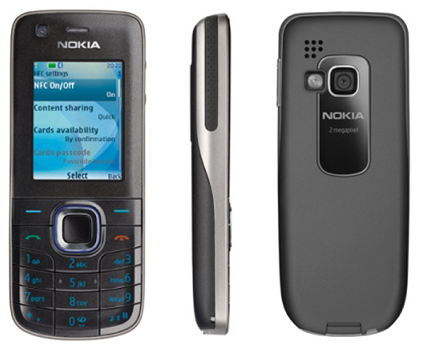
Nokia 6212 Classic was one of the earliest NFC-enabled phones
The rest of this article answers your questions about Near-Field Communication, and also provides examples and use cases of this technology.
What is NFC?
Near Field Communication or NFC, is a short-range high frequency wireless communication technology which enables the exchange of data between devices over about a 10 centimetre (around 4 inches) distance. This makes it specifically suitable for mobile payment, identification, and other related services.
Basically, NFC turns a mobile phone into a contactless card and electronic reader, and allows the phone to communicate and exchange information with other NFC devices.
Near-Field communication: Uses
NFC is useful for a number of scenarios. These include the following:
- Transfer small Images, Files, Contacts, and other small chunks of information : You can easily exchange images, files, and contact details between two phones.
- Payments : This is perhaps the most widely deployed use of near-field communication today. With an NFC-enabled phone, you can pay for items quickly just by holding the phone close to the payment device, or by touching it to it lightly.
- Identity and Ticketing : If you own an NFC smartphone, you can not only purchase your tickets, but also use your cell phone as a digital ticket to access game grounds, buses, trains, aeroplanes, and more.
- Automation via Tags : NFC is used in tags to provide automation. For example, you can embed an NFC tag in your doorway, so when you arrive from work, the lights in your building come on, and when you step out, they go off or dim. NFC tags can be used to adjust other things like modify brightness and temperature.
Near-field communication: Examples
Hyundai Motors recently developed and released a digital car key app that allows you to start and unlock your car using a cell phone. This innovation is an example of NFC at work, so you can start and unlock your car at close range.
Apple’s AirTags use this technology. For example, if you lose your AirTag, anyone with an NFC smartphone can scan it for your contact information to help them return it to you. Also, note that all iPhones from iPhone 7 and newer, running iOS 13 and newer, can read and write NFC Tags.
Accept card payments anywhere with Square
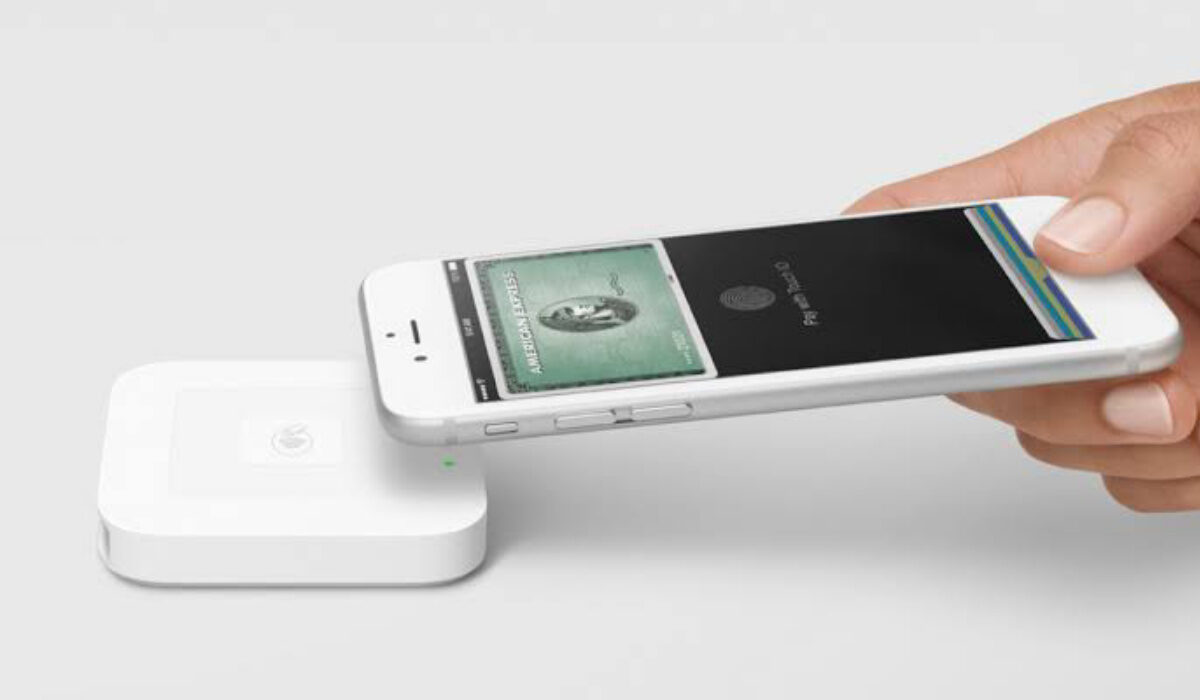
NFC also makes contactless payments possible. For example, Square’s contactless payment system uses Near-field Communication, enabling you to use your smartphone for payments.
But it isn’t only Square that is leveraging this same technology for payments. Apple Pay, Samsung Pay. To make payments, position the top of your iPhone close to the contactless reader. It is that simple. NFC is a technology that is making magic happen.
What are the examples of NFC?
Some examples are contactless payments and ticketing, tagging,
What does Near-field Communication use?
It uses radio-frequency identification technology (RFID).
Is Bluetooth Near Field Communication?
No; Bluetooth is not Near-Field Communication.
Do I need NFC on my phone?
It depends. If you want to be able to use your phone for payment services like Apple Pay and other contactless services, yes; you need it.
What is Near Field Communication?
It is a short-range technology that allows for communication between two electronic devices over a distance of 4 cm or less.
Why use NFC?
It opens you to a world of payments, identification, tagging, automation, and more via your smartphone.
- Don’t miss our reviews .
- Join our WhatsApp Group , to be notified of the most important articles and deals,
- Follow us on Instagram , Facebook , Twitter , and YouTube .
Author:Mister Mobility
Digital Skills and Communication Coach | Mobile Phone Connoisseur since 2001 | Tech Blogging since 2004
Add MobilityArena as a preferred source on Google
Hyundai has created a digital car key which uses both Near Field Communication (NFC) and Bluetooth Low Energy (BLE) for communication between a phone and a car. It lets you unlock the car by holding your smartphone against the driver or passenger door handle. But that is not all it does.
To start your car once inside, you have to place the phone on the wireless charging pad, and push the engine Start/Stop button. The engine starts and you can drive. This digital car key is simply called, Hyundai Digital Key, and the first car to feature this is the 2020 Sonata. Later Hyundai car models will see this new feature.
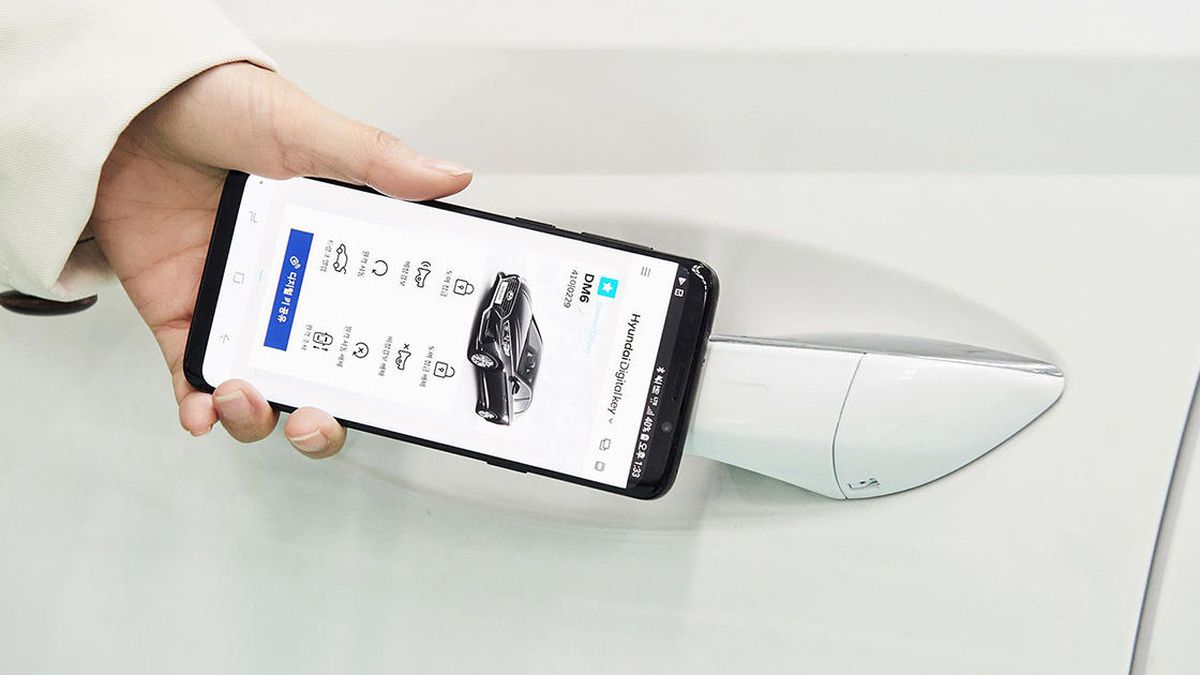
Hyundai Digital Car Key app
The Hyundai Digital Key works via a mobile app on your phone. It is available as a free download for Android smartphones from the Google Play Store. At this time, it is not available for iPhones. How times have changed: once upon a time, iPhones got all the cool apps first.
But Hyundai has made available NFC Key Cards for iPhone owners to use, so they are not entirely left out.
How does the Hyundai Digital Car Key work?
Download and install the app on your phone, set it up, and you are good to go. Hyundai says that the Digital Key app does not have to be open to unlock or start your car. It runs in the background and will work anytime you hold it close to your car door handle.
You can configure the digital car key app to be used by up to four family members, if you share your car. That way, everyone can install and use the app on their phones to unlock and start the car. A cool feature of the sharing is that the digital key saves and remembers each person’s preferred driving settings. Cool. That is some convenience.
You will need a compatible Android smartphone (one running Android 7 or later), and with Bluetooth 4.0 or later, as well as Near Field Communication (NFC). Note that if your smartphone has only one of NFC and Bluetooth Low Energy, the level of features you can use on the digital car key will be limited.
What do you think of the idea of using your cell phone to lock/unlock and start/stop your car? NFC is regarded as secure, but will you feel safe knowing your smartphone provides that access to your automobile?
- Don’t miss our reviews .
- Join our WhatsApp Group , to be notified of the most important articles and deals,
- Follow us on Instagram , Facebook , Twitter , and YouTube .
