Add MobilityArena as a preferred source on Google
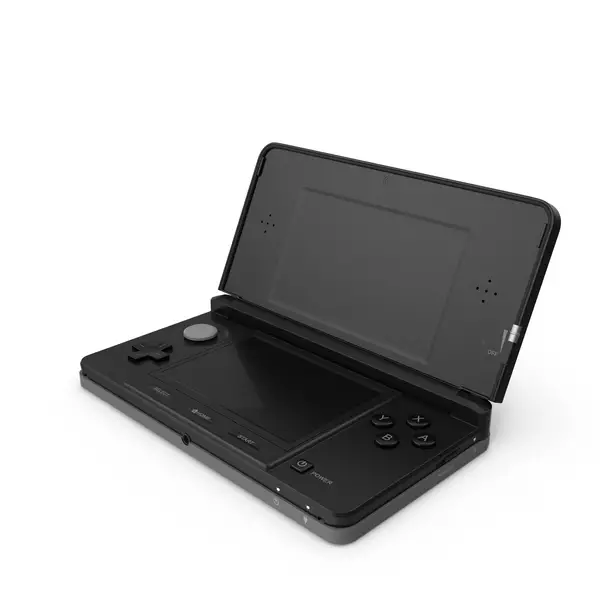
The Nintendo 3DS has been a beloved handheld gaming console since its release, captivating gamers with its unique 3D capabilities and extensive library of titles. However, like any device, it comes with its own set of challenges that users may encounter. From screen freezing and charging problems to button malfunctions and hinge damage, these challenges can disrupt your enjoyment of this iconic console. Understanding these issues is crucial for maintaining the longevity and functionality of your device. With a little proactive care and troubleshooting, you can overcome these hurdles and continue to enjoy your favorite games seamlessly. Whether you’re a casual player or a dedicated gamer, addressing these common complaints will help ensure that your Nintendo 3DS remains a reliable source of entertainment for years to come. Explore with me some of the common issues associated with the Nintendo 3DS as I offer practical solutions to enhance your gaming experience.
- Screen Freezing and Crashing
- Circle Pad Malfunctions
- Charging Problems
- Volume Control Issues
- Game Card Read Errors
- Conclusion
Screen Freezing and Crashing
One of the most frustrating issues reported by Nintendo 3DS users is the screen freezing or crashing during gameplay. This can disrupt your gaming session and lead to lost progress. I recommend these set of checks:
- Perform a Hard Reset: If your screen freezes, hold down the power button for about ten seconds to perform a hard reset. This will shut down the console, allowing you to restart it normally.
- Update System Software: Keeping your system software updated can resolve many bugs. Go to System Settings > Other Settings > System Update to check for updates.
- Check Game Updates: If the issue occurs with a specific game, check for updates in the eShop or use the Nintendo 3DS Download Repair Tool to fix any corrupted files without losing saved data.
Circle Pad Malfunctions
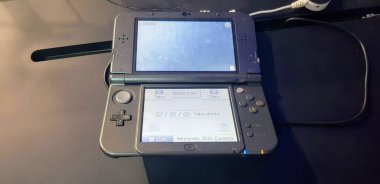
The Circle Pad is a crucial component for navigating games, but some users have reported that it becomes unresponsive or overly sensitive over time. These solutions will help:
- Recalibrate the Circle Pad: Navigate to Settings > Other > Circle Pad and follow the on-screen instructions to recalibrate it.
- Clean the Area: Dirt and debris can affect performance. Use a soft cloth to clean around the Circle Pad gently.
- Seek Professional Repair: If recalibrating doesn’t work, you may need to contact Nintendo for a repair service, especially if it’s a hardware issue.
Charging Problems
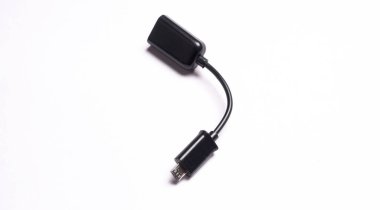
Some users have experienced issues with charging their Nintendo 3DS, such as the device not charging or losing connection during charging. I recommend the following:
- Inspect Charging Cable and Port: Check for any visible damage on the charging cable and ensure that the charging port is clean and free of debris.
- Try Different Outlets: Sometimes, changing the outlet or using a different charger can resolve charging issues.
- Consider a Charging Dock: If you frequently encounter charging problems, investing in a charging dock can provide a more stable connection.
Volume Control Issues
Users have reported problems with volume control, such as sudden volume changes or being stuck on mute. I recommend the following to resolve this issue:
- Adjust Volume Gradually: Try adjusting the volume slowly using the volume slider while playing games to see if it stabilizes.
- Use Headphones: If you experience popping sounds at lower volumes, using headphones can bypass this issue while still allowing you to enjoy your games.
- Contact Support for Repairs: If volume issues persist despite troubleshooting, consider reaching out to Nintendo for potential repairs.
Game Card Read Errors
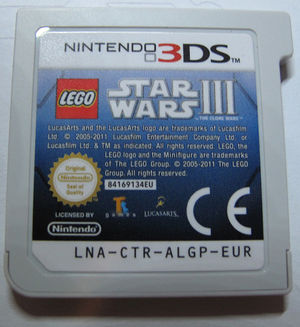
Encountering errors when inserting game cards is another common complaint among Nintendo 3DS users. This can be frustrating when you’re eager to play. Apply these simple set of solutions:
- Reinsert Game Card: Power off your system, remove the game card, and then reinsert it securely before turning it back on.
- Check for Updates: Ensure that both your system and game have the latest updates installed.
- Clean Game Card Contacts: Gently clean the contacts of your game card with a soft cloth to remove any dirt or smudges that may interfere with reading.
Conclusion
The Nintendo 3DS remains a fantastic handheld console that offers countless hours of entertainment. While some users may face challenges along the way, many of these issues can be effectively resolved with simple troubleshooting steps. By staying proactive about maintenance—such as performing regular updates and keeping your device clean—you can enhance your gaming experience and enjoy everything this innovative console has to offer. Remember, every challenge presents an opportunity for growth. By addressing these common complaints head-on, you can ensure that your time with the Nintendo 3DS is as enjoyable as possible. So grab your favorite game, apply these solutions where needed, and dive back into the immersive world of handheld gaming!
Author:Ifeoluwa Adeleke
Add MobilityArena as a preferred source on Google
I picked up a new smartphone to review the other day. As is my practice, I dived into fishing out every little bit of info about it and in the process, I stumbled on the fact that it has a 3D ultrasonic fingerprint sensor for biometric authentication. That inspired me to write an article explaining the different types of fingerprint scanners found in cell phones today.
The first thing to point out is that while all fingerprint sensors provide your phone with security, the level of accuracy, detail, and security they provide differs from one type to another. How fast they work also differs from one type to the other. Some types of fingerprint scanners also work better under certain conditions that others perform poorly in.
- Types of Fingerprint Scanners
- Optical Fingerprint Sensors
- Capacitive Fingerprint Sensors
- Ultrasonic Fingerprint Sensors
- Ultrasonic vs Capacitive vs Optical Fingerprint Sensors, in Summary
- Which type of fingerprint scanner is best biometric authentication?
Types of Fingerprint Scanners
Regardless of the location of the fingerprint scanner on a phone – In-display, rear, or side, there are three types of fingerprint sensors in use in cell phones today. They are: Optical, Capacitive, and Ultrasonic. Which type is used in a particular smartphone depends on a number of factors, including cost.
Optical Fingerprint Sensors
These sensors use light to scan the fingerprint and create a 2D image of the fingerprint. They are generally less expensive than other types of sensors but may not be as accurate and can be fooled by fake fingerprints.
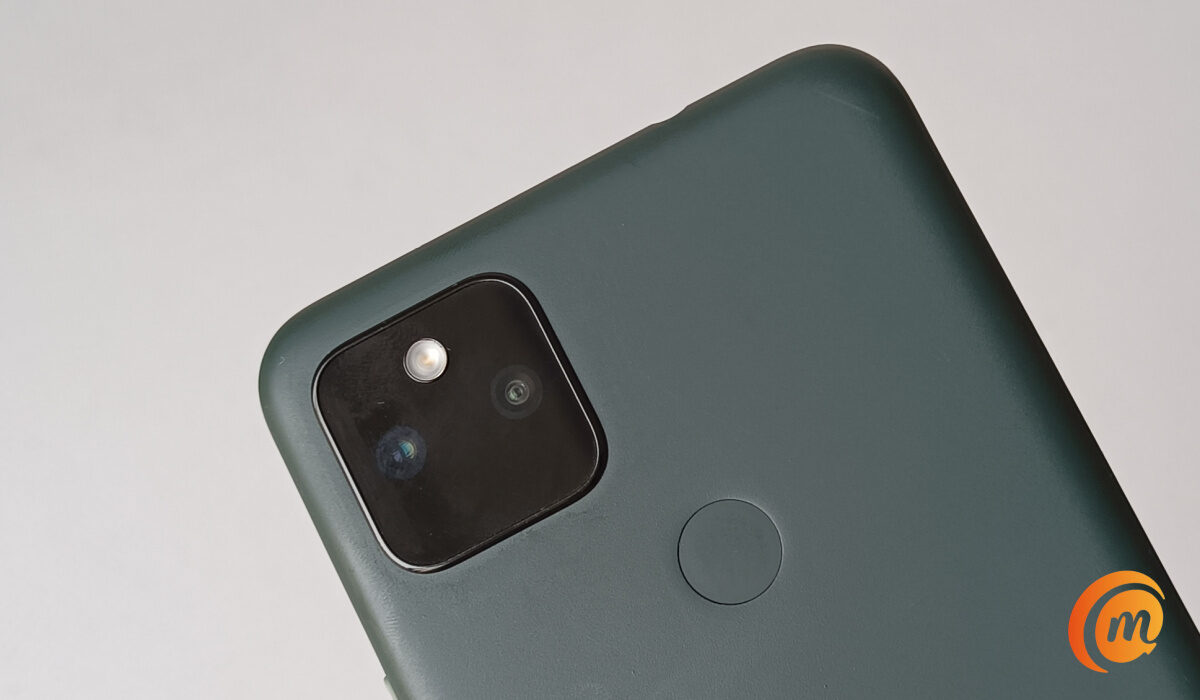
Optical sensors are the most common type of fingerprint sensors found in a wide range of smartphones, from entry-level models all the way to premium flagships. The list of cell phones with an optical scanner include older flagships like the Samsung Galaxy S21 and Pixel 6 Pro, as well as more budget models like Pixel 4a, Motorola Moto G Power (2021), and LG Stylo 6.
Capacitive Fingerprint Sensors
These sensors use electronic capacitors to scan the fingerprint. They can detect the ridges of the fingerprint and are more accurate than optical sensors. They are commonly used in smartphones and are fast and reliable.
A capacitive sensor is much more difficult to fool than an optical scanner, because the results can’t be replicated with an image, and even are difficult to fool with a prosthetic, as different materials will record slightly different changes in charge at the capacitor. This makes capacitive fingerprint scanners much more secure than optical ones.
Capacitive fingerprint sensors are popular among budget and mid-range smartphones. Some examples of popular smartphones with a capacitive fingerprint sensor include: iPhone 5s through to iPhone 8, Google Pixel phones all the way to Pixel 5, OnePlus 8 and 9 models, and Nokia 5.4.
Ultrasonic Fingerprint Sensors
These sensors use ultrasonic waves to create a 3D image of the fingerprint. They are more accurate than optical sensors and can work even if the finger is dirty, oily, or wet. They are also more expensive than other types of sensors. Ultrasonic fingerprint scanners are the most secure. They are also the ones used in premium flagship smartphones.
Examples of phones with ultrasonic fingerprint sensors include Samsung Galaxy S23 , S23+, and S23 Ultra, Samsung Galaxy Z Fold4, Samsung Galaxy Z Flip4, and Motorola Edge+.
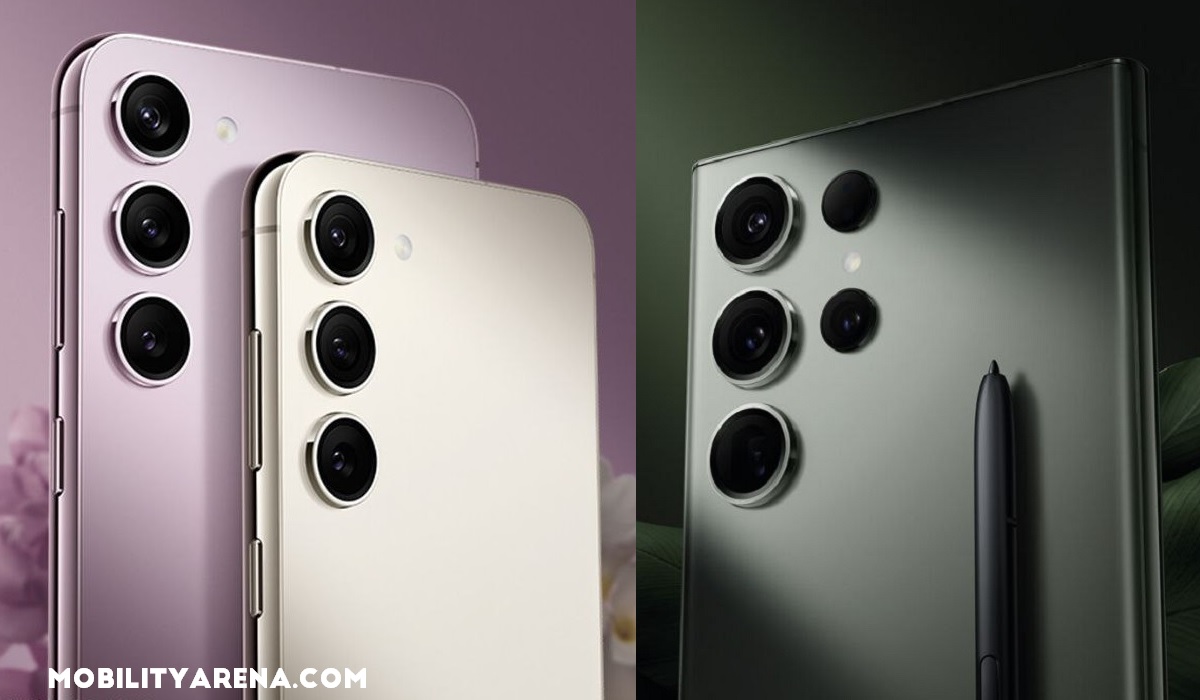
Samsung’s S23 range use ultrasonic fingerprint sensors
Ultrasonic vs Capacitive vs Optical Fingerprint Sensors, in Summary
The main differences between an Ultrasonic fingerprint sensor, a capacitive fingerprint sensor, and an optical fingerprint sensor are:
- Accuracy and Security : Ultrasonic fingerprint sensors are more accurate, and thus more secure, than optical sensors because they create a 3D image of the fingerprint, while optical sensors can only create a 2D image. Capacitive fingerprint scanners sit in the middle, in terms of accuracy.
- Speed : Traditionally, capacitive and optical sensors were initially much faster than ultrasonic fingerprint sensors. But the technology keeps maturing and the speed difference has been reduced to the barest minimum, if at all it still exists. On the Samsung Galaxy S23 which we reviewed , the 3D ultrasonic fingerprint scanner is very fast.
- Environmental conditions : Ultrasonic sensors can work even if the finger is dirty, oily, or wet, as well as in low-temperature conditions and strong sunlight. Optical sensors may have difficulty reading fingerprints in these conditions.
- Cost : Implementing an optical fingerprint scanning technology is generally less costly than implementing a capacitive or an ultrasonic fingerprint scanner. As such, optical scanners tend to be found in low-cost smartphones, capacitive in mid-range and budget smartphones, while ultrasonic scanners are found only in the most premium smartphones.
Which type of fingerprint scanner is best biometric authentication?
The answer is obvious: 3D ultrasonic fingerprint sensors are the best type for for biometric authentication in smartphones and other mobile gadgets. They offer the best accuracy, security, and have become really fast. If you can afford a premium smartphone that has one, buy it. If not, a budget device with a capacitive scanner will do just fine.
Author:Mister Mobility
Digital Skills and Communication Coach | Mobile Phone Connoisseur since 2001 | Tech Blogging since 2004
Add MobilityArena as a preferred source on Google
The 2024 Samsung Galaxy A16 4G is replacing the bestselling Galaxy A15 4G. If all goes well, it will sell just as well in core markets like the United States, Canada, and the UK. But does the Samsung Galaxy A16 4G have IR blaster? If the terminology is new to you, an IR blaster is the same thing as an infrared port.
If anything, I am excited that more and more phone brands are including an Infra-red port in their products. It isn’t quite mainstream yet, but the pattern is clear: there is a growing trend of the return of infrared ports in smartphones.
Back in the early 2000s, the most advanced mobile phones would have an infra-red port. It was used for data transfer, including internet sharing. Yes; those were the days before Wi-Fi became a thing. To share your phone’s internet, you used an old-school data cable or infra-red.
With the presence of Wi-Fi, the need and demand for infra-red blasters diminished. In recent years, Xiaomi has put an IR blaster in many of its phones. This time, these ports enable the phones to be used as TV controllers. Yes; mobile phones have taken over the roles of everything else; why not add TV controller to it?
It also enables the ability to control the DVD player, air conditioner, and some other household appliances. But a more accurate version of Face ID uses infra-red and, so, we are seeing an upsurge of IR ports in smartphones. So, perhaps, a new IR revolution may yet happen based on this.
I have owned or reviewed a number of phones with an infra-red blaster and enjoyed using the feature. However, I cannot say that I have missed it in all the other phones I have used that did not have it. It has never felt like an essential to me.
- Does Samsung Galaxy A16 4G Have IR Blaster?
- The Last Samsung Phones With IR Blaster
- Your Best Options For Phones With IR Blaster
- Deal-breaker?
- Other Specs of the Samsung Galaxy A16 4G
- Price
Does Samsung Galaxy A16 4G Have IR Blaster?
The Samsung Galaxy A16 4G does not have an infrared port/IR blaster. The thing is, even brands like Xiaomi do not include an IR blaster in their entry-level models. The whole idea of entry-level is a balance between keeping costs low and features. Which means that features found in high-end smartphones often do not make it to lower models.
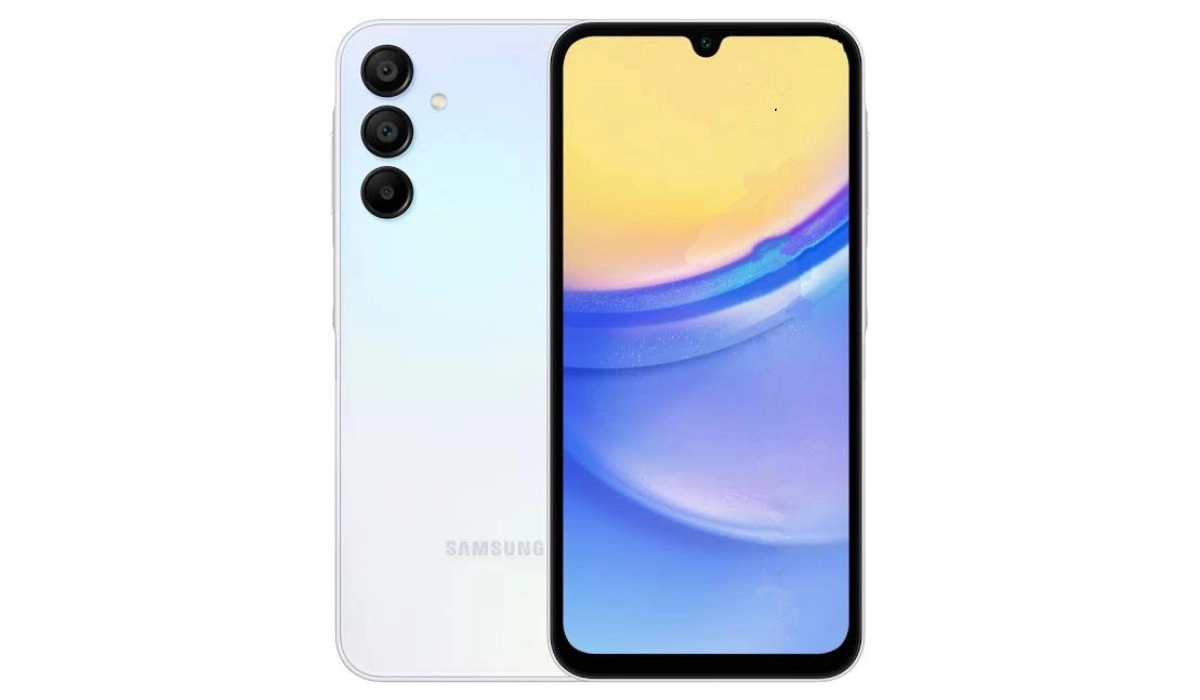
Does Samsung Galaxy A16 4G Have IR Blaster? It doesn’t.
And some Samsung fans are bitter about this omission. Some have based their phone buying decision on this factor and moved on to other smartphone brands. Here is an example of one of such conversations on Samsung’s own community website.
There are scores of other online platforms where fans are griping about the matter. But I doubt that the answer to the question about whether Samsung Galaxy A16 4G has an IR blaster will have any impact on Samsung’s sales in any way. There are no alternative models with the feature. In this price bracket, forget about infrared in smartphones. Of course, you can always buy an infrared dongle.
The Last Samsung Phones With IR Blaster
The last Samsung models that had an IR blaster were the Galaxy S6 and the Galaxy Note 4. Since then, Samsung has ignored infra-red. And it does not look like the S10 range of phones will have this feature.
Your Best Options For Phones With IR Blaster
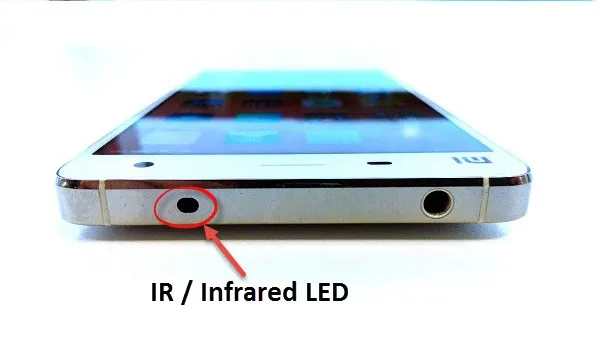
If you want a smartphone with an infra-red blaster, your best options are in the direction of Xiaomi and Huawei. The Xiaomi Redmi Note 13 Pro+ and other models in the Note 13 range are extremely popular with young people and both have IR blaster built in. Others include Xiaomi 14 series. Huawei has a number of models with an IR blaster. These include P20 Pro, Mate 10 Pro, and Honor View 10, among others.
Outside of North America and most of Europe, TECNO has released a number of smartphones with IR blaster this year. The brand is fully embracing the trend.
Gionee produced a few smartphone models with infra-red blaster. It is unfortunate that the company has declared bankruptcy. Some of their phones are still available in the market though.
Deal-breaker?
There is a vocal enough community of smartphone enthusiasts who are put off by higher Samsung smartphones not having an Infra-red blaster. I am not sure that it is a large enough community to make a big dent in the fortunes of these products.
Who knows? Part of why Xiaomi and Huawei devices are selling so well (besides pricing) might be that those brands are now on the heels of Samsung? What are the chances that having an IR blaster in key models could be a factor? After all, so many people around the world watch TV, play videos and play music on infra-red controlled home systems.
As said already, entry-level smartphones just don’t get this feature. But wouldn’t it be sweet if a brand like Samsung took up the challenge? If there is any brand with the financial muscles to do it, Samsung is one.
Before we end this article, let’s have a look at the key specs of the Galaxy A16 4G.
Other Specs of the Samsung Galaxy A16 4G
The Galaxy A16 4G will launch with the following specs:
- 6.7-inch 1080×2340 Super AMOLED screen, 90 Hz refresh rate, 800-nit peak brightness
- MediaTek Helio G99 chipset
- 4/6GB of RAM
- 128/256GB of built-in storage,
- IP54 dust and splash resistance rating,
- 164.4 x 77.9 x 7.9 mm in dimensions
- 200g in weight.
- 50MP main camera
- 13MP front camera for selfies
- Colors: Light Green, Blue Black, and Gold.
- Side-mounted fingerprint scanner.
- 5,000 mAh battery
- 25W fast charging
Price
The Galaxy A16 4G is expected to sell for about $150 in the US and Canada, and for €210 in Germany and other EU markets.
Samsung could easily have included an infrared port in this entry-level smartphone. We have seen a few other brands do it already this year. It appears that Samsung is content playing catch-up in certain areas.
Anyway, over to you. Will you be buying one, IR blaster or not?
- Don’t miss our reviews .
- Follow us on Instagram , Facebook , Twitter , and YouTube .
Author:Mister Mobility
Digital Skills and Communication Coach | Mobile Phone Connoisseur since 2001 | Tech Blogging since 2004
